




WhatsApp has officially announce username feature, allowing users to chat without sharing their phone numbers. Here is everything you need to know, broken down into quick points.
How to Set Up Your WhatsApp Username
Step 1: Open WhatsApp and go to Settings.
Step 2: Tap your Profile Picture/Name at the top.
Step 3: Select Username and create a unique handle (add numbers if taken).
Step 4: Go to Privacy Settings and toggle on “Hide Phone Number”.
Step 5: Share your new link (`wa.me/yourusername`) or QR code to connect.
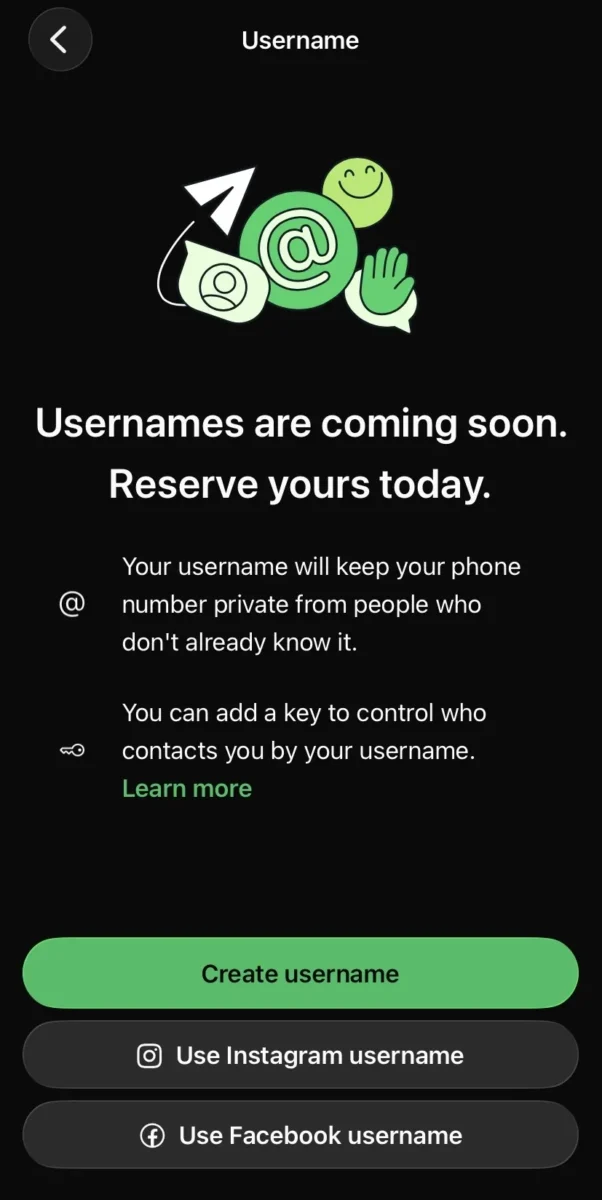
Usernames on WhatsApp are rolling out gradually over the next few months and might not be available to you yet. In the meantime, you can reserve your username. We recommend keeping WhatsApp updated on your device so you can get the latest feature updates, said Whatsapp officials
Key Privacy Features
- Hides PII (Personally Identifiable Information): Your real phone number is hidden from strangers and new contacts.
- Discovery Controls: You can control who finds you via search (e.g., “Everyone” or “Existing Contacts Only”).
- The “Saved Contact” Rule: People who already have your phone number saved in their phone will still see it. The feature only hides it from new/unknown contacts.
Cybersecurity Pros: Threats Mitigated
- Stops Number Scraping: Bots can no longer harvest your phone number from public WhatsApp groups.
- Reduces OSINT & Doxxing: Harder for malicious actors to cross-reference your identity using your phone number.
- Prevents Smishing: Lowers your risk of receiving SMS phishing texts since your number isn’t publicly exposed.
- Safer Marketplace Transactions: You can buy/sell online without giving strangers your personal telecom number.
Cybersecurity Cons: New Attack Vectors
- Easy Impersonation: Usernames are easy to copy. Attackers can create handles like `@JohnDoe_CEO` or `@BankSupport`.
- Loss of Out-of-Band Verification: You can no longer just “call their phone number” to verify if a message is really from your boss or friend.
- Increased Phishing Risk: Scammers may use fake usernames to send malicious links, relying on the anonymity of the handle.
Top Security Best Practices (Actionable Tips)
- Enable 2FA Immediately: Go to Settings > Account > Two-Step Verification to prevent account takeovers.
- Verify Suspicious Requests: If a “new username” asks for money, gift cards, or sensitive data, verify their identity via a phone call or email first.
- Look for Green Ticks: Only trust business usernames that have the official Meta Verification (Green Tick).
- Treat Unknowns Like Spam: Do not click links or download media from unknown usernames, just as you wouldn’t from an unknown phone number.
Quick FAQ (For Google SERP Snippets)
- Are messages still encrypted?
Yes. End-to-End Encryption (E2EE) remains fully active with usernames. - Can someone track my location via my username?
No. Usernames do not expose your IP address or GPS location. - WhatsApp Username Feature 2026: Setup And Privacy Guide
Yes, but WhatsApp limits how often you can change it to prevent spam and impersonation. - Do I need a phone number to make an account?
Yes. You still need a phone number to register the account initially; the username is just a public-facing alias.
Tip: Ensure your WhatsApp app is updated to the latest 2026 version to see the username settings!