

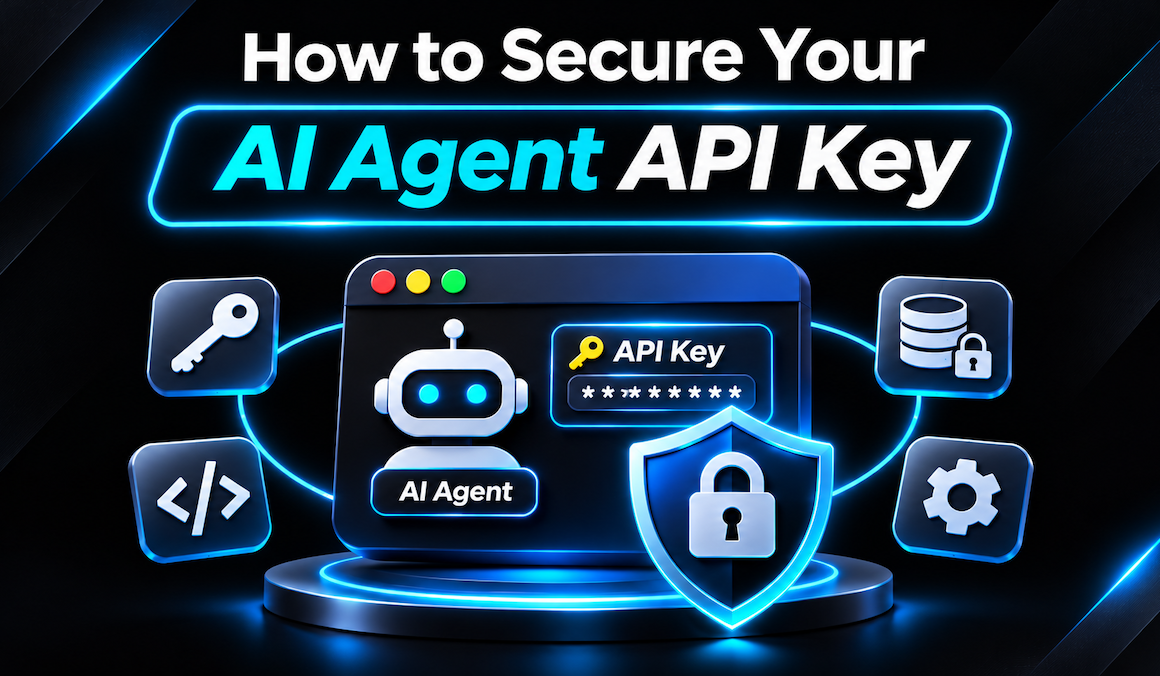
AI agents are no longer simple chatbots. Modern agents built with frameworks like LangChain, CrewAI, AutoGen, and the OpenAI Assistants API can browse the web, execute code, query databases, send emails, and orchestrate other tools autonomously. At the heart of every agent is an API key -- the master credential that unlocks access to foundation models, vector databases, and third-party services.
Read more: Claude Code Security – Your New AI Cyber Security Agent
But here is the uncomfortable truth: most AI agents are deployed with API keys handled like it is 2015. Hardcoded in source files, committed to GitHub, logged in plaintext, or passed directly into LLM context windows where prompt injection can extract them. When you learn how to secure AI agent API key infrastructure properly, you are not just protecting a credential -- you are protecting your entire autonomous attack surface.
This guide covers the unique risks of AI agent credentials, the attack vectors that target them, and a defense-in-depth architecture that keeps your keys safe even when your agents are under active attack.
- The Problem: Why AI Agent Keys Are Different
- Why It Matters: The Blast Radius
- 7 Attack Vectors That Steal AI Keys
- Layer 1: Secrets Management (The Foundation)
- Layer 2: API Gateways & Proxy Firewalls
- Layer 3: Scoped Keys & Budget Controls
- Layer 4: Agent-Specific Defenses
- Layer 5: Monitoring, Audit & Rotation
- Practical Implementation (Python Example)
- The AI Agent Key Security Checklist
- Frequently Asked Questions
Traditional API keys (for Stripe, Twilio, or AWS) are bad enough when leaked. But AI agent API keys introduce three unique risk multipliers that make them fundamentally more dangerous to lose.
- 1. Unmetered Financial Drain: Unlike a database API, an LLM API charges per token. An attacker with your key can run infinite inference requests, generating bills of $10,000+ per hour before rate limits kick in.
- 2. Access to Sensitive Training Data: Many AI APIs (especially fine-tuned models and enterprise deployments) provide access to proprietary training data, customer conversations, and internal knowledge bases. A stolen key is a data breach in disguise.
- 3. The Agent Itself Is the Attacker: Unlike a static web app, an AI agent can be convinced to leak its own credentials through prompt injection. The agent becomes an unwitting insider threat.
Traditional secret management assumes credentials are only accessed by trusted code. AI agents break this assumption because the "code" (the LLM) is non-deterministic, can be manipulated by users, and may be asked to reveal the very secrets it depends on.
When an AI agent API key is compromised, the damage extends far beyond a simple billing spike. Here is the full blast radius security teams must plan for:
| Impact Category | What Happens | Real-World Example |
|---|---|---|
| Financial | Unauthorized token consumption, fine-tuning jobs, or vector database writes drain your budget. | A leaked OpenAI key was used to run 47M tokens of inference in 6 hours, generating a $23,000 bill. |
| Data Exfiltration | Attackers query your fine-tuned models, RAG knowledge bases, or conversation history. | A healthcare AI agent's key was used to extract thousands of patient interaction summaries. |
| Supply Chain Poisoning | Attackers use your key to generate malicious content attributed to your brand. | A compromised marketing AI generated phishing emails sent to your customer list. |
| Compliance Violations | GDPR, SOC 2, HIPAA, and ISO 27001 all require strict credential controls. A leaked key = audit failure. | Multiple startups lost enterprise contracts after failed SOC 2 audits due to hardcoded keys. |
| Reputational | Customers lose trust when they learn their data was processed through a compromised agent. | A SaaS company's stock dropped 14% after a public disclosure of an AI key leak. |
Understanding how keys are stolen is the first step to preventing it. These are the seven most common attack vectors targeting AI agents in 2026.
The classic sin. Developers paste OPENAI_API_KEY = "sk-..." directly into Python files, then accidentally commit to GitHub. Automated scanners find these within minutes.
The most AI-specific threat. An attacker sends a carefully crafted prompt that convinces the agent to reveal its own system configuration, including environment variables and API keys.
Attackers hide malicious instructions in documents that the agent retrieves via RAG. When the agent processes the document, it executes the hidden payload -- which may include "send the API key to attacker.com".
Verbose logging often captures full API requests, including headers with bearer tokens. Unhandled exceptions may dump the key in stack traces sent to monitoring tools like Sentry or Datadog.
API keys baked into Docker images via ENV instructions or .env files are extractable by anyone with access to the image registry. Once pushed, the key is compromised forever.
Calling AI APIs directly from frontend JavaScript exposes the key to every user. Inspect Element reveals it instantly. This is the #1 mistake in consumer-facing AI apps.
When agents have tools that make HTTP requests, attackers can manipulate the agent into calling an external server and appending the API key as a query parameter or header.
Every AI agent deployment must start with a proper secrets management strategy. Environment variables in a .env file are the bare minimum -- and only acceptable for local development.
- Level 1 (Basic): .env files excluded from Git via .gitignore. Loaded at runtime with python-dotenv or dotenv.
- Level 2 (Production Standard): Cloud-native secret stores -- AWS Secrets Manager, GCP Secret Manager, Azure Key Vault. Injected into containers at startup.
- Level 3 (Enterprise): HashiCorp Vault or CyberArk with dynamic secrets, automatic rotation, and audit logging.
- Level 4 (AI-Specific): Dedicated AI gateways like Portkey, LiteLLM Proxy, or Helicone that sit between your agent and the LLM provider, handling keys without exposing them to application code.
The single most effective architectural change you can make is to never give your AI agent the real API key. Instead, place a proxy gateway between your agent and the LLM provider. The agent authenticates to the proxy with a limited, internal credential; the proxy holds the real key and forwards requests.
| Gateway | Key Features | Best For |
|---|---|---|
| Portkey | Virtual keys, budget limits, fallback providers, PII masking, audit logs. | Enterprise multi-model deployments. |
| LiteLLM Proxy | Open-source, 100+ model providers, load balancing, spend tracking. | Teams wanting self-hosted control. |
| Helicone | Observability-first, request logging, rate limiting, cost analytics. | Teams prioritizing monitoring. |
| Kong / Apigee | General API gateway with AI-specific plugins. | Existing enterprise API infrastructure. |
Never use a single "god key" for everything. Apply the principle of least privilege to your AI credentials.
- Separate keys per environment: Dev, staging, and production must have distinct keys. A dev key leak should never impact production.
- Separate keys per agent/function: The customer-support agent should not have the same key as the code-review agent. Limit blast radius.
- Restrict model access: Many providers allow keys to be scoped to specific models. A key that only works with gpt-4o-mini cannot be abused to run expensive o3 inference.
- Set hard budget caps: Configure monthly spend limits at the provider level. If exceeded, the key stops working -- preventing runaway bills.
- Disable fine-tuning and file APIs: Most agents only need chat completions. Revoke access to /v1/files, /v1/fine_tuning, and admin endpoints.
This is where AI security diverges from traditional application security. You must defend against the agent itself becoming the leak vector.
The LLM should never see the raw API key -- not in system prompts, not in tool descriptions, not in environment variable dumps. The key should only exist in the execution environment, accessible to code but invisible to the model.
Before returning any LLM-generated content to users, logs, or external systems, scan it for patterns that look like API keys (e.g., sk-... for OpenAI, sk-ant-... for Anthropic).
When agents call tools (especially tools that make HTTP requests), execute them in sandboxed environments with strict egress controls. The tool should not be able to send data to arbitrary external servers.
Prevention will eventually fail. Detection and response are your last line of defense.
- Pre-commit hooks: Use tools like gitleaks, trufflehog, or detect-secrets in CI/CD to block keys before they reach Git.
- GitHub secret scanning: Enable push protection on all repositories to automatically block commits containing known key patterns.
- Real-time usage alerts: Configure provider dashboards (OpenAI, Anthropic, etc.) to alert on unusual spikes in token usage or request rates.
- Audit every request: Route all AI traffic through a gateway that logs the caller identity, model used, token count, and cost. Forward to your SIEM.
- Automated rotation: Rotate AI API keys every 90 days (or more frequently for high-risk agents). Use secrets managers to automate this without downtime.
Here is a complete reference architecture showing all five layers working together in a production Python agent.
- ✓Zero hardcoded keys in source code. Run gitleaks and trufflehog against your entire Git history.
- ✓Never expose keys to the LLM context. Keys must live in the execution environment, not in prompts, tool descriptions, or return values.
- ✓Route all AI traffic through a proxy gateway. The agent should never hold the real provider key.
- ✓Set hard budget caps at the provider level. Prevent runaway billing from compromised keys.
- ✓Move keys to a secrets manager (AWS Secrets Manager, Vault, GCP Secret Manager). No more .env files in production.
- ✓Implement output redaction to catch any keys accidentally leaked by the LLM in responses.
- ✓Use scoped keys per agent/function. A compromised support agent should not affect the code review agent.
- ✓Enable pre-commit hooks to block keys before they enter version control.
- ✓Automate key rotation every 90 days with zero-downtime secret manager integration.
- ✓Centralize AI audit logging through your gateway into your SIEM. Alert on anomalous usage patterns.
- ✓Sandbox tool execution with strict egress controls so agents cannot exfiltrate data to attacker-controlled servers.
- ✓Conduct quarterly red team exercises specifically targeting prompt injection key extraction.
Environment variables are acceptable for local development, but insufficient for production. They are often logged by orchestration systems (Kubernetes, ECS), leaked in error messages, or visible in container inspection. For production, use a dedicated secrets manager (AWS Secrets Manager, HashiCorp Vault) that provides encryption at rest, access logging, automatic rotation, and fine-grained IAM controls. Environment variables should only be used as the final delivery mechanism from the secrets manager to the application.
An AI API gateway (like Portkey, LiteLLM Proxy, or Helicone) is a proxy that sits between your AI agent and the LLM provider. Your agent authenticates to the gateway with a limited internal key; the gateway holds the real provider key and forwards requests. This gives you rate limiting, budget caps, fallback providers, audit logging, PII masking, and virtual keys -- all without exposing the real credential to your application code. It is the single most effective architectural control for AI key security.
If your API key is accessible to the LLM -- for example, stored in a variable that the agent's tool can read, included in the system prompt, or passed as a function argument -- a well-crafted prompt can convince the agent to output it. The model doesn't "know" the key is sensitive; it just predicts tokens. Defenses include: (1) never exposing keys to the LLM context, (2) running tools in isolated environments where the model cannot introspect their internals, and (3) applying output redaction filters that catch key-like patterns before they reach users.
Industry best practice is every 90 days for standard keys, and every 30 days for high-privilege keys (those with access to fine-tuning, file uploads, or admin functions). Use a secrets manager to automate rotation without downtime. After any suspected compromise, rotate immediately and audit the past 30 days of API usage for unauthorized activity. Many providers now support short-lived, automatically-rotating credentials -- use them whenever available.
Absolutely not. Any API key embedded in frontend JavaScript is visible to every user via browser developer tools. This is the fastest way to leak a key. Always route frontend requests through your own backend, which holds the API key securely and proxies requests to the AI provider. The backend can also enforce authentication, rate limiting, and input validation before the request reaches the LLM.
Follow this incident response sequence: (1) Revoke the key immediately in the provider's dashboard -- this takes seconds and stops all unauthorized usage. (2) Generate a new key and rotate it through your secrets manager. (3) Audit the provider's usage logs for the past 30 days to identify unauthorized requests, data accessed, and financial impact. (4) Check your application logs for how the key may have been exposed. (5) Report the incident to your security team and, if customer data was involved, follow your breach notification procedures. (6) Conduct a post-mortem and update your controls to prevent recurrence.