



Hackers are using fake CAPTCHAs to trick people on Webflow websites. They want to steal financial information including credit card details. This new attack was found by Netskope researchers. It shows how hackers are getting better at tricking people, and why it’s important to be careful online.
Key Points:
- The Tactic: Attackers are embedding malicious forms within compromised or seemingly legitimate Webflow sites. These forms mimic legitimate CAPTCHA verification processes, tricking users into entering personal data, including usernames, passwords, and even payment details. The use of CAPTCHAs, typically associated with security, adds a layer of perceived legitimacy, making the scam more convincing.
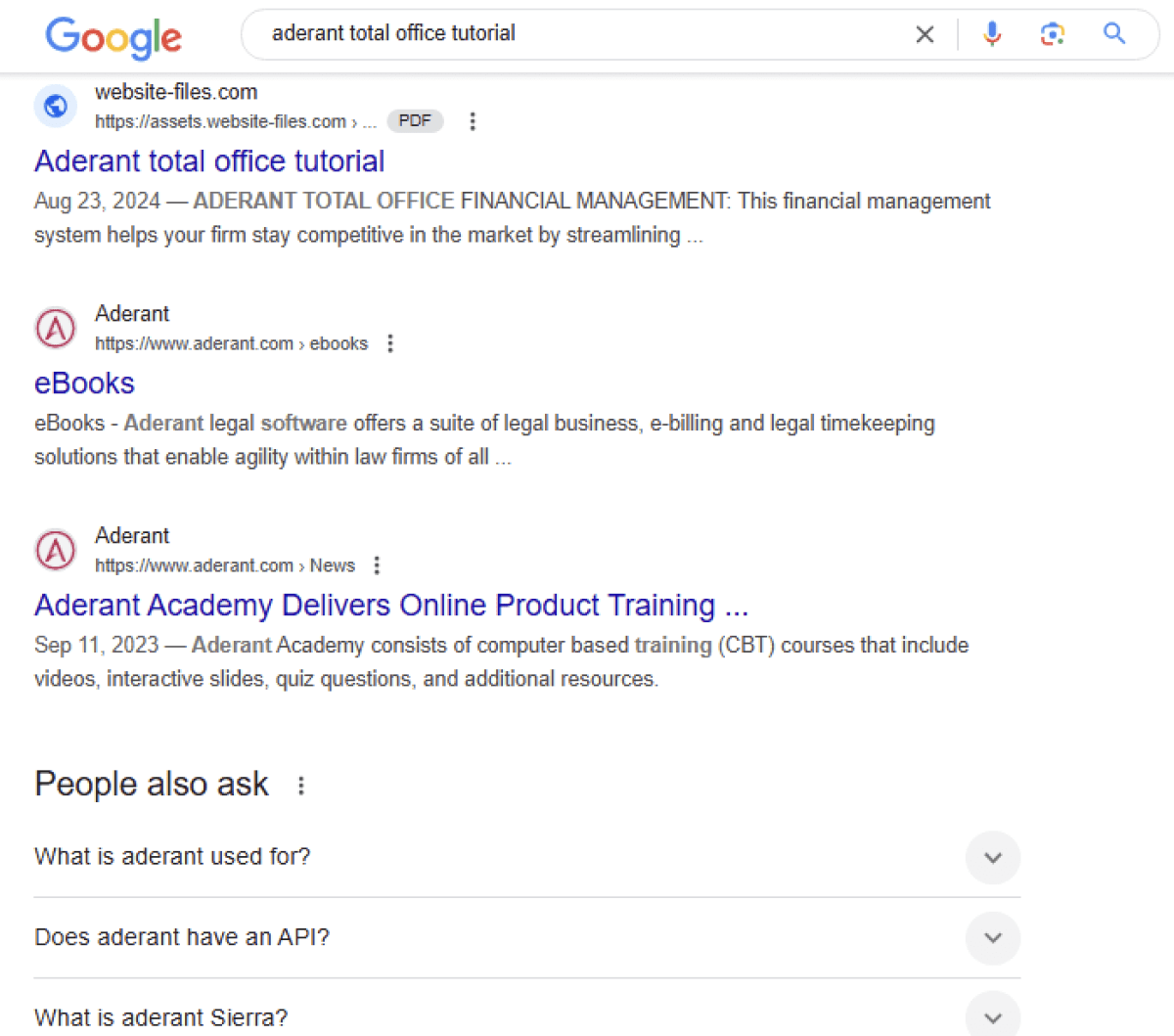
- SEO Abuse: The campaign leverages SEO (Search Engine Optimization) techniques to boost the visibility of these malicious pages, increasing the likelihood of unsuspecting users stumbling upon them through search engines. This makes the attack harder to detect as the malicious pages can appear high in search results.
Webflow’s Role:
While Webflow itself is not compromised, the platform is being exploited by attackers. Cybercriminals are either compromising existing Webflow sites or creating new, seemingly legitimate ones for the purpose of hosting these fake forms.
The Impact:
The malicious campaign can have significant consequences for victims. Stolen credentials can be used for account takeover, identity theft, financial fraud, and other malicious activities. Businesses using Webflow for their websites also face the risk of reputational damage and loss of customer trust.

Security Implications and Recommendations:
- User Vigilance: Users should be extremely cautious when encountering CAPTCHA prompts, especially on unfamiliar websites. Pay close attention to the website’s URL and look for any inconsistencies or red flags. Avoid clicking on links from untrusted sources, including emails or search engine results. Always type the website address directly into your browser.
- Website Owners: Webflow users should regularly review their website’s security settings and ensure that all forms are legitimate. Implement strong password policies and enable two-factor authentication wherever possible. Monitor website traffic for any suspicious activity.
- Browser Extensions: Consider using browser extensions designed to detect any malicious activity.
- Security Software: Ensure your devices are protected with up-to-date antivirus and anti-malware software.
Netskope’s Findings:
Netskope’s research has been instrumental in uncovering this campaign, providing valuable insights into the attackers’ methods and helping to raise awareness among users and website owners. Their analysis emphasizes the need for a multi-layered security approach to combat increasingly sophisticated phishing tactics.
"Attackers are targeting victims searching for documents on search engines to siphon away their financial and personal information. They use SEO techniques to lead victims into accessing malicious PDF files hosted on the Webflow CDN, which contain a fake CAPTCHA image. Attackers embed phishing links into the fake CAPTCHA image to redirect victims to the phishing website. They use Cloudflare Turnstile to deceive victims they are solving a legitimate CAPTCHA, while also protecting their phishing pages from static scanners. Netskope Threat Labs will continue to track and respond to these phishing campaigns, Netskope added."
Call to Action:
Stay informed about the latest cyber threats and practice safe browsing habits to protect yourself. Report any suspicious activity to the appropriate authorities.