



OST and PST are the data file formats that Microsoft Outlook uses to store the mailbox data, depending on the type of account configured. OST (Offline Storage Table) file is created for an Exchange, Microsoft 365 or IMAP account and is connected to the original profile. Therefore, you cannot directly open or import it into any other profile or account.
On the other hand, PST file is portable, making it suitable for migrating or transferring mailbox data from one Outlook account to another. So, if you want to open or import the OST file data into another profile or account, you need to convert the file into PST file format. For this, you can use the Import/Export Wizard – a built-in feature in Outlook. But if your application is not opening or working, this will not work. In this article, we will help you to convert your OST to PST when Outlook won’t open.
How to Convert OST to PST when Outlook won’t Open?
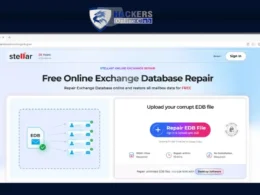
If your Outlook is not opening, then you have to take the help of an online OST to PST converter to convert the OST file to PST format. Stellar – a renowned name in the data care domain – provides one such converter that can safely and efficiently convert OST file of up to 500 MB into PST format for free. It doesn’t require Outlook or any additional software to be installed. The Premium version of this converter can convert 5 GB of OST file.
Stellar online OST to PST converter precisely converts all the mailbox items, including emails, contacts, calendars, notes, and journals, by retaining original folder hierarchy. It follows strict data privacy regulations as the uploaded OST and converted PST are deleted within 24 hours (free plan) and 48 hours (premium plan) after conversion.
Below are some notable features of this OST to PST converter:
- It accurately converts all OST file items to PST while keeping the original folder hierarchy.
- It can convert inaccessible and orphaned OST files with complete integrity.
- It allows you to track the status of the upload and conversion process in real-time.
- It converts OST files under 500 MB for free.
- It is very simple to use and no technical skills are required to perform the conversion.
- It also offers a preview of the converted file in HTML format.
- It provides complete data privacy and security as the files are deleted from the servers after conversion.
- It can convert the OST file directly online and there is no need to download or install any software.
Here’s how to use this Online OST to PST converter:
- Go to the official website of Stellar Online OST to PST Converter.
- Click Convert OST File on the main page. You will be directed to sign up.

Once you signed up, upload your OST file.

- Click on the Start Conversion button when the file is uploaded.

- After completion of the conversion process, the message – Your OST file has been successfully converted will be displayed.
- Now, click Save PST file to download the converted file.

The converted PST file will be downloaded in the default Download folder on your system.
Note: If you want more advanced features and convert multiple larger OST files, you can use the desktop version – Stellar Converter for OST. It can convert an OST file to PST without any size limitations. It also offers the option to save the OST file items in other formats, like EML, MSG, RTF, PDF, and HTML.
Conclusion
Microsoft Outlook’s built-in Import/Export Wizard allows you to convert an OST file to a PST file, but this feature only works if your profile is accessible. If your Outlook won’t open, then you can use the online OST to PST converter by Stellar. This web-based converter does not require Outlook to be installed on your system. It can convert up to 500 MB of OST files for free.
For converting OST files without any size limitations, you can use the desktop version – Stellar Converter for OST. It can convert orphaned or inaccessible OST files to PST by maintaining original folder structure and with complete data integrity.