


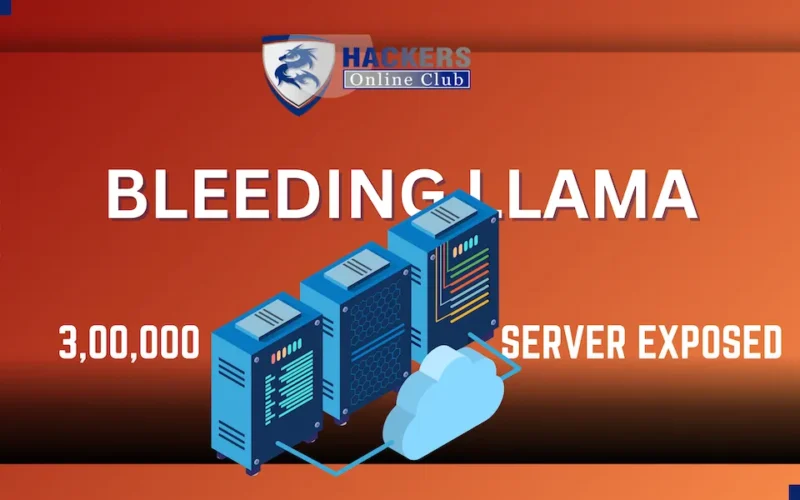
A critical unauthenticated memory leak vulnerability dubbed “Bleeding Llama” (CVE-2026-7482, CVSS 9.1–9.3) in the popular open-source AI platform Ollama could allow attackers to steal sensitive data—including user prompts, system instructions, API keys, and environment variables—from roughly 300,000 publicly exposed Ollama servers.
The fix is available in Ollama v0.17.1. Update immediately.
What Is Bleeding Llama?
Bleeding Llama is a critical heap out-of-bounds read vulnerability in Ollama, the widely used open-source platform for running large language models (LLMs) like Llama 3, Mistral, and Gemma locally.
Discovered by Cyera Research, the bug lives in Ollama’s GGUF model loader—the component that processes AI model files. By uploading a maliciously crafted GGUF file with inflated tensor dimensions, an attacker can trick Ollama into reading beyond allocated memory buffers, leaking sensitive data stored in the process heap.
How Does the Attack Work?
Craft a malicious GGUF file with tensor shape values larger than the actual data size
Upload via /api/blobs and create a model using /api/create with quantization parameters
Trigger memory leak: Ollama’s unsafe Go code reads past buffer boundaries during F16→F32 conversion
Exfiltrate data: Use /api/push to send the corrupted model file (now containing heap data) to an attacker-controlled server
Key Points
- Only 3 unauthenticated API calls required
- No credentials or user interaction needed
- Works against default Ollama installations (listening on 0.0.0.0:11434)
Impact: Why This Matters
Who’s at Risk?
- Organizations running self-hosted Ollama instances without firewalls or authentication
- Development teams using Ollama for internal AI chatbots, code assistants, or RAG pipelines
- Enterprises connecting Ollama to tools like Claude Code, custom APIs, or internal databases
What Can Attackers Steal?
- User prompts & conversation history
- System prompts (revealing business logic/instructions)
- Environment variables (API keys, database credentials, tokens)
- PII/PHI processed through AI workflows
- Proprietary code, contracts, or strategic documents
- Tool outputs from integrated AI agents
Scale of Exposure
- 300,000 Ollama instances currently exposed on the public internet (Shodan/Censys data)
- Default configuration = no authentication, listening on all network interfaces
- High-value targets: startups, research labs, and enterprises adopting local LLMs for cost/privacy reasons
Real-world risk: An attacker could reconstruct internal workflows, harvest credentials for lateral movement, or build detailed profiles of organizational AI usage—all without triggering alerts.
What’s Now? Immediate Action Steps
For Ollama Users & Administrators
1. Update immediately to Ollama v0.17.1 or later
bash

# Linux/macOS
curl -fsSL https://ollama.com/install.sh | sh

# Docker users: pull latest image
docker pull ollama/ollama:latest
2. Restrict network access
- Bind Ollama to 127.0.0.1 instead of 0.0.0.0
- Place behind a firewall or reverse proxy with authentication
3. Audit exposed instances
- Scan your network for :11434 endpoints
- Use Shodan/Censys queries: port:11434 ollama
4. Rotate secrets
- Assume environment variables and prompts may be compromised
- Regenerate API keys, tokens, and credentials used near Ollama processes
For Security Teams
- Add CVE-2026-7482 to vulnerability scanners and SIEM rules
- Monitor for suspicious /api/create or /api/push requests with unusual model names (e.g., http://attacker.com/…)
- Implement network segmentation for AI/ML workloads
- Consider deploying an authentication proxy (e.g., OAuth2, API gateway) in front of Ollama
For Developers Building on Ollama
- Validate and sanitize all GGUF files before processing
- Avoid passing sensitive environment variables to the Ollama process
- Use least-privilege service accounts for Ollama deployments
Frequently Asked Questions
Q: Is my Ollama installation vulnerable?
A: If you’re running any version before 0.17.1 and your instance is accessible from the internet (or an untrusted network), yes. Check your version with ollama –version.
Q: Do I need to worry if Ollama runs only on localhost?
A: Risk is significantly lower, but not zero. If other local applications or users share the host, privilege escalation or container escape could still enable exploitation. Update anyway.
Q: Can attackers exploit this without uploading files?
A: No. The attack requires uploading a malicious GGUF file via /api/blobs and triggering model creation. However, since the API is unauthenticated by default, this is trivial for internet-exposed instances.
Q: Does quantization have to be enabled for the exploit?
A: Yes—the vulnerability triggers during F16→F32 (or vice versa) conversion. Attackers simply request quantization in their /api/create call to activate the bug.
Q: How do I verify the patch is applied?
A: After updating, confirm with:
ollama --version # Should show v0.17.1 or newer
# Also test: attempt the exploit in a staging environment