


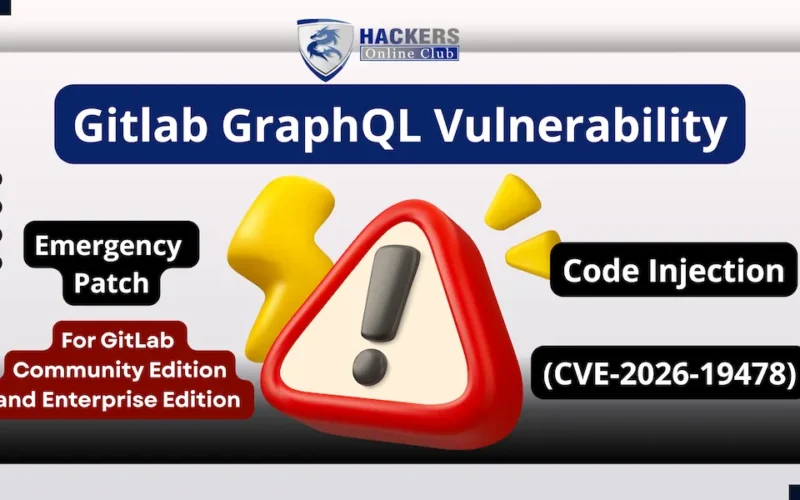
GitLab released an emergency, out-of-band security update to address a critical access control flaw affecting self-managed instances of GitLab Community Edition (CE) and Enterprise Edition (EE).
Tracked as CVE-2026-19478 (9.4/10 CVSS v3.1 score), the vulnerability allows unauthenticated, remote attackers to alter or permanently delete public projects and associated user data without needing login credentials, API tokens, or user interaction.
1. What Happened?
The vulnerability resides within GitLab’s primary GraphQL API processing layer (`/api/graphql`).
Unlike traditional REST endpoints, GraphQL processes queries and mutations (state-changing requests) via a single unified endpoint. An authorization enforcement oversight in how GitLab evaluates specific GraphQL directives allows mutation requests targeting public projects to execute without verifying if the caller possesses an active, authenticated session.
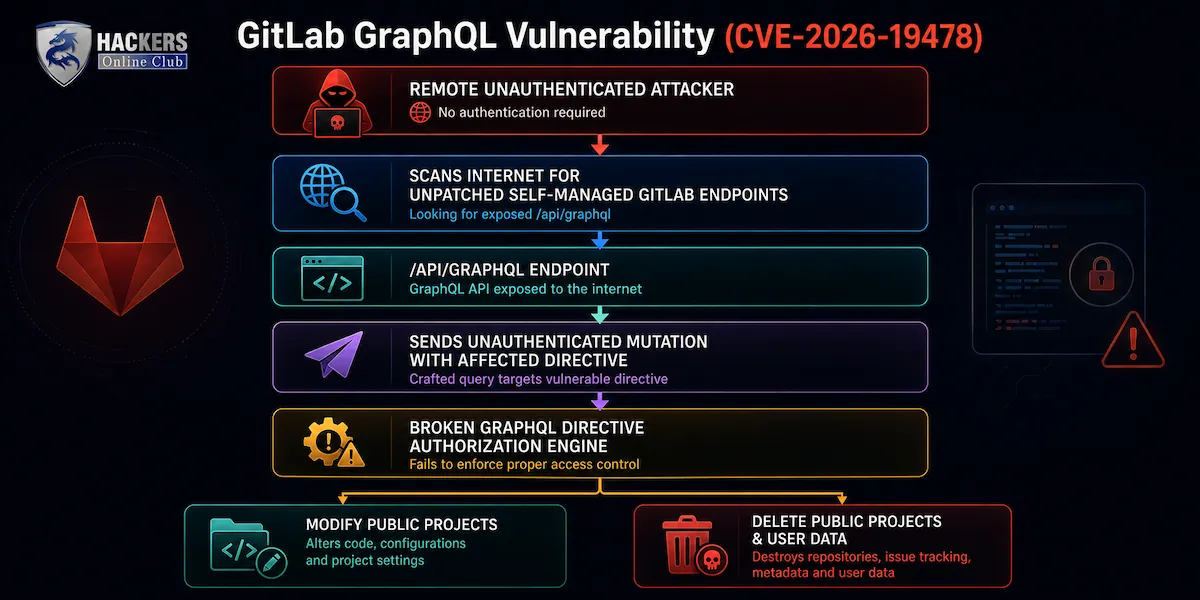
Attack Mechanics:
1. Reconnaissance: An attacker scans the internet for exposed self-managed GitLab instances.
2. Target Identification: Anonymous browsing identifies public projects hosted on the target server.
3. Exploitation: The attacker sends an HTTP `POST` request containing a malicious GraphQL mutation directly to `/api/graphql` with no authorization header attached.
4. Execution: Due to the broken authorization check in directive processing, the backend executes the payload as if it were sent by an authenticated administrator or project owner.
Technical Impact & Attack Surface
While the flaw requires a target project to be set to “Public,” the consequences of exploitation extend far beyond simple data loss:
- Supply Chain Risks: Attackers can tamper with public source code, modify continuous integration (CI/CD) configuration files (`.gitlab-ci.yml`), or alter release binaries, potentially poisoning downstream software pipelines.
- Data Destruction: Malicious actors can issue unauthenticated deletion mutations, causing permanent data loss of public repositories, issues, wiki pages, and user metadata.
- Low Complexity Attack Vector: Exploitation requires zero authentication (`PR:N`), zero victim interaction (`UI:N`), and low technical complexity (`AC:L`), making it a prime candidate for automated mass-scanning tools.
Affected vs. Patched Versions
The emergency patch arrived outside of GitLab’s standard release schedule (which usually occurs on the second and fourth Wednesdays of each month).
- Cloud Services Safe: GitLab.com and GitLab Dedicated multi-tenant cloud environments were patched directly by GitLab security operations and require no user intervention.
- Self-Managed Action Required: All self-hosted server deployments running affected release branches must be manually updated immediately.
| Release Branch | Vulnerable Versions | Mandatory Fixed Version |
| GitLab 19.2 | 19.2.0 up to 19.2.3 |
19.2.4 |
| GitLab 19.1 | 19.1.0 up to 19.1.5 |
19.1.6 |
| GitLab 19.0 | 19.0.0 up to 19.0.7 |
19.0.8 |
| GitLab 18.11 | 18.2 through 18.11.10 |
18.11.11 |
| Older Versions | 18.2 to 18.10 (Unsupported) | Must upgrade to fixed release branch |
Remediation & Detection Strategy
Because critical unauthenticated flaws in developer tools are rapidly targeted by automated threat actors, security teams should execute the following steps:
Immediate Patch
Apply the relevant patch release (`19.2.4`, `19.1.6`, `19.0.8`, or `18.11.11`). If your self-managed server runs an unmaintained version prior to `18.11`, you must upgrade to a supported release line first.
Temporary Workaround (If Unable to Patch Immediately)
Place the GitLab instance behind a Web Application Firewall (WAF) or reverse proxy. Restrict network access to trusted IPs, or configure proxy rules to block or restrict unauthenticated `POST` requests reaching `/api/graphql`.
Incident Response & Log Threat Hunting
Inspect reverse proxy (NGINX/WAF) and application access logs for suspicious activity:
- Log Vector: Target HTTP `POST` logs directed at `/api/graphql`.
- High-Fidelity Indicator: Anonymous requests (HTTP status `200` without an `Authorization` or session cookie) that include GraphQL mutation operations like `projectDestroy` or `projectUpdate` within the payload body.
SIEM detection rules and KQL queries for hunting CVE-2026-19478 exploitation in web logs.
The following SIEM detection rules and KQL queries are designed for threat hunting and alerting on potential CVE-2026-19478 exploitation in web access logs (such as Azure WAF, NGINX, IIS, or AWS CloudWatch logs ingested into Microsoft Sentinel/Log Analytics).
Detection Strategy & Indicators
Exploitation of CVE-2026-19478 occurs via unauthenticated HTTP `POST` requests sent to the GitLab GraphQL endpoint (`/api/graphql`).
Key Signals:
1. Target URI Path containing `/api/graphql`.
2. HTTP `POST` requests lacking valid authentication (missing `Authorization` headers, session cookies, or `Private-Token` values).
3. GraphQL mutation payloads attempting state manipulation or project modification/deletion.
KQL Query (Microsoft Sentinel / Azure Log Analytics)
Option A: Hunting Unauthenticated POST Requests to GraphQL
This query scans WAF and web server logs (`W3CIISLog`, `AppRequests`, or `AzureDiagnostics`) for unauthenticated traffic targeting the GraphQL endpoint.
```kql
// Hunt for Unauthenticated POST requests targeting GitLab GraphQL API
W3CIISLog // Or AppRequests / AzureDiagnostics depending on log source
| where TimeGenerated >= ago(7d)
| where csMethod == "POST"
| where csUriStem endswith "/api/graphql" or csUriStem contains "/graphql"
| where scStatus in (200, 202, 302) // Successful execution or redirect
// Filter for missing session cookies or authorization tokens in request headers
| where csUserAgent !contains "GitLab-Runner" // Exclude legitimate runner activity if needed
| where isempty(csUserName) or csUserName == "-" or csCookie !contains "known_sign_in"
| summarize
RequestCount = count(),
TargetIPs = make_set(sIP),
UserAgents = make_set(csUserAgent),
FirstSeen = min(TimeGenerated),
LastSeen = max(TimeGenerated)
by cIP, csUriStem, csMethod
| where RequestCount > 5
| order by RequestCount desc

```
Option B: Aggressive Mass-Scanning & Mutation Hunting (Sentinel Alert Rule)
Use this query to alert on single IP addresses issuing multiple unauthenticated POST requests targeting GraphQL in short time windows.
```kql
let Threshold = 10;
let TimeWindow = 1h;
W3CIISLog
| where TimeGenerated >= ago(TimeWindow)
| where csMethod == "POST" and csUriStem has "/api/graphql"
// Exclude authenticated requests (Adjust fields based on log schema)
| where isempty(csUserName) or csUserName == "-"
| summarize
TotalRequests = count(),
TargetURIs = make_set(csUriStem),
UserAgents = make_set(csUserAgent),
StartObserved = min(TimeGenerated),
EndObserved = max(TimeGenerated)
by ClientIP = cIP
| where TotalRequests >= Threshold
| extend HostCustomEntity = ClientIP

```
Generic SIEM Detection Logic (Sigma Rule)
For organizations using Splunk, Elastic, or QRadar, this Sigma Rule can be converted into native query languages:
```yaml
title: Potential CVE-2026-19478 GitLab Unauthenticated GraphQL Exploitation
id: e4b23d91-2026-4c12-8902-gitlab-graphql
status: experimental
description: Detects unauthenticated POST requests to the GitLab GraphQL API endpoint indicative of CVE-2026-19478 exploitation attempts.
author: Security Operations
date: 2026-08-18
references:
- https://nvd.nist.gov/vuln/detail/CVE-2026-19478
tags:
- attack.initial_access
- attack.t1190
- cve.2026.19478
logsource:
category: webserver
detection:
selection_target:
cs-method: 'POST'
cs-uri-stem|contains: '/api/graphql'
filter_auth:
Filter out requests containing standard authorization headers or session tokens
- cs-header-authorization|contains: 'Bearer'
- cs-header-cookie|contains: '_gitlab_session'
- cs-header-private-token|exists: true
condition: selection_target and not filter_auth
falsepositives:
- Legitimate anonymous GraphQL queries (if public API introspection is allowed by application config).
level: high
“`
Log Parsing & Triage Advice
1. Payload Inspection (WAF / Deep Packet Inspection): If your SIEM ingests full HTTP request bodies (e.g., via AWS WAF or F5 BIG-IP), search for GraphQL payload strings containing keywords like:
`mutation`
`projectDestroy`
`projectUpdate`
`removeProject`
2. Status Code Verification: Exploitation typically returns HTTP `200 OK` with GraphQL error or result payloads in the JSON response body. Focus initial investigation on status `200` responses that lack authentication headers.