




In September 2022, Uber suffered a complete network compromise. The attacker purchased a contractor's VPN credentials on the dark web, but those credentials were protected by MFA — specifically, Duo push notifications. The attacker's solution was not to break the cryptography.
They spammed the contractor's phone with push notification approval requests for over an hour, until the contractor — exhausted and confused — finally tapped "Approve" just to make it stop. Within minutes the attacker was inside Uber's internal network, found privileged credentials in a PowerShell script, and had access to AWS, Google Workspace, Slack, and Uber's HackerOne vulnerability report programme.
The Uber breach illustrates the central reality of MFA security in 2026: not all MFA is equal, MFA can be bypassed, and the specific type of MFA you deploy determines what attacks you are protected against. SMS OTP stops automated credential stuffing but falls to SIM swap.
TOTP authenticator apps stop automated attacks but fall to real-time phishing proxies. Push notifications fall to MFA fatigue attacks. Only phishing-resistant MFA — FIDO2 hardware keys and passkeys — stops all of these attack categories by design.
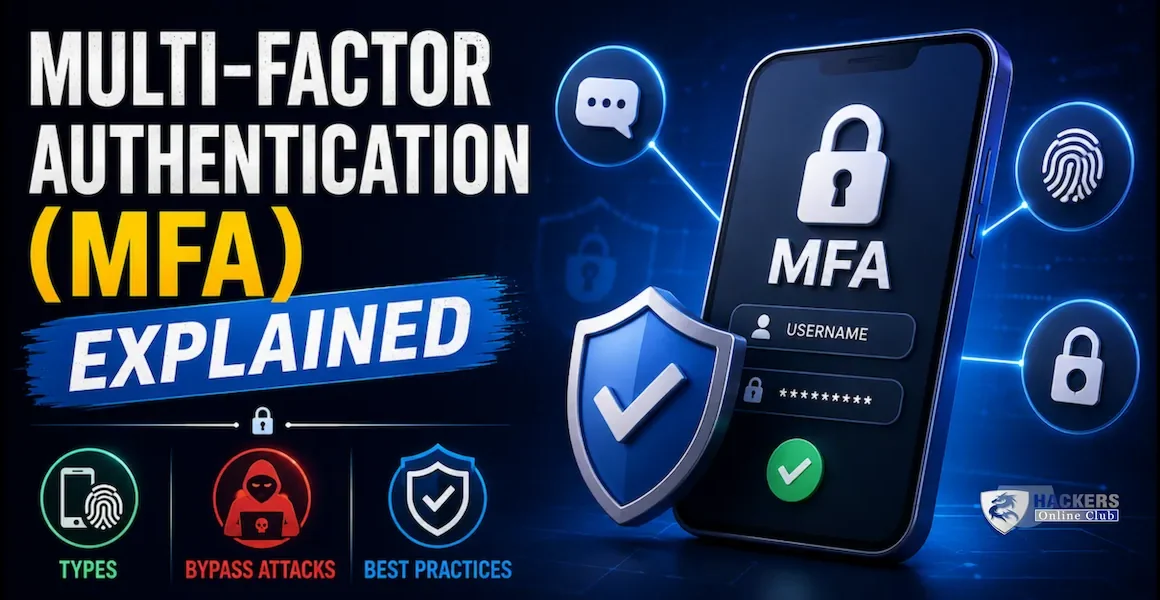
This guide covers every MFA type in depth, exactly how each bypass attack works technically, which MFA types are and are not vulnerable to each attack, enterprise deployment strategy, and the path to phishing-resistant authentication.
- What is MFA and why it matters
- Authentication factors — the three categories
- Every MFA type explained
- Phishing-resistant MFA — FIDO2 and passkeys in depth
- MFA bypass attacks — how attackers defeat each type
- MFA fatigue attacks — Uber, Microsoft, and how to stop them
- Real-time phishing proxies — Evilginx and AiTM
- Enterprise MFA deployment strategy
- MFA type comparison — which to use when
- Frequently asked questions
Multi-Factor Authentication (MFA) requires a user to present two or more pieces of evidence (factors) from different categories to prove their identity. The principle is straightforward: a password alone is a single point of failure — if it is stolen, guessed, or leaked, the account is compromised. Adding a second factor from a different category means an attacker must steal two fundamentally different things simultaneously, dramatically increasing the difficulty of account takeover.
Over 24 billion username/password combinations were available on criminal marketplaces in 2023. Password reuse across sites means a breach of a low-value forum can yield credentials that work against corporate VPNs, email systems, and banking applications. Credential stuffing tools automate the testing of millions of credential pairs against target services. Against password-only authentication, this is a numbers game that attackers routinely win.
MFA changes the economics. Automated credential stuffing cannot supply the second factor — it does not have the user's phone, hardware key, or biometric. The attacker must move from automated attack to targeted, real-time interception — a far more expensive operation that does not scale. Microsoft's telemetry shows MFA stops 99.9% of automated account compromise attacks. The remaining 0.1% are advanced targeted attacks against specific individuals using techniques covered in this guide.
MFA is defined by combining factors from different categories — not just adding more of the same type. Two passwords do not constitute MFA. Two fingerprints do not constitute MFA. The value comes from the fundamentally different theft or compromise method required for each category.
| Factor type | Category | Examples | How it can be stolen | How it can be faked |
|---|---|---|---|---|
| Something you know | Knowledge | Password, PIN, passphrase, security question answer | Phishing, credential stuffing from data breaches, shoulder surfing, keylogger, brute force | Guessing, social engineering, database breach |
| Something you have | Possession | Hardware key (YubiKey), TOTP authenticator app, push notification, SMS OTP, smart card, software certificate | Physical theft (hardware key), SIM swap (SMS), malware (app-based TOTP app compromise), session hijacking (push) | Real-time relay (for OTP codes); cloning (SIM); token theft (cookies) |
| Something you are | Inherence | Fingerprint, Face ID, iris scan, voice recognition, typing pattern (behavioural) | Biometric database breach, spoofing with printed fingerprints or 3D-printed face masks (rare, nation-state level) | Biometric spoofing (sophisticated, impractical at scale); deepfake voice (emerging threat) |
| Something you do | Behaviour (continuous) | Typing rhythm, mouse movement, location patterns | Behavioural profiling by sophisticated attacker over time | Machine learning-based behavioural mimicry (theoretical at scale) |
| Somewhere you are | Location | GPS location, IP geolocation, network (corporate WiFi), device presence in a geofenced area | VPN to spoof location, IP address manipulation | VPN tunnelling; GPS spoofing apps (physical location) |
MFA types within the "something you have" and "something you are" categories vary enormously in security properties, usability, and deployment complexity. Understanding each one's mechanics determines what attacks it is and is not vulnerable to.
FIDO2 (Fast Identity Online 2) is the standard that makes MFA genuinely phishing-resistant. It combines WebAuthn (the browser API) and CTAP2 (the protocol between the browser and authenticator). Understanding why FIDO2 is phishing-resistant — at a cryptographic level — explains why it is categorically more secure than OTP-based MFA.
The origin check is performed cryptographically by the authenticator's hardware. A phishing site at micros0ft.com or even microsoft.com.attacker.com has a different origin than microsoft.com. The authenticator will not sign the challenge for the wrong origin — and a signature from the wrong origin would not be accepted by Microsoft's server anyway. There is no way for a man-in-the-middle to relay a valid FIDO2 authentication because the signature is tied to the specific session challenge and origin. Each authentication produces a unique signature that cannot be replayed.
Passkeys implement the same FIDO2/WebAuthn protocol but store the private key in the device's Secure Enclave (iPhone, Android, MacBook, Windows Hello) protected by biometrics, and sync it encrypted via the cloud (iCloud Keychain for Apple, Google Password Manager for Android, 1Password/Dashlane for cross-platform). The security properties — phishing resistance, origin binding, no shared secrets — are identical to hardware keys. The user experience is simply: device prompts for Face ID or fingerprint, user authenticates, done. No code to type, no key to carry.
Every MFA type has specific attack categories it is and is not vulnerable to. The table below maps each MFA type to each attack vector — this is the most important practical summary in this guide.
| MFA type | Real-time phishing proxy | SIM swap | MFA fatigue | SS7 intercept | Malware on device | Session hijack (post-auth) |
|---|---|---|---|---|---|---|
| SMS OTP | ✗ Vulnerable | ✗ Vulnerable | ✓ Protected | ✗ Vulnerable | ✗ Vulnerable | ✗ Vulnerable |
| TOTP app | ✗ Vulnerable | ✓ Protected | ✓ Protected | ✓ Protected | ✗ Vulnerable | ✗ Vulnerable |
| Push (no number match) | ~ Partial | ✓ Protected | ✗ Vulnerable | ✓ Protected | ~ Partial | ✗ Vulnerable |
| Push + number matching | ~ Reduced | ✓ Protected | ~ Reduced | ✓ Protected | ~ Partial | ✗ Vulnerable |
| FIDO2 hardware key | ✓ Protected | ✓ Protected | ✓ Protected | ✓ Protected | ✓ Protected | ✗ Vulnerable |
| Passkeys (synced FIDO2) | ✓ Protected | ✓ Protected | ✓ Protected | ✓ Protected | ~ Device-dependent | ✗ Vulnerable |
MFA fatigue attacks exploit the psychology of push notification MFA. The attacker has valid username and password (typically bought or obtained via phishing). They repeatedly attempt login, triggering a push notification approval request to the target's phone each time. The target's phone rings repeatedly — sometimes dozens of times over hours — with "Approve sign-in?" notifications. Eventually, some users approve to stop the noise, click by mistake in a moment of distraction, or approve while confused at 3 AM.
High-profile MFA fatigue victims include: Uber (September 2022 — contractor approved after sustained campaign plus a social engineering message claiming to be IT Support), Microsoft (2022 — DEV-0537 / Lapsus$ group used this technique against multiple Microsoft employees), Cisco (2022 — employee approved after attacker contacted them via WhatsApp and voice calls claiming to be from the IT department).
The attack is particularly effective combined with social engineering: the attacker calls or messages the target claiming to be IT support, tells them they need to approve a sign-in request due to a system issue, and then triggers the push while on the call. The social engineering provides the explanation for the unexpected notification that the target then approves.
- Enable number matching — user must type a number shown on screen into the app. Defeats automation entirely; requires user to look at both screen and phone simultaneously
- Enable additional context in push — show the requesting IP geolocation and device info in the push. "Sign-in from Nigeria at 3 AM" is obvious to approve or deny
- Limit push notification rate — block accounts after X failed push approvals in Y minutes (Okta, Entra ID, Duo all support this)
- Migrate privileged accounts to FIDO2 — hardware keys require physical touch and cannot be fatigued remotely
- Train users — "Never approve a push you did not initiate. Call IT if you receive unexpected pushes."
- Alert on push flooding — SIEM alert: X failed push attempts in Y minutes from same account = active fatigue attack in progress
- Multiple failed MFA challenges from same user account in short window (5+ in 10 minutes)
- Authentication attempts at unusual hours for the account
- Authentication attempt geolocation different from user's normal location
- Successful authentication immediately after a burst of failed attempts
- IdP logs: "MFA challenge sent" without corresponding user-initiated login
Traditional phishing captures only the password. AiTM phishing captures both the password, the MFA code, and — critically — the authenticated session cookie. It works by placing a reverse proxy between the user and the legitimate site. The user sees a pixel-perfect copy of the login page (because it actually IS the real login page, proxied in real time). When they enter credentials and MFA code, the proxy relays them to the real site, completes authentication on the attacker's behalf, and intercepts the authenticated session cookie that the real site returns. The attacker then uses that cookie to access the account — no MFA challenge, because the session is already authenticated.
Evilginx is the most widely used open-source AiTM framework. It uses "phishlets" — configuration files for specific targets (Microsoft 365, Gmail, Okta, GitHub, etc.) that define how to proxy the authentication flow. Deployment is trivial: a VPS, a convincing domain (micosoft.com, microsfot.com), and a Let's Encrypt certificate. The infrastructure looks identical to real Microsoft from the user's perspective — the TLS certificate is valid, the content is real, and the login flow works exactly as expected.
- Deploy FIDO2 or passkeys — the only MFA type with cryptographic origin binding that blocks AiTM. No other MFA type protects against this attack
- Enable Conditional Access with compliant device requirement — if session cookies must come from a managed device with a valid certificate, stolen cookies used on unmanaged attacker devices are rejected
- Token binding — binds the session token to the specific TLS connection; stolen tokens are useless on a different connection (Microsoft CAE supports this)
- Short session lifetimes — reduce the window where a stolen session cookie is valid; 1-hour maximum for high-value accounts
- Anti-phishing training and reporting — users who recognise the proxy URL can report it before entering credentials
- Session sign-in from an IP different from the one that completed MFA (proxy IP vs attacker IP)
- Entra ID Continuous Access Evaluation (CAE) — detects and revokes sessions when risk signals change
- Sign-in from unmanaged / non-compliant device immediately after authentication
- Impossible travel: MFA completed in one location, session used from another within seconds
- Microsoft Defender for Cloud Apps: sign-in activity anomalies post-authentication
A SIM swap attack convinces a mobile carrier to transfer a target's phone number to a SIM card in the attacker's possession. The attacker calls the carrier's customer service, claims to be the account holder who has lost their phone, and provides enough personal information (name, address, last four of Social Security number — often available from data breaches) to pass identity verification. Once the transfer is complete, all SMS messages — including MFA codes — go to the attacker's phone.
SIM swap requires personal information about the target (available via OSINT or data breaches) and a carrier with lax identity verification procedures. High-profile victims include: Jack Dorsey (Twitter CEO, 2019), multiple cryptocurrency exchange users collectively losing tens of millions of dollars, and various celebrities whose social media accounts were hijacked.
| Scenario | Recommended MFA | Why | If unavailable |
|---|---|---|---|
| Domain admins / cloud super-admins | FIDO2 hardware key (YubiKey 5, Titan) | Phishing-resistant, cannot be fatigued, physical possession required. Risk justifies cost. | Passkeys on managed device with Entra ID Compliant Device requirement |
| Executive and board members | FIDO2 hardware key | High-value targets — nation-state and sophisticated criminal targeting common. Phishing-resistant mandatory. | Passkeys — never push or TOTP for executives |
| Finance, HR, legal (sensitive data access) | Passkeys or FIDO2 hardware key | Handle sensitive data; attractive targets for BEC fraud. Phishing resistance reduces BEC risk substantially. | Push with number matching + compliant device CA policy |
| General knowledge workers | Passkeys (Microsoft Authenticator / Google) | Phishing-resistant, no hardware to distribute, excellent UX, syncs across devices. Deploy broadly. | Push with number matching |
| Frontline / shared device workers | TOTP app or push (shared device considerations) | May share devices; push or TOTP on personal phone is fine. Passkeys on shared devices require careful configuration. | TOTP with time-expiring codes |
| Third-party contractors and partners | Require their IdP's MFA (federation) or issue TOTP tokens | You may not control their device or app. Federation with their IdP (with your MFA policy as minimum) is ideal. | Temporary TOTP credential, revoked when engagement ends |
| Service accounts / non-human identities | Certificate-based auth + Managed Identity (cloud) or short-lived tokens | MFA does not apply to machine identities — use certificates, managed identities, and Workload Identity Federation instead | Client secrets with regular rotation; never passwords if avoidable |
| Break-glass / emergency admin accounts | FIDO2 hardware key (stored physically in safe) | Emergency accounts must still be secure. Store the hardware key and a printed backup code in a physical safe with dual-access controls. | TOTP code printed and stored securely offline — never SMS |
⚡ MFA actions — implement in priority order
- Block legacy authentication in your M365/Google tenant today — legacy auth protocols (Basic Auth, IMAP, POP3) bypass MFA entirely. In Entra ID: Conditional Access → New Policy → Block Legacy Authentication (Client Apps: Exchange ActiveSync + Other clients → Block). Run in Report-Only mode for one week to identify breakage, then enforce. This single policy change closes the most common MFA bypass used in business email compromise.
- Enable number matching for all push notifications immediately — if you are using Microsoft Authenticator, Duo, or Okta push notifications, enable number matching in your IdP settings today. In Entra ID: Authentication Methods → Microsoft Authenticator → Configuration → Number Matching → Enabled. This dramatically reduces the success rate of MFA fatigue attacks without any user hardware or app changes required.
- Order FIDO2 hardware keys for all privileged accounts this week — every domain admin, cloud super-admin, and executive needs a FIDO2 hardware key (YubiKey 5 NFC or Google Titan recommended, approximately $30–$50 each). Issue two per person. Configure Conditional Access to require hardware MFA for all privileged roles. This takes MFA from "blockable by fatigue or phishing" to "cryptographically phishing-resistant" for your highest-risk accounts.
- Enable passkey registration for all employees — in Entra ID, enable passkeys via Authentication Methods → FIDO2 security keys → Enable for All Users. In Okta, enable WebAuthn Authenticator. Send an org-wide communication asking employees to register a passkey. Passkeys are free (device-based), phishing-resistant, and easier to use than any code-based MFA. Target 80% workforce coverage within 90 days.
- Connect MFA to your broader identity and Zero Trust strategy — MFA is one layer of the identity security stack. Conditional access policies (requiring compliant devices, blocking risky sign-ins), identity governance (access lifecycle management), and continuous authentication (risk-based reauthentication) complete the picture. IAM guide → | Zero Trust → | AD security →
Multi-factor authentication (MFA) requires a user to present two or more pieces of evidence from different categories to prove their identity: something they know (password or PIN), something they have (hardware key, authenticator app, or phone), and/or something they are (biometric). The security value comes from requiring factors from different categories — stealing a password alone is not enough if the attacker also needs physical possession of a hardware key or must pass a biometric check. Microsoft's telemetry shows MFA blocks 99.9% of automated account compromise attacks. The remaining attacks use advanced bypass techniques like real-time phishing proxies or MFA fatigue — which is why the specific type of MFA matters.
Phishing-resistant MFA is authentication that cannot be bypassed even when a user is tricked into entering credentials on a fake website. It is implemented by FIDO2 (hardware security keys like YubiKey and passkeys stored on devices). The key property is origin binding: the authenticator cryptographically verifies that the sign-in page's domain matches the domain it was registered with. A phishing site at evil.com cannot obtain a valid FIDO2 authentication assertion for microsoft.com because the origin check fails and the authenticator refuses to sign. OTP-based MFA (SMS, TOTP, push) is not phishing-resistant because the code or approval can be relayed from the fake site to the real site in real time. Only FIDO2 and smart card (PKI-based) authentication are classified as phishing-resistant by NIST and CISA.
An MFA fatigue attack (also called MFA bombing or push spam) floods a target's phone with repeated authentication approval requests. The attacker has valid credentials (stolen or phished) and repeatedly attempts login, each time triggering a push notification to the target's authenticator app. After receiving dozens of notifications — often combined with a social engineering call claiming to be IT support telling them to approve — the target approves one. The Uber breach (2022), Cisco breach (2022), and Lapsus$ attacks on Microsoft and Nvidia (2022) all used this technique. Prevention: enable number matching (user must type a number from the login screen into the app, defeating automation), limit push notification rate, alert on flooding, and migrate privileged accounts to FIDO2 hardware keys which require physical touch and cannot be fatigued remotely.
TOTP (Time-Based One-Time Password) generates a 6-digit code that changes every 30 seconds, shared between the app and the server. It is vulnerable to real-time phishing — an attacker's fake login page can capture the code and relay it to the real site within the 30-second window, completing authentication on the attacker's behalf. FIDO2 uses public-key cryptography with origin binding — the authenticator signs a challenge that includes the requesting site's domain. A fake site at a different domain cannot obtain a valid FIDO2 signature for the real site, because the origin check fails cryptographically. TOTP is a good improvement over passwords; FIDO2 is categorically more secure and the recommended choice for privileged accounts and security-sensitive environments.
Both passkeys and hardware security keys use the FIDO2/WebAuthn standard and have identical security properties — phishing resistance, origin binding, no shared secrets. The difference is where the private key is stored and how it is protected. A hardware security key (YubiKey, Google Titan) stores the private key on dedicated hardware — it cannot be extracted and is protected by the physical device. A passkey stores the private key in the device's Secure Enclave (iPhone, Android, MacBook, Windows Hello) protected by biometrics, and syncs it encrypted via the cloud (iCloud Keychain, Google Password Manager). Passkeys are more convenient (no extra device to carry, syncs across devices) but the security of the cloud sync chain matters. For the highest-security use cases (privileged accounts), hardware keys are preferred because the key material never leaves the hardware and cannot be synced or backed up.
SMS OTP is significantly better than password-only authentication but has multiple known weaknesses. It is vulnerable to SIM swap attacks (attacker persuades the carrier to transfer the phone number), SS7 network interception (attackers with access to the telephony backbone can intercept SMS), and real-time phishing proxies (AiTM sites relay the SMS code to the real site within the valid window). NIST SP 800-63B designated SMS OTP as a "restricted" authenticator in 2017, recommending against it for new deployments. In 2026, SMS OTP should be treated as a transitional measure — better than nothing, but replaced with authenticator apps (TOTP or push with number matching) for all users, and FIDO2 for privileged accounts, as quickly as feasible. If SMS OTP is your only option for a specific population, supplement it with strong risk-based conditional access policies and anomaly detection.