


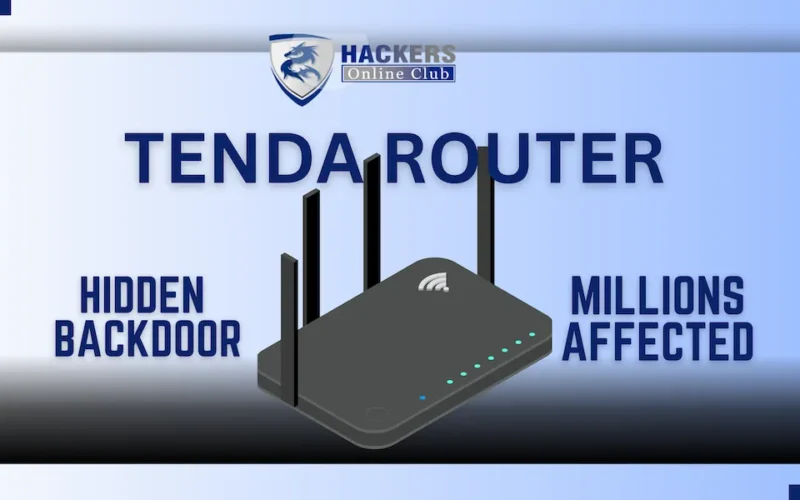
A severe, undocumented authentication backdoor has been discovered in the firmware of multiple Tenda WiFi routers. The vulnerability allows attackers to completely bypass password verification and seize full administrative control of the devices.
Key Points
- Hidden Backdoor Discovered: A critical, undocumented authentication bypass (tracked as CVE-2026-11405) was found embedded in the web server binary (/bin/httpd) of multiple Tenda routers.
- Plaintext Bypass Mechanism: The flaw exploits a hidden secondary password check in the router’s login function. If the standard MD5 password fails, the system checks a hidden plaintext password, granting instant admin access if matched.
- Total Network Hijacking: Successful exploitation grants role=2 (administrator) privileges, allowing attackers to alter DNS settings, disable firewalls, and intercept unencrypted network traffic.
- No Patch Available: The U.S. Computer Emergency Readiness Team (CERT) confirmed the vulnerability but reported that the vendor is currently unreachable, leaving users without an official fix.
- Immediate Action Required: Users must disable remote web management immediately and consider replacing the affected hardware to secure their networks.
Tenda routers are facing another major security crisis. This week, a critical vulnerability was disclosed that affects the core web management interfaces of several popular Tenda router models, effectively turning their own login screens into open doors.
Here is everything you need to know about this specific backdoor crisis, based on the latest technical findings.
WHAT HAPPENED: The Discovery
Security researchers analyzing Tenda’s firmware discovered a hidden, undocumented authentication mechanism embedded directly into the devices’ web server binary (/bin/httpd).
- The Hidden Backdoor: Tracked as CVE-2026-11405, the flaw resides in the login() function. While the router initially attempts normal MD5-based password verification, a failure triggers a secondary, hidden check.
- Plaintext Bypass: If the standard login fails, the system invokes GetValue(“sys.rzadmin.password”) to retrieve an alternate password from the device’s internal configuration. It then performs a direct, plaintext string comparison (strcmp()) between the user-supplied password and this stored value.
- Instant Admin Access: A successful match bypasses all security checks, instantly granting role=2 (administrator-level) access and creating a valid session, completely ignoring the actual admin credentials set by the user.
AFFECTED MODELS: Is Your Router at Risk?
This is not a theoretical flaw; it affects specific, widely deployed firmware builds. The vulnerable versions include:
- Tenda FH1201 (US_FH1201V1.0BR_V1.2.0.14)
- Tenda W15E (US_W15EV1.0br_V15.11.0.5)
- Tenda AC10 (US_AC10V1.0re_V15.03.06.46)
- Tenda AC5 (US_AC5V1.0RTL_V15.03.06.48)
- Tenda AC6 (US_AC6V2.0RTL_V15.03.06.51)
THE IMPACT: Total Device Hijacking
Because this is an authentication bypass at the web interface level, the impact is immediate and devastating:
- Full Administrative Control: Attackers on the local network (or via the internet if remote management is enabled) can log in without knowing the real password.
- Network Reconfiguration: Once inside, attackers can alter DNS settings to redirect traffic to malicious sites, open ports, or disable the router’s built-in firewall.
- Broader Compromise: With the gateway compromised, attackers can easily pivot to attack other vulnerable devices on the local network, intercept unencrypted traffic, or conscript the router into a botnet.
SECURITY & MITIGATION: What You Need to Do RIGHT NOW
According to the official advisory from the U.S. Computer Emergency Readiness Team (CERT), researchers were unable to reach the vendor (Tenda) to coordinate a fix. Because a patch is currently unavailable, users must rely on strict mitigation strategies.
1. Disable Remote Web Management (CRITICAL)
If your router allows you to manage it from outside your home network (via the internet), turn this feature OFF immediately. This prevents external attackers from reaching the vulnerable web login page.
2. Restrict Local Network Exposure
Since the vulnerability can be exploited by anyone connected to your local Wi-Fi or LAN, you must limit exposure:
- Change the Default LAN IP: Changing your router’s default local IP address (e.g., from 192.168.0.1 to something less common) can reduce opportunistic discovery by automated malware scanners that target known default IP ranges.
- Monitor Connected Devices: Regularly check your router’s client list to ensure no unauthorized devices are connected to your network.
3. Consider Hardware Replacement
Given that the vendor is currently unreachable and no patch is forthcoming for these specific firmware builds, the long-term security of these devices is fundamentally compromised. If you rely on your network for privacy work or banking, consider replacing the affected router with a model from a vendor that actively supports and patches its devices.