



HOC Shorts
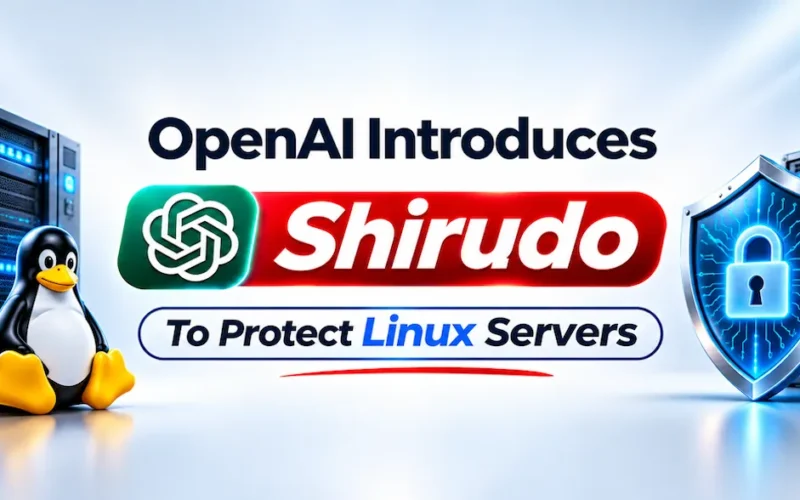
What It Is: Shirudo (Japanese for “shield”) is a free, open-source security tool built by OpenAI and Cisco to protect running Linux servers from newly discovered security holes before a permanent update is ready.
- How It Works (No Jargon): Normally, fixing a security hole requires testing an update and restarting servers—which can take days or weeks and interrupt live apps. Shirudo uses a built-in Linux feature called eBPF to slip small, temporary safety guards (“shields”) into place while keeping the system running.
- Who Uses It: Site reliability engineers (SREs), Linux system admins, cybersecurity defenders, and open-source researchers managing cloud servers or data centers.
- Pro Tip for Beginners: Think of Shirudo as a temporary seatbelt, not a permanent mechanic. Always apply official software patches once they arrive, and never let an automated tool push changes to live servers without human approval.
What Is OpenAI and Cisco’s Shirudo? A Beginner-Friendly Guide
If you’re new to cybersecurity or cloud servers, terms like “eBPF shields” and “zero-reboot runtime protection” might sound confusing. Don’t worry! Let’s break things down in simple words.
We’ll explore what Shirudo does, why OpenAI and Cisco teamed up to build it, and how it can make everyday work easier for IT and cybersecurity professionals.
1. What Is Shirudo?
Imagine your company’s website runs on a Linux server (the operating system behind most cloud servers and web apps). Suddenly, security researchers discover a dangerous bug—a flaw hackers could use to break in.
Normally, fixing that bug means:
1. Waiting for the software maker to release a patch.
2. Testing the patch so it doesn’t break anything.
3. Restarting servers or apps to apply it.
That waiting window can last days or even weeks, leaving servers exposed. Worse, blocking the risky action outright might accidentally block normal users and knock the website offline.
Shirudo (named after the Japanese word for “shield”) is an open-source (free to inspect and improve) created by OpenAI and Cisco to bridge that gap. It lets teams attach targeted, temporary safety rules—called shields—to running Linux systems so bad traffic gets blocked while normal users keep working, without needing a reboot.
2. What Can Shirudo Do?
At a practical level, Shirudo helps defenders protect live systems faster:
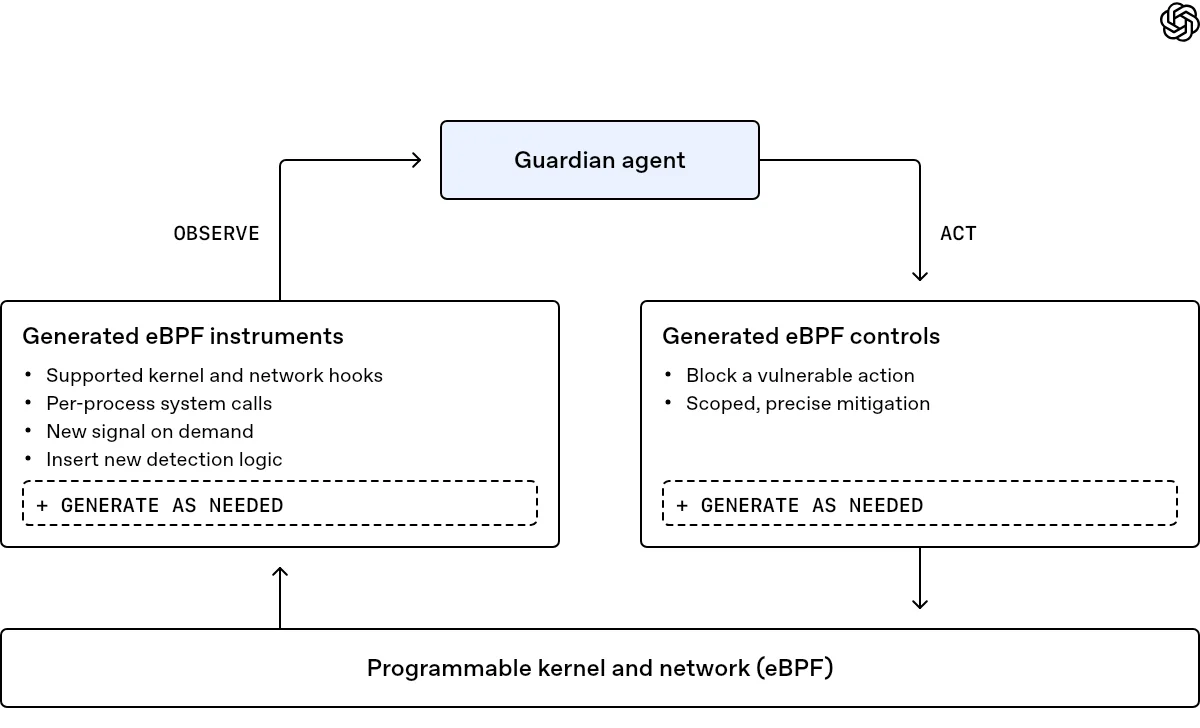
- Block Exploits Without Downtime: Uses eBPF—a technology inside modern Linux kernels that safely runs small, specialized programs at key checkpoints in the operating system—to spot and block malicious behavior while a service stays online.
- Test Before Enforcing: Lets teams test a shield against simulated attacks and normal traffic first so they can see if it stops the threat without breaking legitimate requests.
- Support AI-Assisted Defense Workflows: Pairs with AI agents (like OpenAI’s coding/security tooling) that can help spot vulnerable spots, draft candidate shields, and run tests—while keeping humans in charge of approving what goes live.
- Provide Hardware-Backed Audit Trails: Uses a Trusted Platform Module (TPM) (a security chip in modern hardware) to keep a verifiable record of which shields were loaded or removed, helping teams prove compliance.
3. Who Uses It?
Shirudo is not a consumer app for your personal phone or home laptop. It is built for people who run and defend real infrastructure:
- Linux & Cloud Infrastructure Engineers: Teams managing dozens or thousands of Linux servers in cloud environments or data centers.
- Security Operations (SecOps) & Incident Responders: Defenders racing to contain threats during the stressful window between a new bug announcement and a full patch rollout.
- Security Researchers & Open-Source Builders: Developers who write, test, and audit security shields and kernel safety tools in the open.
4. How Does It Affect Tech Professionals?
For engineers and security pros, Shirudo shifts the daily workflow from purely manual firefighting toward faster, guided containment:
- Less Late-Night Panic During Patch Windows: Instead of choosing between leaving a server exposed or taking a busy service offline mid-day, teams can deploy a targeted shield while planning a clean upgrade.
- New Skills & Review Responsibilities: Engineers will spend less time writing basic rules from scratch and more time reviewing, stress-testing, and approving shields—including ones drafted with AI help.
- Higher Bar for Safe Rollouts: Because a buggy rule at the operating-system level can cause trouble, professionals still need strong testing habits and human sign-off before trusting any automated defense.
5. Merits and Demerits (Pros & Cons)
| Merits (Pros) | Demerits (Cons) |
| No Reboots Needed: Protects live Linux workloads without taking services offline. | Early-Stage Project: It is a new, pre-release open-source effort—real-world coverage across every setup is still growing. |
| Faster Than Patch Cycles: Helps close the gap when permanent fixes take days or weeks. | Risk of False Positives or Gaps: A shield that is too strict can block real users; one that is too narrow might miss a clever attack. |
| Open Source & Auditable: Anyone can inspect the code, contribute shields, and avoid vendor lock-in. | Requires Technical Skill: Managing Linux, eBPF, and TPM verification takes real systems knowledge—not a one-click fix for novices. |
| Verifiable Records: TPM-backed logs help teams track what protections are active. | Not a Permanent Cure: Shields are temporary stopgaps; you still need full patches and updates over time. |
Pro Tips for Beginners Learning This Space
- Pro Tip 1 — Learn the “Temporary vs. Permanent” Rule: A runtime shield buys you time; a real patch fixes the root code. Never treat a temporary workaround as a permanent security plan.
- Pro Tip 2 — Practice on a Test VM First: If you want to try Shirudo or eBPF tools as a learner, use a throwaway virtual machine (VM)—never experiment on a live production server.
- Pro Tip 3 — Keep Humans in the Loop: Even when AI helps generate a defense rule, always check what it changes and test it against normal traffic before turning it on.