



Email Security Best Practices: Beyond DMARC in 2027
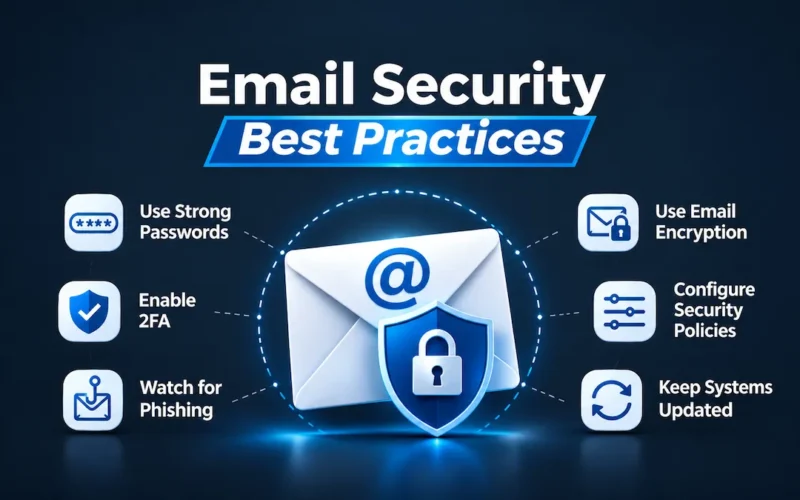
Email security best practices start with SPF, DKIM and DMARC, but they cannot stop there. Authentication proves that a message really came from the domain it claims; it does not stop a lookalike domain, a compromised vendor mailbox, a fake invoice sent from a legitimate account, or a QR-code lure that sends the victim to a phone.
The FBI's 2025 Internet Crime Report counted more than one million complaints and $20.877 billion in losses, with business email compromise alone at about $3 billion. This guide covers the full stack: authentication done right, the 2026 DMARC update, sender rules from Gmail, Yahoo and Microsoft, gateways, account security, payment-fraud controls, modern phishing, data protection, and detection and response, with a script that audits your own records.
- Why Email Is Still the Front Door
- What DMARC Does, and What It Cannot Do
- Authentication Done Right, With Code
- Sender Requirements: Gmail, Yahoo and Microsoft
- Gateways, Filtering and Post-Delivery Protection
- Protecting Mailboxes and Accounts
- Stopping BEC and Payment Fraud
- Modern Phishing: QR Codes, AI and Beyond
- Data Protection, Encryption and Policy
- Detection, Response, People and a 90-Day Plan
- Frequently Asked Questions
Email reaches every employee, carries links and files, and connects to money and identity. That is why it stays a favorite attack channel. The 2025 IC3 report, as covered by SecurityWeek, logged 1,008,597 complaints and $20.877 billion in losses, up from $16.6 billion the year before, with nearly one-fifth of complaints involving phishing or spoofing and business email compromise at $3 billion.
Verizon's 2026 DBIR, as summarized by Retarus, found the human element in 62% of breaches, social engineering in 16%, and stolen credentials in 39%. It also reported that voice and text social engineering succeeded about 40% more often than classic email phishing, so attackers are moving across channels, not away from email.
DMARC lets a domain owner say how receivers should treat mail that claims to be from that domain but fails authentication and alignment. At p=reject it is the strongest protection against exact-domain spoofing, such as someone sending as ceo@yourcompany.com from their own server. It is essential, but it is a narrow control.
Spoofed subdomains (with subdomain policy)
Unauthorized third-party senders using your name
Display-name tricks ("Jane CFO" from a free mailbox)
Compromised legitimate accounts, internal or at a vendor
Malicious links and attachments from authenticated senders
Phishing through legitimate services and shared documents
On May 20, 2026 the RFC Editor published the updated specification as RFC 9989 (core protocol), RFC 9990 (aggregate reporting) and RFC 9991 (failure reporting), moving DMARC onto the IETF Standards Track, according to dmarc.org. Highlights include:
| Change | What It Means for You |
|---|---|
| DNS Tree Walk and Public Suffix Domains replace the Public Suffix List | Policy discovery for organizational domains no longer relies on an external list |
np= tag added | Set a separate policy for non-existent subdomains, closing a spoofing gap |
pct=, rf= and ri= tags deprecated | Stop relying on percentage rollouts; plan staged enforcement by domain or subdomain instead |
psd= tag brought in from RFC 9091 | Relevant mainly to public suffix operators |
| DMARC SPF check uses only the MAIL FROM address, no HELO fallback | Make sure your envelope sender domain is correct and aligned |
| Expanded guidance on personal information in reports | Review who receives your failure reports and how they are stored |
Existing DMARC records keep working, but check your tooling and report processors for support of the new tags and behaviors.
| Control | Best Practice | Common Mistake |
|---|---|---|
| SPF | List only real senders; end with -all once sources are known; stay within 10 DNS lookups; publish v=spf1 -all on domains that never send mail | Too many include: entries causing a permerror; +all or ?all |
| DKIM | 2048-bit keys, a separate selector per sending service, scheduled rotation, signing at every legitimate sender | Old 1024-bit keys; shared keys across vendors; never rotated |
| DMARC | Start at p=none with reporting, fix senders, move to quarantine and then reject; set sp and np; monitor rua reports | Staying at p=none forever; ignoring parked domains |
| MTA-STS and TLS-RPT | Force TLS for inbound mail to your domain and receive failure reports (RFC 8461 and RFC 8460) | Publishing a policy in testing mode and never enforcing it |
| DANE for SMTP | Where your DNS supports DNSSEC, bind TLS certificates to DNS (RFC 7672) | Enabling without DNSSEC operational maturity |
| BIMI | Display your brand logo in supporting inboxes once DMARC is enforced | Treating it as a security control; it is a trust signal built on DMARC |
| ARC | Preserves authentication results through forwarding and mailing lists (RFC 8617) | Expecting it to fix legitimate forwarding failures by itself |
The script below grades SPF, DKIM and DMARC settings for a list of domains and explains each finding: permissive SPF endings, lookups over the limit of 10, monitoring-only DMARC, deprecated pct use, missing reporting addresses and weak DKIM keys. The records are synthetic examples, so feed it real DNS exports. The scoring weights are illustrative. The output is the real output of the code.
# email_auth_audit.py: grade SPF, DKIM and DMARC settings for a list of domains.
# Records below are synthetic examples; feed it real TXT records from DNS exports.
import re

DOMAINS = {
    "example-corp.com": {
        "spf": "v=spf1 include:_spf.google.com include:mailgun.org include:sendgrid.net include:spf.protection.outlook.com include:salesforce.com include:zendesk.com include:servers.mcsv.net include:amazonses.com include:mail.zendesk.com include:_spf.hubspot.com include:spf.mandrillapp.com ~all",
        "dmarc": "v=DMARC1; p=none; rua=mailto:dmarc@example-corp.com",
        "dkim_bits": 1024},
    "example-shop.com": {
        "spf": "v=spf1 include:_spf.google.com -all",
        "dmarc": "v=DMARC1; p=quarantine; pct=25; rua=mailto:dmarc@example-shop.com",
        "dkim_bits": 2048},
    "example-bank.com": {
        "spf": "v=spf1 ip4:203.0.113.0/24 include:_spf.google.com -all",
        "dmarc": "v=DMARC1; p=reject; sp=reject; np=reject; rua=mailto:agg@example-bank.com; ruf=mailto:fr@example-bank.com",
        "dkim_bits": 2048},
    "parked-example.net": {
        "spf": "",
        "dmarc": "",
        "dkim_bits": None},
    "example-legacy.org": {
        "spf": "v=spf1 +all",
        "dmarc": "v=DMARC1; p=none",
        "dkim_bits": 1024},
}

def spf_lookups(spf):
    """Count top-level DNS-lookup mechanisms (limit is 10). Real totals are higher because
    each include expands into its own lookups; resolve the tree with a full SPF checker."""
    return len(re.findall(r"\b(include:|a\b|mx\b|ptr\b|exists:|redirect=)", spf))

def parse_dmarc(txt):
    return {k.strip(): v.strip() for k, v in (p.split("=", 1) for p in txt.split(";") if "=" in p)}

def audit(name, cfg):
    issues, score = [], 100
    spf = cfg["spf"]
    if not spf:
        issues.append("no SPF record (publish v=spf1 -all for non-sending domains)"); score -= 25
    else:
        if "+all" in spf or " ?all" in spf:
            issues.append("SPF ends in a permissive all, anyone can pass"); score -= 35
        elif "~all" in spf:
            issues.append("SPF softfail (~all); move to -all once sources are known"); score -= 5
        n = spf_lookups(spf)
        if n > 10:
            issues.append(f"SPF needs {n} DNS lookups, over the limit of 10 (permerror)"); score -= 25
    d = parse_dmarc(cfg["dmarc"]) if cfg["dmarc"] else {}
    if not d:
        issues.append("no DMARC record"); score -= 30
    else:
        policy = d.get("p", "none")
        if policy == "none":
            issues.append("DMARC p=none: monitoring only, spoofed mail is still delivered"); score -= 20
        elif policy == "quarantine":
            issues.append("DMARC p=quarantine: plan the move to reject"); score -= 8
        if "pct" in d and d["pct"] != "100":
            issues.append(f"pct={d['pct']} is deprecated in the 2026 DMARC spec and leaves most mail unenforced"); score -= 8
        if "rua" not in d:
            issues.append("no aggregate reporting address (rua)"); score -= 10
        if policy == "reject" and "np" not in d:
            issues.append("consider np=reject to cover non-existent subdomains"); score -= 2
    bits = cfg["dkim_bits"]
    if bits is None:
        issues.append("no DKIM key found"); score -= 10
    elif bits < 2048:
        issues.append(f"DKIM key is {bits} bits; rotate to 2048"); score -= 8
    return max(score, 0), issues

if __name__ == "__main__":
    for name, cfg in DOMAINS.items():
        s, issues = audit(name, cfg)
        grade = "A" if s >= 90 else "B" if s >= 75 else "C" if s >= 55 else "D" if s >= 35 else "F"
        print(f"{name:22} score {s:3}  grade {grade}  (SPF lookups: {spf_lookups(cfg['spf'])})")
        for i in issues:
            print(f"    - {i}")
Output:
example-corp.com       score  42  grade D  (SPF lookups: 11)
    - SPF softfail (~all); move to -all once sources are known
    - SPF needs 11 DNS lookups, over the limit of 10 (permerror)
    - DMARC p=none: monitoring only, spoofed mail is still delivered
    - DKIM key is 1024 bits; rotate to 2048
example-shop.com       score  84  grade B  (SPF lookups: 1)
    - DMARC p=quarantine: plan the move to reject
    - pct=25 is deprecated in the 2026 DMARC spec and leaves most mail unenforced
example-bank.com       score 100  grade A  (SPF lookups: 1)
parked-example.net     score  35  grade D  (SPF lookups: 0)
    - no SPF record (publish v=spf1 -all for non-sending domains)
    - no DMARC record
    - no DKIM key found
Notice the parked domain: it has no records at all. Domains you own but do not use for email are a favorite spoofing target and deserve a deny-all SPF record and a p=reject DMARC policy. Also note that the script counts only top-level lookups, so a real SPF checker will often find a higher total once includes expand.
Major mailbox providers now enforce authentication on high-volume senders, so authentication is also a deliverability requirement.
| Provider | Who It Applies To | Requirements | Enforcement |
|---|---|---|---|
| Gmail and Yahoo (from February 2024, general knowledge) | Bulk senders of more than about 5,000 messages per day to their users; basic rules apply to all senders | SPF and DKIM, a DMARC record (at least p=none) aligned with From, one-click unsubscribe for marketing mail, low spam-complaint rates, valid DNS and TLS | Progressive rejection of non-compliant bulk mail |
| Microsoft Outlook.com, Hotmail, Live (verified) | Domains sending more than 5,000 emails per day to Outlook.com consumer domains | SPF and DKIM must pass; DMARC policy of at least p=none and aligned with SPF or DKIM | From May 5, 2025, non-compliant messages are rejected with error 550 5.7.515 |
p=none for deliverability. For protection against spoofing of your brand, target enforcement at quarantine or reject.
Authentication tells you who sent a message; filtering tells you whether it is safe. Modern protection comes in three common forms, and many organizations use more than one.
| Approach | How It Works | Strengths | Trade-offs |
|---|---|---|---|
| Secure email gateway (SEG) | MX records point to the gateway, which scans mail before delivery | Pre-delivery blocking, mature policy controls | MX change; can miss internal and account-takeover mail |
| Native platform security | Built-in protections in Microsoft 365 or Google Workspace | Easy to turn on, no extra routing | Needs careful tuning and higher license tiers for advanced features |
| API-based or integrated protection | Connects to the mailbox via API and scans delivered mail | Sees internal mail, post-delivery removal, behavior analysis | May act after delivery; depends on provider API access |
When a lure works, the question becomes what the attacker can do next. Strong account controls turn a stolen password into a dead end. Stolen credentials appear in 39% of breaches in the DBIR summary above, so assume some will leak.
| Control | Why It Matters |
|---|---|
| Phishing-resistant MFA (passkeys, hardware keys) for everyone, mandatory for admins and finance | Codes and push approvals can be phished or fatigued; passkeys are bound to the real site |
| Conditional access and device trust | Blocks sign-ins from unmanaged devices and risky locations, limiting token replay |
| Legacy authentication blocked | Old protocols bypass MFA |
| OAuth app governance | Malicious consent grants give attackers persistent mailbox access without a password |
| Mailbox rule and forwarding monitoring | Attackers hide replies and forward mail; alert on new external forwarding and rules that delete or move messages |
| Short session lifetimes for sensitive roles | Reduces value of stolen session tokens |
| Impossible-travel and anomalous sign-in alerts | Early detection of takeover |
Use the detection ideas from Insider Threat Detection for mailbox-abuse patterns, since a compromised account looks like a trusted insider behaving oddly.
Business email compromise often contains no malware and no bad link, which is why filters struggle. At about $3 billion in reported losses in the 2025 IC3 data, it is where process controls earn their keep. The decisive defense is a rule that no email alone can change where money goes.
- Any change to bank details requires a callback to a phone number already on file, never the number in the email.
- Payments above a set threshold need two approvers who did not receive the request through the same thread.
- New vendors are verified through procurement, not through the requester.
- Executives never authorize urgent payments by email alone; a known second channel is required.
- Finance has a one-page runbook for contacting the bank to recall funds, with phone numbers kept offline.
Treat third-party mailboxes as part of your risk surface, as covered in Third-Party Risk Management, since a vendor's compromised account can send fraud that passes every authentication check.
Attackers adapt to filters. Expect these patterns and map each to a defense.
| Attack | DMARC | Filtering | MFA and accounts | Payment rules | Reporting and response |
|---|---|---|---|---|---|
| Exact-domain spoofing | ● | ○ | ○ | ○ | ○ |
| Lookalike domain | ○ | ● | ○ | ● | ◑ |
| Credential phishing link | ○ | ● | ● | ○ | ● |
| Compromised vendor mailbox | ○ | ◑ | ◑ | ● | ● |
| Fake invoice, no link or file | ○ | ◑ | ○ | ● | ● |
| QR code in an image | ○ | ● | ◑ | ○ | ● |
| Technique | How It Works | Defense |
|---|---|---|
| QR-code phishing ("quishing") | The malicious link is inside an image, so text scanners miss it and the victim scans with an unmanaged phone | Image and QR extraction in filtering; policy on QR codes in mail; mobile-device protection |
| AI-written lures | Fluent, personalized messages without the typos older training taught people to spot | Teach verification of requests, not grammar checking; behavioral detection |
| Adversary-in-the-middle kits | Fake login page proxies the real one and steals the session after MFA | Passkeys and hardware keys, device-bound sessions, conditional access |
| Phishing through legitimate services | Shared-document and invoice notifications sent from real platforms pass authentication | Click-time URL analysis, brand-abuse detection, user reporting |
| HTML and archive attachments | Local HTML forms or password-protected files evade scanning | Block or sandbox risky types; disable macros and script hosts |
| Voice and SMS follow-ups | Email starts the story, a phone call or text completes it; Retarus' DBIR summary reports mobile social engineering about 40% more successful than email phishing | Call-back rules, help-desk identity verification, one reporting path for all channels |
| Control | Practice |
|---|---|
| Email DLP | Detect sensitive data (customer, health, payment, source code) in outbound mail and attachments; start in monitor mode, then block or require justification |
| Transport encryption | Enforce TLS for partner domains; publish MTA-STS; reject downgrade |
| Message-level encryption | Use S/MIME or provider encryption for regulated or confidential mail; avoid sending secrets by plain email |
| External-recipient warnings | Banners on first-contact and external senders; prompts when sending to unusual domains |
| Auto-forwarding limits | Block automatic forwarding to external addresses unless approved |
| Retention and eDiscovery | Keep what law and business require, delete the rest; mailboxes are a prized data store for attackers |
| Shared and service mailboxes | Remove passwords, enforce MFA or modern auth, review owners quarterly |
For long-lived confidential mail, remember that recorded traffic can be decrypted later; see Post-Quantum Cryptography for planning.
Some mail will get through, so the last layer is how quickly you notice and clean up. Speed matters because one malicious message can sit in hundreds of inboxes.
- Install a one-click report button in every mail client, including mobile.
- Give a fast reply to reporters, even a short "thanks, it was real" message; it rewards the behavior.
- Never punish people who click and report quickly; punish concealment, not mistakes.
- Run simulations that teach, such as QR and voice scenarios, and measure report rate and time to report instead of click rate alone.
- Give finance, executive assistants and IT help desk extra training, since they are targeted most.
| KPI | Formula | Illustrative Target |
|---|---|---|
| DMARC enforcement coverage | Domains at quarantine or reject divided by all owned domains | 100% of sending domains; parked domains at reject |
| Phishing report rate | Simulated phish reported divided by delivered | 50% or higher |
| Median time to report | Delivery to first user report | Under 10 minutes |
| Median time to remediate | First report to message removed from all inboxes | Under 1 hour |
| Phishing-resistant MFA coverage | Users on passkeys or hardware keys divided by total users | Admins and finance 100% |
| Payment-change verification rate | Bank-detail changes verified by callback divided by all changes | 100% |
Put the top few on the executive scorecard described in Cybersecurity Metrics: KPIs Every CISO Should Track.