

Insider Threat Detection: Tools, Techniques, and Case Studies
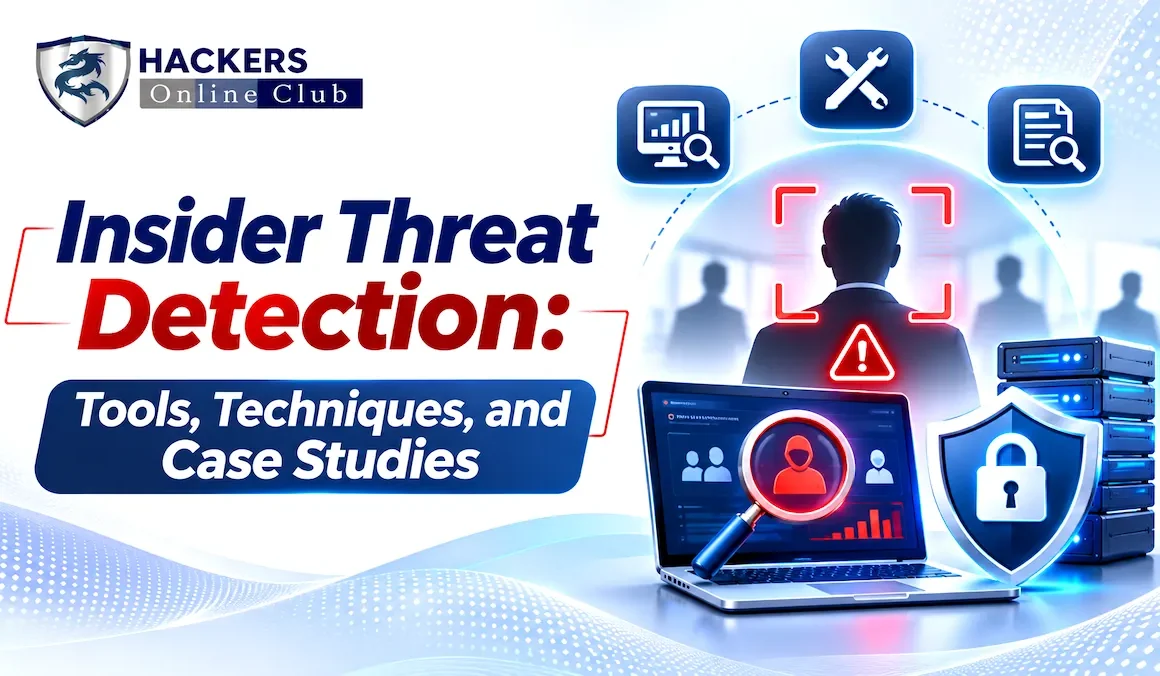
Insider threat detection is the practice of spotting harmful activity by people who already hold legitimate access: employees, contractors, support agents and anyone else you have trusted with systems or data. It is harder than detecting outside attackers because nothing looks broken. The login is valid, the permissions were granted on purpose, and the files being copied are files the person is allowed to open. Detection therefore depends on context: what is normal for this person and their peers, what changed, and what else is going on around them. This guide covers the insider types you will face, the signals and techniques that work, the tool categories available, a runnable scoring model, and four recent cases with the lessons each one teaches.
- What Is an Insider Threat? Types and Costs
- How Insider Incidents Unfold
- Detection Signals and Data Sources
- Detection Techniques, With Working Code
- Tool Landscape and How to Evaluate It
- Case Studies: Four Recent Insider Incidents
- Building the Program: Governance, Privacy and People
- Response Playbook
- Prevention and Hardening Controls
- Metrics, Maturity and a 90-Day Roadmap
- Frequently Asked Questions
An insider threat is the risk that someone with authorized access to your organization's systems, data or facilities will cause harm, whether deliberately or by accident. The category is broader than the "disgruntled employee" of popular imagination. Most incidents involve people who never intended harm, and a growing share involve outsiders who have recruited, bribed or impersonated their way into an insider's position.
| Insider Type | Intent | Typical Example | Share of Incidents (2026 study) |
|---|---|---|---|
| Negligent | None | Sending data to the wrong recipient, pasting sensitive data into an unapproved tool, ignoring a security control | 53% |
| Malicious | Harm or gain | Stealing intellectual property before leaving for a competitor, selling customer data, sabotage | 27% |
| Compromised (credential theft) | None; an outsider uses the person's identity | Phished or stolen credentials used from another location | 20% |
| Recruited or collusive | Paid or coerced by an outsider | Support agents bribed to copy customer data | Counted within malicious in most studies |
| Infiltrator | Hired under false pretenses | Remote workers placed by a state-backed scheme, often with the help of "laptop farm" facilitators | Not separately reported |
- Containment speed drives cost. In the 2026 study, incidents contained in under 30 days averaged $14.2M in annual cost, against $21.9M for those taking over 90 days.
- Size and region matter. North American organizations averaged about $24M and Europe about $18.6M, and organizations with more than 75,000 employees averaged $28.4M against $8.9M for those under 500.
- Frequency is climbing. 68% of organizations reported between 21 and more than 40 incidents, up from 57% in the prior study, which is why triage and automation matter as much as detection.
- Some controls show clear value. The study associates privileged access management with average savings of $6.1M and user behavior analytics with $5.1M. Treat these as correlations from a vendor-sponsored survey, but they point at the right investments.
Insider harm rarely appears out of nowhere. Research from the CERT Insider Threat Center at Carnegie Mellon, and the CISA and MITRE resources that build on it, describe a progression: a person's circumstances and motives change, an opportunity or a recruiter appears, they prepare, they collect and move data, and then they exit or conceal. Each stage leaves different traces, so detection works best when you can connect weak signals across stages instead of waiting for a single alarming event.
Insider threat detection is a data problem before it is an analytics problem. You can only detect what you can see, and the sources that matter span identity, endpoints, data movement, cloud and SaaS, source code and, carefully and with proper governance, HR context.
| Data Source | What It Shows | Example Detections |
|---|---|---|
| Identity provider and directory | Logins, MFA events, privilege changes, group membership | New admin rights, access from a new country or device, dormant account suddenly active, access after offboarding |
| Endpoint (EDR) and OS telemetry | Processes, file activity, USB, remote-access tools | Archive creation followed by outbound transfer, removable media writes, installation of remote desktop tools |
| DLP, CASB and secure web gateway | Content and destinations of uploads, sharing and web traffic | Sensitive files sent to personal cloud or webmail, uploads to unsanctioned AI services. See What Is SASE? |
| SaaS audit logs (Microsoft 365, Google Workspace, Salesforce, Slack) | File downloads, shares, report exports, mailbox rules | Mass downloads, external sharing links, bulk report exports, forwarding rules to outside addresses |
| Cloud and infrastructure logs | API calls, storage access, database queries | Large object-store reads, snapshot sharing to outside accounts, unusual database exports |
| Source code and document repositories | Clones, forks, large pulls, access to unrelated projects | Cloning many repositories, access outside team scope, pulls just before departure |
| Email and messaging | Attachments, recipients, volume | Large attachments to personal addresses, contact with competitors |
| Physical access and printing | Badge events, print jobs | Off-hours entry, high print volume of confidential documents |
| HR and context systems (restricted) | Resignation, termination, role change, performance actions | Raising priority for people with notice given or in dispute, never as the sole basis for action |
No single technique catches every insider. Strong programs layer several, so that weakness in one is covered by another.
| Technique | How It Works | Catches Well | Limits |
|---|---|---|---|
| Rules and thresholds | Fixed conditions, such as more than N downloads in a day or any upload of tagged data to personal cloud | Clear policy violations and known bad patterns | Misses slow activity below the threshold; noisy if the threshold ignores role |
| Self-baseline analytics (UEBA) | Compare a person's recent behavior with their own history | Sudden changes: new volume, new hours, new systems | Misses people who were always risky; needs weeks of history |
| Peer-group comparison | Compare a person with others in the same role or team | Behavior unusual for the role even if gradual | Bad peer groups cause false alarms; small teams give weak baselines |
| Risk scoring and aggregation | Combine many weak signals (technical plus context) into one priority score per person | Low-and-slow activity and multi-stage patterns | Weights need tuning; scores must be explainable to analysts and HR |
| Content-aware DLP and data lineage | Inspect or fingerprint sensitive content and track where it goes | Movement of specific crown-jewel data | Encrypted, split or photographed data can evade it |
| Deception (honeytokens, canary files) | Plant fake credentials, files or records that no legitimate user should touch | Snooping and unauthorized collection, with very low false positives | Detects access, not purpose; needs careful placement and upkeep |
| Graph and sequence analysis | Look at relationships and ordering, such as access to a repo, then archive, then external upload | Multi-step staging and exfiltration chains | More engineering effort; needs consistent identities across sources |
The script below combines three of the techniques: a comparison with each person's own history, a comparison with department peers, and a context multiplier when HR reports a resignation notice. It runs on synthetic data with one planted insider, using only the Python standard library. Real deployments use much richer features and tuned weights, but the structure is the same.
# insider_score.py: combine self-baseline, peer-group and HR-context signals into a risk score.
# Synthetic data for illustration. Standard library only.
import random
import statistics as st

random.seed(11)
DAYS, RECENT = 30, 5                                   # 25-day baseline, last 5 days compared
WEIGHTS = {"downloads": 1.0, "cloud_mb": 1.5, "after_hours": 0.8}   # tune per environment

def make_user(dept, i, insider=False):
    base = {"eng": 40, "sales": 25, "finance": 18}[dept]
    rows = []
    for d in range(DAYS):
        late = d >= DAYS - RECENT
        dl = max(0, int(random.gauss(base, base * 0.25)))   # files downloaded per day
        cloud = max(0.0, random.gauss(4, 2))                # MB sent to personal cloud per day
        after = max(0, int(random.gauss(0.5, 0.7)))         # after-hours sessions per day
        if insider and late:                                # planted pre-departure pattern
            dl = int(random.gauss(base * 6, 25))
            cloud = random.gauss(900, 150)
            after = int(random.gauss(4, 1))
        rows.append({"downloads": dl, "cloud_mb": cloud, "after_hours": after})
    return {"id": f"{dept}{i:02d}", "dept": dept, "rows": rows, "notice_given": insider}

users = [make_user(d, i) for d, n in {"eng": 14, "sales": 14, "finance": 12}.items() for i in range(1, n + 1)]
users[3] = make_user("eng", 4, insider=True)          # eng04 is our planted insider

def recent_mean(u, f):
    return st.mean(r[f] for r in u["rows"][-RECENT:])

peer = {}                                              # recent means per department and feature
for u in users:
    for f in WEIGHTS:
        peer.setdefault((u["dept"], f), []).append(recent_mean(u, f))

def z(x, values):
    sd = st.pstdev(values)
    return (x - st.mean(values)) / (sd if sd > 1e-9 else 1.0)

def clamp(v, lo=0.0, hi=10.0):
    return max(lo, min(hi, v))

def score(u):
    total, parts = 0.0, {}
    for f, w in WEIGHTS.items():
        base = [r[f] for r in u["rows"][:-RECENT]]
        z_self = z(recent_mean(u, f), base)                       # vs own history
        z_peer = z(recent_mean(u, f), peer[(u["dept"], f)])       # vs department peers
        parts[f] = w * (0.6 * clamp(z_self) + 0.4 * clamp(z_peer))
        total += parts[f]
    if u["notice_given"]:                                         # HR context raises priority
        total *= 1.5
    return total, parts

if __name__ == "__main__":
    ranked = sorted(((score(u), u) for u in users), key=lambda t: -t[0][0])
    print(f"{'user':9} {'score':>6}  downloads  cloud_mb  after_hrs  HR_notice")
    for (total, parts), u in ranked[:5]:
        print(f"{u['id']:9} {total:6.1f}  {parts['downloads']:9.1f} {parts['cloud_mb']:9.1f} "
              f"{parts['after_hours']:10.1f}  {'yes' if u['notice_given'] else 'no'}")
    scores = [t[0][0] for t in ranked]
    print(f"\nMedian score across {len(users)} users: {st.median(scores):.1f}")
Sample output from one run:
user       score  downloads  cloud_mb  after_hrs  HR_notice
eng04       34.6        7.4      11.2        4.5  yes
finance12    3.6        0.9       1.1        1.6  no
sales04      2.9        1.7       0.9        0.3  no
sales01      2.5        0.6       1.3        0.7  no
finance02    2.4        0.4       1.9        0.0  no

Median score across 40 users: 0.8
If you use Microsoft Sentinel with Microsoft 365 audit data, this query is a starting point for the bulk-download rule. Adapt table and field names to your environment and tune the threshold per role.
// Users who downloaded an unusually large number of files across several sites in 24 hours
OfficeActivity
| where TimeGenerated > ago(1d)
| where Operation in ("FileDownloaded", "FileSyncDownloadedFull")
| summarize Downloads = count(), Sites = dcount(SiteUrl), First = min(TimeGenerated), Last = max(TimeGenerated) by UserId
| where Downloads > 200 and Sites > 3
| order by Downloads desc

// Improve it: join to a watchlist of people with resignation notice, exclude approved migration accounts,
// and compare against each user's 30-day average rather than using a fixed threshold.
Insider threat detection rarely comes from one product. Most programs combine a few categories, often using tools the organization already owns. The names below are examples to start research, not rankings or endorsements, and vendors merge, rebrand and change features often, so verify current capabilities before shortlisting.
| Category | What It Does for Insider Risk | Example Products and Projects |
|---|---|---|
| Dedicated insider risk platforms | Collect endpoint, cloud and context signals, score risk per person, support case management and evidence | Microsoft Purview Insider Risk Management, DTEX, Proofpoint insider threat management, Teramind, Incydr |
| SIEM and UEBA analytics | Central log analysis, baselines, anomaly detection, correlation with other threats | Microsoft Sentinel, Splunk, Exabeam, Securonix, Gurucul |
| DLP, CASB and security service edge | Inspect and control data leaving through web, SaaS, email and endpoints | Netskope, Zscaler, Palo Alto Networks, Broadcom Symantec, Microsoft Purview DLP |
| Data security posture and access governance | Find sensitive data, show who can reach it, flag excessive permissions | Varonis and similar data security platforms |
| Privileged access management | Limit, broker, record and time-box administrative access | CyberArk, BeyondTrust, Delinea |
| Identity threat detection | Detect abnormal logins, token misuse and privilege abuse | Microsoft Entra ID Protection, Okta identity threat protection, CrowdStrike identity protection |
| Endpoint detection and response | Process, file and device telemetry; remote-access tool detection; containment | CrowdStrike, SentinelOne, Microsoft Defender for Endpoint |
| Deception | Canary files and tokens that signal unauthorized access | Thinkst Canary, open-source Canarytokens |
| Open-source building blocks | Telemetry and detection logic for teams building their own | osquery, Wazuh, OpenSearch with Sigma rules, MITRE Insider Threat TTP Knowledge Base |
| Criterion | Questions to Ask |
|---|---|
| Coverage | Which endpoints, SaaS apps, cloud services and operating systems does it see? Does it cover contractors, unmanaged devices and third-party support tools? |
| Signal quality | How are alerts scored? Can analysts see why a person was flagged? What are realistic false-positive rates in a pilot on your data? |
| Privacy and legal controls | Can monitoring be scoped by role and region, with pseudonymization by default, role-based access to identities, and audit logs of who viewed what? |
| Context integration | Can it take HR signals such as resignation notice under strict access controls? Does it connect to your identity, DLP and ticketing systems? |
| Response workflow | Case management, evidence preservation, and the ability to trigger actions such as step-up authentication or access suspension |
| Operational cost | Agent footprint, data volume and storage costs, and the staff needed to triage alerts |
The cases below cover four different insider types: a malicious engineer, bribed support staff, an employee recruited by a criminal group, and infiltrators hired under false pretenses. For each, facts come from court filings, company statements and press reporting. The "where detection can help" notes are analysis of controls that address the pattern, not claims about what the organizations did or missed.
What happened. Linwei Ding, a Google software engineer, was convicted by a federal jury on January 29, 2026, after an 11-day trial. According to the Justice Department, between May 2022 and April 2023 he stole more than 2,000 pages of confidential information about Google's AI infrastructure, including details of its custom TPU chips, GPU systems and a custom network interface card, and uploaded it to a personal Google Cloud account. In December 2023, less than two weeks before he resigned, he downloaded the material to his personal computer. The release says that during this time he was secretly affiliated with two companies based in China, including one he founded and acted as chief executive of. He was first indicted in March 2024.
The outcome has since changed. According to KQED's reporting on September 1, 2026, the judge, Vince Chhabria, vacated the economic espionage conviction in August for insufficient evidence, and the trade-secret theft convictions remained. Ding was sentenced to just under one year in prison, with restitution of more than $189,000, a $25,000 fine and two years of supervised release. Read the court record before quoting the exact counts.
Where detection can help (analysis). The pattern combines slow collection over many months, movement of documents to a personal cloud account, an unreported outside business affiliation, and a burst of copying just before resignation. Controls that address it: data loss prevention and egress controls on crown-jewel documents, alerting on transfers to personal cloud storage, conflict-of-interest and outside-activity disclosure processes, and heightened review of high-access employees who give notice. The DOJ release does not say how long the activity went undetected or how it was found.
Lesson. Treat the most valuable intellectual property, now including AI hardware designs, model weights and training data, as a protected asset class with its own monitoring, and combine slow-and-low technical signals with HR and conflict-of-interest context.
What happened. Coinbase disclosed on May 15, 2025 that criminals had bribed overseas customer support agents to copy customer data from its support tools. Coinbase said the agents worked in India and were associated with its support operations, and that they had been fired. Exposed data included names, contact details, masked Social Security and bank numbers, government ID images, and account balance and transaction history; Coinbase said no passwords, private keys or funds were exposed. Attackers used the data to impersonate Coinbase in social-engineering scams, and on May 11, 2025 demanded $20 million to stay quiet, which Coinbase refused, offering a $20 million reward for information on the attackers. Coinbase said fewer than 1% of its monthly transacting customers were affected, and a Maine filing listed 69,461 individuals. The same filing dates the original incident to December 26, 2024, while Coinbase said it began seeing unusual activity from some representatives in January 2025.
Where detection can help (analysis). Bribed insiders often use their normal tools, so the signal is in the pattern of access: records viewed without a matching customer ticket, unusually high lookup volume per agent, lookups of high-balance accounts, and agents opening many customers they never serve. Controls: scope support access to the customer in an active case, mask sensitive fields by default, rate-limit and alert on lookup volume, and monitor third-party support staff as closely as employees.
Lesson. Outsourced support teams are a high-value target for bribery because they combine broad customer-data access with lower pay and weaker employment ties. Design the tool so that no agent can see more than their ticket requires.
What happened. In November 2025, CrowdStrike confirmed that an employee had shared photos of his screen with outsiders. The screenshots appeared on Telegram, and press reports linked them to the ShinyHunters group. CrowdStrike said its internal investigation identified the person as suspicious, that he had been fired the previous month, and that the case was referred to law enforcement. The company stated its systems were not compromised and customers were not affected. The hackers claimed they had offered the insider $25,000 and received single sign-on authentication cookies, but CrowdStrike said it had already detected the insider and cut access. The payment and cookie claims come from the criminals and are not independently verified.
Where detection can help (analysis). Insiders recruited on messaging platforms may be reached through advertisements or direct messages that offer payment for access. Controls: clear policies and reporting channels for approaches, short-lived sessions with token binding and device checks to limit stolen cookies, monitoring for screen capture and photography at sensitive workstations where appropriate, and fast cut-off of access once suspicion arises.
Lesson. Even a security company's employee can be approached. Resilience came from internal detection, rapid access removal, and controls that limited what stolen session material could do. Assume recruitment attempts will occur and make reporting them easy and safe.
What happened. In May 2026 the Justice Department announced 18-month prison sentences for two U.S. facilitators of a North Korean remote IT worker scheme: Matthew Knoot of Nashville and Erick Ntekereze Prince of New York. Both received laptops from U.S. companies that had hired remote workers and hosted them at their homes, installing remote desktop software so co-conspirators could work from abroad while appearing to be in the United States. Prince's company supplied workers to victim companies from June 2020 through August 2024. Reporting says the scheme touched almost 70 U.S. companies and generated about $1.2 million for North Korea across the two cases. The reporting on these two cases does not describe stolen identities.
Where detection can help (analysis). The employee exists on paper but the person behind the keyboard is elsewhere. Controls: rigorous identity verification during hiring, including live video checks and document verification; comparing claimed work location against network and device location; detecting remote-access tools and remote keyboard-video-mouse hardware on corporate laptops; shipping devices only to verified addresses; and reviewing payroll, banking and timezone anomalies.
Lesson. The insider may never have been a trusted person. Treat remote hiring as part of insider risk, and give security, HR and finance a shared view of how each remote worker is verified.
| Case | Insider Type | Channel | Key Detection Opportunities | Core Control |
|---|---|---|---|---|
| Google / Ding | Malicious, intellectual property theft | Uploads to personal cloud account, later copy to personal computer | Personal cloud transfers; burst before resignation; outside affiliations | DLP on crown-jewel data; conflict-of-interest disclosure |
| Coinbase | Recruited (bribed) support agents | Customer data viewed in support tools and passed to outsiders | Lookups without tickets; unusual volume per agent | Ticket-scoped access, field masking, rate limits |
| CrowdStrike | Employee approached by criminals | Photographs of internal screens; attempted session material | Internal investigation; access removal; limited session value | Reporting channels; short-lived, bound sessions |
| Laptop farms | Infiltrators hired under false pretenses | Remote access to company laptops from abroad | Location and device anomalies; remote-access tooling | Identity proofing; device and location verification |
Monitoring people is different from monitoring machines. A program that employees see as surveillance will lose trust, and one that violates privacy or labor law will create more risk than it removes. CISA's Insider Threat Mitigation Guide frames the work as a cycle of defining the threat, detecting and identifying concerning behavior, assessing it, and managing it, and the CERT Common Sense Guide at Carnegie Mellon offers detailed practices. The MITRE Insider Threat TTP Knowledge Base helps map which techniques your detections cover.
| Role | Responsibility |
|---|---|
| Executive sponsor | Owns the program mandate and resolves conflicts between security, privacy and business needs |
| Insider risk program lead | Runs the program, owns detections, metrics and case process |
| Legal and privacy | Defines what monitoring is lawful and proportionate per jurisdiction; approves data access and retention; reviews investigations |
| Human resources | Provides context under strict controls; leads employment actions; supports fair process |
| Security analysts and IT | Triage alerts, preserve evidence, implement containment |
| Business and data owners | Identify crown jewels and confirm whether activity is expected |
| Employee representation (where applicable) | Consulted on scope and safeguards in works-council or union settings |
- Transparency. Publish what is monitored and why through acceptable-use and monitoring policies, and make sure notices and consent meet local requirements.
- Proportionality and purpose limitation. Collect only what is needed to detect defined risks, and do not reuse the data for unrelated management purposes.
- Pseudonymize by default. Analysts should see a case identifier until there is enough justification to reveal the person, with access logged and reviewed.
- Human decisions. Scores prioritize review; people decide. Never take an adverse action on an automated score alone.
- Fairness checks. Review alert and outcome rates across teams and locations, and exclude protected characteristics and proxies for them from models.
- Jurisdictional review. Employee-monitoring rules differ widely across countries and states, so have counsel review each region before collecting data.
How you handle the first hours decides whether you preserve evidence, protect the person if they are innocent, and contain harm if they are not.
| Step | Actions | Cautions |
|---|---|---|
| 1. Triage | Validate the alert against context (role, project, approved work, travel). Decide whether it looks negligent, malicious, or an external actor using a stolen account. | Do not assume intent. Many alerts have a harmless explanation. |
| 2. Scope and preserve | Identify data and systems involved; preserve logs, device images and relevant messages under legal direction. | Limit who knows. Tipping off a malicious insider can destroy evidence. |
| 3. Contain proportionately | Match the action to the risk: step-up authentication, restricting specific access, blocking a transfer channel, or full suspension for clear and active harm. | Coordinate with HR and legal before actions that affect employment. |
| 4. Investigate | Reconstruct activity with forensic evidence, interview where appropriate, and determine what was taken or changed. | Keep investigators separate from the person's management where conflicts exist. |
| 5. Decide the outcome | Options include no action, coaching or retraining, policy enforcement, disciplinary action, civil remedies or referral to law enforcement. | Document the reasoning. Proportionate outcomes protect both the company and the person. |
| 6. Learn and improve | Fix the control gap, tune detections, update training and share lessons without identifying individuals. | Feed outcomes back into scoring so alert quality improves. |
Detection is only half the answer. The most reliable way to reduce insider harm is to limit what any single person can do and to make misuse harder, slower and more visible.
| Level | Description | Typical Capabilities |
|---|---|---|
| 1 Ad hoc | Reactive, investigations after an incident | Basic logging, manual investigation, no defined process |
| 2 Defined | Program, policy and governance exist | Charter, legal review, DLP rules, offboarding checks |
| 3 Proactive | Analytics and context combined | UEBA or scoring, HR integration, case management, crown-jewel focus |
| 4 Optimized | Measured, tuned and prevention-led | Automated response, deception, fairness reviews, regular exercises |
| Metric | Definition | Reference or Direction |
|---|---|---|
| Time to contain | Median days from first malicious or risky activity to containment | 2026 study average: 67 days; target under 30 |
| Crown-jewel coverage | Share of critical data stores with logging and DLP in place | Toward 100% |
| Alert precision | Share of escalated alerts confirmed as real risk or policy violations | Rising over time |
| Offboarding time | Hours from departure to full access removal | Toward zero |
| High-risk user review | Share of notice-period high-access staff given enhanced review | Toward 100% |
| Privileged access reduction | Standing admin accounts compared with baseline | Downward |
| Fairness variance | Alert rate difference across teams and regions after normalization | Small and explainable |
- ☐An executive sponsor, program lead, and legal, privacy and HR partners are named
- ☐Monitoring and acceptable-use policies are published and reviewed for each jurisdiction
- ☐Crown-jewel data is identified, classified and covered by logging and DLP
- ☐Identity, endpoint, SaaS and cloud logs feed a central platform with enough retention for investigations
- ☐Rules exist for bulk download, personal cloud upload, access after offboarding and privilege changes
- ☐Baseline and peer analytics or scoring are in place, explainable and reviewed for bias
- ☐Notice-period and high-access staff receive enhanced review under controlled HR integration
- ☐Third-party and outsourced staff have ticket-scoped access and are monitored
- ☐Remote hires go through identity and location verification, and devices are checked for remote-access tooling
- ☐A response playbook is tested with HR and legal, and staff have a safe way to report concerns or approaches