




In the months following the SolarWinds supply chain attack, CISA and NSA published a joint advisory documenting exactly how the Russian SVR threat group — known as Cozy Bear, tracked by MITRE as APT29 — operated inside compromised networks.
The advisory did not describe the attack in vague terms. It listed specific technique IDs: T1195.002 (supply chain compromise of software), T1078 (valid accounts), T1550.001 (application access tokens), T1567.002 (exfiltration to cloud storage). Defenders who understood these technique IDs could immediately map them to their own detection coverage — and find the gaps.
This is the power of a shared taxonomy for attacker behaviour. Before MITRE ATT&CK, "the attacker used PowerShell" was a complete technical description in many incident reports. After ATT&CK, that same observation becomes T1059.001 — one of 600+ precisely defined techniques, documented with procedures, mitigations, detection data sources, and references to real-world threat actor usage. That specificity is the difference between a description that informs and one that drives action.
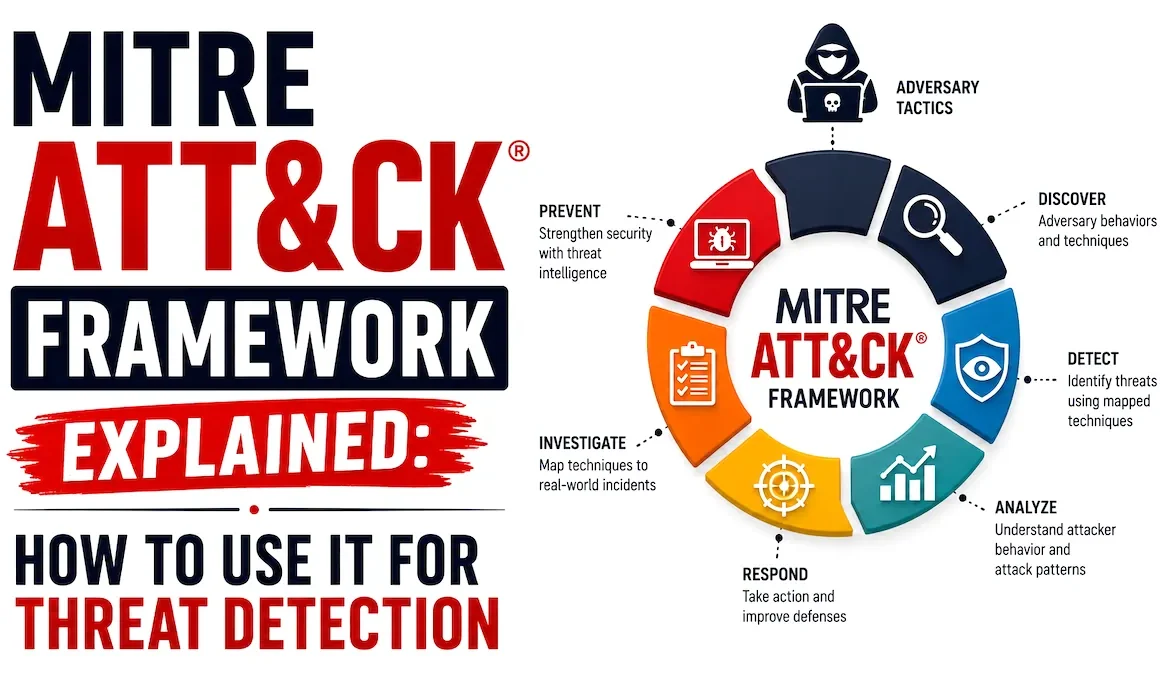
This guide covers the complete ATT&CK framework: what it is and how it is structured, all 14 tactics with their most important techniques, how to use ATT&CK Navigator to visualise coverage and gaps, how to map your security controls to ATT&CK, and practical applications for threat hunting, detection engineering, red team planning, and SOC analyst triage.
- What is MITRE ATT&CK?
- Framework structure — tactics, techniques, and sub-techniques
- All 14 tactics explained with top techniques
- Technique deep-dive — reading an ATT&CK technique page
- ATT&CK Navigator — visualising coverage and gaps
- Threat groups and software — using ATT&CK intelligence
- Mapping detections to ATT&CK
- Practical use cases — how each team uses ATT&CK
- ATT&CK and Sigma rules
- Frequently asked questions
MITRE ATT&CK (Adversarial Tactics, Techniques, and Common Knowledge) is a globally accessible, free knowledge base of adversary tactics and techniques based on real-world observations of cyberattacks. It is maintained by MITRE Corporation, a not-for-profit organisation that operates US federally funded research and development centres.
The framework was started in 2013 as an internal MITRE project to catalogue attacker behaviours observed on Windows enterprise networks. It was made public in 2015 and has since grown into the de facto standard taxonomy for describing attacker behaviour across Windows, macOS, Linux, mobile, cloud, ICS (industrial control systems), and network infrastructure. It is updated quarterly as new techniques are documented from real-world threat intelligence.
Before ATT&CK, security teams described attacks in inconsistent terms. One vendor called something "lateral movement"; another called it "pivoting"; a third called it "east-west traversal." Incident reports, threat intelligence feeds, and security products all used different vocabulary for the same attacker behaviours, making it nearly impossible to compare coverage, share intelligence, or benchmark defences consistently.
ATT&CK provides a common language. When a threat intelligence report says "APT29 used T1059.001," every security team in the world knows exactly what technique is being described — PowerShell execution — and can immediately check whether their environment has detection coverage for it.
When a SIEM alert fires with "MITRE ATT&CK T1003.001 detected," the analyst knows before reading a single log line that this is an LSASS credential dump — one of the highest-priority post-compromise techniques. This shared vocabulary accelerates every security activity from threat intelligence to detection engineering to incident response.
Tactics represent the adversary's goal or objective at a given stage of the attack — what they are trying to achieve. They answer the question "why is the attacker doing this?" Each tactic has a unique ID (TA0001 through TA0043 in the current Enterprise matrix). Tactics are ordered roughly chronologically through an attack lifecycle, from initial access through to impact, though real attacks do not always follow this linear order.
Techniques represent the specific method an adversary uses to achieve a tactical goal — how they accomplish the objective. Each technique has a unique ID (T followed by a four-digit number, e.g. T1059 for Command and Scripting Interpreter). A technique is more specific than a tactic but still describes a broad approach — there may be multiple specific implementations of the same technique.
Sub-techniques are more specific instances of a parent technique, identified by a decimal notation (e.g. T1059.001 for PowerShell, T1059.003 for Windows Command Shell). Not all techniques have sub-techniques — some are specific enough to stand alone. When a technique has sub-techniques, they are typically the level at which detection rules are written and threat intelligence is attributed.
| Matrix | Covers | Techniques | Primary audience |
|---|---|---|---|
| Enterprise | Windows, macOS, Linux, cloud (AWS, Azure, GCP), network, containers, SaaS, Office 365 | 190+ techniques, 400+ sub-techniques | Enterprise security teams, SOC analysts, red teams — the most widely used matrix |
| Mobile | Android and iOS — mobile device attack techniques | 100+ techniques | Mobile security teams, organisations with BYOD or managed mobile programmes |
| ICS (Industrial) | Operational technology — industrial control systems, SCADA, PLCs | 80+ techniques | OT security teams, critical infrastructure operators, energy/utilities/manufacturing |
This guide focuses on the Enterprise matrix — the one relevant to most corporate security teams. When someone says "MITRE ATT&CK" without qualification, they almost always mean Enterprise.
The Enterprise matrix has 14 tactics. Understanding what each one represents — and which techniques are most frequently observed under it — is the foundation of ATT&CK proficiency. Below, each tactic is explained with its most practically important techniques for detection.
The most critical tactic to defend — stopping initial access prevents everything that follows. The most common techniques in 2026:
- T1566 Phishing
- T1566.001 Spearphishing Attachment
- T1566.002 Spearphishing Link
- T1190 Exploit Public-Facing App
- T1078 Valid Accounts
- T1195 Supply Chain Compromise
- T1133 External Remote Services
Detection focus: Email gateway analysis, VPN and RDP authentication logs, web application WAF alerts, phishing simulation results.
Execution is where most endpoint detections fire — the moment malicious code runs. Living-off-the-land (LOtL) techniques that abuse legitimate built-in tools dominate here:
- T1059.001 PowerShell
- T1059.003 Windows Command Shell
- T1059.005 Visual Basic (VBA macros)
- T1059.007 JavaScript
- T1047 WMI Remote Execution
- T1053.005 Scheduled Task
- T1569.002 Service Execution
Detection focus: Process creation logs (Sysmon EID 1, Windows EID 4688), PowerShell Script Block Logging (EID 4104), WMI activity logs.
Persistence mechanisms survive reboots and password resets — finding them tells you an attacker is trying to maintain long-term access:
- T1053.005 Scheduled Task/Job
- T1543.003 Windows Service
- T1547.001 Registry Run Keys
- T1136 Create Account
- T1098 Account Manipulation
- T1505.003 Web Shell
- T1546 Event Triggered Execution
Detection focus: Registry monitoring (Sysmon EID 13), scheduled task creation (EID 4698), service installation (EID 7045), new account creation (EID 4720).
Moving from a standard user to SYSTEM or Domain Admin gives the attacker unrestricted access. These are the techniques Metasploit's getsystem implements:
- T1548.002 Bypass UAC
- T1543 Create or Modify System Process
- T1546 Event Triggered Execution
- T1134 Access Token Manipulation
- T1068 Exploitation for Privilege Escalation
- T1078 Valid Accounts (admin creds)
Detection focus: Token privilege changes, process running under unexpected SYSTEM context, UAC bypass patterns in process logs.
Defence evasion is the broadest tactic — attackers spend significant effort staying invisible. These techniques are why detection is hard:
- T1070.001 Clear Windows Event Logs
- T1562.001 Disable Security Tools
- T1055 Process Injection
- T1036 Masquerading
- T1027 Obfuscated Files/Information
- T1140 Deobfuscate/Decode Files
- T1218 Signed Binary Proxy Execution
Detection focus: Log clearing (EID 1102), security tool process termination, process injection via Sysmon EID 8, LOLBins usage patterns.
Credential theft is often the pivot point from single-host compromise to domain-wide compromise:
- T1003.001 LSASS Memory (Mimikatz)
- T1003.002 Security Account Manager
- T1003.006 DCSync
- T1110 Brute Force
- T1110.003 Password Spraying
- T1056.001 Keylogging
- T1539 Steal Web Session Cookie
Detection focus: LSASS process access (Sysmon EID 10), failed login volume (EID 4625), DCSync detection (EID 4662 with specific replication permissions).
Discovery happens after initial access but before lateral movement — the attacker is mapping the environment to find high-value targets:
- T1087 Account Discovery
- T1018 Remote System Discovery
- T1082 System Information Discovery
- T1083 File and Directory Discovery
- T1046 Network Service Discovery
- T1069 Permission Groups Discovery
- T1057 Process Discovery
Detection focus: Net.exe and nltest.exe usage, network scanning from endpoints, LDAP queries to AD, rapid enumeration patterns in process logs.
Lateral movement is how a single compromised endpoint becomes a network-wide breach. Network segmentation directly limits these techniques:
- T1021.001 Remote Desktop Protocol
- T1021.002 SMB/Windows Admin Shares
- T1021.006 Windows Remote Management
- T1047 WMI Remote Execution
- T1570 Lateral Tool Transfer
- T1550.002 Pass the Hash
- T1563 Remote Service Session Hijacking
Detection focus: Network logon type 3 events (EID 4624), PSEXESVC service creation (EID 7045), admin share access, same account → multiple hosts rapidly.
- T1074 Data Staged
- T1560.001 Archive via Utility (7-Zip, WinRAR)
- T1056.001 Keylogging
- T1113 Screen Capture
- T1039 Data from Network Shared Drive
- T1005 Data from Local System
Detection focus: Archive tool execution against network shares, unusual file access patterns on file servers, large volume of read events on sensitive directories.
- T1071.001 Web Protocols (HTTP/HTTPS)
- T1071.004 DNS Tunnelling
- T1090.003 Multi-hop Proxy
- T1132 Data Encoding
- T1573 Encrypted Channel
- T1008 Fallback Channels
- T1568 Dynamic Resolution (DGA)
Detection focus: Periodic outbound connections (beaconing), DNS query volume and subdomain length anomalies, HTTPS to non-categorised domains, JA3 fingerprinting for C2 frameworks.
- T1041 Exfiltration Over C2 Channel
- T1048.003 Exfiltration Over HTTPS
- T1048.003 DNS Exfiltration
- T1567.002 Exfil to Cloud Storage
- T1020 Automated Exfiltration
Detection focus: Outbound bytes volume anomalies per host, cloud storage uploads from unexpected sources, DNS query payload size anomalies.
- T1486 Data Encrypted for Impact (Ransomware)
- T1490 Inhibit System Recovery (Delete VSS)
- T1485 Data Destruction
- T1498 Network Denial of Service
- T1489 Service Stop
- T1491 Defacement
Detection focus: vssadmin.exe or wmic.exe deleting shadow copies (T1490 — the pre-ransomware canary), mass file encryption events, backup deletion commands.
Every technique page on attack.mitre.org has a consistent structure. Understanding each section tells you exactly what you need to know to detect, hunt for, and defend against that technique. Here is how to read one effectively, using T1059.001 (PowerShell) as the example.
Adversaries may abuse PowerShell commands and scripts for execution. PowerShell is a powerful interactive command-line interface and scripting environment included in the Windows operating system. Adversaries can use PowerShell to perform a number of actions, including discovery of information and execution of code. Examples include the Start-Process cmdlet which can be used to run an executable and the Invoke-Command cmdlet which runs a command locally or on a remote computer.
This is the most actionable section for defenders. It lists documented real-world usage with references to specific threat groups and campaigns:
- APT28 (Fancy Bear) — used PowerShell to download additional components and execute malware in memory
- FIN7 — used PowerShell for execution and to access and modify data in memory
- Lazarus Group — used PowerShell with -ExecutionPolicy Bypass and encoded command flags
- Cobalt Strike (software) — generates PowerShell commands for payload delivery and execution
- M1042 Disable or Remove Feature or Program — Disable PowerShell for users who do not need it using Constrained Language Mode or AppLocker
- M1049 Antivirus/Antimalware — AMSI (Antimalware Scan Interface) allows AV to inspect PowerShell scripts at execution time
- M1026 Privileged Account Management — Limit accounts that can run PowerShell remotely using PowerShell remoting
This section tells you what to collect and what to look for:
- Data Source: Command (DS0017) — Command Execution: Monitor for PowerShell process creation with suspicious command line parameters (encoded commands, -NonInteractive, -WindowStyle Hidden, DownloadString)
- Data Source: Module (DS0011) — Module Load: PowerShell Module Logging (Group Policy) records all modules loaded during execution
- Data Source: Script (DS0012) — Script Execution: PowerShell Script Block Logging (Event ID 4104) records the decoded content of all executed scripts
- Data Source: Process (DS0009) — Process Creation: Sysmon Event ID 1 captures PowerShell command line arguments including encoded commands
ATT&CK Navigator is the official free web tool at attack.mitre.org/resources/navigator that lets you annotate the ATT&CK matrix — colouring techniques to show coverage, gaps, threat actor TTPs, and detection confidence. It is the primary tool for communicating your detection posture visually.
ATT&CK documents over 130 threat actor groups (attack.mitre.org/groups) and over 700 software tools (attack.mitre.org/software). Each group page lists their documented techniques, the campaigns they have conducted, and the software they use. This is some of the most practically useful threat intelligence available — directly actionable for detection prioritisation.
| Group | Also known as | Origin | Primary sectors | Signature techniques |
|---|---|---|---|---|
| APT29 | Cozy Bear, Midnight Blizzard | Russia (SVR) | Government, energy, technology, healthcare | T1195 Supply chain · T1078 Valid accounts · T1550.001 App access tokens · T1567 Cloud exfil |
| APT28 | Fancy Bear, Forest Blizzard | Russia (GRU) | Government, defence, political organisations | T1566.001 Spearphishing · T1059.001 PowerShell · T1003.001 LSASS · T1027 Obfuscation |
| Lazarus Group | Hidden Cobra | North Korea | Finance, crypto, defence | T1195 Supply chain · T1486 Ransomware · T1041 C2 exfil · T1059.001 PowerShell |
| APT41 | Winnti, Double Dragon | China (MSS) | Healthcare, technology, gaming, telecom | T1190 Public-facing exploit · T1505.003 Web shells · T1003 Credential dump · T1070 Log clearing |
| FIN7 | Carbanak, Carbon Spider | Russia (criminal) | Retail, hospitality, finance (POS targeting) | T1566.001 Spearphishing · T1059.005 VBA macros · T1003 Credential dump · T1486 Ransomware |
| LockBit (RaaS) | LockBit 3.0, Black Basta affiliate | Russia (criminal) | All sectors — ransomware for hire | T1486 Data encryption · T1490 Inhibit recovery · T1078 Valid accounts · T1021.002 SMB |
- Go to attack.mitre.org/groups
- Filter by your industry in the "Target Industries" column
- Open each relevant group page and copy their Navigator layer (each group page has a "Download ATT&CK Navigator Layer" button)
- Compare the downloaded layer against your coverage layer to identify priority gaps
- Subscribe to your industry ISAC's threat intelligence feed — they will alert you when a relevant group becomes newly active against your sector
Detection mapping is the process of annotating each of your SIEM alerts, EDR rules, and threat hunting queries with the ATT&CK technique IDs they detect. This serves three purposes: it reveals your coverage gaps, it enables the Navigator coverage visualisation, and it provides instant analyst context when an alert fires — the technique ID tells the analyst what attacker behaviour triggered the alert before they have read a single log line.
Export all active SIEM correlation rules, EDR detection policies, and threat hunting queries into a spreadsheet. Columns: Rule Name, Rule Description, Data Source, Index/Log Source, Current Alert Count (30-day), False Positive Rate.
For each detection, ask: "If this rule fires, what is the attacker doing?" Look up that behaviour in ATT&CK and find the matching technique. Most rules map to one or two techniques. Examples:
| Detection rule | What it detects | ATT&CK technique | Tactic |
|---|---|---|---|
| 50+ failed logins from same source in 5 min | Brute force attack | T1110.003 Password Spraying / T1110.001 Password Guessing | Credential Access |
| Office app spawning PowerShell | Macro-delivered malware | T1566.001 Spearphishing Attachment + T1059.001 PowerShell | Initial Access + Execution |
| PSEXESVC service created | PsExec lateral movement | T1021.002 SMB/Windows Admin Shares | Lateral Movement |
| LSASS process accessed by non-system process | Credential dumping | T1003.001 LSASS Memory | Credential Access |
| Security log cleared (EID 1102) | Evidence destruction | T1070.001 Clear Windows Event Logs | Defence Evasion |
| New scheduled task by user account | Persistence mechanism | T1053.005 Scheduled Task | Persistence |
| vssadmin.exe deleting shadow copies | Pre-ransomware ransom prep | T1490 Inhibit System Recovery | Impact |
| Same account logs into 5+ hosts in 10 min | Lateral movement | T1021.001 RDP / T1021.002 SMB | Lateral Movement |
Once mapped, prefix every alert name with the technique ID: "[T1059.001] PowerShell encoded command — suspicious execution" rather than just "Suspicious PowerShell." This gives analysts instant ATT&CK context without opening a separate tab. In Splunk, add the technique ID to the alert description field. In a ticketing system, make technique ID a mandatory field in the incident template.
Take your mapped spreadsheet and for each technique ID, mark whether you have: automated detection (green), hunt coverage only (yellow), or no coverage (red). Import into Navigator as a JSON layer. Present the resulting heatmap to leadership as your quarterly security posture update. The visual immediately communicates which tactics have strong coverage and which are blind spots.
Sigma is an open-source, vendor-agnostic detection rule format — a standard way to write detection logic that can be converted to SPL (Splunk), KQL (Sentinel), YAML (Elastic), and other query languages. The Sigma rule repository (github.com/SigmaHQ/sigma) contains thousands of community-contributed detection rules, almost all tagged with the ATT&CK technique IDs they detect.
The Sigma repository organises rules by ATT&CK tactic under the rules/windows/ directory. To find rules for a specific technique, search the repository for the technique ID:
⚡ Getting started with ATT&CK this week
- Open ATT&CK Navigator and build your first coverage map — go to attack.mitre.org/resources/navigator, create a new Enterprise layer, and colour the techniques you currently have SIEM or EDR detections for. Even a rough first pass in 30 minutes will reveal the shape of your coverage and the location of your biggest gaps. This single exercise produces immediate, actionable insight.
- Download the Navigator layer for the threat groups targeting your sector — go to attack.mitre.org/groups, find the two or three groups most active in your industry, and download their Navigator layers. Compare them against your coverage layer. The intersection of "attacker uses this" and "we have no detection" is your detection engineering priority queue for the next quarter.
- Tag your five highest-volume SIEM alerts with ATT&CK technique IDs — pick the five alerts your SOC sees most often, identify which ATT&CK technique each one detects, and add the technique ID to the alert name. This immediately improves analyst triage speed and starts building the habit of ATT&CK-tagging new rules as they are created.
- Connect ATT&CK to your threat hunting programme — the next threat hunt you plan should start from an ATT&CK technique page. Use the Data Sources section to identify what logs to search. Use the Procedure Examples to understand what the malicious behaviour looks like. Threat hunting guide →
- Understand how ATT&CK integrates with your full security stack — ATT&CK is the common language used across SIEM alerts, EDR detections, SOAR playbooks, threat hunts, and incident reports. SIEM guide → | SOAR guide → | IR plan →
MITRE ATT&CK (Adversarial Tactics, Techniques, and Common Knowledge) is a free, publicly accessible knowledge base of adversary tactics and techniques based on real-world cyberattack observations. Maintained by the non-profit MITRE Corporation since 2015, it provides a standardised taxonomy for describing attacker behaviour — allowing security teams, threat intelligence providers, and security products to use a common language. The Enterprise matrix contains 14 tactics and over 600 techniques and sub-techniques covering Windows, macOS, Linux, cloud, and network environments. It is referenced in NIST CSF, CISA advisories, and virtually every major security framework.
A tactic represents the attacker's goal — what they are trying to achieve (Initial Access, Persistence, Lateral Movement, etc.). A technique represents how they achieve that goal — the specific method used (T1059.001 PowerShell for execution, T1003.001 LSASS dump for credential access). The analogy: a tactic is "steal credentials" — the objective. A technique is "dump LSASS memory using Mimikatz" — the specific implementation. Sub-techniques (identified by the decimal notation like T1059.001) are even more specific variations of a technique, such as PowerShell being a specific type of Command and Scripting Interpreter (T1059).
Use ATT&CK for threat detection in three steps: first, identify the techniques used by the threat actors most relevant to your industry using attack.mitre.org/groups; second, for each relevant technique, read the technique page's Detection section to understand what data sources and log events reveal the technique in your environment; third, build SIEM correlation rules or EDR detection policies that alert when those patterns appear, and tag each rule with the technique ID. Map your resulting detections in ATT&CK Navigator to visualise coverage. Use technique IDs in alert names so analysts immediately know what attacker behaviour triggered each alert.
ATT&CK Navigator is the official free web tool at attack.mitre.org/resources/navigator for annotating and visualising the ATT&CK matrix. You create "layers" — colour-coded annotations on the matrix showing detection coverage, threat actor TTPs, or any other classification. Practical uses include: colouring techniques green where you have automated detection and red where you have gaps; downloading and displaying a threat actor group's documented technique usage; comparing your coverage layer against a threat actor layer to identify priority gaps; and documenting the techniques observed in an incident for the post-incident report. It is the primary tool for communicating your detection posture visually to leadership.
No — attempting to cover all 600+ techniques is neither realistic nor the right approach. ATT&CK is not a compliance checklist to check off completely. The correct approach is: identify the 20–30 techniques most commonly used by the threat actors that target your industry, ensure you have strong detection coverage for those specific techniques, and continuously expand coverage based on threat intelligence updates and incident findings. Focus on the techniques with the highest combination of frequency of use across your relevant threat actors and the highest potential impact if used successfully against you. Quality detection of 30 high-priority techniques beats shallow coverage of 600.
Lockheed Martin's Cyber Kill Chain and MITRE ATT&CK both describe attacker behaviour, but at very different levels of detail. Kill Chain has 7 high-level stages (Reconnaissance, Weaponisation, Delivery, Exploitation, Installation, Command and Control, Actions on Objectives) — useful for describing the broad phases of an attack but too abstract for detection engineering. ATT&CK has 14 tactics with 600+ specific techniques — detailed enough to write detection rules, map to specific log sources, and attribute to specific threat actors. Kill Chain is a conceptual model for communication; ATT&CK is an operational reference for practitioners. Most security teams use Kill Chain for high-level conversation and ATT&CK for technical work.