



In August 2022, Mandiant's incident response team was called in after a financial services firm discovered ransomware on several systems.
During the investigation, they found something unexpected in the log telemetry: the attacker had been in the environment for 11 months before deploying ransomware. During those 11 months, the SIEM had generated no alerts.
Not because the attacker was invisible — they had accessed hundreds of systems, used legitimate tools like PsExec and PowerShell, and exfiltrated gigabytes of data. But none of those activities matched the SIEM's alert rules, because alert rules are written for known attack patterns, and this attacker's specific behaviour pattern was not one of them.
This is the gap that threat hunting fills. Alert-based detection — SIEM correlation rules, EDR signatures, IDS signatures — is reactive and pattern-dependent. It catches what it was programmed to catch, which is always a subset of what attackers actually do. Threat hunting is the proactive, analyst-driven search through collected telemetry for evidence of compromise that automated detection missed. It is not about replacing SIEM and EDR — it is about covering the gap between what those tools are configured to detect and what is actually happening in the environment.
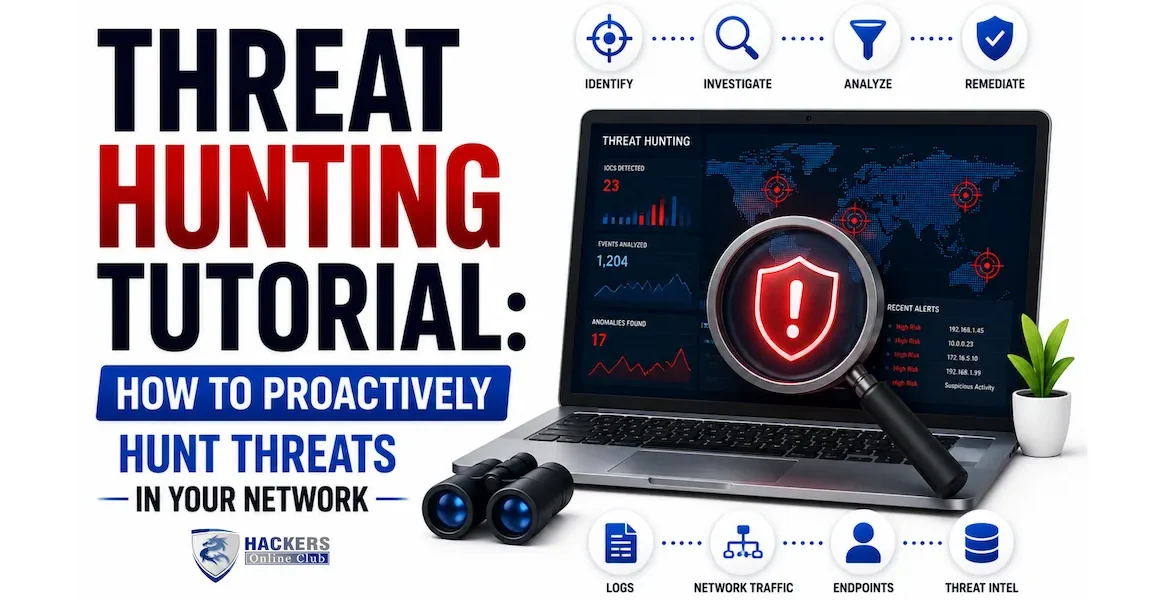
This tutorial covers the complete threat hunting methodology from hypothesis generation through investigation to detection engineering, with practical query examples in Splunk SPL and Microsoft KQL, an ATT&CK-mapped hunting library, and a guide to building a threat hunting programme from scratch.
- What is threat hunting and how it differs from alert monitoring
- The Pyramid of Pain — hunting at the right level
- Threat hunting methodology — the four-phase cycle
- Generating hypotheses — three methods
- Data sources and log requirements
- Threat hunt library — 8 ready-to-run hunts with queries
- Hunting with Splunk — SPL query guide
- Hunting with KQL — Microsoft Sentinel / Defender guide
- MITRE ATT&CK driven hunting — building coverage
- Building a threat hunting programme
- Frequently asked questions
Threat hunting is the proactive, hypothesis-driven search through security telemetry for indicators of adversary activity that has not been detected by automated security controls. It is human-led, iterative, and intelligence-informed — an analyst forms a hypothesis about how an attacker might be operating in the environment, then searches the data to confirm or refute that hypothesis.
This is fundamentally different from alert monitoring, which is reactive — waiting for a rule to fire, then investigating the alert. Alert monitoring catches known attack patterns. Threat hunting finds unknown or novel attacker activity by asking: "If an attacker were using technique X in our environment, what evidence would they leave in our logs, and can I find it?"
| Dimension | Alert monitoring (reactive) | Threat hunting (proactive) |
|---|---|---|
| Trigger | Alert fires → analyst investigates | Analyst forms hypothesis → searches data |
| What it finds | Known attack patterns the rule was written for | Novel, unknown, or evasive activity the rules missed |
| Who drives it | The SIEM and EDR configuration | The analyst's knowledge, creativity, and threat intelligence |
| Attacker advantage | Attackers who study your rules can evade them | Attackers cannot predict what a creative analyst will search for |
| Output | Alert ticket for triage | Finding (new compromise) OR new detection rule |
| When it runs | Continuously, automatically | Scheduled hunt cadence or triggered by threat intelligence |
| Skill required | Alert triage and investigation | Data analysis, threat intelligence, adversary knowledge, query writing |
| Dwell time impact | Catches common attacks fast | Dramatically reduces dwell time for sophisticated attackers |
David Bianco's Pyramid of Pain is essential context for threat hunting. It describes the relationship between the types of indicators defenders use and the pain those indicators cause attackers when defenders detect and respond to them. Hunting at the top of the pyramid is dramatically more effective than hunting at the bottom.
The practical implication: spend most of your hunting effort at the TTP and tool level. When you find a malicious hash, immediately pivot to what that malware does — the registry keys it writes, the processes it spawns, the network patterns it creates. These behavioural indicators are what your next hunt should look for across the rest of the fleet, because the attacker can change the hash but cannot easily change their behaviour pattern.
The quality of a threat hunt is limited by the quality of its hypothesis. A vague hypothesis ("look for suspicious activity") produces nothing useful. A specific, testable hypothesis drives a focused, productive hunt.
Use threat intelligence to generate hypotheses about what is most likely targeting your environment right now. Sources:
- CISA Known Exploited Vulnerabilities (KEV) catalogue — cisa.gov/known-exploited-vulnerabilities. If a vulnerability appears here, threat actors are actively exploiting it. Hunt for exploitation evidence in your logs immediately.
- Sector-specific threat reports — Mandiant, CrowdStrike, Microsoft threat intelligence all publish regular reports on threats targeting specific sectors. "Financial sector targeted by APT41 using T1059.001" → generate a hypothesis around PowerShell execution patterns.
- ISAC threat intelligence — your industry's Information Sharing and Analysis Center (FS-ISAC, H-ISAC, E-ISAC) shares TTPs specific to your sector, often hours or days before public disclosure.
- Newly disclosed CVEs affecting your stack — when a critical CVE drops for software you run, assume exploitation attempts are already occurring and hunt for exploitation evidence before waiting for an alert to fire.
Use the MITRE ATT&CK framework to systematically generate hypotheses for techniques you may not have detection coverage for. Process:
- Map your current SIEM and EDR detections to ATT&CK techniques
- Identify techniques used by threat actors that target your sector for which you have no detection coverage
- Generate a hypothesis for each coverage gap: "If an attacker used T1003.001 (LSASS Memory dumping) in our environment, they would... and I can look for this in..."
- Prioritise by likelihood (common techniques used against your sector) and impact (techniques with the most damaging potential)
Establish normal behaviour baselines for key systems and users, then hunt for deviations. This method finds attacks that do not match any known technique because the anomaly itself is the indicator.
- Frequency analysis — "Which user accounts logged in more than 50 times outside business hours last month?" establishes a count-based anomaly baseline
- Rarity analysis — "Which processes ran on only 1–2 hosts in the last 30 days?" — rare processes on a small number of hosts are more suspicious than common ones
- Temporal analysis — "Which services started for the first time ever in the last 7 days?" — new services are high-value hunting targets
- Peer comparison — "Which hosts in the finance VLAN generated outbound traffic 10x more than the average of their peers?" — outliers in a peer group are suspicious
You can only hunt in data you have collected. Before building a hunt programme, audit your log coverage against the data sources that matter most for each ATT&CK tactic. Gaps in log coverage are gaps in your hunting capability.
| Data source | Key events for hunting | ATT&CK tactics covered | Priority |
|---|---|---|---|
| Windows Security Events | 4624/4625 (logon), 4688 (process creation), 4698/4702 (scheduled task), 4720/4728 (account changes), 4776 (NTLM auth), 1102 (log cleared) | Initial Access, Privilege Escalation, Lateral Movement, Persistence, Defence Evasion | ⭐⭐⭐⭐⭐ Critical |
| Sysmon (Windows) | EID 1 (process creation with full cmdline), EID 3 (network connection), EID 7 (image load), EID 8 (CreateRemoteThread), EID 11 (file create), EID 13 (registry value set) | All tactics — Sysmon provides richer data than native Windows logging for almost every technique | ⭐⭐⭐⭐⭐ Critical (deploy if not already) |
| EDR telemetry | Process tree, command line arguments, file operations, network connections, registry changes, memory operations — all with process lineage | All tactics — the single richest endpoint data source | ⭐⭐⭐⭐⭐ Critical |
| PowerShell logging | Module logging (all loaded modules), Script Block logging (all executed code, including decoded), Transcription (session transcript) | Execution (T1059.001) — essential for PowerShell-based attacks | ⭐⭐⭐⭐⭐ Critical — enable if not already |
| DNS logs | All DNS queries from all hosts — query name, type, resolver, response | Command and Control (C2 via DNS), Exfiltration (DNS tunnelling) | ⭐⭐⭐⭐⭐ Critical |
| Network flow / firewall | Source/dest IP, port, bytes transferred, duration, protocol, action | Lateral Movement, Exfiltration, C2 | ⭐⭐⭐⭐ High |
| Authentication (IdP) | All sign-ins, MFA events, Conditional Access decisions, risk scores, impossible travel flags | Initial Access (credential attacks), Lateral Movement | ⭐⭐⭐⭐ High |
| Cloud API logs | AWS CloudTrail, Azure Activity Log, GCP Audit Logs — all API calls, IAM changes, configuration changes | Discovery, Privilege Escalation, Persistence (in cloud environments) | ⭐⭐⭐⭐ High (if cloud workloads) |
| Web proxy / HTTP | URLs visited, user agent, response codes, bytes transferred, referrer | C2, Exfiltration, Initial Access (drive-by download) | ⭐⭐⭐ Medium |
| Email headers and metadata | Sender, recipient, subject, attachment hashes, URLs, authentication results (SPF, DKIM, DMARC) | Initial Access (T1566 — Phishing) | ⭐⭐⭐ Medium |
The following hunts are designed to be run immediately in environments with the required data sources. Each hunt includes the hypothesis, the observable evidence, and both Splunk SPL and KQL queries.
MITRE ATT&CK provides a structured taxonomy of adversary techniques across 14 tactics. Using it as a hunting framework lets you measure and improve your coverage systematically rather than hunting randomly.
| ATT&CK Technique | ID | Why it matters | Key log source | Hunt priority |
|---|---|---|---|---|
| PowerShell execution | T1059.001 | Used in 89% of malware campaigns; encoded commands evade basic logging | PS Script Block logging (EID 4104), Sysmon EID 1 | ⭐⭐⭐⭐⭐ |
| Valid accounts (credential abuse) | T1078 | #1 initial access vector — stolen credentials, brute force success | Azure AD / Okta sign-in logs, EID 4624 | ⭐⭐⭐⭐⭐ |
| LSASS memory dump | T1003.001 | Used by Mimikatz, ProcDump — enables lateral movement via pass-the-hash | Sysmon EID 10 (ProcessAccess) | ⭐⭐⭐⭐⭐ |
| Lateral movement via SMB/PsExec | T1021.002 | Primary lateral movement method for ransomware groups | EID 7045 (service install), EID 4624 Type 3 | ⭐⭐⭐⭐⭐ |
| Scheduled task persistence | T1053.005 | Most common persistence mechanism — survives reboots | EID 4698/4702, Sysmon EID 1 | ⭐⭐⭐⭐⭐ |
| OS credential dumping | T1003 | Enables lateral movement — hunting this disrupts attacker progression | Sysmon EID 10, EID 4688 | ⭐⭐⭐⭐ |
| Ingress tool transfer | T1105 | Attackers download additional tools — PowerShell WebClient, certutil, curl | Sysmon EID 1 (cmdline), proxy logs | ⭐⭐⭐⭐ |
| DNS-based C2 | T1071.004 | Evasive C2 channel — passes through most firewalls, often unmonitored | DNS server logs | ⭐⭐⭐⭐ |
| Data staged for exfiltration | T1074 | Attacker collecting data before exfiltration — last chance to catch before loss | Sysmon EID 1 (archive tools), network flow | ⭐⭐⭐⭐ |
| WMI remote execution | T1047 | LOtL technique — WMI is legitimate, but remote WMI spawning shells is not | Sysmon EID 1 (parent=WmiPrvSE.exe) | ⭐⭐⭐ |
The ATT&CK Navigator (attack.mitre.org/resources/navigator) allows you to colour-code techniques based on your detection and hunting coverage. Build your coverage map in three layers:
- Red — no coverage: Techniques for which you have neither automated detection rules nor hunt coverage. Highest priority for your hunting programme.
- Yellow — hunt coverage only: Techniques you hunt for periodically but have no automated alert rule. Valuable but dependent on hunting frequency.
- Green — automated detection: Techniques covered by SIEM or EDR rules that alert automatically. Continue to hunt these to validate rule effectiveness.
- Week 1–2: Enable critical log sources not yet collected — PowerShell Script Block Logging, Sysmon deployment, DNS logging. Without these, many of the hunts in this guide cannot run.
- Month 1: Run the 8 hunts in Section 6 against your environment. Document every finding and every data gap discovered. This baseline establishes your current threat posture and identifies data collection gaps simultaneously.
- Month 2–3: Map your existing SIEM detections to ATT&CK. Identify your top 20 uncovered techniques. Generate hypotheses for each. Schedule one hunt per week.
- Month 3–6: Build a hunt log — a spreadsheet tracking every hunt run, the hypothesis, the data sources queried, the findings, and the disposition. This creates institutional knowledge and prevents repeating the same hunt unnecessarily.
- Month 6–12: Convert every finding into a detection rule. Subscribe to 2–3 threat intelligence sources relevant to your sector. Integrate intelligence into hypothesis generation.
- Small organisations (1 SOC analyst): Dedicate 20% of SOC analyst time (1 day per week) to proactive hunting. Use the scheduled hunt list — run one hunt from the library per week on a rotating basis.
- Medium organisations (3–5 SOC analysts): Designate one Tier 2 analyst as the primary threat hunter, rotating monthly. This analyst owns the hunt programme, maintains the hunt log, and runs 2–3 hunts per week.
- Large organisations (dedicated SOC): Dedicated threat hunting team of 2–4 hunters with no alert triage responsibilities. Intelligence-driven programme with structured hypothesis management and ATT&CK coverage tracking.
- Mean Time to Hunt (MTTH): How long between a new threat technique becoming known and your first hunt covering it? Target under 7 days for critical techniques.
- Detection conversion rate: Percentage of completed hunts that resulted in a new or improved detection rule. A healthy programme converts 30–50% of hunts into new detections.
- True positive rate: Percentage of hunts that found actual malicious activity vs false positives. Tracks hypothesis quality over time.
- ATT&CK coverage percentage: Percentage of techniques relevant to your threat model with at least hunt coverage. Track monthly — this number should increase over time.
- Dwell time reduction: The ultimate metric. How long are attackers in your environment before being found? This should decrease as the hunt programme matures.
⚡ Start hunting this week
- Enable PowerShell Script Block Logging across all Windows systems today — this single step adds more hunting capability than any other single configuration change. Group Policy path: Computer Configuration → Administrative Templates → Windows Components → Windows PowerShell → Turn on PowerShell Script Block Logging. This populates Event ID 4104 with decoded PowerShell content in your SIEM immediately.
- Run Hunt H1 (Office spawning shells) right now — open your SIEM, paste the SPL or KQL query from Section 6, and run it against the last 30 days. If it returns results, you have findings to investigate. If it returns nothing, you have confirmed this technique is not currently active in your environment and established a baseline. Either outcome is valuable.
- Build your ATT&CK Navigator coverage map — go to attack.mitre.org/resources/navigator, create a new layer, colour your existing detection rules green, and identify the red gaps. This visualisation immediately shows you where your hunting programme should focus.
- Understand the SIEM that powers your hunts — threat hunting runs on top of SIEM telemetry. The better your SIEM is configured, the more effective your hunts are. SIEM guide →
- Connect hunting to incident response — when a hunt finds something, it becomes an incident. Your IR plan should have a specific intake path for hunt-generated findings that may indicate a compromise predating any alert. Incident response plan →
Threat hunting is the proactive, human-led search through security telemetry for evidence of adversary activity that automated detection systems (SIEM rules, EDR signatures) have not caught. A threat hunter forms a specific hypothesis — "an attacker may be using this technique in our environment" — then searches through logs, EDR data, and network telemetry to confirm or refute it. Unlike alert monitoring (which is reactive — wait for a rule to fire, then investigate), threat hunting is proactive — the analyst initiates the investigation based on knowledge of attacker techniques and threat intelligence, not on an automated alert.
Effective threat hunters need: deep knowledge of the MITRE ATT&CK framework (understanding attacker techniques and what evidence they leave); strong query skills in at least one SIEM language (Splunk SPL or Microsoft KQL are most in-demand); understanding of Windows, Linux, and network log formats; baseline familiarity with attacker tools and techniques (what does a Mimikatz execution look like in process logs?); ability to distinguish anomalies from normal behaviour (requires knowing what normal looks like for the specific environment); and threat intelligence awareness — understanding what current threat actors are actually doing. Most experienced SOC analysts can develop threat hunting skills with 6–12 months of focused practice on top of their existing triage skills.
A threat hunting hypothesis is a testable statement about what an attacker might be doing in your environment and what evidence of that activity would look like in your data. A good hypothesis has four components: what adversary technique you are looking for (linked to an ATT&CK technique), why you believe it might be present (threat intelligence, coverage gap, or baseline anomaly), what observable evidence the technique would leave in specific log sources, and what query or investigation approach you will use to find it. Hypotheses prevent hunts from becoming aimless data exploration and ensure every hunt produces a definitive outcome — either the technique is present or it is not, which is meaningful in both cases.
Penetration testing is an offensive exercise — a tester attempts to exploit vulnerabilities in your environment, acting as an attacker, to identify security gaps. Threat hunting is a defensive exercise — an analyst searches through your telemetry for evidence of real attackers who may already be present. Both look at attacker techniques, but from opposite sides: penetration testers simulate attacks to find vulnerabilities; threat hunters search for evidence of real attacks to find active adversaries. They are complementary — penetration test findings often generate excellent hypotheses for the next threat hunting cycle (if a tester successfully used a technique, hunt for evidence of real attackers using the same technique).
No — a dedicated team is the mature state of a hunting programme, not the starting point. Organisations with even a single SOC analyst can run effective threat hunts by dedicating structured time to proactive hunting (one day per week is a common starting point). The key is discipline — hunting time must be protected from alert triage work, or it will always be displaced by reactive work. Even running the 8 hunts in this article quarterly against your environment adds significant detection capability over pure alert monitoring. A dedicated hunting team is justified when the organisation is large enough that a single analyst cannot cover the environment's complexity within a reasonable hunt cadence.
When a hunt finds confirmed malicious activity, it becomes an incident and is handed to the incident response process — following the same IR plan as any other security incident. The hunt output gives the IR team a significant head start: the attacker's techniques (ATT&CK technique IDs), the affected systems and accounts, the timeline of activity, and initial evidence. This typically accelerates IR significantly compared to starting an investigation from scratch on a fresh SIEM alert. After the incident is resolved, the hunt findings should be converted into new automated detection rules so future instances of the same technique are caught automatically rather than requiring a hunter to find them manually.