
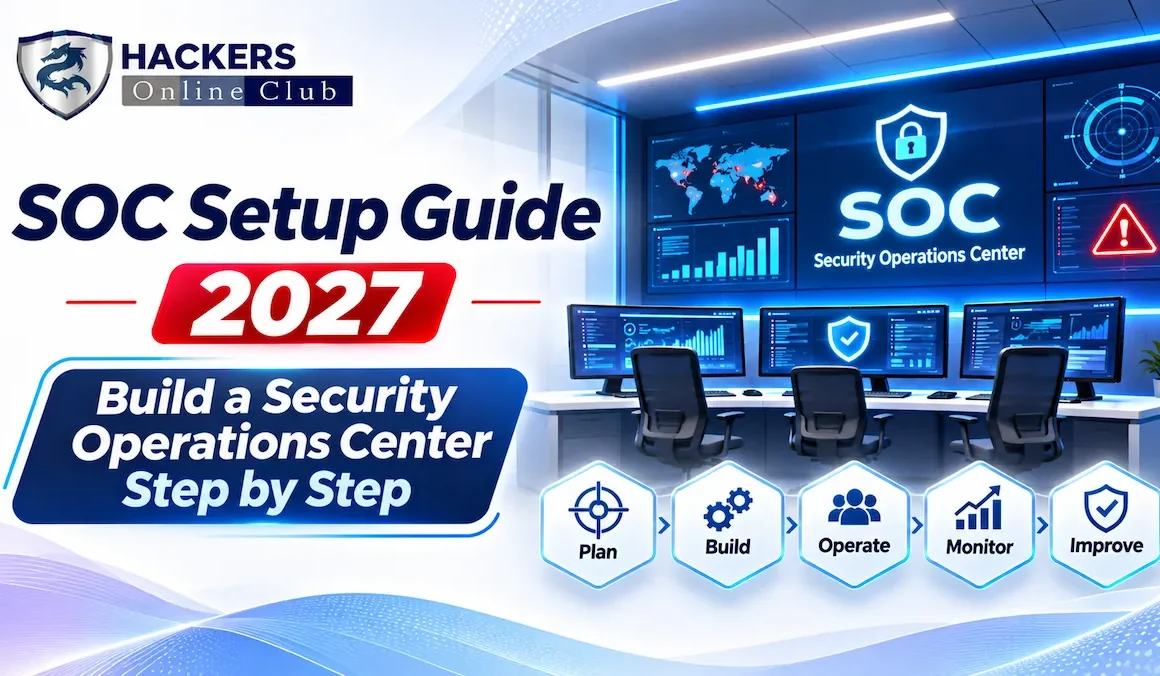
SOC Setup Guide 2027: Build a Security Operations Center Step by Step
This SOC setup guide shows how to build a security operations center that actually detects and stops attackers, whether you are a ten-person company buying monitoring as a service or an enterprise standing up a 24x7 team. A security operations center (SOC) is the people, processes and technology that continuously watch your environment, decide which signals are real attacks, and respond before damage spreads. The order of the work matters more than the tool budget: define the mission and authority first, choose an operating model, hire for skills, collect the right data, write playbooks, and measure outcomes. Every step below includes decisions, tables and a tested capacity-planning script.
- What Is a SOC and What Does It Do?
- Step 1: Mission, Scope and Authority
- Step 2: Choose Your Operating Model
- Step 3: People, Roles and Shifts, With Code
- Step 4: The Technology Stack
- Step 5: Log Sources and Detection Engineering
- Step 6: Processes, Playbooks and Incident Response
- Step 7: Metrics and SLAs
- Step 8: Budget and Rollout Roadmap
- Common Mistakes and 2027 Trends
- Frequently Asked Questions
MITRE describes the SOC as the operational focal point for incident detection, analysis and response, curating large volumes of security data so the right information reaches the right person at the right time. In practice a SOC performs several functions, and you can grow into them in stages.
| Function | What It Covers | Stage |
|---|---|---|
| Monitoring and triage | Watching alerts, validating, prioritizing | Day one |
| Incident response | Containment, investigation, eradication, recovery coordination | Day one |
| Detection engineering | Writing, testing and tuning detection content | Early |
| Threat intelligence | Applying adversary and campaign knowledge to detections | Early to mid |
| Threat hunting | Proactively searching for what alerts miss | Mid |
| Vulnerability and exposure input | Feeding exploited-in-the-wild priorities to IT; see Cybersecurity Metrics: KPIs Every CISO Should Track | Mid |
| Purple teaming and exercises | Testing detections against simulated attacks | Mature |
| Forensics and malware analysis | Deep technical analysis of intrusions | Mature or outsourced |
Fails when: burnout, no career path, thin coverage.
Fails when: each analyst improvises.
Fails when: tools outrun the people who run them.
MITRE's first two strategies are to know what you are protecting and why, and to give the SOC the authority to do its job. Write that down before buying anything.
| Question | If the answer is "no" |
|---|---|
| Do we have an up-to-date asset and identity inventory? | Fix it first; you cannot monitor what you cannot see |
| Is EDR deployed on most endpoints and servers? | Prioritize it; endpoint alerts are the primary response trigger for most SOCs per the SANS survey |
| Are identity provider and cloud audit logs enabled and retained? | Turn them on; they are cheap and high value |
| Is there an executive sponsor and a budget line? | Pause; unsponsored SOCs stall at the first hard decision |
| Is there an incident response plan and on-call path? | Write a basic one before the first alert fires |
MITRE's third strategy is to build a SOC structure to match your organizational needs. Most organizations choose among four models, and many hybridize.
| Model | How It Works | Strengths | Trade-offs |
|---|---|---|---|
| In-house SOC | Your staff, your tools, your processes | Deep context, full control, fast change | Highest cost; hard to staff 24x7; retention burden |
| Managed detection and response (MDR) | Provider monitors, investigates and often responds using its platform | Fast start, 24x7 coverage, shared expertise | Less context; dependence on provider; contract scope matters |
| Co-managed or hybrid | You run business-hours operations and detection engineering; a provider covers nights and surge | Balances cost, control and coverage | Needs clear handoffs and shared tooling |
| MSSP or SIEM-as-a-service | Provider operates monitoring on your logs | Predictable cost | Can become alert forwarding; verify response depth |
| Virtual or distributed SOC | Part-time analysts embedded across IT and security | Low fixed cost for small teams | Slower response; weak consistency |
- Which response actions will you take without calling us, and which need approval?
- Who owns the detection rules, and can we see and export them?
- What are the contractual time targets for triage and notification, and what are the remedies?
- Can we retain our own telemetry, and what happens to our data when we leave?
- How will you handle our crown-jewel systems, not just generic alerts?
Staffing is the hardest part of a SOC. In the 2025 SANS SOC Survey summary from Tines, 62% of SOC professionals said their organization does not do enough to keep top staff, so plan retention from the first hire. ISC2's 2025 workforce study also stresses skills over raw headcount, which argues for training, mentoring and clear career paths.
| Role | Focus | Typical Skills |
|---|---|---|
| SOC analyst | Alert triage, initial investigation, escalation | Log analysis, endpoint and identity basics, ticketing, clear writing |
| Senior analyst or incident responder | Deep investigation, containment, coordination | Forensics, cloud and Windows internals, scripting |
| Detection engineer | Build and tune detections, test coverage | Query languages, ATT&CK, Sigma, version control |
| Threat hunter and intelligence analyst | Hypothesis-driven hunts, adversary tracking | Data analysis, threat modeling, reporting |
| SOC engineer or automation developer | Onboard logs, integrate tools, build automation | APIs, SIEM and SOAR administration, Python |
| SOC lead or manager | Priorities, staffing, metrics, stakeholder management | Leadership, incident command, budgeting |
Avoid a rigid ladder where junior analysts only click through the same alerts for years. Rotate people through detection tuning, hunts and incident reviews, and measure analysts on quality of decisions, not alert counts.
Two forces set headcount: how many hours you must cover, and how much work the alerts create. A 24x7 seat covers 168 hours per week, but one analyst contributes roughly 30 productive hours after leave, training and overhead, so one always-staffed seat needs about 5.6 people, not 3. The script below turns both forces into a number. Inputs are assumptions for illustration; replace them with your measured alert volumes and handling times. The output is the real output.
# soc_capacity.py: estimate analyst headcount for a SOC from coverage hours and alert workload.
# Illustrative planning model with assumed inputs; replace with your own measurements.
import math

HOURS_PER_WEEK = {"business hours (5x10)": 50, "extended (7x16)": 112, "24x7": 168}
PAID_HOURS = 40            # contracted hours per analyst per week
PRODUCTIVE_SHARE = 0.75    # after leave, training, meetings, handoffs, sickness
UTILIZATION_CAP = 0.60     # keep analysts below this load so surges and deep work fit

# alerts per day reaching a human, and average handling minutes per alert
ALERT_MIX = {"critical": (4, 60), "high": (25, 25), "medium": (80, 10), "low": (150, 3)}

def coverage_fte(coverage, seats_per_shift=1):
    productive = PAID_HOURS * PRODUCTIVE_SHARE
    return seats_per_shift * HOURS_PER_WEEK[coverage] / productive

def workload_fte(mix, days_per_week=7):
    minutes_per_day = sum(n * m for n, m in mix.values())
    hours_per_week = minutes_per_day / 60 * days_per_week
    productive = PAID_HOURS * PRODUCTIVE_SHARE
    return hours_per_week / (productive * UTILIZATION_CAP), hours_per_week

if __name__ == "__main__":
    print("Coverage-driven headcount (one analyst on shift at all times)")
    for cov in HOURS_PER_WEEK:
        print(f"  {cov:24}{coverage_fte(cov):5.1f} FTE per seat -> {math.ceil(coverage_fte(cov))} people")
    fte, hrs = workload_fte(ALERT_MIX)
    print("\nWorkload-driven headcount")
    for sev, (n, m) in ALERT_MIX.items():
        print(f"  {sev:9}{n:4} alerts/day x {m:3} min = {n * m / 60:5.1f} h/day")
    print(f"  Total analyst time: {hrs:.0f} h/week -> {fte:.1f} FTE at {UTILIZATION_CAP:.0%} utilization")
    need = max(coverage_fte("24x7"), fte)
    print(f"\n24x7 SOC with this alert load needs about {math.ceil(need)} analysts (+ lead, engineer, manager)")
    for cut in (0.5, 0.3):   # effect of tuning away low-value alerts
        tuned = {k: (int(n * (cut if k in ('medium', 'low') else 1)), m) for k, (n, m) in ALERT_MIX.items()}
        print(f"  If medium/low alerts are tuned down to {cut:.0%}: workload {workload_fte(tuned)[0]:.1f} FTE")
Output:
Coverage-driven headcount (one analyst on shift at all times)
  business hours (5x10)     1.7 FTE per seat -> 2 people
  extended (7x16)           3.7 FTE per seat -> 4 people
  24x7                      5.6 FTE per seat -> 6 people

Workload-driven headcount
  critical    4 alerts/day x  60 min =   4.0 h/day
  high       25 alerts/day x  25 min =  10.4 h/day
  medium     80 alerts/day x  10 min =  13.3 h/day
  low       150 alerts/day x   3 min =   7.5 h/day
  Total analyst time: 247 h/week -> 13.7 FTE at 60% utilization

24x7 SOC with this alert load needs about 14 analysts (+ lead, engineer, manager)
  If medium/low alerts are tuned down to 50%: workload 9.7 FTE
  If medium/low alerts are tuned down to 30%: workload 8.0 FTE
Two lessons stand out. First, coverage alone dictates six people for a single always-staffed seat. Second, with this alert mix the workload need is about 14 analysts, and tuning away low-value alerts cuts it to roughly 8 to 10. Alert quality is a headcount decision.
Buy for the workflow you designed, not the other way around. The SANS summary notes that 42% of SOCs send data into their SIEM without a clear retrieval or management plan, a reminder that a platform without a data strategy becomes expensive storage.
| Component | Purpose | Selection Tip |
|---|---|---|
| EDR or XDR | Endpoint visibility and response | Buy first; confirm coverage, isolation and remote-response features |
| SIEM or security data lake | Central search, correlation, retention | Model cost by ingest and retention before committing |
| SOAR and automation | Enrich, route and automate repetitive steps | Automate stable, high-volume playbooks first |
| Case management | Track incidents and evidence | Must support severity, ownership and audit trail |
| Threat intelligence | Context on adversaries and indicators | Prefer relevance over feed count |
| NDR and email security | Network and phishing visibility | Add after identity, endpoint and cloud are covered |
| Identity and cloud security tools | Detect account takeover and cloud misuse | High value as most attacks involve credentials |
MITRE's seventh strategy is to select and collect the right data. Start with sources that show real attacker behavior, then widen.
| Priority | Source | What It Catches |
|---|---|---|
| 1 | EDR telemetry and alerts | Malware, lateral movement, credential theft, ransomware |
| 1 | Identity provider and directory logs | Impossible travel, MFA fatigue, privilege changes, token abuse |
| 1 | Cloud control-plane audit logs | New keys, public storage, risky role changes |
| 2 | Email security and mail audit logs | Phishing, malicious forwarding rules, business email compromise |
| 2 | DNS, proxy and firewall logs | Command and control, data exfiltration |
| 3 | SaaS and application audit logs, databases | Data access abuse; see Insider Threat Detection |
| 3 | Vulnerability and asset context | Prioritize alerts against exposed, critical systems |
- Pick a threat: choose an attacker technique relevant to you, mapped to MITRE ATT&CK.
- Confirm data: check that the needed logs exist and are parsed.
- Write the rule: keep it in version control, with an owner and a description.
- Test: replay known-good and simulated malicious activity; record false positive rate.
- Deploy with a runbook: every rule links to a triage procedure.
- Review: retire or tune rules that produce no true positives.
Track coverage as the share of relevant techniques that have a tested detection, not the number of rules written.
Consistency is what lets junior analysts perform like senior ones. Document how alerts move from detection to closure, and how incidents escalate.
| Severity | Definition | Illustrative Response Target |
|---|---|---|
| Critical | Confirmed compromise of crown-jewel systems, active ransomware, confirmed data theft | Acknowledge in 15 minutes, incident commander engaged, leadership notified |
| High | Likely intrusion on a standard system, privileged account misuse | Acknowledge in 30 minutes, containment started within hours |
| Medium | Suspicious behavior needing validation | Triage within 4 business hours |
| Low | Policy violations, informational findings | Next business day or batch review |
- Phishing and business email compromise
- Compromised account or suspicious sign-in
- Ransomware or destructive malware on an endpoint
- Malicious cloud activity such as a new access key or public storage
- Data exfiltration or insider misuse
- Third-party or vendor breach notification
MITRE's tenth strategy is to measure performance to improve performance, and warns that poorly chosen metrics can waste time or encourage harmful behavior. The SANS summary found 69% of SOCs report metrics manually or mostly manually, and that many focus on technical volume rather than outcomes. Pick a small balanced set and automate it.
| Group | Metric | Why It Matters | Watch Out For |
|---|---|---|---|
| Speed | Median time to detect | How long attackers operate unseen | Use medians; define the start time |
| Median time to acknowledge and triage | Queue health and staffing | Do not reward closing alerts hastily | |
| Median time to contain | Limits blast radius | Define "contained" once | |
| Quality | True positive rate by detection | Which rules deserve analyst time | Low volume can hide gaps |
| Escalation accuracy and reopen rate | Triage decision quality | Review a sample every week | |
| Coverage | Log source health and onboarding | Blind spots in telemetry | Silent sources are the danger |
| ATT&CK technique coverage with tested detections | Detection breadth | Count tested, not written, rules | |
| Health | Analyst utilization and after-hours pages | Burnout risk | Sustained overload predicts attrition |
| Automation rate of repetitive tasks | Capacity freed for hard work | Automate only validated playbooks |
Link SOC numbers to executive reporting using the scorecard in Cybersecurity Metrics: KPIs Every CISO Should Track, and test detection coverage with exercises, not just dashboards.
People are normally the largest recurring cost, followed by data ingestion and retention, then licenses and integration work. A simple budget model is: staff (from the capacity script) plus platform cost (ingest volume times retention tier) plus service contracts (MDR, retainers) plus training and exercises. Avoid buying a large platform before you have named who will operate it. Frame the request using the structure in Corporate Cybersecurity Budget Planning.
| Mistake | Consequence | Fix |
|---|---|---|
| Buying a SIEM before defining use cases | Expensive storage and noisy alerts | Start from threats and workflows, then size data |
| Ingesting everything | Cost spikes, analysts drown | Prioritize sources; tier retention |
| No authority to act | Slow containment | Pre-approve playbook actions |
| Ignoring retention of staff | Churn and lost knowledge | Career paths, rotation, sane on-call |
| Measuring alert counts | Rewards volume, not outcomes | Use speed, quality and coverage metrics |
| Never testing detections | False confidence | Purple-team and replay attacks regularly |
- Machine-speed intrusions. M-Trends 2026 reports that the median time from initial access to handoff to a second threat group fell to 22 seconds in 2025. Containment that depends on a human reading an email is too slow, so automate the first containment step for high-confidence detections.
- AI-assisted triage, with discipline. The SANS summary reports that generative AI tools had the lowest satisfaction of all technologies measured and that 42% of SOCs use AI/ML tools out of the box without customization. Pilot AI on enrichment and summarization, keep humans in the decision loop, and apply the controls in AI Governance and Security Policy.
- Identity as the main battleground. Detection of token theft, MFA abuse and risky service accounts deserves as much attention as endpoint malware.
- Security data lakes and detection-as-code. Decoupling storage from analytics can control cost, and version-controlled detections make quality repeatable.
- Supplier-driven incidents. More breaches involve third parties, so your SOC needs vendor-access visibility; see Third-Party Risk Management.