




At 2:07 AM on a Friday in May 2021, Colonial Pipeline's IT team noticed something wrong. Within hours, 5,500 miles of fuel pipeline supplying 45% of the US East Coast's fuel had been shut down — not because the operational technology controlling the pipeline was compromised, but because the company could not safely operate it while its billing and business systems were locked by ransomware.
The attackers were DarkSide, a ransomware-as-a-service operation. The initial access vector: a single compromised VPN password with no multi-factor authentication. The ransom paid: approximately $4.4 million in Bitcoin, of which the FBI later recovered $2.3 million. The total cost including recovery, lost business, and regulatory response: estimated at over $90 million.Ransomware is the most financially damaging category of cyberattack facing organisations in 2026. It is also the most preventable — not through any single control, but through the layered set of defences that make the difference between an incident that costs a few hours of IT time and one that costs millions of dollars, weeks of downtime, and potentially the organisation's survival. This guide covers exactly how ransomware attacks work — step by step, technically — and precisely what defenders need to do to stop them at each stage.
- What is ransomware? Types and evolution
- Ransomware as a Service (RaaS) — the criminal business model
- The ransomware attack chain — all 8 stages explained
- How ransomware encryption works
- Major ransomware groups in 2026
- Ransomware canary events — detect it before encryption
- The ransomware defence framework — complete checklist
- Backup strategy — the last line of defence
- When you are hit — incident response playbook
- Frequently asked questions
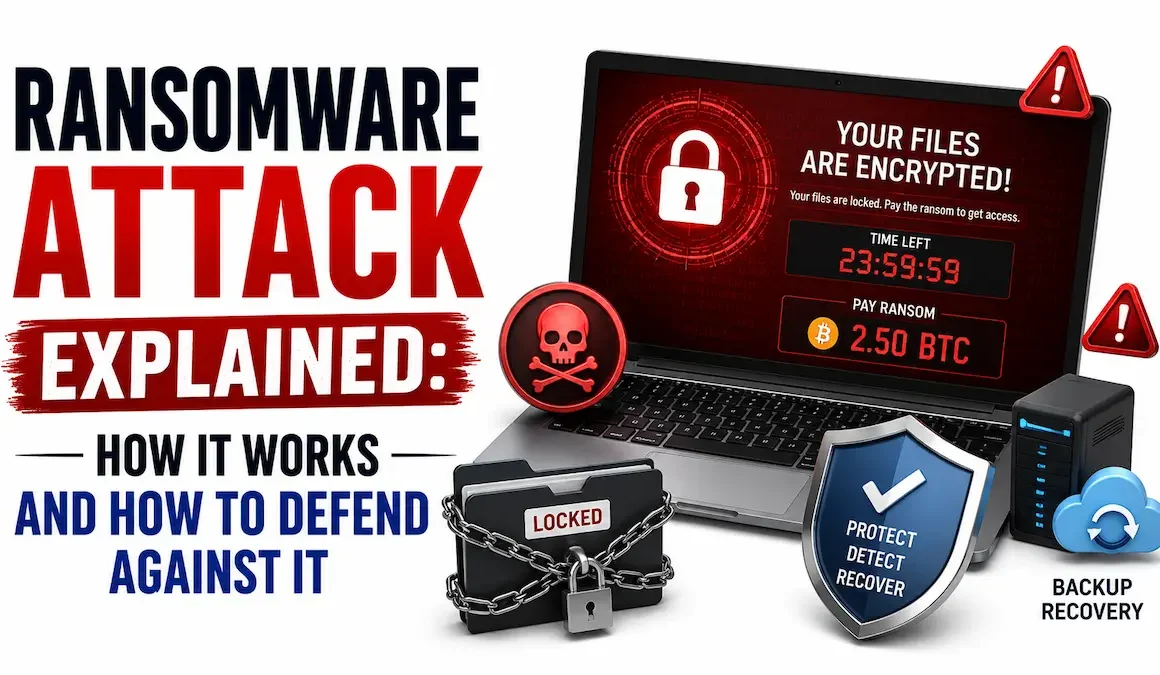
Ransomware is malware that denies access to data or systems and demands payment — typically cryptocurrency — in exchange for restoring access. The defining characteristic is extortion: the attacker encrypts your data, deletes your backups where possible, and presents a ransom note explaining how to pay and what happens if you do not.
Early ransomware locked the screen or keyboard rather than encrypting files. The WinLock Trojan (2010) displayed a fake law enforcement warning demanding a prepaid card payment to unlock the machine. These attacks were technically unsophisticated — the "unlock code" was often hardcoded in the malware — and were largely defeated by booting from external media. They targeted individuals, not organisations, and demanded small amounts ($20–$200).
CryptoLocker (2013) changed everything. It used genuine RSA-2048 asymmetric encryption — the private key held by the attacker, making decryption without it mathematically infeasible. It spread via phishing emails, infected Windows systems, and encrypted local files plus mapped network drives. It demanded $300–$600 in Bitcoin. CryptoWall, TeslaCrypt, and Locky followed the same model. The 2017 WannaCry attack — which used the EternalBlue exploit to spread autonomously through unpatched networks — infected over 200,000 organisations in 150 countries and caused an estimated $4 billion in damages.
The shift that made ransomware catastrophically more damaging: attackers stopped relying on automated malware propagation and instead used human operators to manually infiltrate networks, move laterally, find and delete backups, and then deploy ransomware at maximum scale. Groups like Ryuk, REvil, and Maze operated with the precision of advanced persistent threats — spending days or weeks inside a network before deploying the encryptor. Ransom demands escalated from hundreds of dollars to millions.
Maze introduced double extortion in 2019: before encrypting, exfiltrate the data. Then threaten to publish it on a "leak site" if the ransom is not paid. This defeats the "we have backups, we won't pay" defence strategy — even if you restore from backup, the attacker still has your data. Triple extortion adds a third threat: DDoS attacks against your public-facing infrastructure, or direct contact with customers and partners whose data was stolen, to create additional pressure to pay. This is now the standard operating model for virtually all major ransomware groups.
Ransomware as a Service transformed ransomware from a specialist criminal activity into a franchise model accessible to anyone with basic technical skills and criminal intent. It is the primary reason ransomware attacks have scaled so dramatically — the barrier to entry dropped from "write a sophisticated encryptor" to "sign up for a criminal affiliate programme."
The core RaaS group develops and maintains the ransomware encryptor, the command-and-control infrastructure, the ransom negotiation portal (a Tor hidden service where victims pay), the decryption tool given to victims after payment, and the leak site where stolen data is published if victims do not pay. They recruit affiliates through criminal forums, typically requiring an application and reputation check. Revenue share: core group takes 20–30% of each ransom payment.
The affiliate does the actual attack work: gaining initial access, moving laterally, stealing data, and deploying the encryptor. They receive access to the RaaS platform — the encryptor binary customised with their affiliate ID, the negotiation portal, and technical support from the core group. They keep 70–80% of each ransom they collect. An affiliate does not need to know how to write malware — they just need to know how to hack into networks, which is a far more common and teachable skill. Many affiliates are experienced cybercriminals who previously conducted different types of attacks.
A third-party role that has become its own criminal specialisation: the IAB hacks into corporate networks and sells the access — a valid credential, a compromised VPN session, an established foothold — to ransomware affiliates via criminal marketplaces. Prices range from $500 for a small business to $50,000+ for a Fortune 500 initial foothold. The existence of IABs means the affiliate who deploys the ransomware may be a different person from the one who first broke in.
A successful ransomware operation against a large enterprise generates tens of millions of dollars. The core group receives their cut passively, like a software licensor. The affiliate earns millions for a few weeks of work. The IAB earns a one-time fee. From a criminal ROI perspective, ransomware is the most lucrative cybercrime that exists — which is precisely why the ecosystem continues to grow despite law enforcement pressure.
Modern ransomware attacks follow a consistent pattern that unfolds over days to weeks. Each stage has specific attacker behaviours, detection opportunities, and defensive countermeasures. Understanding the chain lets you identify where your defences can break it.
The most common initial access vectors for ransomware in 2026, in order of frequency:
- Phishing emails (41%) — malicious attachments (Office macros, ISO files containing LNK files, PDF with embedded links) or links to credential harvesting pages. Spearphishing uses personalised content to increase click rates.
- Exposed RDP (18%) — Remote Desktop Protocol directly exposed to the internet, brute-forced or accessed with purchased credentials from an initial access broker. RDP on port 3389 visible to the internet is one of the highest-risk configurations an organisation can have.
- VPN credential compromise (17%) — valid VPN credentials obtained via phishing, credential stuffing, or IAB purchase. Without MFA, a single compromised credential provides full network access.
- Vulnerability exploitation (14%) — public-facing applications with known unpatched vulnerabilities. Cl0p's 2023 MOVEit attacks exploited CVE-2023-34362 across thousands of organisations using automated scanning and exploitation.
- Supply chain compromise (7%) — compromising a software vendor or MSP to gain access to multiple downstream customer networks simultaneously.
- Malvertising and drive-by download (3%) — malicious advertisements or compromised websites delivering drive-by malware without user interaction beyond visiting the page.
Detection opportunity: Unusual VPN login times/locations, failed authentication spikes, WAF alerts on vulnerability exploitation attempts, email gateway phishing detections.
Defence: MFA on all remote access (VPN, RDP, email), patch public-facing applications within 24–72 hours of critical CVE publication, block RDP from internet, email gateway with sandboxing.
After gaining initial access, the attacker deploys a Command and Control (C2) implant — a piece of malware that maintains persistent communication with the attacker's infrastructure. Common C2 frameworks used in ransomware attacks include Cobalt Strike, Brute Ratel, and Metasploit. The implant is often delivered via PowerShell (T1059.001), a malicious macro (T1059.005), or a dropper in the initial phishing attachment.
Persistence mechanisms ensure the attacker retains access even if the initial session is interrupted:
- Registry Run key — HKCU\Software\Microsoft\Windows\CurrentVersion\Run
- Scheduled task — runs every hour or on user login
- New local administrator account — back-door account for re-entry
- Web shell on a public-facing server — re-entry point surviving endpoint reimaging
Detection opportunity: EDR process creation alerts, scheduled task creation (EID 4698), new account creation (EID 4720), service installs (EID 7045), registry modifications (Sysmon EID 13).
Defence: EDR with behavioural detection, PowerShell Script Block Logging, application whitelisting (AppLocker/WDAC), Sysmon deployed on all endpoints.
The attacker begins with the privileges of whichever user or service account they compromised. To deploy ransomware at scale across the entire domain, they need Domain Administrator privileges. This is typically achieved through one of:
- Credential dumping from LSASS (T1003.001) — dumping NTLM hashes or Kerberos tickets from memory using Mimikatz, then using those credentials to authenticate as higher-privileged accounts (pass-the-hash or pass-the-ticket)
- Kerberoasting (T1558.003) — requesting Kerberos service tickets for service accounts running with SPNs, then cracking the tickets offline to recover the account password
- Local privilege escalation exploits — exploiting unpatched local privilege escalation vulnerabilities (PrintNightmare, EternalBlue, common token impersonation bugs)
- DCSync (T1003.006) — once the attacker has replication privileges on the domain, using the DCSync technique to extract all domain password hashes from Active Directory as if they were a Domain Controller
Detection opportunity: LSASS memory access (Sysmon EID 10), unusual Kerberos service ticket requests (EID 4769), DCSync replication events (EID 4662), impossible travel or impossible-credential-usage patterns.
Defence: Credential Guard, Protected Users security group, LSASS protection (PPL), tiered administration model (no Domain Admin accounts used for daily work), PAM/privileged access workstations.
With elevated privileges, the attacker maps the environment — finding domain controllers, backup servers, file servers, and the systems that contain the most valuable data. Network scanning (T1046), Active Directory enumeration (T1087, T1069), and querying AD for high-value targets are performed. This is typically done with built-in Windows tools (net.exe, nltest.exe, ADExplorer) or attacker toolkits like BloodHound, which maps privilege escalation paths through Active Directory.
Lateral movement transfers access from the initial foothold to these high-value targets:
- PsExec / SMB (T1021.002) — copying an executable to the admin share and running it remotely. Creates the PSEXESVC service on the target — a reliable detection signal.
- WMI remote execution (T1047) — using Windows Management Instrumentation to execute commands on remote systems without creating obvious service entries
- RDP (T1021.001) — using stolen credentials to RDP into servers directly
- Pass-the-hash (T1550.002) — authenticating to remote systems using NTLM hashes rather than plaintext passwords, bypassing the need to crack credentials
Detection opportunity: PSEXESVC service creation (EID 7045), network logon events (EID 4624 LogonType=3) from single source to many destinations rapidly, BloodHound query patterns in AD logs, ADExplorer or ldifde usage.
Defence: Network segmentation (limits blast radius of lateral movement), firewall rules blocking SMB between workstations, tiered admin model, credential hygiene (unique local admin passwords via LAPS).
Before deploying the encryptor, the attacker identifies and exfiltrates the most sensitive data — customer records, financial data, intellectual property, legal documents, HR files, and anything subject to regulatory notification requirements. The exfiltration serves two purposes: it provides leverage for double extortion (pay or we publish), and it often means victims must treat the incident as a reportable data breach regardless of whether they pay.
Exfiltration techniques used by ransomware groups:
- Rclone — a legitimate cloud storage sync tool frequently abused to copy data to attacker-controlled cloud storage (Mega, Dropbox, AWS S3). Look for rclone.exe or renamed variants in process logs.
- WinSCP / FileZilla — FTP/SFTP clients used to transfer data to attacker infrastructure
- MEGASync — MEGA cloud storage desktop client, extremely common in ransomware exfiltration
- Custom tooling — some groups (Cl0p, LockBit) use custom-built exfiltration tools that blend with normal traffic or use legitimate cloud services as drop points
The scale of data theft is substantial: a single attack may exfiltrate terabytes of data. Look for abnormal outbound data volume from servers that normally have low outbound traffic.
Detection opportunity: Rclone.exe / MEGASync.exe process creation, outbound data volume anomalies (SIEM/SOAR correlation), DLP alerts on bulk data access, cloud storage upload from unexpected sources.
Defence: DLP (Data Loss Prevention) monitoring, egress filtering blocking consumer cloud storage from servers, CASB for cloud service visibility, outbound traffic baselining.
This stage is where ransomware groups spend the most focused effort and where defenders have their clearest pre-encryption detection signal. Before deploying the encryptor, the attacker locates and destroys all backup systems — local backups, network-connected backups, cloud backups if they have credentials, and Windows Volume Shadow Copies (the built-in Windows backup mechanism). Without backups, the victim's only option for data recovery is paying the ransom.
The specific commands used are highly consistent across ransomware groups and make excellent detection rules:
Detection opportunity: vssadmin.exe or wmic.exe deleting shadow copies is the most reliable pre-encryption ransomware canary event. This should fire an immediate P1 alert. BCDEdit commands modifying boot settings, backup service termination, antivirus process termination.
Defence: Immutable backups (air-gapped, WORM storage, or cloud with MFA-protected deletion — the attacker cannot delete what they cannot reach), separate backup infrastructure with separate credentials, VSS protection via tamper-protection features in EDR.
The encryptor is deployed via Group Policy (using stolen domain admin credentials), PsExec across all identified systems, or a scheduled task that fires at a specific time — often outside business hours to maximise encryption time before discovery. Modern ransomware encryptors are engineered for speed: LockBit 3.0 uses multi-threading to encrypt files in parallel, and uses partial encryption (encrypting only the first 4KB of each file) to process files faster while still rendering them unrecoverable without the key.
The encryptor stops specific processes before encrypting to release file locks on database files:
Most encryptors skip specific directories to keep the OS functional enough for the victim to read the ransom note: C:\Windows\, C:\Program Files\ (partially), and specific system file types (.exe, .dll, .sys).
Detection opportunity: Mass file rename/modification events (SIEM + file server auditing), EDR detecting high-volume file encryption operations, honeypot/canary files in common directories triggering on write.
Defence: EDR with ransomware-specific behavioural detection (most modern EDRs can detect and roll back ransomware encryption in progress), controlled folder access (Windows feature blocking unauthorised writes to protected directories), honeypot files.
The ransom note directs the victim to a Tor-hosted negotiation portal where they communicate with the attacker. Modern ransomware operations run professional negotiation teams — responsive, English-speaking (often with translation services), and surprisingly willing to negotiate on the ransom amount. Initial demands are typically set high specifically to allow negotiation to a "reasonable" amount that still represents millions of dollars.
The negotiation timeline is compressed deliberately: victims are told they have 72–96 hours before the price doubles, and that any data exfiltrated will be published within 7–14 days if no payment is received. This pressure is designed to prevent organisations from engaging legal counsel and making a measured decision.
The payment decision: This is a legal, financial, and ethical decision — not an IT decision. Paying ransomware to groups on OFAC sanctions lists (Russian, North Korean, Iranian threat groups) is illegal in the US and many other jurisdictions. Legal counsel and a forensic firm should be engaged before any communication with the attacker, let alone payment. Even after payment, there is no guarantee of full decryption — approximately 30% of organisations that pay do not recover all data.
Understanding the cryptography behind ransomware explains both why paying does not guarantee recovery and why decryption without the key is infeasible. The scheme used by virtually all modern ransomware is a hybrid of symmetric and asymmetric encryption.
Symmetric encryption (AES) uses the same key for encryption and decryption. If the ransomware stored this key anywhere on the victim's machine, defenders could extract it and decrypt without paying. Early, unsophisticated ransomware did exactly this — and free decryptors were built by extracting the hardcoded key from the malware binary.
Free decryptors become available in specific circumstances: law enforcement seizes the attacker's key server (Hive ransomware — FBI obtained the decryption keys and quietly helped over 300 victims decrypt before announcing the operation publicly), the ransomware has a cryptographic implementation flaw that researchers can exploit, or the RaaS group collapses and a disgruntled affiliate leaks the master keys. The NoMoreRansom project (nomoreransom.org) maintains a free collection of decryptors and is the first place to check before paying any ransom.
The most important insight in ransomware defence: by the time you see encrypted files and a ransom note, the attack has been in progress for days. Detection and containment before the encryption stage is the goal. These specific events are reliable indicators of an active ransomware attack in progress — each one should trigger an immediate P1 response.
| Event | Why it matters | SIEM/EDR detection | MITRE technique |
|---|---|---|---|
| vssadmin.exe deleting shadow copies | No legitimate business reason to delete all shadow copies — almost exclusively a ransomware pre-encryption step | Sysmon EID 1: Image=vssadmin.exe, CommandLine contains "delete shadows" | T1490 |
| wmic shadowcopy delete | Alternative shadow copy deletion method — equally high fidelity | EID 4688 / Sysmon EID 1 with wmic and shadowcopy arguments | T1490 |
| bcdedit modifying boot configuration | Disabling Windows recovery environment removes victim's last local recovery option | Sysmon EID 1: Image=bcdedit.exe, CommandLine contains "recoveryenabled No" | T1490 |
| rclone.exe or MEGASync.exe executing | These tools are legitimate but are the #1 and #2 most-used data exfiltration tools in ransomware attacks | Sysmon EID 1: Image=rclone.exe or Image=MEGASync.exe on server or workstation | T1567.002 |
| Mass file renaming on file servers | Encryption renames each file — thousands of renames per minute is not normal business activity | File server auditing: file rename rate exceeds threshold (e.g. 1000 renames in 60 seconds) | T1486 |
| Antivirus process termination commands | Attackers disable AV before deploying encryptor — commands stopping Defender or named AV processes | Sysmon EID 1: net stop or taskkill targeting known security product names | T1562.001 |
| ADExplorer or BloodHound usage | Legitimate AD auditing tools heavily abused by ransomware affiliates for domain reconnaissance | Sysmon EID 1: Image=AdExplorer.exe or Image=SharpHound.exe | T1087 / T1069 |
| Cobalt Strike beacon DNS/HTTPS pattern | Periodic beacon to same external IP from multiple internal hosts — C2 communication of most ransomware affiliates | Periodic outbound connections at consistent intervals from multiple hosts — network detection | T1071 |
| PSEXESVC service created | PsExec lateral movement — ransomware operators use it to deploy the encryptor across the domain | EID 7045 ServiceName=PSEXESVC | T1021.002 |
| Honeypot file modified | A carefully placed fake file in common directories — any write access triggers the alert before real files are affected | File integrity monitoring: write access to designated honeypot files | T1486 |
- ✓MFA on all remote access — VPN, RDP gateway, email (M365/G Suite), and any web-based management portal. No exceptions. MFA is the single control that most often prevents ransomware initial access.
- ✓Block direct RDP from the internet — RDP should never be directly accessible from the internet. Place behind a VPN gateway or use RDP Gateway with MFA. This eliminates the second most common ransomware initial access vector.
- ✓Local Administrator Password Solution (LAPS) — unique, randomised local administrator passwords on every workstation and server. Prevents one compromised local admin credential from being used to authenticate across the entire domain (pass-the-hash at scale).
- ✓Privileged Access Management (PAM) — domain admin accounts are used only from dedicated privileged access workstations (PAWs). No administrator performs daily tasks from a privileged account. Tiered administration model separates Tier 0 (domain controllers) from Tier 1 (servers) from Tier 2 (workstations).
- ✓Credential Guard — enable Windows Credential Guard on all workstations and servers to prevent NTLM hash extraction from LSASS memory (defeats Mimikatz and most credential dumping).
- ✓Protected Users security group — add all sensitive accounts to the Protected Users AD group, which prevents NTLM authentication, Kerberos DES/RC4 (weaker encryption), and credential caching for those accounts.
- ✓EDR on every managed endpoint — not just antivirus. EDR with behavioural detection, memory scanning, and ransomware rollback (CrowdStrike, SentinelOne, Microsoft Defender for Endpoint). Configure tamper protection so ransomware cannot disable the agent.
- ✓Sysmon deployed organisation-wide — with a tuned configuration (SwiftOnSecurity or Olaf Hartong sysmon-modular configs). Sysmon provides the process creation, network connection, and file creation events that SIEM alerts need to detect ransomware behaviour. Without Sysmon, Windows endpoint visibility is severely limited.
- ✓PowerShell Script Block Logging and Constrained Language Mode — Script Block Logging (EID 4104) records all PowerShell execution. Constrained Language Mode limits what PowerShell can do, breaking most PowerShell-based malware. Configure via Group Policy.
- ✓Attack Surface Reduction (ASR) rules — Windows Defender ASR rules block specific high-risk behaviours: Office macros calling Win32 APIs, child processes from Office applications, credential theft from LSASS, executable content from email attachments. Enable in audit mode first, then block mode after a week of baselining.
- ✓Controlled Folder Access — Windows feature blocking unauthorised applications from modifying files in protected folders. Creates friction for ransomware encryptors. Enable via Defender and add your shared drive paths.
- ✓Network segmentation — segment the network into zones (workstations, servers, backup infrastructure, management). Firewall rules preventing workstation-to-workstation SMB communication is the most impactful single network control — it prevents ransomware that reaches one workstation from spreading to adjacent ones. Network segmentation guide →
- ✓Egress filtering on servers — servers should not be able to initiate outbound connections to arbitrary internet destinations. Block consumer cloud storage (MEGA, Dropbox, Google Drive) from server network segments. Whitelist-only outbound for critical servers eliminates most data exfiltration paths.
- ✓DNS filtering — block known malicious domains and C2 infrastructure at the DNS layer (Cisco Umbrella, Cloudflare Gateway, Pi-hole for smaller environments). Ransomware C2 communications and initial payload delivery often requires DNS resolution.
- ✓Email gateway with sandboxing — detach macros from Office files, detonate email attachments in a sandbox before delivery, block password-protected archives with executable content. Most phishing-delivered ransomware can be stopped at the email gateway.
- ✓Patch public-facing systems within 24–72 hours of critical CVE publication — Cl0p, LockBit, and other groups have scanning-and-exploitation operations that hit vulnerable systems within hours of a public POC being released. Public-facing systems (VPNs, Exchange, file transfer software, firewalls) are the highest priority.
- ✓Vulnerability management programme — continuous scanning of internal and external attack surface, prioritised by CVSS score and exploitability, with defined SLAs for remediation by severity. Critical external: 24 hours. High external: 7 days. Critical internal: 30 days.
- ✓vssadmin/wmic/bcdedit deletion alert — P1 immediate response — configure this as the highest-priority SIEM alert. Any execution of shadow copy deletion commands triggers immediate on-call paging and the ransomware IR playbook activation. This detection, acted on within minutes, can prevent the encryption stage entirely.
- ✓Ransomware IR playbook — pre-written and rehearsed — when ransomware hits, the worst time to decide what to do is after encryption starts. Pre-write the playbook: isolate affected systems, preserve evidence, notify legal, engage your cyber insurance, engage your external IR firm. Rehearse it with a tabletop exercise annually. IR plan template →
- ✓Cyber insurance with pre-approved IR vendor — cyber insurance with ransomware coverage and a pre-approved IR firm on retainer. Know the claim notification timeline before an incident — most policies require notification within 24–72 hours of discovery. Review whether your policy covers ransom payment and regulatory notification costs.
The 3-2-1 backup rule has been the standard for years: 3 copies of data, on 2 different media types, with 1 copy offsite. Ransomware has forced an update: the modern standard is 3-2-1-1-0 — the additional "1" is one copy that is completely offline or immutable, and the "0" means zero backup errors (backups are tested). An attacker with domain admin credentials can delete any backup they can reach over the network. The backup they cannot reach is the one that saves you.
An immutable backup cannot be modified or deleted for a defined retention period — even by an administrator with full access. Ransomware operators with domain admin credentials can delete traditional backup software, wipe network-attached backup repositories, and log into most backup management consoles with stolen credentials. Immutability enforced at the storage layer — not the backup software layer — survives these attacks:
- Cloud object storage with Object Lock (AWS S3, Azure Blob, Wasabi) — WORM (Write Once Read Many) storage where objects cannot be deleted during the retention period regardless of credentials used. The attacker cannot delete the objects even with the storage account credentials — deletion is blocked by policy enforced at the storage provider level.
- Air-gapped tape or removable media — a backup taken offline (physically disconnected) cannot be reached by network-borne malware. Tape libraries with offline vaults remain the gold standard for long-retention immutable backups.
- Backup infrastructure with separate credentials — backup servers with credentials entirely separate from the production domain. An attacker who has compromised the production AD cannot log into backup management with those credentials. Requires a separate identity store for backup administrators.
The first 60 minutes after confirming a ransomware incident determine the scope of damage. Having a pre-written, rehearsed playbook is essential — the decisions made in the first hour under pressure are the hardest and most consequential.
Recovery from ransomware is not simply restoring from backup. Before restoring any systems, you must identify and remediate the initial access vector — otherwise the attacker re-enters during recovery and re-encrypts your freshly restored systems. This has happened. Recovery in the correct order:
- Complete the forensic investigation — identify the initial access vector, the dwell time, all affected systems, and all persisted backdoors the attacker left
- Remediate the initial access vector — patch the vulnerability, reset all compromised credentials, remove all identified persistence mechanisms
- Build a clean recovery environment — new AD forest or rebuilt domain with verified-clean accounts, separate from the compromised infrastructure
- Restore from backups predating the identified compromise date — not from the most recent backup (which may itself be compromised)
- Scan all restored systems and data before bringing them back online — confirm the restores are clean
- Bring systems back online in controlled phases — critical business systems first, with enhanced monitoring
⚡ Priority actions — implement this week
- Enable MFA on every remote access point today — VPN, RDP gateway, email, and any web admin portal. This single control eliminates the two most common ransomware initial access vectors (RDP brute force and VPN credential compromise). If you do nothing else from this article, do this. It takes hours to implement and dramatically changes your risk profile.
- Create the vssadmin deletion SIEM alert immediately — if you have a SIEM, create a high-priority alert for any execution of vssadmin delete shadows, wmic shadowcopy delete, or bcdedit /set recoveryenabled No. Set this alert to page on-call immediately and trigger the ransomware IR playbook. This is the most reliable pre-encryption ransomware detection that exists.
- Test your backups this week — take one critical server and actually restore it from backup. Document how long it took. Confirm the restored system boots and the data is intact. If it fails, find out now rather than during an incident. If your retention is under 90 days, extend it — the median ransomware dwell time is 9 days but attackers have been documented with dwell times exceeding 200 days.
- Write or update your ransomware IR playbook — document the actions to take in the first 60 minutes: who to call, what to isolate, how to preserve evidence, when to engage legal. Pre-decide the contact details for your cyber insurance carrier, your external IR firm, and your legal counsel. Print this on a laminated card and put it in the on-call kit. IR plan template →
- Understand the full defensive picture — ransomware prevention requires layered controls across identity, endpoint, network, and detection. EDR guide → | Network segmentation → | Zero trust → | DFIR guide →
Ransomware works in eight stages: initial access (phishing, RDP brute force, VPN credential compromise, or vulnerability exploitation), establishing a persistent foothold via C2 malware, escalating privileges to domain administrator level, moving laterally to identify and access high-value systems across the network, exfiltrating sensitive data for double-extortion leverage, destroying backups and Volume Shadow Copies, deploying an encryptor that locks all files using hybrid AES-256 + RSA-2048 encryption, and presenting a ransom demand. Modern ransomware uses a Ransomware as a Service (RaaS) model where criminal developers provide the encryptor and infrastructure to affiliate attackers who conduct the intrusions.
Occasionally yes — through three routes. First, law enforcement sometimes seizes the attacker's key servers and makes decryptors available (the FBI obtained Hive ransomware keys and helped 300+ victims). Second, researchers sometimes find cryptographic implementation flaws in specific ransomware variants. Third, the group collapses and a disgruntled insider leaks the master keys. Check the NoMoreRansom project (nomoreransom.org) immediately after any infection — it maintains a catalogue of free decryptors. In the majority of cases, however, modern ransomware using correct AES-256/RSA-2048 implementation is mathematically infeasible to decrypt without the private key.
Double extortion is the practice — now standard among major ransomware groups — of stealing data before encrypting it, then threatening to publish the stolen data on a public "leak site" if the ransom is not paid. It was introduced by the Maze group in 2019. Double extortion defeats the "we have backups, we won't pay" defence strategy: even if you restore from backup and decrypt without paying, the attacker still has your data and will publish it. It also means the incident is a reportable data breach under most data protection regulations (GDPR, HIPAA, state breach notification laws) regardless of whether backups enable technical recovery.
Ransomware as a Service is a criminal franchise model where a core developer group builds and maintains the ransomware infrastructure — the encryptor, C2 servers, ransom negotiation portal, and leak site — and licenses access to affiliates (attackers) who conduct the intrusions and collect ransoms. The core group takes 20–30% of each payment; affiliates keep 70–80%. RaaS has dramatically lowered the barrier to conducting ransomware attacks — affiliates need network intrusion skills but not malware development skills. It has also made law enforcement disruption less effective: shutting down the core group leaves the affiliates intact to migrate to a different RaaS platform.
This is a legal, financial, and ethical decision that must involve legal counsel and executives — not IT alone. Several factors complicate payment: paying groups on OFAC sanctions lists (most major Russian groups) is illegal in the US and may carry penalties up to $1M per violation; approximately 30% of organisations that pay do not recover all their data; 94% of organisations that pay are attacked again within 12 months; and payment funds future attacks. Exhaust all alternatives — backups predating the compromise, free decryptors via NoMoreRansom, negotiations by specialist firms — before considering payment. Never pay without legal counsel confirming the group is not sanctioned.
No single control prevents all ransomware, but multi-factor authentication (MFA) on all remote access has the highest individual impact. The two most common initial access vectors — RDP brute force and VPN credential compromise — are both defeated by MFA. After MFA: immutable backups (protects recovery capability even after a successful attack), EDR with tamper protection (detects and can roll back encryption in progress), network segmentation (limits lateral movement blast radius), and patching of public-facing systems within 24–72 hours of critical vulnerability publication. Defence-in-depth across all five of these controls makes successful ransomware attacks significantly harder and recovery significantly faster.