
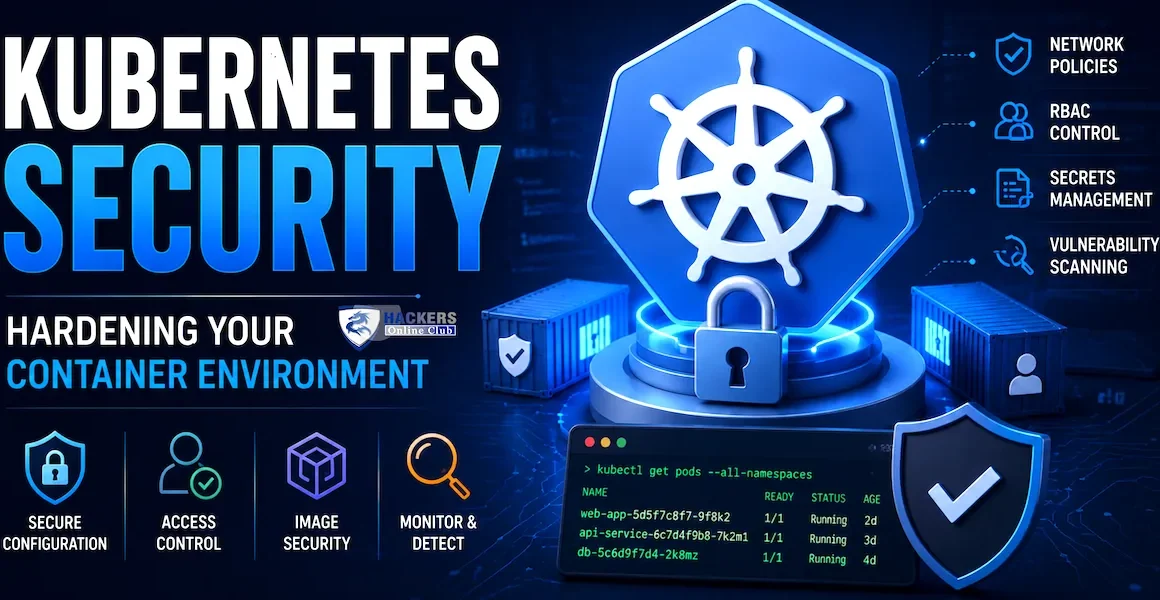
Kubernetes Security: Hardening Your Container Environment (2026)

Kubernetes Security
Kubernetes Security
By HOC Team  |  Last updated: August 2026  |  Read time: ~26 min

In February 2018, Tesla's AWS environment was breached — not through a vulnerability in Tesla's application code, but through an unsecured Kubernetes dashboard exposed to the internet.

The attackers found the dashboard with no authentication required, discovered AWS credentials stored in a pod environment variable, and used those credentials to spin up EC2 instances for cryptocurrency mining.

The pod was also running with more privileges than it needed, making lateral movement trivial. Tesla's breach combined three of the most common Kubernetes security failures into a single incident: exposed management interfaces, credentials in environment variables, and excessive pod privileges.

Kubernetes has become the dominant container orchestration platform — powering production workloads at over 70% of Fortune 500 companies. Its complexity is also its main security challenge. A single Kubernetes cluster can have dozens of nodes, hundreds of pods, thousands of container images, a shared network plane, a secrets store, and an API server that is the central control point for everything. Each layer introduces its own attack surface.

Misconfiguration at any layer — RBAC, pod security, network policy, secrets handling, the supply chain — can give an attacker a path from a compromised container to cluster-admin privileges and, from there, to every workload in the cluster.

This guide covers Kubernetes security from the cluster API server to the container runtime: the attack techniques used against real Kubernetes deployments, the hardening controls that stop them, RBAC design, Pod Security Standards, network policy, secrets management, supply chain security with image signing and scanning, runtime threat detection with Falco, and the CIS Kubernetes Benchmark hardening checklist.

📊 Kubernetes security — 2026 94% of organisations report Kubernetes security incidents in the past year (Red Hat) · 59% of those incidents involved privilege escalation from a compromised container · Exposed Kubernetes dashboards and API servers remain the #1 initial access finding in cloud pentests · 67% of container images in production have high or critical CVEs at time of deployment · CIS Kubernetes Benchmark compliance averages 41% across enterprise clusters before hardening · Supply chain attacks against container registries increased 300% 2022–2025
1. Kubernetes attack surface — the threat model

The Kubernetes attack surface spans seven distinct layers. Each layer has its own set of attack techniques and defences. Understanding the complete threat model before diving into individual controls is essential — Kubernetes security failures are almost always the result of securing some layers while leaving others open.

Kubernetes security layers — all seven must be addressed; a gap in any single layer can lead to cluster compromise
Kubernetes Security — Seven Attack Surface Layers ① SUPPLY CHAIN Container images · Base images · Helm charts · Third-party dependencies · CI/CD pipeline EXTERNAL ② API SERVER Authentication · RBAC · Admission controllers · Audit logging · TLS CONTROL PLANE ③ etcd DATABASE All cluster state · All Secrets (base64 by default) · Network unrestricted access = full cluster takeover ④ NODE / KUBELET Worker node OS · Kubelet API · Container runtime (containerd) · Node privileges ⑤ POD / WORKLOAD Pod spec · Service accounts · Volumes · privileged flag · hostPID · hostNetwork ⑥ NETWORK Pod-to-pod · Ingress · Egress · NetworkPolicy ⑦ SECRETS / CONFIG Env vars · Vaults · ConfigMaps
🎯
The Kubernetes attacker's kill chain — from compromised pod to cluster admin

The most common Kubernetes attack path is not a single catastrophic vulnerability — it is a chain of individually minor-seeming misconfigurations that together produce cluster compromise. Understanding this chain helps prioritise which controls matter most.

Typical Kubernetes compromise chain (seen in real incidents): Step 1: Initial access └─ Vulnerable application in a pod (RCE via Log4Shell, deserialization, etc.) OR exposed unauthenticated API (dashboard, kubelet port 10250) OR compromised CI/CD pipeline with cluster credentials Step 2: Container escape / privilege escalation └─ Pod running as root + privileged: true → mount host filesystem → write cron job OR hostPID: true → ptrace into another process on the node → steal credentials OR mounted service account token with over-broad RBAC → call k8s API as SA OR SSRF to cloud metadata API (169.254.169.254) → node IAM role credentials Step 3: Lateral movement to cluster-admin └─ Stolen SA token with cluster-admin → create new cluster-admin SA for persistence OR node IAM role with iam:* → escalate to cloud admin OR access etcd directly (port 2379) → read all Secrets → find cluster-admin kubeconfig Step 4: Persistence and impact └─ Deploy DaemonSet on all nodes (crypto miner, backdoor, data exfiltration) OR exfiltrate Secrets from all namespaces OR pivot to cloud account via node IAM credentials OR destroy cluster state (ransomware: delete etcd snapshots, PVCs)

Every step in this chain corresponds to a control that can break it: Pod Security Standards eliminate privileged containers; RBAC least-privilege stops SA token abuse; network policy blocks lateral movement; Falco detects the shell spawned after initial access. The controls in this guide address each step.

2. RBAC — Role-Based Access Control hardening

Kubernetes RBAC controls who (users, groups, service accounts) can do what (verbs: get, list, create, delete, etc.) to which resources (pods, secrets, configmaps, etc.) in which scope (namespace or cluster-wide). RBAC misconfiguration is the most exploited Kubernetes vulnerability class — particularly over-permissive service account tokens automatically mounted into every pod by default.

🔑
RBAC fundamentals and the most dangerous misconfigurations
cluster-admin is the Kubernetes equivalent of root on every node simultaneously
RBAC objects — Roles, ClusterRoles, Bindings
# Role — namespace-scoped permissions # Only applies within the specified namespace apiVersion: rbac.authorization.k8s.io/v1 kind: Role metadata: namespace: production name: pod-reader rules: - apiGroups: [""] resources: ["pods"] verbs: ["get", "list", "watch"] # Read-only — cannot create, delete, or exec # ClusterRole — cluster-wide permissions (applies to all namespaces or non-namespaced resources) apiVersion: rbac.authorization.k8s.io/v1 kind: ClusterRole metadata: name: node-reader rules: - apiGroups: [""] resources: ["nodes"] verbs: ["get", "list", "watch"] # RoleBinding — binds a Role or ClusterRole to a user/group/SA within a namespace apiVersion: rbac.authorization.k8s.io/v1 kind: RoleBinding metadata: name: read-pods namespace: production subjects: - kind: ServiceAccount name: monitoring-sa namespace: production roleRef: kind: Role apiRef: pod-reader apiGroup: rbac.authorization.k8s.io # Audit current RBAC — who can do what kubectl auth can-i --list --as=system:serviceaccount:production:monitoring-sa kubectl auth can-i create pods --as=system:serviceaccount:default:default -n production # Enumerate all cluster-admin bindings — should be a very short list kubectl get clusterrolebindings -o json | jq '.items[] | select(.roleRef.name=="cluster-admin") | {name: .metadata.name, subjects: .subjects}'
The five most dangerous RBAC misconfigurations
1. Wildcard permissions — * verbs or * resources
# DANGEROUS — wildcard grants every possible permission on every resource rules: - apiGroups: ["*"] resources: ["*"] verbs: ["*"] # This IS cluster-admin — never use wildcards # Also dangerous — wildcard on verbs for a specific resource rules: - apiGroups: [""] resources: ["secrets"] verbs: ["*"] # Includes create, update, delete, get — reads all secrets # Correct — explicit verbs only rules: - apiGroups: [""] resources: ["secrets"] verbs: ["get"] # Read-only access to specific named secrets only resourceNames: ["app-db-password"] # Restrict to a specific secret by name
2. Secrets read access — list + get on secrets = all cluster secrets
# Any role with secrets/get or secrets/list can read all secrets in scope # Monitoring tools, logging agents, operators often get over-broad secrets access kubectl get roles,clusterroles -A -o json | jq '.items[] | select(.rules[]?.resources[]? == "secrets") | {name: .metadata.name, ns: .metadata.namespace, rules: .rules}' # Review every result — most should not need secrets access at all
3. Pod exec / pod/log — direct shell into running containers
# pods/exec = kubectl exec — interactive shell into any container # Equivalent of SSH into every container in scope # Often granted to "developers" for debugging — should be namespace-scoped + time-limited rules: - apiGroups: [""] resources: ["pods/exec", "pods/log", "pods/portforward"] verbs: ["create", "get"] # This allows shell access to all pods in namespace # Better approach — use ephemeral debug containers, revoke when done # Or: restrict to specific pod names with resourceNames
4. Default service account auto-mounting — every pod gets an API token by default
# By default: every pod gets a service account token mounted at # /var/run/secrets/kubernetes.io/serviceaccount/token # An attacker with RCE in any pod can read this token and call the k8s API # Disable auto-mounting at the namespace default SA level kubectl patch serviceaccount default -n production \ -p '{"automountServiceAccountToken": false}' # Disable at pod spec level (per-pod) spec: automountServiceAccountToken: false # Add to every pod that does not need API access # Create dedicated SAs only for pods that genuinely need API access kubectl create serviceaccount prometheus-sa -n monitoring # Bind only the specific permissions prometheus needs — not cluster-admin
5. RBAC escalation paths — verbs that let you grant yourself more permissions
# Dangerous verbs that enable privilege escalation: # bind — can bind any role, including cluster-admin, to yourself # escalate — can edit roles to add permissions exceeding your own # impersonate — can act as any user, group, or service account # create/update on ClusterRoleBindings — can bind cluster-admin to yourself kubectl get clusterroles -o json | jq '.items[] | select(.rules[]?.verbs[]? == "bind" or .rules[]?.verbs[]? == "escalate" or .rules[]?.verbs[]? == "impersonate") | {name: .metadata.name}' # Any result that is not a built-in system: role is a critical finding
RBAC audit tool — rbac-tool
# rbac-tool — comprehensive RBAC analysis and visualisation kubectl krew install rbac-tool kubectl rbac-tool who-can get secrets # Who can read secrets? kubectl rbac-tool who-can create pods --subresource exec # Who can exec into pods? kubectl rbac-tool visualize --outformat dot # Generate RBAC graph (Graphviz) kubectl rbac-tool policy-rules -e system:masters # Expand group memberships # rakkess — access matrix — shows every verb for every resource for current identity kubectl krew install rakkess kubectl rakkess # Matrix for current user kubectl rakkess --as=system:serviceaccount:default:default # Matrix for default SA
3. Pod Security Standards — restricting container privileges

Pod Security Standards (PSS) replaced Pod Security Policies (deprecated in 1.21, removed in 1.25) as Kubernetes' built-in mechanism for restricting what pod specs can request. PSS defines three profiles applied via namespace labels — the Pod Security Admission controller enforces them at admission time.

🛡
Pod Security Standards — three profiles
Target: restricted for all production workloads
ProfileWhat it blocksWhat it allowsTarget use
privilegedNothing — no restrictionsAll pod capabilities including host namespaces, privileged containers, any volumeTrusted system workloads, node agents only (never application pods)
baselineKnown privilege escalation vectors: privileged containers, hostPID, hostIPC, hostNetwork, specific dangerous capabilities (SYS_ADMIN, NET_ADMIN, etc.)Most application patterns; some capabilities (NET_BIND_SERVICE); most volume typesDefault for application namespaces — minimum acceptable for production apps
restrictedEverything in baseline PLUS: running as root, allowPrivilegeEscalation, most capabilities, hostPath volumes, unsafe sysctlsOnly what modern, well-designed container workloads actually needProduction applications — target for all new workloads
# Apply Pod Security Standards via namespace labels # Three modes for each profile: # enforce = reject non-compliant pods at admission # audit = allow but log to audit log # warn = allow but return a warning to kubectl # Production namespace — enforce restricted profile kubectl label namespace production \ pod-security.kubernetes.io/enforce=restricted \ pod-security.kubernetes.io/enforce-version=latest \ pod-security.kubernetes.io/audit=restricted \ pod-security.kubernetes.io/warn=restricted # Migration approach — start with warn, fix workloads, then enforce kubectl label namespace production pod-security.kubernetes.io/warn=restricted # Run deployments — collect warnings for non-compliant pods — fix them — then enforce # Dry-run check — test a deployment against a profile before applying kubectl apply --dry-run=server -f deployment.yaml # A pod spec that satisfies the restricted profile apiVersion: v1 kind: Pod metadata: name: secure-app namespace: production spec: automountServiceAccountToken: false # No API token unless needed securityContext: runAsNonRoot: true # Cannot run as root runAsUser: 1000 # Specific non-root UID runAsGroup: 3000 fsGroup: 2000 seccompProfile: type: RuntimeDefault # Default syscall filter containers: - name: app image: myapp:1.2.3@sha256:abc123... # Pinned to digest — not just a tag securityContext: allowPrivilegeEscalation: false # Cannot gain more privileges readOnlyRootFilesystem: true # Immutable container filesystem capabilities: drop: ["ALL"] # Drop ALL Linux capabilities add: [] # Add none back resources: requests: memory: "64Mi" cpu: "250m" limits: memory: "128Mi" cpu: "500m" # Resource limits prevent DoS
Why privileged containers are a critical risk

A container running with privileged: true has nearly unrestricted access to the host node. It can mount the host filesystem, load kernel modules, bypass all namespace isolation, and escape to the underlying node OS with root privileges. From the node, the attacker can access the kubelet credentials, read all secrets from other pods on the node, and move to cluster-admin via the node's TLS certificates. Privileged containers are the container equivalent of sudo bash — never acceptable in application pods, and even for system workloads (CNI plugins, storage drivers) should use the minimum capabilities needed rather than full privileged mode.

# Find all privileged pods in the cluster — every result is a critical finding kubectl get pods -A -o json | jq '.items[] | select(.spec.containers[]?.securityContext.privileged == true) | {namespace: .metadata.namespace, name: .metadata.name, container: (.spec.containers[] | select(.securityContext.privileged == true) | .name)}' # Find pods running as root kubectl get pods -A -o json | jq '.items[] | select( (.spec.securityContext.runAsNonRoot != true) and (.spec.containers[]?.securityContext.runAsNonRoot != true) and ((.spec.securityContext.runAsUser // 0) == 0 or (.spec.containers[]?.securityContext.runAsUser // 0) == 0) ) | {ns: .metadata.namespace, pod: .metadata.name}' # Find pods with hostPID / hostIPC / hostNetwork — each is a container escape vector kubectl get pods -A -o json | jq '.items[] | select(.spec.hostPID == true or .spec.hostIPC == true or .spec.hostNetwork == true) | {ns: .metadata.namespace, name: .metadata.name, hostPID: .spec.hostPID, hostIPC: .spec.hostIPC, hostNetwork: .spec.hostNetwork}'
OPA/Gatekeeper and Kyverno for policy beyond Pod Security Standards. PSS is a binary allow/block at the namespace level. For more granular policies — require specific image registries, enforce resource limits on all pods, require specific labels, block latest tag, enforce image digest pinning — use Open Policy Agent with Gatekeeper or Kyverno. Both are CNCF projects and widely used in production. Kyverno's YAML-native policy syntax is significantly more approachable than OPA's Rego language for teams not already familiar with Rego.
4. Network policy — zero-trust networking in Kubernetes

By default, Kubernetes networking is flat and fully open — every pod can reach every other pod in the cluster on any port. This means a compromised pod can probe and attack every other workload in the cluster without any network-level barrier. NetworkPolicy resources implement micro-segmentation — defining exactly which pods can communicate with which other pods on which ports.

⚠ NetworkPolicy requires a CNI plugin that enforces it — not all CNIs do NetworkPolicy objects are only enforced if the cluster's Container Network Interface (CNI) plugin supports them. Flannel (the default in many clusters) does NOT enforce NetworkPolicy. CNI plugins that do enforce NetworkPolicy: Calico, Cilium, Weave Net, Antrea, and cloud-provider CNIs (Amazon VPC CNI with Calico, GKE Dataplane V2 with Cilium). Always verify your CNI enforces NetworkPolicy — creating NetworkPolicy objects with a non-enforcing CNI silently does nothing.
🌐
Network policy — default deny and allow patterns
Start with default-deny-all, then allow only what is needed
# Step 1: Default deny all ingress and egress for a namespace # Apply this first — then explicitly allow what is needed apiVersion: networking.k8s.io/v1 kind: NetworkPolicy metadata: name: default-deny-all namespace: production spec: podSelector: {} # {} selects ALL pods in namespace policyTypes: - Ingress - Egress # Deny all ingress AND egress by default # Step 2: Allow the frontend to talk to the API service apiVersion: networking.k8s.io/v1 kind: NetworkPolicy metadata: name: allow-frontend-to-api namespace: production spec: podSelector: matchLabels: app: api-server # This policy applies to API server pods policyTypes: - Ingress ingress: - from: - podSelector: matchLabels: app: frontend # Only frontend pods can reach the API ports: - protocol: TCP port: 8080 # Only on port 8080 # Step 3: Allow API to reach the database — but NOTHING ELSE can reach the DB apiVersion: networking.k8s.io/v1 kind: NetworkPolicy metadata: name: allow-api-to-database namespace: production spec: podSelector: matchLabels: app: database policyTypes: - Ingress ingress: - from: - podSelector: matchLabels: app: api-server ports: - protocol: TCP port: 5432 # Step 4: Allow DNS egress from all pods — without this, name resolution breaks apiVersion: networking.k8s.io/v1 kind: NetworkPolicy metadata: name: allow-dns-egress namespace: production spec: podSelector: {} policyTypes: - Egress egress: - to: - namespaceSelector: matchLabels: kubernetes.io/metadata.name: kube-system ports: - protocol: UDP port: 53 - protocol: TCP port: 53 # Block egress to cloud metadata API — critical for preventing SSRF-based credential theft apiVersion: networking.k8s.io/v1 kind: NetworkPolicy metadata: name: block-metadata-api namespace: production spec: podSelector: {} policyTypes: - Egress egress: - to: - ipBlock: cidr: 0.0.0.0/0 except: - 169.254.169.254/32 # AWS/Azure metadata API — blocked for all pods
Cilium Network Policy — Layer 7 (application layer) policies

Standard Kubernetes NetworkPolicy operates at Layer 3/4 — IP addresses and ports. Cilium extends this to Layer 7 — HTTP methods, paths, gRPC services, and DNS names. This enables policies like "allow POST to /api/submit but not DELETE to /api/admin" or "allow DNS queries to *.company.com but block all other external DNS."

# Cilium CiliumNetworkPolicy — L7 HTTP policy apiVersion: cilium.io/v2 kind: CiliumNetworkPolicy metadata: name: api-l7-policy namespace: production spec: endpointSelector: matchLabels: app: api-server ingress: - fromEndpoints: - matchLabels: app: frontend toPorts: - ports: - port: "8080" protocol: TCP rules: http: - method: "GET" path: "/api/v1/.*" # Allow GET to /api/v1/ paths - method: "POST" path: "/api/v1/submit" # Allow POST to specific endpoint only # All other methods and paths are implicitly denied # DNS egress policy — allow only specific domains apiVersion: cilium.io/v2 kind: CiliumNetworkPolicy spec: endpointSelector: matchLabels: app: api-server egress: - toFQDNs: - matchName: "api.stripe.com" - matchPattern: "*.company.com" # All other DNS queries blocked — strict egress allowlist
5. Secrets management — beyond Kubernetes Secrets
⚠ Kubernetes Secrets are not actually secret by default — they are base64-encoded, not encrypted Kubernetes Secrets are stored in etcd as base64-encoded strings. Anyone with access to etcd (or a role that can read secrets) can decode them with a single command. Encryption at rest for etcd is not enabled by default in most distributions. This means that in the default configuration, "Secret" is a misleading name — they are namespaced access-controlled blobs that are not encrypted at rest.
🔐
Secrets management — from bad to best practice
Never store secrets in container images or ConfigMaps
Level 1 — Enable etcd encryption at rest (minimum baseline)
# Enable encryption at rest for Secrets in etcd # Create EncryptionConfiguration file on control plane nodes apiVersion: apiserver.config.k8s.io/v1 kind: EncryptionConfiguration resources: - resources: - secrets - configmaps # Also encrypt ConfigMaps — they often contain sensitive config providers: - aescbc: # AES-CBC encryption — keys stored on API server node keys: - name: key1 secret: BASE64_ENCODED_32_BYTE_KEY # openssl rand -base64 32 - identity: {} # Fallback for reading unencrypted secrets during migration # Add to kube-apiserver startup flags: --encryption-provider-config=/etc/kubernetes/encryption-config.yaml # After enabling, re-encrypt all existing secrets: kubectl get secrets -A -o json | kubectl replace -f - # Verify encryption — etcdctl should return encrypted binary, not base64 plaintext ETCDCTL_API=3 etcdctl get /registry/secrets/default/mysecret \ --endpoints=https://127.0.0.1:2379 \ --cacert=/etc/kubernetes/pki/etcd/ca.crt \ --cert=/etc/kubernetes/pki/etcd/server.crt \ --key=/etc/kubernetes/pki/etcd/server.key | hexdump -C | head # Look for "k8s:enc:aescbc:v1" prefix — confirms encryption is active
Level 2 — External secret stores (production best practice)

For production workloads, secrets should live in a dedicated secret store (HashiCorp Vault, AWS Secrets Manager, Azure Key Vault, GCP Secret Manager) and be injected into pods at runtime — never stored in etcd at all. Two patterns achieve this:

# Pattern A: External Secrets Operator (ESO) — syncs external secrets to k8s Secrets # ESO pulls from AWS/Azure/GCP/Vault and creates a Kubernetes Secret that refreshes automatically apiVersion: external-secrets.io/v1beta1 kind: ExternalSecret metadata: name: database-credentials namespace: production spec: refreshInterval: 1h # Re-sync every hour — picks up rotations secretStoreRef: name: aws-secretsmanager kind: ClusterSecretStore target: name: database-creds # Name of the Kubernetes Secret to create creationPolicy: Owner data: - secretKey: DB_PASSWORD # Key in the Kubernetes Secret remoteRef: key: prod/database # Path in AWS Secrets Manager property: password # JSON property within the secret # Pattern B: Vault Agent Injector — injects secrets as files into pod at startup # No Kubernetes Secret created at all — secrets never touch etcd apiVersion: v1 kind: Pod metadata: annotations: vault.hashicorp.com/agent-inject: "true" vault.hashicorp.com/role: "production-app" vault.hashicorp.com/agent-inject-secret-db-creds: "secret/prod/database" vault.hashicorp.com/agent-inject-template-db-creds: | {{- with secret "secret/prod/database" -}} DB_HOST={{ .Data.data.host }} DB_PASSWORD={{ .Data.data.password }} {{- end -}} spec: serviceAccountName: production-app-sa # Vault authenticates via k8s SA JWT containers: - name: app # Credentials appear at /vault/secrets/db-creds — never in env vars or etcd # Common anti-patterns to find and eliminate: # grep -r "password\|secret\|apikey\|token" deployment.yaml # Secrets in manifests # kubectl get configmap -A -o yaml | grep -i password # Secrets in ConfigMaps # docker history myimage | grep ENV # Secrets in image layers
Secret scanning in CI/CD pipelines
# Prevent secrets reaching the cluster — scan at commit time pip install detect-secrets detect-secrets scan > .secrets.baseline detect-secrets audit .secrets.baseline # gitleaks — scan git history for committed secrets gitleaks detect --source . --report-format json --report-path secrets-report.json # truffleHog — scan with verification (tests if found credentials are still active) trufflehog git file://. --only-verified --json # Kubesec — scan Kubernetes manifests for security issues including hardcoded secrets kubesec scan deployment.yaml # Returns JSON with critical/advisory findings including secrets in env vars
6. Supply chain security — image scanning and signing

The container supply chain — the path from source code to running container — is one of the most actively attacked surfaces in 2026. Supply chain attacks against container images include: injecting malicious layers into public base images, compromising CI/CD pipelines to inject code before build, pushing backdoored versions of popular Helm charts to public repositories, and typosquatting popular image names on Docker Hub.

🔗
Supply chain security — from image build to cluster admission
67% of production container images have high/critical CVEs at deployment time
Image vulnerability scanning with Trivy
# Trivy — comprehensive vulnerability scanner for containers, filesystems, IaC # Scans: OS packages, language dependencies, Kubernetes manifests, Terraform brew install trivy # macOS apt install trivy # Debian/Ubuntu # Scan a container image — shows all CVEs by severity trivy image nginx:latest trivy image --severity HIGH,CRITICAL nginx:latest # Only HIGH and CRITICAL trivy image --format json --output results.json nginx:latest # JSON output for CI # Scan Kubernetes manifests for misconfigurations trivy config ./k8s-manifests/ # Checks: privileged containers, missing resource limits, host namespace access, # missing securityContext, latest image tags, missing network policies # Scan a running cluster — requires kubeconfig trivy k8s --report summary cluster trivy k8s --report all --severity CRITICAL cluster # All namespaces, critical only # CI/CD integration — fail the pipeline on CRITICAL CVEs trivy image --exit-code 1 --severity CRITICAL myapp:$BUILD_TAG # Returns exit code 1 if any CRITICAL CVE found → pipeline fails → image blocked
Image signing with Cosign (Sigstore)
# Cosign — keyless image signing via Sigstore transparency log # Part of the CNCF Sigstore project — now the standard for supply chain verification brew install cosign # macOS wget https://github.com/sigstore/cosign/releases/latest/download/cosign-linux-amd64 # Sign an image after build (keyless — uses OIDC identity from CI/CD provider) cosign sign --yes myregistry.io/myapp:1.0.0 # Signature stored in the registry alongside the image # Transparency log records the signing event — verifiable by anyone # Verify an image signature before use cosign verify myregistry.io/myapp:1.0.0 \ --certificate-identity=ci-user@company.com \ --certificate-oidc-issuer=https://accounts.google.com # Attach an SBOM (Software Bill of Materials) to the image syft myregistry.io/myapp:1.0.0 -o spdx-json > sbom.json cosign attach sbom --sbom sbom.json myregistry.io/myapp:1.0.0 # Use image digest pinning — never use mutable tags in production image: nginx:latest # BAD — "latest" changes without warning image: nginx:1.25.3 # BETTER — pinned version tag image: nginx@sha256:a1b2c3d4... # BEST — pinned to immutable content hash
Admission control — only allow signed, scanned images
# Kyverno policy — require images from approved registries only apiVersion: kyverno.io/v1 kind: ClusterPolicy metadata: name: require-approved-registry spec: validationFailureAction: Enforce rules: - name: check-registry match: any: - resources: kinds: [Pod] namespaces: [production, staging] validate: message: "Images must come from approved registry myregistry.io" pattern: spec: containers: - image: "myregistry.io/*" # Only allow images from our registry # Kyverno policy — require Cosign signature verification apiVersion: kyverno.io/v1 kind: ClusterPolicy metadata: name: require-image-signature spec: validationFailureAction: Enforce rules: - name: verify-image match: any: - resources: kinds: [Pod] verifyImages: - imageReferences: ["myregistry.io/*"] attestors: - count: 1 entries: - keyless: subject: "https://github.com/myorg/myapp/.github/workflows/build.yml@refs/heads/main" issuer: "https://token.actions.githubusercontent.com" rekor: url: https://rekor.sigstore.dev # Any pod with an unsigned image from myregistry.io will be rejected at admission
7. API server and etcd hardening
Control plane hardening — API server flags and etcd access control
etcd access = full cluster compromise, no RBAC required
# kube-apiserver critical security flags # Add to /etc/kubernetes/manifests/kube-apiserver.yaml spec: containers: - command: - kube-apiserver # Authentication - --anonymous-auth=false # Disable anonymous access - --authentication-token-webhook-config-file=/etc/k8s/webhook-authn.yaml # Authorisation - --authorization-mode=Node,RBAC # Never use AlwaysAllow # Node: kubelet auth; RBAC: user auth # Admission controllers — all of these should be enabled - --enable-admission-plugins=NodeRestriction,PodSecurity,ResourceQuota,\ LimitRanger,ServiceAccount,DefaultStorageClass,ValidatingAdmissionWebhook,\ MutatingAdmissionWebhook # Disable insecure legacy admission controllers - --disable-admission-plugins=AlwaysAdmit,SecurityContextDeny # Audit logging — required for forensics and compliance - --audit-log-path=/var/log/kubernetes/audit.log - --audit-log-maxage=30 - --audit-log-maxbackup=10 - --audit-log-maxsize=100 - --audit-policy-file=/etc/kubernetes/audit-policy.yaml # TLS - --tls-min-version=VersionTLS12 - --tls-cipher-suites=TLS_ECDHE_ECDSA_WITH_AES_128_GCM_SHA256,\ TLS_ECDHE_RSA_WITH_AES_128_GCM_SHA256 # Service account tokens - --service-account-lookup=true # Verify SA tokens against etcd - --service-account-extend-token-expiration=false - --bound-service-account-tokens=true # Bound tokens expire and are audience-restricted # Secure port only - --secure-port=6443 - --insecure-port=0 # Disable insecure HTTP port - --insecure-bind-address=127.0.0.1 # Or remove entirely # etcd hardening — etcd must only be reachable by the API server - --etcd-servers=https://127.0.0.1:2379 # Localhost only — not 0.0.0.0 --etcd-cafile=/etc/kubernetes/pki/etcd/ca.crt --etcd-certfile=/etc/kubernetes/pki/apiserver-etcd-client.crt --etcd-keyfile=/etc/kubernetes/pki/apiserver-etcd-client.key # etcd startup flags (on etcd node) — restrict network access --listen-client-urls=https://127.0.0.1:2379 # Client access: localhost only --advertise-client-urls=https://127.0.0.1:2379 --listen-peer-urls=https://127.0.0.1:2380 # Peer access: localhost only (single-node) --peer-auto-tls=false # Require explicit certificates # Verify: no one other than the API server can reach etcd # If an attacker reaches port 2379 without the client certificate: # → they get all secrets, all cluster state, all kubeconfig data netstat -tlnp | grep 2379 # Should show 127.0.0.1:2379 — NOT 0.0.0.0:2379
Kubernetes audit policy — what to log
# Audit policy — log security-relevant API calls # /etc/kubernetes/audit-policy.yaml apiVersion: audit.k8s.io/v1 kind: Policy rules: # Log all requests to secrets at RequestResponse level (logs request + response body) - level: RequestResponse resources: - group: "" resources: ["secrets"] # Log exec and port-forward (interactive shell access to pods) - level: RequestResponse resources: - group: "" resources: ["pods/exec", "pods/portforward", "pods/log"] # Log RBAC changes — new roles, bindings - level: RequestResponse resources: - group: "rbac.authorization.k8s.io" resources: ["clusterroles", "clusterrolebindings", "roles", "rolebindings"] # Log configmaps that might contain sensitive data - level: Request resources: - group: "" resources: ["configmaps"] # Log all other changes at Metadata level (no request/response body) - level: Metadata verbs: ["create", "update", "patch", "delete"] # Don't log read-only operations on non-sensitive resources (reduces noise) - level: None verbs: ["get", "list", "watch"] resources: - group: "" resources: ["pods", "services", "endpoints", "nodes"]
8. Runtime security — Falco and eBPF threat detection

Static security controls (RBAC, Pod Security Standards, NetworkPolicy) prevent attacks by restricting what is possible. Runtime security detects attacks that succeed despite those controls — a zero-day exploit that bypasses pod security, a compromised but legitimate container image, or an insider threat with legitimate access who abuses it. Falco is the CNCF standard for Kubernetes runtime security.

👁
Falco — runtime threat detection with eBPF
Detects: shell spawned in container, crypto miners, credential file reads, privilege escalation
# Install Falco via Helm (eBPF driver — no kernel module needed) helm repo add falcosecurity https://falcosecurity.github.io/charts helm repo update helm install falco falcosecurity/falco \ --namespace falco --create-namespace \ --set driver.kind=ebpf \ --set falco.grpc.enabled=true \ --set falco.grpcOutput.enabled=true \ --set falcosidekick.enabled=true \ --set falcosidekick.config.slack.webhookurl=https://hooks.slack.com/services/... # Falco rules — key detections for Kubernetes security # /etc/falco/falco_rules.yaml (custom rules in /etc/falco/falco_rules.local.yaml) # Rule 1: Shell spawned in a container (most critical — indicates active compromise) - rule: Terminal shell in container desc: A shell was spawned in a container with an attached terminal condition: > spawned_process and container and shell_procs and proc.tty != 0 and not container_entrypoint output: > Shell spawned in container (user=%user.name container=%container.name image=%container.image.repository:%container.image.tag shell=%proc.name cmdline=%proc.cmdline parent=%proc.pname) priority: CRITICAL tags: [container, shell, T1059] # Rule 2: Crypto mining detection — specific process names and network patterns - rule: Detect crypto miners desc: Detects processes associated with cryptocurrency mining condition: > spawned_process and container and (proc.name in (xmrig, minerd, minergate, cryptonight, ethminer) or proc.cmdline contains "stratum+tcp" or proc.cmdline contains "pool.mining" or proc.cmdline contains "--donate-level") output: > Crypto miner detected (container=%container.name image=%container.image.repository process=%proc.name cmdline=%proc.cmdline) priority: CRITICAL # Rule 3: Read sensitive files inside container (credential theft) - rule: Read sensitive file inside container desc: Attempt to read a sensitive file inside a container condition: > open_read and container and sensitive_files and not proc.name in (falco_sensitive_file_reader) output: > Sensitive file read (user=%user.name file=%fd.name container=%container.name image=%container.image.repository proc=%proc.name) priority: WARNING # Rule 4: Container running as root when it should not - rule: Container running as root desc: Container running with root user — unexpected for production workloads condition: > spawned_process and container and proc.vpid = 1 and user.uid = 0 and not allowed_root_containers output: > Container running as root (container=%container.name image=%container.image.repository user=%user.name) priority: WARNING # Falco outputs — send alerts to Slack, PagerDuty, SIEM, Elasticsearch # Falcosidekick: fan-out to 50+ destinations including Splunk, Datadog, AWS SNS kubectl logs -n falco -l app.kubernetes.io/name=falco --tail=20 # Live alert stream — shows all triggered rules with container and process context
Seccomp profiles — syscall filtering
# Seccomp (Secure Computing Mode) filters which system calls a container can make # RuntimeDefault profile blocks the most dangerous syscalls automatically securityContext: seccompProfile: type: RuntimeDefault # Block ~30 dangerous syscalls including ptrace, pivot_root # Custom seccomp profile — allowlist only needed syscalls (most restrictive) securityContext: seccompProfile: type: Localhost localhostProfile: profiles/myapp-seccomp.json # Generate a custom profile using inspektor-gadget (eBPF-based syscall recording) kubectl gadget advise seccomp-profile start --namespace production --podname myapp-xxx # Run the application under normal load for a period kubectl gadget advise seccomp-profile stop --namespace production --podname myapp-xxx # Output: seccomp profile allowing only the syscalls the app actually used
9. Managed Kubernetes (EKS, GKE, AKS) — provider-specific controls
ControlEKS (AWS)GKE (Google)AKS (Azure)
API server accessPrivate endpoint + security groups; public endpoint should be IP-restricted or disabledPrivate cluster mode; authorized networks for public access; control plane IP rangesPrivate cluster; API server authorized IP ranges; integration with Azure Firewall
Node IAM / identityNode instance profiles — use IRSA (IAM Roles for Service Accounts) for pod-level IAM; disable IMDSv1Workload Identity — pods get Google SA tokens; disable legacy metadata API accessWorkload Identity / AAD Pod Identity (deprecated) → Azure Workload Identity (new)
Secrets managementAWS Secrets Manager + External Secrets Operator or Secrets Store CSI driver with AWS Secrets Manager providerGCP Secret Manager + Secrets Store CSI driver or Workload Identity-authenticated accessAzure Key Vault + Secrets Store CSI driver with Azure Key Vault provider
Image scanningAmazon ECR image scanning (Trivy-based) on push; Inspector for continuous scanningArtifact Registry vulnerability scanning; Binary Authorization for admission controlAzure Container Registry with Defender for Containers; image scanning on push
Image signing/policyECR + Signer + Kyverno or OPA Gatekeeper for admission policyBinary Authorization — GKE-native admission control with attestations; supports CosignAzure Policy for Kubernetes; Defender for Containers image integrity
Runtime protectionAmazon GuardDuty for EKS — runtime threat detection; EKS Audit Log threat detectionGKE Security Posture — built-in Falco-based runtime detection; Threat DetectionMicrosoft Defender for Containers — runtime threat detection, audit log analysis
Network policyCalico (self-managed) or VPC CNI with Network Policy controller (released 2023)GKE Dataplane V2 (Cilium-based) — built-in NetworkPolicy enforcement + L7 policyAzure CNI with Calico or Azure Network Policy Manager (Calico subset)
Node OS hardeningBottlerocket OS — minimal, read-only OS designed for containers; SELinux enforcedContainer-Optimized OS (COS) — minimal, verified boot, auto-updatedAzure Linux (CBL-Mariner) — minimal container host OS option
CIS compliance scankube-bench with EKS profile; AWS Security Hub has Kubernetes findingsGKE Security Posture Dashboard; kube-bench with GKE profileMicrosoft Defender for Cloud — CIS benchmark for AKS; kube-bench AKS profile
💡 IRSA / Workload Identity — the right way to give pods cloud permissions Never use node instance profiles to grant cloud permissions to pods — every pod on that node inherits those permissions. Instead, use IRSA (EKS), Workload Identity (GKE), or Azure Workload Identity (AKS) to bind a specific Kubernetes Service Account to a cloud IAM role. Only pods using that Service Account get the permissions — with automatic credential rotation, no secrets to manage, and full audit trail. On AWS, also enforce IMDSv2 on all nodes and block metadata API access from pods that don't need it via NetworkPolicy.
10. CIS Kubernetes Benchmark — hardening checklist
# kube-bench — automated CIS Kubernetes Benchmark scanning # Run on each node type (control plane, worker, etcd) docker run --pid=host --network=host --userns=host --cap-add=audit_write \ -v /etc:/etc:ro -v /var:/var:ro -v /usr/bin/containerd:/usr/bin/containerd:ro \ -v /usr/bin/runc:/usr/bin/runc:ro -v /usr/lib/systemd:/usr/lib/systemd:ro \ -t aquasec/kube-bench:latest run --targets master,node,etcd,policies # Run on managed Kubernetes (EKS / GKE / AKS variants) kube-bench run --config-dir cfg --config cfg/config.yaml --targets node --benchmark eks-stig-kubernetes-v1r6
Kubernetes hardening checklist — CIS Benchmark essentials
Implement in priority order — Critical first
🔴 Critical — implement immediately
  • RBAC enabled — authorization-mode must include RBAC, never AlwaysAllow — verify: kubectl api-versions | grep rbac and check API server flags.
  • API server anonymous auth disabled--anonymous-auth=false. Anonymous access allows unauthenticated discovery of cluster info.
  • etcd access restricted to localhost / API server onlynetstat -tlnp | grep 2379 must show 127.0.0.1, not 0.0.0.0. etcd exposure = instant cluster compromise.
  • No privileged containers in application namespaces — enforce via Pod Security Standards (restricted profile). Scan existing: kubectl get pods -A -o json | jq '...' (command in Section 3).
  • No cluster-admin bindings to non-system accounts — run the clusterrolebinding audit command in Section 2. Every human user having cluster-admin is a critical risk.
  • Kubernetes dashboard not exposed without authentication — if the dashboard is deployed, it must require authentication and ideally be accessible only via kubectl proxy (never exposed via a LoadBalancer service).
  • Kubelet anonymous auth disabled--anonymous-auth=false in kubelet config. Exposed kubelet port 10250 without auth = exec into any pod on the node.
  • Block access to cloud metadata API from pods — NetworkPolicy blocking 169.254.169.254 for all pods that do not need it. SSRF in any pod + metadata API = node IAM credentials.
🟡 High — implement within 30 days
  • Pod Security Standards — enforce baseline or restricted on all namespaces — start with warn mode to identify non-compliant pods, fix them, then enforce.
  • Default-deny NetworkPolicy applied to all application namespaces — then explicitly allow required communication paths (see Section 4).
  • Disable automount of service account tokens on pods that don't need API access — patch the default SA in every namespace: kubectl patch sa default -p '{"automountServiceAccountToken":false}'.
  • Enable etcd encryption at rest for Secrets — EncryptionConfiguration with aescbc or better KMS provider. Then re-encrypt all existing secrets.
  • Image vulnerability scanning in CI/CD pipeline — Trivy or Grype as a blocking step on HIGH/CRITICAL CVEs. No unscanned images should reach production.
  • Deploy Falco for runtime threat detection — at minimum: alert on shell in container, crypto miner, sensitive file read, and unexpected privilege escalation.
  • Enable Kubernetes API server audit logging — with the audit policy from Section 7. Forward to SIEM (Splunk, Elasticsearch) for retention and alerting.
  • Set resource requests and limits on all containers — prevents a compromised container from consuming all node resources (DoS). Also required for Kubernetes scheduler efficiency.
🔵 Medium — implement within 90 days
  • Image signing with Cosign + admission policy enforcement — only signed images from your registry admitted to production namespaces via Kyverno or Binary Authorization.
  • Migrate to external secret store — HashiCorp Vault, AWS Secrets Manager, or cloud-native equivalent. Stop storing production secrets in Kubernetes Secrets/etcd.
  • Pin all image references to immutable digests — replace :latest and mutable tags with @sha256:... digests in all production manifests. Use tools like crane digest to resolve tags to digests.
  • Seccomp RuntimeDefault on all containers — adds syscall filtering for ~30 dangerous calls. Enable via Pod Security Standards restricted profile or explicit securityContext.
  • OPA Gatekeeper or Kyverno policy library — enforce organisational standards: required labels, approved registries, no latest tags, minimum replicas, required resource limits.
  • Use IRSA / Workload Identity for pod cloud IAM permissions — remove node-level instance profiles that grant all pods on a node cloud permissions. Scope cloud IAM per service account.
  • Node OS hardening — use minimal container-optimised OS (Bottlerocket, COS, CBL-Mariner). Disable SSH access to nodes; use SSM Session Manager or cloud provider equivalent instead.
94%
of organisations reported a Kubernetes security incident in the past 12 months
41%
average CIS Kubernetes Benchmark compliance before hardening — 59% of controls missing
67%
of production container images have HIGH or CRITICAL CVEs at deployment time
300%
increase in supply chain attacks targeting container registries 2022–2025

⚡ Priority actions — start this week

  1. Run kube-bench against your cluster today — it takes under five minutes and gives you a scored report against the CIS Kubernetes Benchmark across all control categories. The output tells you exactly which flags are missing on your API server, which RBAC issues exist, and which node configurations need fixing. Run it on the control plane node: docker run --pid=host --network=host aquasec/kube-bench:latest. Focus on the FAIL results — these are your immediate priorities.
  2. Audit cluster-admin bindings immediately — run kubectl get clusterrolebindings -o json | jq '.items[] | select(.roleRef.name=="cluster-admin")' and review every result. Any human user, non-system service account, or external identity with cluster-admin is a critical finding. Reduce to the minimum — ideally only the provisioning service account and break-glass accounts.
  3. Apply Pod Security Standards in warn mode to all namespaces — this is non-breaking (warn mode does not reject pods) but immediately shows which running workloads violate the baseline or restricted profile: kubectl label namespace --all pod-security.kubernetes.io/warn=baseline. Review the warnings collected over 24 hours, fix non-compliant pods, then escalate to enforce.
  4. Deploy Trivy in your CI/CD pipeline as a blocking step — add Trivy image scanning to every container build pipeline with --exit-code 1 --severity CRITICAL. This immediately stops images with critical CVEs from reaching your registry. Takes 30 minutes to add to a GitHub Actions or GitLab CI pipeline and requires no cluster changes.
  5. Connect Kubernetes security to your broader cloud and identity posture — Kubernetes security does not exist in isolation. Cloud IAM misconfigurations in the underlying account give attackers node-level access that bypasses all Kubernetes controls; network segmentation at the VPC level complements NetworkPolicy. Cloud pentest → | AWS security → | Network segmentation → | DevSecOps →
Frequently asked questions
What is Kubernetes RBAC and why is it important for security?

Kubernetes RBAC (Role-Based Access Control) controls which users, groups, and service accounts can perform which operations (get, create, delete, exec, etc.) on which resources (pods, secrets, configmaps, etc.) in which scope (namespace or cluster-wide). It is the primary access control mechanism for the Kubernetes API. RBAC is critical because the Kubernetes API is the control plane for everything in the cluster — a misconfigured RBAC rule that grants too much access to a compromised pod or user provides a direct path to cluster takeover. Common misconfigurations include: wildcard permissions, over-broad secrets access, pods/exec granted to developers cluster-wide, and automatic mounting of service account tokens into pods that do not need API access. Running rbac-tool and rakkess regularly helps identify excessive permissions before attackers exploit them.

What are Kubernetes Pod Security Standards?

Pod Security Standards (PSS) is the Kubernetes-native mechanism for restricting what pod specifications can request. It replaced Pod Security Policies (deprecated in 1.21, removed in 1.25) and is enforced by the Pod Security Admission controller built into Kubernetes since 1.23. PSS defines three profiles: privileged (no restrictions — only for trusted system workloads), baseline (blocks known privilege escalation vectors like privileged containers, hostPID, hostIPC, dangerous capabilities), and restricted (everything in baseline plus: no running as root, no privilege escalation, read-only root filesystem, all capabilities dropped, seccomp required). Profiles are applied via namespace labels in three modes: enforce (reject non-compliant pods), audit (allow but log), and warn (allow but show warning). Target: restricted profile enforced on all production namespaces.

Are Kubernetes Secrets actually encrypted?

Not by default. Kubernetes Secrets are stored in etcd as base64-encoded values — base64 is encoding, not encryption, and can be trivially reversed. Anyone with access to etcd or a Kubernetes role that grants secrets/get can read them. Encryption at rest must be explicitly enabled via an EncryptionConfiguration that tells the API server to encrypt secrets before writing to etcd. The EncryptionConfiguration supports multiple providers: aescbc (AES encryption with a key stored on the API server node), aesgcm, and KMS (delegates key management to a cloud KMS service like AWS KMS or GCP Cloud KMS — the strongest option because the encryption keys are never stored on the cluster itself). For production workloads, the recommended approach is using an external secret store (HashiCorp Vault, AWS Secrets Manager, Azure Key Vault) so secrets never touch etcd at all.

What is Falco and how does it improve Kubernetes security?

Falco is a CNCF open-source runtime security tool that monitors system calls in real time using eBPF (or a kernel module) and alerts on suspicious behaviour matching configurable rules. In Kubernetes environments, Falco runs as a DaemonSet on each node and detects: shells spawned inside containers (indicating active compromise or exploitation), cryptocurrency miners, reads of sensitive files (credential theft), unexpected network connections, privilege escalation attempts, container escape activities, and anomalous process execution. Falco complements static controls (RBAC, Pod Security Standards, NetworkPolicy) by detecting attacks that succeed despite those controls — zero-day exploits, compromised legitimate images, or misuse of legitimate access. Falco output can be sent to Slack, PagerDuty, Splunk, Elasticsearch, and 50+ other destinations via Falcosidekick.

What is supply chain security in Kubernetes?

Container supply chain security refers to securing the entire path from source code to running container: the base images used, the build pipeline, the container registry, and the admission of images into the cluster. Threats include: malicious packages injected into base images (as in the XZ Utils backdoor, 2024), compromised CI/CD pipelines that modify images after build, typosquatting of popular image names on public registries, and outdated base images with known CVEs. Best practices: scan all images for vulnerabilities with Trivy during CI (blocking on HIGH/CRITICAL); sign images with Cosign (Sigstore) after build; verify signatures at admission with Kyverno or Binary Authorization; pin production images to immutable SHA256 digests rather than mutable tags; maintain a Software Bill of Materials (SBOM) for all production images; and allow only images from your own private registry in production namespaces.

How does Kubernetes NetworkPolicy work and what CNI do I need?

Kubernetes NetworkPolicy is a namespaced resource that defines allow rules for pod network communication — specifying which pods can send traffic to or receive traffic from which other pods, on which ports. By default, Kubernetes networking is fully open — all pods can reach all other pods. NetworkPolicy implements micro-segmentation. The most important first step is deploying a default-deny-all policy in each namespace, then explicitly allowing required communication paths. Critically, NetworkPolicy objects are only enforced if the cluster's CNI (Container Network Interface) plugin supports them — Flannel does not. CNI plugins that enforce NetworkPolicy include: Calico, Cilium, Weave Net, Antrea, and the cloud-provider native CNIs on EKS, GKE, and AKS. Cilium extends NetworkPolicy to Layer 7 (HTTP methods, gRPC, DNS) for even more granular control.
About the author Written by the HOC Team at Hackers Online Club — a cybersecurity community trusted by DevSecOps engineers, platform engineers, cloud architects, and security professionals since 2010. 15+ years of practical cybersecurity guides, cloud security tutorials, and container security resources. Learn more about HOC →
ENDOFFILE echo "Done: $(wc -l < /mnt/user-data/outputs/C20-Kubernetes-Security.html) lines | $(wc -w < /mnt/user-data/outputs/C20-Kubernetes-Security.html) words | $(wc -c < /mnt/user-data/outputs/C20-Kubernetes-Security.html) bytes" Output Done: 1334 lines | 8934 words | 90447 bytes

Join Our Club

Enter your Email address to receive notifications | Join over Million Followers

Previous Article
Multi-Factor Authentication (MFA Explained

Multi-Factor Authentication (MFA) Explained: Types, Bypass Attacks and Best Practices (2026)

Related Posts