


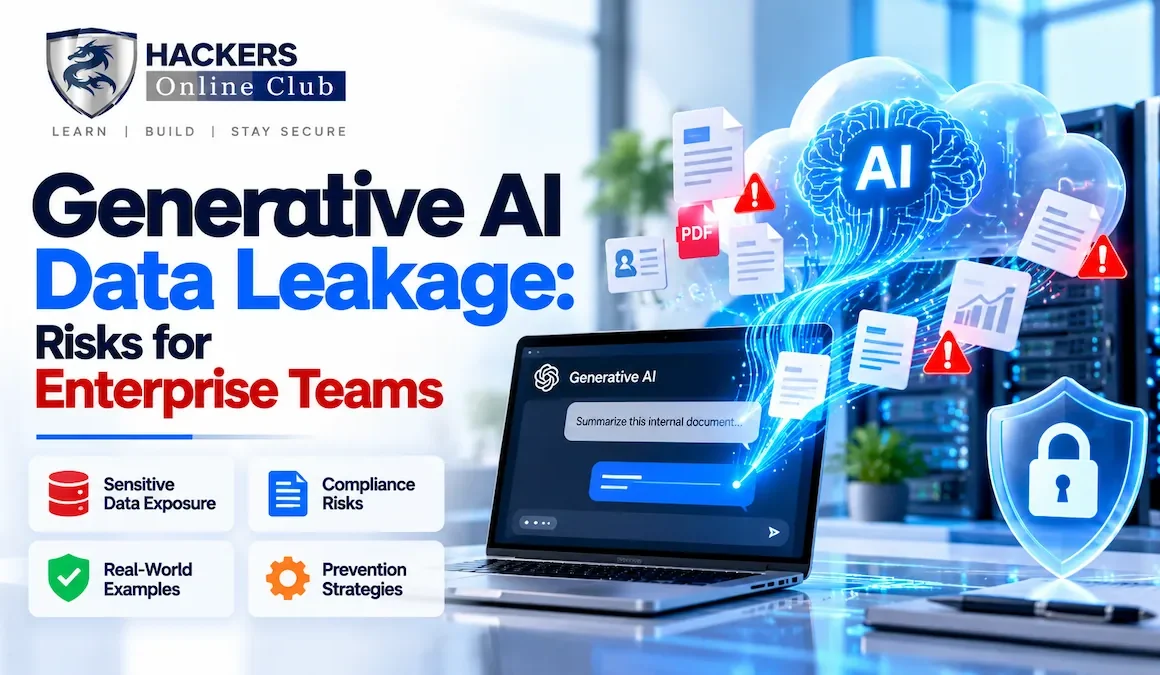
In April 2023, a Samsung engineer pasted proprietary semiconductor source code into ChatGPT and asked it to optimise the logic. The code left Samsung's network the moment it hit the API endpoint. Two more similar incidents followed within three weeks. Samsung banned ChatGPT company-wide within a month of allowing it. No attacker was involved. No server was breached. A well-meaning engineer using a productivity tool was the entire threat vector.
This is generative AI data leakage: confidential, sensitive, or regulated information entered into an AI tool is exposed beyond its intended boundary — to the AI provider's training pipeline, to provider logs accessible to support staff, to potential future model outputs, or in the worst case to other users. It is not a theoretical risk. It is happening across every industry, at scale, right now, and most organisations do not know the extent of it.
The challenge is that AI data leakage looks exactly like productive work. An employee summarising a contract, a clinician drafting a patient follow-up, a developer debugging a build failure — these are legitimate, value-creating activities. The risk is invisible until something goes wrong, and by then the data has already crossed the trust boundary. This guide covers every leakage pathway, real incidents, the full regulatory exposure, and a practical prevention framework including working code your team can deploy this week.
- What is generative AI data leakage?
- Six data categories at highest risk
- Five leakage pathways explained
- Real-world incidents and case studies
- Regulatory consequences: GDPR, HIPAA, SOC 2
- How AI providers handle your data
- Detection controls and monitoring
- Prevention framework and PII scrubbing code
- Policy template and 30-day action plan
- Frequently asked questions
Generative AI data leakage occurs when confidential, sensitive, or regulated information entered into an AI tool is exposed outside its intended boundary. That boundary might be a provider's training pipeline, logs retained for abuse detection, the model's own outputs to other users through memorisation, or downstream systems that process the same data. The exposure does not require an attacker — the employee submitting the prompt is typically acting in good faith.
The distinction from a conventional data breach is important. A breach involves an unauthorised external actor. AI data leakage involves an authorised internal actor inadvertently sharing data with a third-party service. Both carry identical regulatory weight under GDPR, HIPAA, and SOC 2 — but AI leakage is far harder to detect because it is indistinguishable from normal productivity activity in network logs.
Under GDPR Article 28, sending personal data to a third-party AI provider makes that provider a data processor. You must have a signed Data Processing Agreement. Under HIPAA, a provider handling PHI must sign a Business Associate Agreement. Most consumer AI tiers offer neither — meaning any use with regulated personal data is a compliance violation before a single byte is misused.
The diagram above illustrates the core problem: every prompt sent to a cloud AI service crosses a trust boundary. Once data leaves your network, you lose control over retention, sub-processing, and downstream model training. The only question is how much control you retain at each stage — and that is determined entirely by your provider tier, contract, and configuration.
Not all enterprise data carries the same weight when it leaks. These six categories appear most frequently in documented AI-related incidents and carry the heaviest regulatory and reputational consequences.
- Names, email addresses, national ID / SSN numbers
- Home addresses, phone numbers, dates of birth
- Passport / driver's licence numbers
- Typical trigger: Support agents pasting customer profiles to generate draft responses
- Medical records, diagnoses, prescriptions, lab results
- Insurance identifiers, treatment histories
- HIPAA penalty: $100–$50,000 per record exposed
- Typical trigger: Clinicians using AI to summarise or draft patient notes
- Proprietary algorithms, product roadmaps, trade secrets
- Source code (especially pre-release or unreleased)
- Design documents, patent-pending inventions
- Typical trigger: Engineers pasting code into Copilot or ChatGPT to debug build failures
- Revenue figures, M&A targets, investor materials
- Card numbers (PAN), bank account details
- Salary data, non-public earnings forecasts
- Typical trigger: Finance teams drafting earnings commentary with AI writing tools
- API keys, OAuth tokens, passwords
- Private SSL/TLS certificates, SSH private keys
- Database connection strings
- Typical trigger: Developers pasting entire .env files or Dockerfiles for AI troubleshooting
- NDAs, contract terms, vendor pricing commitments
- Legal strategy memos, litigation documents
- Regulatory correspondence — may waive attorney-client privilege
- Typical trigger: Legal teams asking AI to summarise, translate, or redline contracts
Understanding how data actually leaks lets you target controls at the right layers. These five pathways account for the vast majority of enterprise AI data exposure incidents.
Within three weeks of Samsung allowing engineers to use ChatGPT internally, three separate incidents occurred: an engineer pasted confidential semiconductor equipment source code to ask for optimisation help; another uploaded meeting notes including unreleased product details; a third shared internal test data. Samsung subsequently banned ChatGPT company-wide and began developing an internal LLM.
A US hospital group deployed a RAG-based AI assistant for clinical staff. A misconfigured permission model on the document store meant that queries from lower-privileged nursing staff returned answers containing PHI from records they were not authorised to see. The hospital self-reported to HHS, triggering a HIPAA investigation estimated to cost $2.3M in remediation and penalties.
A UK investment bank's compliance team discovered that analysts were using a consumer AI writing assistant to draft sections of quarterly earnings commentary before public release — constituting potential insider information exposure to an uncontrolled third party. No breach was confirmed, but the FCA was notified proactively. The bank implemented AI-usage monitoring and a pre-approved vendor list within 60 days.
GitHub's secret scanning team has documented a recurring pattern of developers pasting entire config files, Dockerfiles, and CI/CD pipeline configs into ChatGPT or Copilot to debug build failures. These files routinely contain AWS, Stripe, Twilio, and internal service API keys. While Copilot Enterprise doesn't train on private repos, the habit of pasting secrets into any AI interface — regardless of tier — remains widespread and dangerous.
Regulators have been unambiguous: feeding personal data into third-party AI tools without a lawful basis and appropriate safeguards is a violation of existing data protection law. No new AI-specific regulation is required — GDPR, HIPAA, and SOC 2 all apply today, and enforcement is active.
| Regulation | Triggered When | Maximum Penalty | Enforcement Example |
|---|---|---|---|
| GDPR (EU/UK) | EU/UK resident PII sent to AI provider without DPA or adequacy decision | €20M or 4% global annual turnover | Italy's Garante banned ChatGPT (2023); fined OpenAI €15M (2024) |
| HIPAA (US) | PHI sent to AI provider not covered by a Business Associate Agreement | $1.9M per violation category per year | HHS OCR issued AI-specific guidance explicitly covering AI-vendor data sharing (2024) |
| CCPA / CPRA (California) | California resident data shared without updated privacy notice | $7,500 per intentional violation | CA AG has issued warning letters to companies over undisclosed AI data use |
| SOC 2 Type II | Customer data processed outside approved sub-processors list | Loss of certification; contract penalties | Auditors now routinely check AI tool usage in CC6/CC7 control interviews |
| EU AI Act (2026) | High-risk AI use (HR, credit, healthcare) without transparency & data governance | €35M or 7% global turnover | High-risk system obligations in force from August 2026 |
Under GDPR Article 28, sending personal data to a third-party AI provider makes that provider a data processor. You must have a signed Data Processing Agreement (DPA) and verify the provider's sub-processing chain. Most consumer AI tiers do not offer a DPA — meaning any use with EU/UK personal data is unlawful by default, regardless of whether the data is subsequently misused. Enterprise plans typically include a DPA, but you must request and sign it; it is not automatic.
Knowing what each major provider does with your prompts is the first step to making risk-based decisions about approved tools. The table below reflects publicly documented policies as of mid-2026 — always verify directly with the vendor for your specific contract tier.
| Provider / Tier | Trains on Prompts? | Log Retention | DPA Available? | Zero-Retention? |
|---|---|---|---|---|
| OpenAI ChatGPT Free / Plus | Yes — default | 30 days (disable in settings) | No | No |
| OpenAI ChatGPT Enterprise | No | 30 days (configurable) | Yes | Yes (API) |
| Microsoft Copilot M365 Enterprise | No | Per M365 retention policy | Yes (OST) | Partial |
| Google Gemini Free / Workspace Free | Yes — default | 72 hours–18 months | No | No |
| Google Gemini Workspace Enterprise | No | Per Workspace policy | Yes | Partial |
| Anthropic Claude API | No (API) | 30 days default; configurable | Yes | Yes |
| GitHub Copilot Business | No | 28 days suggestions | Yes (DPA) | Partial |
| Self-Hosted / On-Premises LLM | Under your control | You define | N/A | Yes |
- ✓Does the vendor sign a DPA? Does it cover your jurisdiction (EU, UK, US)?
- ✓Is training on customer prompts disabled by default at your tier?
- ✓What is the sub-processor list — and is it auditable in real time?
- ✓Can you get zero-retention mode (prompts not stored after response)?
- ✓Does the vendor offer a Business Associate Agreement for HIPAA-covered use?
- ✓Where are inference servers located? (EU data residency required for some sectors)
You cannot stop what you cannot see. Detection capability is the prerequisite to prevention — and the forensic evidence you need for regulatory reporting if a leakage event occurs. The goal is reaching Detection Maturity Level 3 or above before your next audit.
| Level | Control | What It Catches | Limitation |
|---|---|---|---|
| Level 1 | DNS / Firewall block | Known AI domains at perimeter | Highest friction, lowest visibility, bypassable via mobile |
| Level 2 | Proxy + CASB logging | Volume and destination of AI traffic | No content inspection; misses payload details |
| Level 3 | CASB + DLP policies | Sensitive keywords and patterns in prompts | High false-positive rate without tuning |
| Level 4 | Purview / AI Hub | Sensitivity label-aware Copilot interactions | M365-native only; limited to sanctioned tools |
| Level 5 | AI Gateway | All AI traffic scrubbed before external exit | Requires engineering investment to deploy |
If your proxy logs AI API calls, use this SPL to detect high-volume prompt submissions that may indicate bulk data uploads to AI endpoints:
| Splunk SPL -- detect large POST bodies to known AI endpoints
index=proxy_logs dest_category="generative_ai"
  http_method=POST bytes_out > 10000
| eval risk_score = case(
    bytes_out > 50000, "HIGH",
    bytes_out > 20000, "MEDIUM",
    true(), "LOW"
  )
| stats count, avg(bytes_out) as avg_bytes,
    dc(src_ip) as unique_users by dest_host, risk_score
| where count > 3
| sort - avg_bytes
| table dest_host, risk_score, count, avg_bytes, unique_users
-- Microsoft Purview KQL: detect Confidential files sent to Copilot
SensitivityLabelEvents
| where ActivityType == "CopilotInteraction"
| where SensitivityLabel in ("Confidential", "Highly Confidential")
| where InteractionType == "Prompt"
| summarize
    prompt_count = count(),
    users = make_set(UserId),
    labels = make_set(SensitivityLabel)
  by bin(TimeGenerated, 1h), ApplicationName
| where prompt_count > 5
| order by prompt_count desc
The most effective architecture routes all AI requests through an AI Gateway — an internal proxy that detects and redacts sensitive data before any prompt reaches an external provider. Even a lightweight implementation catches the highest-risk patterns.
## AI Gateway -- prompt scrubbing pipeline

Employee submits prompt
  ↓
[AI Gateway Proxy]
  ├── Step 1: Secret scan  → regex patterns for API keys, creds, connection strings
  ├── Step 2: PII detect   → Presidio NLP for PERSON, EMAIL, SSN, PHI, IBAN
  ├── Step 3: Redact       → replace entities: [PERSON] [EMAIL] [SSN] [APIKEY]
  ├── Step 4: Policy check → block / allow / reroute to on-prem model
  └── Step 5: Audit log    → immutable record: original hash + redacted prompt
  ↓
External AI Provider receives only the redacted prompt
Presidio is an open-source PII detection and anonymisation engine from Microsoft. It supports 50+ entity types, multiple languages, and can be deployed as a microservice in your AI gateway pipeline.
from presidio_analyzer import AnalyzerEngine
from presidio_anonymizer import AnonymizerEngine
from presidio_anonymizer.entities import OperatorConfig

# Initialise engines once at app startup
analyzer = AnalyzerEngine()
anonymizer = AnonymizerEngine()

def scrub_prompt(raw_prompt: str) -> dict:
    """Detect and redact PII before sending to AI provider."""
    # Detect PII entities
    results = analyzer.analyze(
        text=raw_prompt,
        entities=[
            "PERSON", "EMAIL_ADDRESS", "PHONE_NUMBER",
            "CREDIT_CARD", "US_SSN", "IP_ADDRESS",
            "IBAN_CODE", "MEDICAL_LICENSE", "UK_NHS"
        ],
        language="en"
    )
    # Replace entities with labelled placeholders
    anonymized = anonymizer.anonymize(
        text=raw_prompt,
        analyzer_results=results,
        operators={
            "PERSON":        OperatorConfig("replace", {"new_value": "[PERSON]"}),
            "EMAIL_ADDRESS": OperatorConfig("replace", {"new_value": "[EMAIL]"}),
            "CREDIT_CARD":   OperatorConfig("replace", {"new_value": "[CARD]"}),
            "US_SSN":         OperatorConfig("replace", {"new_value": "[SSN]"}),
            "PHONE_NUMBER":   OperatorConfig("replace", {"new_value": "[PHONE]"}),
        }
    )
    return {
        "redacted_prompt": anonymized.text,
        "entities_found": len(results),
        "entity_types": list({r.entity_type for r in results})
    }

# Example
prompt = "Draft a reply to John Smith (john.smith@acme.com, SSN 123-45-6789)."
result = scrub_prompt(prompt)
print(result["redacted_prompt"])
# → "Draft a reply to [PERSON] ([EMAIL], [SSN])."
Add this lightweight scanner to any developer tool, browser extension, or API gateway to catch credentials before they reach any AI endpoint:
import re

SECRET_PATTERNS = {
    "AWS_KEY":       re.compile(r'AKIA[0-9A-Z]{16}'),
    "GITHUB_TOKEN":  re.compile(r'ghp_[0-9a-zA-Z]{36}'),
    "OPENAI_KEY":    re.compile(r'sk-[a-zA-Z0-9]{48}'),
    "STRIPE_KEY":    re.compile(r'sk_live_[0-9a-zA-Z]{24}'),
    "PRIVATE_KEY":   re.compile(r'-----BEGIN (RSA|EC|OPENSSH) PRIVATE KEY-----'),
    "CONN_STRING":   re.compile(r'(mongodb|postgresql|mysql)://[^\s]+', re.I),
}

def safe_to_send(prompt: str) -> bool:
    findings = [k for k, p in SECRET_PATTERNS.items() if p.search(prompt)]
    if findings:
        print(f"⚠️  Blocked — secrets detected: {findings}")
        return False
    return True

# Wrap every AI API call with this check
if safe_to_send(user_prompt):
    response = ai_client.complete(user_prompt)
else:
    print("Please remove credentials before submitting.")
1. Scope — Applies to all employees, contractors, and third parties using AI tools in connection with company data.
2. Approved Tools — Only tools on the approved AI vendor list (maintained by IT Security) may be used with company data. All approved tools must have a signed DPA.
3. Prohibited Data Categories — The following MUST NEVER be entered into any AI tool unless using an approved enterprise-tier instance with a DPA: (a) PII of customers or employees; (b) PHI; (c) source code from private repositories; (d) M&A, financial, or legal documents marked Confidential or above; (e) authentication credentials, API keys, or tokens.
4. Shadow AI — Employees must not install browser extensions, mobile apps, or plugins that transmit company data to AI services without IT Security approval.
5. Monitoring — The company monitors AI tool usage through its CASB solution. Employees have no expectation of privacy when using company devices or networks to access AI tools.
6. Incident Reporting — Any suspected AI data leakage must be reported to the Data Protection Officer within 24 hours of discovery.
7. Violations — Violations may result in disciplinary action up to and including termination. Deliberate leakage of regulated data may result in personal liability.
🔗 Continue the AI Security Month Series
- Day 1: AI-Powered Cyberattacks — How Hackers Use Machine Learning in 2026
- Day 3: Deepfake Phishing Attacks — Detection and Prevention Guide
- Day 5: How to Secure AI Models — Model Security and Adversarial Attacks
- Day 7: AI Security Testing — How to Red Team an LLM Application
- Day 8: Jailbreaking AI — What It Is and Why It Matters for Security