


What is a Sandbox in Cybersecurity? A Complete Guide (2026)
Imagine receiving an email with an attachment named Q3_Financial_Report.pdf.exe. Your antivirus scans it, finds no known virus signatures, and marks it as "Safe." You open it. Within milliseconds, never-before-seen ransomware strain encrypts your entire network.
How did this happen? Because traditional antivirus relies on static analysis—looking for known bad patterns. It doesn't know what the file does.
This is exactly why modern cybersecurity relies on sandboxing.
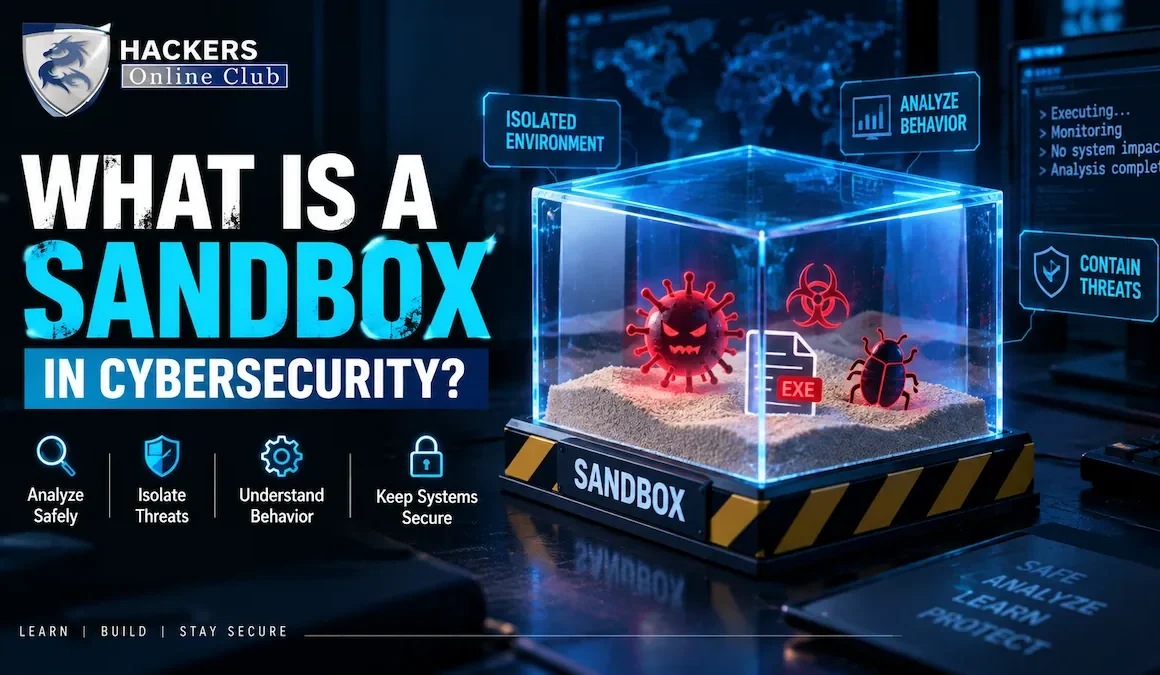
If you are asking, "what is a sandbox in cybersecurity?", the simplest answer is this: it is a secure, isolated, virtual environment where suspicious files, URLs, or code can be executed and observed without risking the host system or corporate network.
Also Read: How to setup Home-hacking lab for beginners
But to truly understand sandboxing, you must understand how it acts as the ultimate truth-teller in malware analysis. This guide will break down the mechanics of sandboxing, how to build your own local analysis lab, the advanced evasion techniques malware uses to hide, and how security teams deploy this technology to stop zero-day threats.
Zero-Day Detection Rate: Sandboxes detect ~85% of novel malware that bypasses signature-based AV.
Analysis Time: Modern cloud sandboxes analyze files in 30–120 seconds.
Malware Evasion: Over 90% of advanced malware now includes some form of sandbox evasion logic.
Primary Use Cases: Email security gateways, endpoint detection (EDR), and web proxy filtering.
Market Leaders: CrowdStrike, Palo Alto Networks (WildFire), Cisco Secure Malware Analytics, ANY.RUN.
- What is a Sandbox in Cybersecurity? (The Core Concept)
- How Does a Malware Sandbox Work? (4 Phases)
- Types of Sandboxing Environments
- Sandbox vs. Honeypot vs. Virtual Machine
- The Cat-and-Mouse Game: Sandbox Evasion Techniques
- Real-World Use Cases in Enterprise Security
- How to Set Up and Work in a Malware Sandbox (Step-by-Step)
- Limitations of Sandboxing (Why It's Not a Silver Bullet)
- Best Practices for Implementing Sandboxing
- Frequently Asked Questions
1. What is a Sandbox in Cybersecurity? (The Core Concept)
In software development, a sandbox is a testing environment. In cybersecurity, a malware sandbox is a highly controlled, instrumented virtual machine (or container) designed specifically to detonate and analyze potentially malicious payloads.
Think of it as a digital "bomb disposal room." If security analysts suspect a file is dangerous, they don't open it on their corporate laptop. They send it to the sandbox. The sandbox detonates the file, watches everything it does, and generates a detailed report of its behavior, all while keeping the rest of the network completely safe.
Static Analysis (Antivirus): Examines the file's code without running it. Looks for known malicious signatures or hashes. Fast, but easily defeated by obfuscation or new (zero-day) malware.
Dynamic Analysis (Sandboxing): Executes the file in a safe environment and observes its behavior. Slower, but highly effective at catching novel, polymorphic, or zero-day threats.
2. How Does a Malware Sandbox Work? (4 Phases)
When a suspicious file enters a sandbox, it goes through a rigorous, automated four-phase process:
Phase 1: Execution & Detonation
The sandbox spins up a clean, isolated virtual environment (e.g., Windows 10, macOS, or Linux). It then executes the suspicious file, often simulating user interaction (like clicking "Enable Macros" or scrolling a PDF) to trigger the payload.
Phase 2: Behavioral Monitoring (Instrumentation)
This is the core of sandboxing. The environment is heavily instrumented to monitor every action the file takes. Key monitoring vectors include:
- API Hooking: Intercepting calls the malware makes to the operating system (e.g., attempting to read credentials or modify the registry).
- File System Changes: Tracking if the file creates, modifies, or deletes files (e.g., dropping a secondary payload or encrypting files).
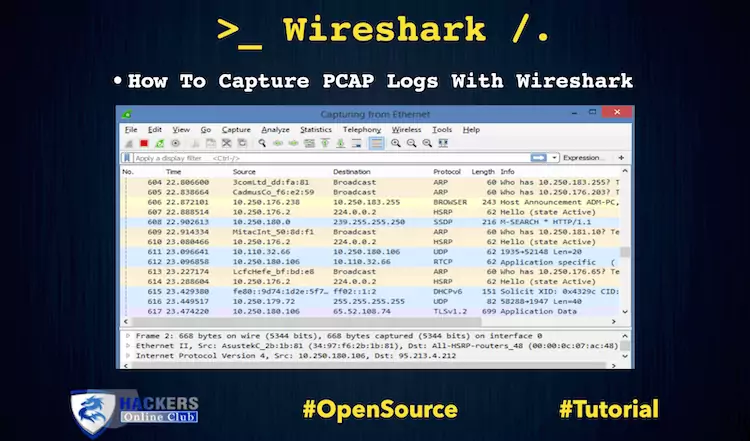
- Network Traffic Analysis: Capturing all outbound PCAP (packet capture) data to see if the malware attempts to beacon to a Command and Control (C2) server or exfiltrate data.
- Process Injection: Monitoring if the malware attempts to inject malicious code into legitimate processes (like
svchost.exeorexplorer.exe) to hide its activity.
Phase 3: Analysis & Scoring
Once the execution time limit is reached (typically 1 to 5 minutes), the sandbox terminates the process. An analysis engine reviews the collected telemetry, comparing the observed behavior against a database of known malicious patterns (Indicators of Compromise, or IOCs).
Phase 4: Reporting & Action
The sandbox generates a comprehensive report. If the file is deemed malicious, the sandbox can automatically trigger a response: updating the corporate firewall to block the C2 IP, deleting the email from all user inboxes, or isolating the endpoint that downloaded the file.
3. Types of Sandboxing Environments
Sandboxing is not a one-size-fits-all technology. It is deployed at various layers of the IT infrastructure:
| Sandbox Type | Where It Lives | Primary Purpose |
|---|---|---|
| Email Sandboxing | Email Security Gateways (e.g., Proofpoint, Mimecast) | Detonates attachments and analyzes URLs in incoming emails before they reach the user's inbox. |
| Endpoint Sandboxing | EDR/XDR Agents (e.g., CrowdStrike, SentinelOne) | Runs locally on the user's device in a micro-VM or container to analyze suspicious processes in real-time. |
| Web/Proxy Sandboxing | Secure Web Gateways (SWG) / CASB | Analyzes files downloaded from the internet or SaaS applications before they are saved to the local disk. |
| Browser Sandboxing | Web Browsers (Chrome, Edge) | Isolates individual browser tabs in separate processes. If a tab is compromised, the malware cannot access the rest of the OS. |
| Cloud/Network Sandboxing | Next-Gen Firewalls (e.g., Palo Alto WildFire) | Intercepts files traversing the network perimeter, detonates them in the cloud, and pushes updated signatures to all firewalls globally. |
4. Sandbox vs. Honeypot vs. Virtual Machine
These terms are often confused. Understanding the distinction is critical for cybersecurity professionals.
| Technology | Definition | Goal | Interaction |
|---|---|---|---|
| Sandbox | Isolated environment to detonate a specific, captured suspicious file or URL. | Determine if a specific artifact is malicious by observing its behavior. | Automated, short-duration (seconds to minutes). |
| Honeypot | A decoy system, server, or network deliberately configured to look vulnerable. | Attract live attackers to study their tactics, techniques, and procedures (TTPs). | Passive, long-duration (days to months). |
| Virtual Machine (VM) | Software emulation of a computer system. | Run multiple operating systems on a single physical host for general computing. | General-purpose; not inherently instrumented for security analysis. |
5. The Cat-and-Mouse Game: Sandbox Evasion Techniques
Because sandboxes are so effective, modern malware authors have developed sophisticated sandbox evasion techniques. If the malware realizes it is being watched, it will hide its true intentions.
🎭 Common Evasion Tactics
- Environmental Keying: The malware checks for specific artifacts that indicate a VM. For example, checking if the CPU has only 1 core, if RAM is under 2GB, or if specific VM driver files (like
vboxmouse.sys) exist. If detected, the malware exits silently. - User Interaction Checks: Malware checks for mouse movement, keyboard activity, or a populated "Recent Documents" folder. Since sandboxes are automated and often lack human interaction, the malware remains dormant.
- Timing Attacks (Sleep Bombs): The malware intentionally delays its execution (e.g., sleeping for 10 minutes). Since most sandboxes only analyze files for 1–5 minutes to save resources, the malware detonates after the sandbox has already terminated and generated a "Clean" report.
- Domain Checking: The malware attempts to resolve a specific, obscure domain. If the DNS resolution fails (common in isolated sandbox networks), it assumes it's in a sandbox and aborts.
🛡️ How Modern Sandboxes Counter Evasion
To combat this, advanced sandboxes employ anti-evasion techniques:
- Hardware-Assisted Virtualization: Using technologies like Intel VT-x or AMD-V to make the VM indistinguishable from bare-metal hardware.
- Simulated Human Interaction: Automated scripts that move the mouse, type random characters, and scroll through documents to trick the malware into executing.
- Extended Analysis Time: Dynamically extending the analysis time if the malware enters a "sleep" state, forcing it to reveal its payload.
6. Real-World Use Cases in Enterprise Security
How do organizations actually use sandboxing in their daily operations?
| Scenario | How Sandboxing Helps |
|---|---|
| Zero-Day Phishing Attack | An employee receives a phishing email with a malicious Excel macro. Traditional AV sees no signature. The email gateway routes the attachment to a cloud sandbox. The sandbox detects the macro attempting to download a payload from a suspicious IP, blocks the email, and alerts the SOC. |
| Supply Chain Compromise | A legitimate software vendor is compromised, and their update server distributes a trojanized installer. An endpoint sandbox detects the installer attempting to inject code into lsass.exe (a classic credential-dumping technique) and immediately kills the process, preventing a network-wide breach. |
| Threat Intelligence Enrichment | A SOC analyst finds a suspicious file hash on a dark web forum. They submit it to an internal sandbox. The sandbox detonates it, extracts the C2 IP addresses and registry keys, and the analyst immediately creates firewall blocklists based on this new intelligence. |
7. How to Set Up and Work in a Malware Sandbox (Step-by-Step)
Whether you are a SOC analyst needing to verify a suspicious attachment or a malware researcher reverse-engineering a new ransomware strain, you need a working sandbox. You have two primary paths: Cloud Sandboxes (fast, zero-setup) and Local Sandboxes (highly customizable, offline).
🌩️ Path 1: Cloud Sandboxes (Zero Setup, Instant Analysis)
If you just need to analyze a file quickly without building infrastructure, cloud sandboxes are the industry standard. You upload the file, and the platform handles the detonation.
- ANY.RUN: An interactive, cloud-based sandbox. You can click around, type in Notepad, and trigger malware manually while watching the VM in real-time via a web browser.
- Hybrid Analysis (by CrowdStrike): Excellent free tier. Provides deep behavioral reports, PCAP files, and memory dumps.
- Joe Sandbox / Triage (Hatching): Highly favored by threat hunters for their detailed API call monitoring and multi-OS support.
How to use: Simply create an account, navigate to the "Submit" or "New Analysis" tab, upload your suspicious file (or paste a URL), select the environment (e.g., Windows 10 x64), and click "Analyze." Review the generated report in 2-5 minutes.
🛠️ Path 2: Building a Local Malware Analysis Sandbox
If you are handling highly sensitive data, classified files, or need to bypass cloud sandbox evasion, you must build a local, isolated lab. Never do this on your host machine.
Step 1: Set Up the Hypervisor
Download and install VirtualBox (free) or VMware Workstation Player. Ensure your host machine has at least 16GB of RAM and virtualization enabled in the BIOS (Intel VT-x or AMD-V).
Step 2: Create the Victim VM
Download a clean Windows 10 or Windows 11 ISO from Microsoft. Create a new VM, allocate 2 CPU cores and 4GB-8GB of RAM. Install the OS, but do not join it to any domain. Disconnect the virtual network adapter (or set it to "Host-Only" / "Internal Network") to ensure the malware cannot escape to your corporate LAN.
Step 3: Install Analysis Tools (FlareVM)
Instead of installing tools one by one, use FlareVM (created by Mandiant). It is a collection of scripts that automatically installs debuggers, disassemblers, and network tools.
Open PowerShell as Administrator in your new VM and run:
Note: If FlareVM is too heavy for your machine, manually install Process Monitor (Procmon), Wireshark, Process Hacker, and PEStudio.
Step 4: Take a "Clean" Snapshot
Once your tools are installed and the VM is configured, take a snapshot in VirtualBox/VMware. Name it "Clean Baseline." This is your reset button. Every time you detonate malware, you will revert to this snapshot.
Step 5: The Detonation Workflow
- Start Monitoring: Open Procmon (filter for the malware's process name) and Wireshark (capture on the internal adapter).
- Execute the Payload: Double-click the file or run it via command line.
- Observe: Watch Procmon for file/registry drops. Watch Wireshark for C2 beaconing. Check Task Manager for new child processes.
- Extract IOCs: Note any new IPs, domains, file hashes, or registry keys.
- Revert: Shut down the VM and restore the "Clean Baseline" snapshot. Your host is safe, and the lab is ready for the next sample.
8. Limitations of Sandboxing (Why It's Not a Silver Bullet)
While powerful, sandboxing has inherent limitations that security teams must acknowledge:
- Performance Overhead: Detonating files takes time (seconds to minutes). This can introduce latency in email delivery or web browsing if not architected correctly.
- Evasion Success: Highly targeted, advanced persistent threat (APT) malware is often custom-built to evade specific sandbox environments, rendering the analysis useless.
- Complex Dependencies: Some malware requires a very specific environment to run (e.g., a specific version of Java, a connected USB drive, or interaction with a specific internal database). A generic sandbox cannot replicate this, leading to false negatives.
- Encrypted/Obfuscated Payloads: If the malware is heavily packed or encrypted, the sandbox may only see the unpacking routine, not the final malicious payload, especially if the unpacking takes longer than the analysis window.
9. Best Practices for Implementing Sandboxing
To maximize the effectiveness of sandboxing, organizations should follow these strategic best practices:
⚡ 4 Steps to Optimize Your Sandbox Strategy
- Deploy in Layers (Defense in Depth): Don't rely on a single sandbox. Use email sandboxing at the perimeter, web sandboxing at the proxy, and endpoint sandboxing via EDR. If one misses it, another might catch it.
- Integrate with SOAR: Connect your sandbox to your Security Orchestration, Automation, and Response (SOAR) platform. When the sandbox flags a file as malicious, it should automatically trigger a playbook to isolate the host, block the hash, and purge the email without human intervention.
- Customize Sandbox Profiles: Don't use the default "Windows 10" profile for everything. If your organization relies heavily on macOS or specific line-of-business applications, ensure your sandbox environment mirrors your actual production environment to prevent false negatives.
- Combine with Static Analysis: The best security solutions use a hybrid approach. They perform fast static analysis first. If the file is suspicious but not definitively malicious, then they send it to the sandbox for dynamic analysis, saving time and computational resources.
10. Frequently Asked Questions
What is a sandbox in cybersecurity?
A sandbox in cybersecurity is an isolated, controlled virtual environment used to safely execute and analyze suspicious code, files, or URLs. By detonating potential malware in a sandbox, security professionals can observe its behavior (such as file creation, registry changes, or network connections) without risking infection to the host system or corporate network.
How does a malware sandbox detect threats?
A malware sandbox detects threats through dynamic analysis. It monitors the suspicious file's behavior in real-time, tracking system calls, API hooking, file system modifications, registry changes, and outbound network traffic (like C2 beaconing). It then generates a detailed report highlighting malicious indicators of compromise (IOCs).
What is sandbox evasion?
Sandbox evasion is a technique used by advanced malware to detect if it is running inside a sandbox or virtual machine. If the malware detects a sandbox environment (e.g., by checking for lack of mouse movement, specific VM artifacts, or accelerated clock speeds), it will remain dormant or behave benignly to avoid detection and analysis.
What is the difference between a sandbox and a honeypot?
A sandbox is an isolated environment used to detonate and analyze a specific, already-captured suspicious file or URL. A honeypot, on the other hand, is a decoy system or network deliberately left vulnerable to attract and observe live attackers in real-time, helping defenders understand attacker tactics and tools.
Can sandboxes catch zero-day malware?
Yes, one of the primary strengths of sandboxing is its ability to detect zero-day (previously unknown) malware. Because sandboxes rely on behavioral analysis (what the file does) rather than signature-based detection (what the file looks like), they can identify novel, never-before-seen threats based on their malicious actions.
What are the limitations of cybersecurity sandboxes?
Sandboxes have several limitations: they can be resource-intensive and slow down email or web traffic; advanced malware can use sandbox evasion techniques to hide their true behavior; and sandboxes may struggle to analyze highly obfuscated code or malware that requires specific, complex user interactions to trigger.
Written by the HOC Team at Hackers Online Club — a cybersecurity community trusted by malware analysts, SOC engineers, and security architects since 2010. 15+ years of practical cybersecurity guides, threat intelligence resources, and enterprise security tutorials.Learn more about HOC →