

In 2025, over 350,000 professionals earned their CompTIA Security+ certification, making it the most popular entry-level cybersecurity credential worldwide. Yet the pass rate remains stubbornly low: only 50-65% pass on their first attempt without structured preparation.
The difference between those who pass and those who fail isn't technical aptitude — it's strategy. Candidates who fail typically make the same mistakes: they memorize port numbers without understanding protocols, they skip hands-on labs, they take practice tests without reviewing explanations, and they underestimate the performance-based questions (PBQs) that appear at the start of the exam.
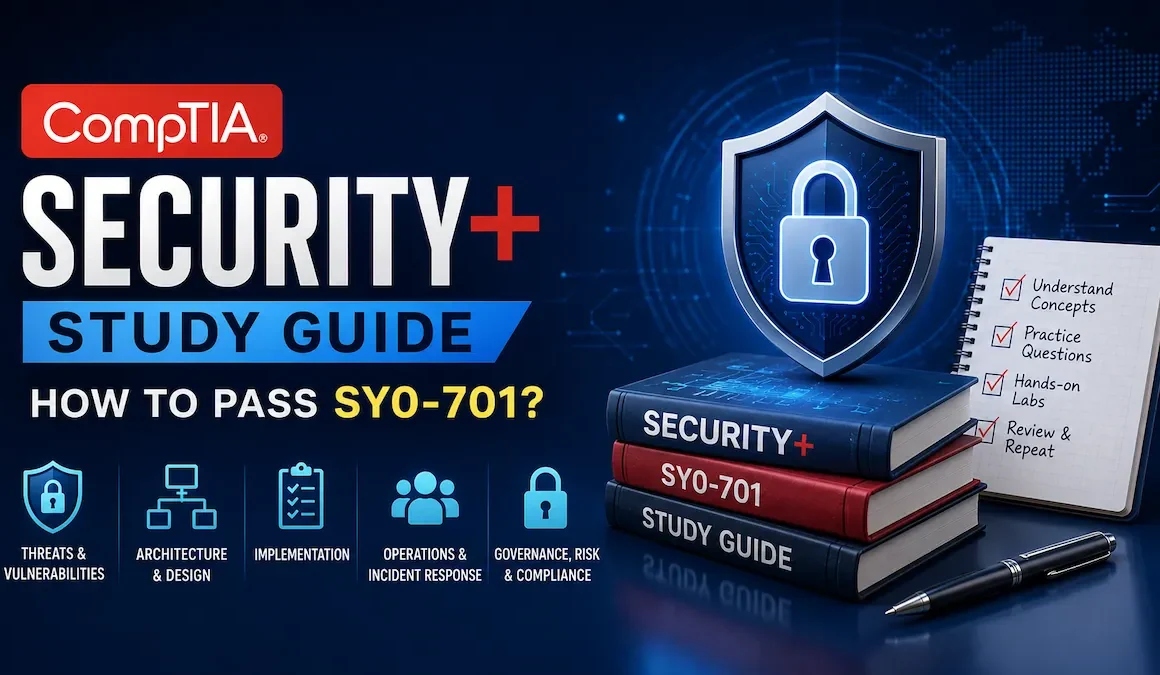
This guide provides a battle-tested roadmap to pass the SY0-701 exam on your first attempt. It covers the five exam domains, an 8-week study plan, the best free and paid resources, PBQ strategies, and exam-day tactics that separate the 750+ scorers from the 723s.
Passing score: 750 out of 900 (approximately 83%)
Exam duration: 90 minutes
Question count: Maximum 90 questions
Question types: Multiple choice + Performance-Based Questions (PBQs)
First-attempt pass rate: 50-65% (without structured prep); 85-93% (with structured prep)
Certification validity: 3 years (renewable via CE credits or higher certification)
Average study time: 8-12 weeks for beginners; 4-6 weeks for IT professionals
Estimated exam cost: $392 USD (academic pricing available)
- Understanding the SY0-701 exam structure
- The 5 exam domains — what you need to know
- 8-week study plan for first-time candidates
- Best study resources — free and paid
- Performance-Based Questions (PBQs) — strategies that work
- Practice test strategy — how to use them effectively
- Exam-day tactics — what to do in the first 5 minutes
- Common failure modes and how to avoid them
- After the exam — next certifications and career paths
- Frequently asked questions
1. Understanding the SY0-701 exam structure
The Security+ SY0-701 exam is the current version (launched November 2023, valid through estimated 2026). It tests foundational cybersecurity knowledge across five domains, with questions ranging from basic terminology to scenario-based problem-solving.
🎯 Exam format breakdown
| Component | Details |
|---|---|
| Passing score | 750 on a scale of 100-900 (approximately 83% correct) |
| Duration | 90 minutes (no scheduled breaks) |
| Question count | Maximum 90 questions (mix of MCQ and PBQs) |
| PBQ count | 3-5 performance-based questions (typically at the start) |
| Languages | English, Japanese, Portuguese, Spanish |
| Delivery | Computer-based testing (CBT) at Pearson VUE centers or online proctoring |
2. The 5 exam domains — what you need to know
The SY0-701 exam covers five domains with varying weightings. Understanding these percentages helps you allocate study time effectively.
| Domain | Weight | Key Topics |
|---|---|---|
| Domain 1.0General Security Concepts | 12% | Security principles, controls, cryptography basics, authentication methods |
| Domain 2.0Threats, Vulnerabilities & Mitigations | 22% | Malware, social engineering, threat actors, vulnerability scanning, penetration testing |
| Domain 3.0Security Architecture | 18% | Enterprise security, cloud security, virtualization, secure network design |
| Domain 4.0Security Operations | 28% | Incident response, logging, monitoring, data security, disaster recovery (LARGEST DOMAIN) |
| Domain 5.0Security Program Management & Oversight | 20% | Risk management, compliance, governance, security awareness training |
3. 8-week study plan for first-time candidates
This plan assumes 10-15 hours of study per week (adjustable for your schedule). If you have IT experience, compress to 4-6 weeks; if you're completely new, extend to 10-12 weeks.
📅 Week-by-week breakdown
| Week | Focus Area | Key Activities | Time Required |
|---|---|---|---|
| Week 1 | Domain 1.0: General Security Concepts | Watch video lectures, read textbook chapters, create flashcards for key terms | 10-12 hours |
| Week 2-3 | Domain 2.0: Threats & Vulnerabilities | Study malware types, attack vectors, practice identifying threats in scenarios | 20-25 hours |
| Week 4 | Domain 3.0: Security Architecture | Network security, cloud models, virtualization, hands-on labs | 12-15 hours |
| Week 5-6 | Domain 4.0: Security Operations | Incident response procedures, SIEM basics, backup strategies, practice PBQs | 20-25 hours |
| Week 7 | Domain 5.0: Program Management + Review | Risk management, compliance frameworks, weak area review | 12-15 hours |
| Week 8 | Practice Exams + PBQ Practice | Take 3-5 full practice exams, review all incorrect answers, PBQ drills | 15-20 hours |
📝 Daily study routine (example)
4. Best study resources — free and paid
Don't overwhelm yourself with 10 different resources. Pick 1-2 primary resources and stick with them. Here are the most effective options for 2026.
🎓 Free resources (start here)
| Resource | Type | Best For |
|---|---|---|
| Professor Messer SY0-701 Course | Video lectures | Complete domain coverage, clear explanations |
| CompTIA Exam Objectives | PDF checklist | Official exam blueprint, topic verification |
| Professor Messer Study Groups | YouTube live sessions | Interactive Q&A, community support |
| Anki Flashcards (shared decks) | Spaced repetition | Memorizing ports, acronyms, key terms |
| TryHackMe Security+ Path | Hands-on labs | Practical application, PBQ preparation |
💰 Paid resources (worth the investment)
| Resource | Cost | Best For |
|---|---|---|
| Professor Messer Practice Exams | $25-35 | High-quality questions with detailed explanations, closest to real exam |
| Jason Dion Udemy Course + Practice Tests | $15-25 (on sale) | Comprehensive video course + 6 practice exams, frequent discounts |
| Darryl Gibson Practice Exams | $15-20 | Challenging questions, excellent for identifying weak areas |
| CompTIA CertMaster Learn + Practice | $300+ | Official CompTIA platform, adaptive learning, expensive but thorough |
| TotalSem Security+ Study Guide (Book) | $40-50 | Comprehensive reference, Mike Meyers' engaging style |
Free: Professor Messer videos + Anki flashcards + TryHackMe labs
Paid: Jason Dion or Professor Messer practice exams ($25)
Total cost: ~$25-50 (plus $392 exam fee)
This combination has the highest pass rate among self-study candidates.
5. Performance-Based Questions (PBQs) — strategies that work
PBQs are interactive, scenario-based questions that test your ability to apply knowledge, not just recall facts. They appear at the beginning of the exam and are worth more points than multiple-choice questions.
🎯 Common PBQ types
- Firewall configuration: Drag-and-drop rules to allow/block specific traffic
- Network troubleshooting: Identify security issues in a network diagram
- Access control setup: Configure permissions based on job roles
- Malware analysis: Match symptoms to malware types
- Incident response: Put response steps in correct order
- Cryptography selection: Choose appropriate encryption for scenarios
✅ PBQ strategy: The 3-pass approach
6. Practice test strategy — how to use them effectively
Most candidates use practice tests wrong. They take 10 practice exams, score 85%+, then fail the real exam with a 723. Here's why: they're memorizing answers instead of understanding concepts.
📊 Effective practice test methodology
| Phase | When | Strategy | Target Score |
|---|---|---|---|
| Diagnostic Test | Week 1 (before studying) | Take one practice exam to identify weak areas. Don't worry about score. | N/A (baseline only) |
| Learning Phase Tests | Weeks 2-6 (during study) | Take 10-20 question quizzes after each domain. Review EVERY answer (right and wrong). | 65-75% (learning, not testing) |
| Review Phase Tests | Week 7 (after completing all domains) | Full-length exams (90 questions). Simulate exam conditions (no phone, timed). | 75-80% (passing threshold) |
| Final Prep Tests | Week 8 (final week before exam) | 3-5 full exams. Focus on weak areas identified in previous tests. | 80-85% (ready for exam) |
✅ The 3-step answer review process
7. Exam-day tactics — what to do in the first 5 minutes
Exam day is not the day to try new strategies. But there are specific tactics that maximize your chances of hitting 750+.
🎯 Pre-exam checklist (night before)
- Confirm exam time and location (or online proctoring setup)
- Get 7-8 hours of sleep (critical for cognitive performance)
- Prepare two forms of ID (primary + secondary)
- Plan your route/tech setup (arrive 30 minutes early)
- Light review only (no cramming — trust your preparation)
⏰ First 5 minutes of the exam
8. Common failure modes and how to avoid them
Analyzing thousands of failed Security+ attempts reveals consistent patterns. Here are the top failure modes and how to avoid them.
| Failure Mode | Symptom | Root Cause | Solution |
|---|---|---|---|
| "Port Number Memorization Trap" | Can recite all 100+ port numbers but fails scenario questions | Memorizing without understanding protocol context | Learn ports IN CONTEXT: "SSH uses 22 because it's the secure version of remote shell (after Telnet)" |
| "PBQ Paralysis" | Spends 55 minutes on PBQs, rushes through 40 MCQs | Fear of losing "high-value" PBQ points | Strict 35-40 minute PBQ time limit; practice with timer |
| "Practice Test Addiction" | Takes 15 practice exams, scores 88%, fails real exam with 723 | Memorizing question patterns, not learning concepts | Limit to 5-6 practice exams MAX; spend 2x time reviewing as taking |
| "Domain Imbalance" | Strong in networking (Domain 3), weak in operations (Domain 4) | Studying comfortable topics, avoiding difficult ones | Take diagnostic test Week 1; spend 60% of time on weakest domains |
| "No Hands-On Practice" | Understands theory but can't configure a firewall rule | Only reading/watching, never doing | Minimum 10 hours of labs (TryHackMe, home lab, or virtual machines) |
| "Exam-Day Panic" | Knows material but freezes on difficult questions | No exam simulation practice | Take 2-3 full practice exams under timed, distraction-free conditions |
9. After the exam — next certifications and career paths
Passing Security+ opens doors, but it's just the beginning. Here's your roadmap for what comes next.
🎓 Certification pathways
| Path | Next Certification | Timeline | Best For |
|---|---|---|---|
| SOC Analyst Path | CySA+ (Cybersecurity Analyst) | 6-12 months after Security+ | Blue team, threat detection, SIEM analysis |
| Penetration Testing Path | Pentest+ or OSCP | 12-18 months after Security+ | Red team, ethical hacking, vulnerability assessment |
| Advanced Security Path | CASAP (Advanced Security Practitioner) | 2-3 years after Security+ | Enterprise security architecture, leadership roles |
| Cloud Security Path | CCSP or AWS Security Specialty | 12-18 months after Security+ | Cloud security, DevSecOps, cloud architecture |
| Management Path | CISSP or CISM | 3-5 years (requires experience) | Security management, CISO track, governance |
💼 Entry-level job roles (with Security+)
- Security Analyst (Tier 1 SOC): $55-75K average salary
- Systems Administrator (Security-focused): $60-80K
- Network Administrator (Security-focused): $58-78K
- IT Auditor (Junior): $55-70K
- Security Consultant (Junior): $60-80K
⚡ Start your Security+ journey — first four actions
- Download the official SY0-701 exam objectives TODAY. This is your blueprint. Print it, highlight it, use it as a checklist. Every topic on the exam is listed there — nothing more, nothing less. comptia.org/exam-objectives
- Watch Professor Messer's first 10 videos this week. Don't take notes yet — just watch and assess your baseline knowledge. If you understand 60%+ of the content, you're ready to start structured study. If you understand <40%, spend 2 weeks on Network+ fundamentals first.
- Create an Anki account and download a Security+ flashcard deck. Start with 15 minutes of flashcards daily. Spaced repetition is the most efficient way to memorize ports, acronyms, and key terms. Consistency beats intensity — 15 minutes daily beats 3 hours once a week.
- Schedule your exam date 8-10 weeks from now. Yes, BEFORE you feel "ready." Having a deadline creates accountability. You can always reschedule (for a fee) if you're not prepared, but most candidates who schedule early and commit to the study plan pass on the first attempt. The exam costs $392 — that financial commitment will keep you motivated.
Frequently asked questions
How hard is the Security+ exam?
The Security+ exam is moderately difficult for beginners with no IT experience (pass rate 50-65%), but very achievable for those with 1-2 years of IT experience or structured study (pass rate 85-93%). The 750 passing score is the highest among CompTIA core certifications, reflecting the critical nature of security knowledge. The exam tests both knowledge and application — you must understand concepts, not just memorize facts.
Can I pass Security+ in 2 weeks?
Only if you have significant prior IT/security experience (2+ years in a security role). For most candidates, 2 weeks is insufficient. The average successful candidate studies 80-120 hours over 8-12 weeks. If you attempt to cram in 2 weeks, you'll likely score in the 650-720 range and fail. Exception: If you already hold Network+ and have hands-on security experience, 4 weeks of intensive study (20+ hours/week) may be sufficient.
Is Security+ enough to get a job?
Security+ is the minimum requirement for many entry-level cybersecurity positions (SOC Analyst, Junior Security Consultant, IT Auditor), but it's rarely sufficient alone. Combine it with: (1) hands-on labs/projects (GitHub portfolio), (2) networking skills (Network+ or equivalent), (3) soft skills (communication, documentation), and (4) practical experience (internships, homelabs, TryHackMe). Security+ opens the door; your practical skills get you hired.
What if I fail the exam?
Don't panic. Analyze your score report (it shows performance by domain). If you scored 700-740, you're very close — spend 2-3 weeks reviewing weak areas and retake. If you scored <650, you have significant knowledge gaps — invest 4-6 weeks of additional study before retaking. CompTIA allows unlimited retakes, but you must wait 14 days after the first failure and pay the full exam fee each time. Most candidates who fail once pass on the second attempt.
Should I take Network+ before Security+?
It depends on your background. TAKE Network+ first if: you have <1 year of IT experience, you don't understand TCP/IP, subnetting, or OSI model, or you failed a Security+ practice test with <60%. SKIP Network+ and go straight to Security+ if: you have 2+ years of IT experience, you're comfortable with networking concepts, or you're on a tight timeline/budget. Security+ includes ~15-20% networking content, but assumes foundational knowledge.
Are braindumps worth using?
Absolutely not. Braindumps (real exam questions leaked illegally) violate CompTIA's ethics policy and can result in certification revocation, exam ban, and professional reputation damage. More importantly: braindumps create false confidence — you might score 90% on dumps but fail the real exam because you memorized answers without understanding concepts. The 2026 SY0-701 exam has thousands of questions in the pool; memorizing 200 dump questions won't save you. Use legitimate practice tests from Professor Messer, Jason Dion, or Darryl Gibson instead.
Written by the HOC Team at Hackers Online Club — a cybersecurity community trusted by Security+ candidates, SOC analysts, penetration testers, and IT professionals since 2010. 15+ years of practical cybersecurity guides, certification roadmaps, and career development resources. Learn more about HOC →